A Quick Guide to IMAP, POP3, and SMTP Ports
 BounceCheck Team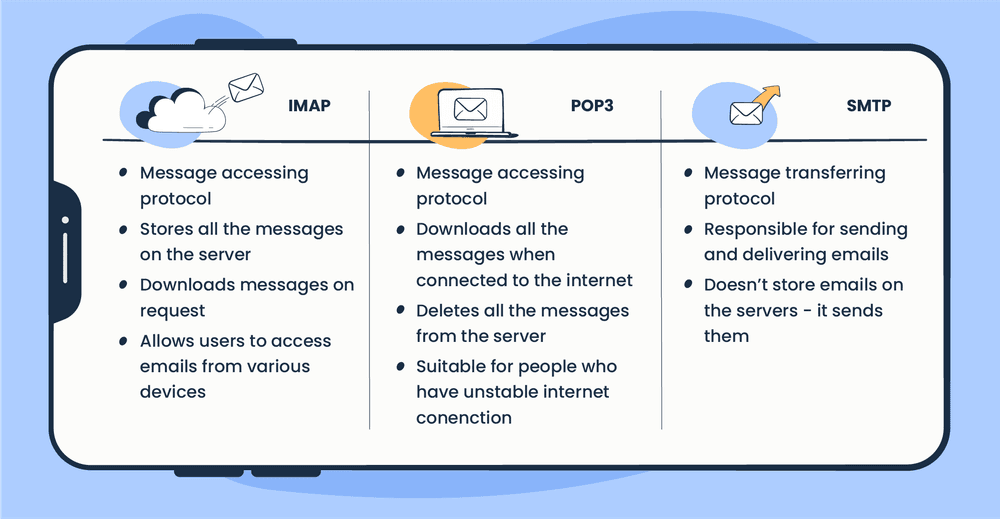
Before your next send Find the addresses that will bounce.
Verify an email freeEmail clients connect through three protocols: SMTP sends mail, while POP3 and IMAP receive it. For a secure setup, use SMTP port 587 to send, and IMAP port 993 or POP3 port 995 to receive. The plain-text ports (25, 110, and 143) should be used only when you have a specific reason. Port 25 is widely blocked for ordinary users, which is the usual reason an account can receive mail but not send it.
Every email client, from Outlook to Apple Mail, asks for the same handful of numbers when you set up an account: the ports for your incoming and outgoing mail servers. Those numbers belong to three protocols that do the actual work, and once you know which port goes with which, manual setup stops being a guessing game.
This is a quick reference to the IMAP, POP3, and SMTP ports, what each protocol does, and which port to pick when your email client asks.
SMTP, POP3, and IMAP: send versus receive
Email protocols are sets of rules that govern how messages move between your client and a mail server. There are three you need to know, and the split between them is simple: one sends, two receive.
SMTP, the Simple Mail Transfer Protocol, is the outgoing protocol. It carries messages from your email client to a mail server, and from one server to another, which is why it is the protocol behind every email you send. POP3 and IMAP are the incoming protocols. They retrieve messages from the server so you can read them, but they work in very different ways. POP3 downloads a copy to your device and usually deletes it from the server, while IMAP leaves everything on the server and keeps it in sync across every device you use.
Each protocol connects through its own port numbers, and each port number signals whether the connection is plain text or encrypted. Those port assignments are managed by IANA, the body that registers service ports for the whole internet.
SMTP ports for sending email
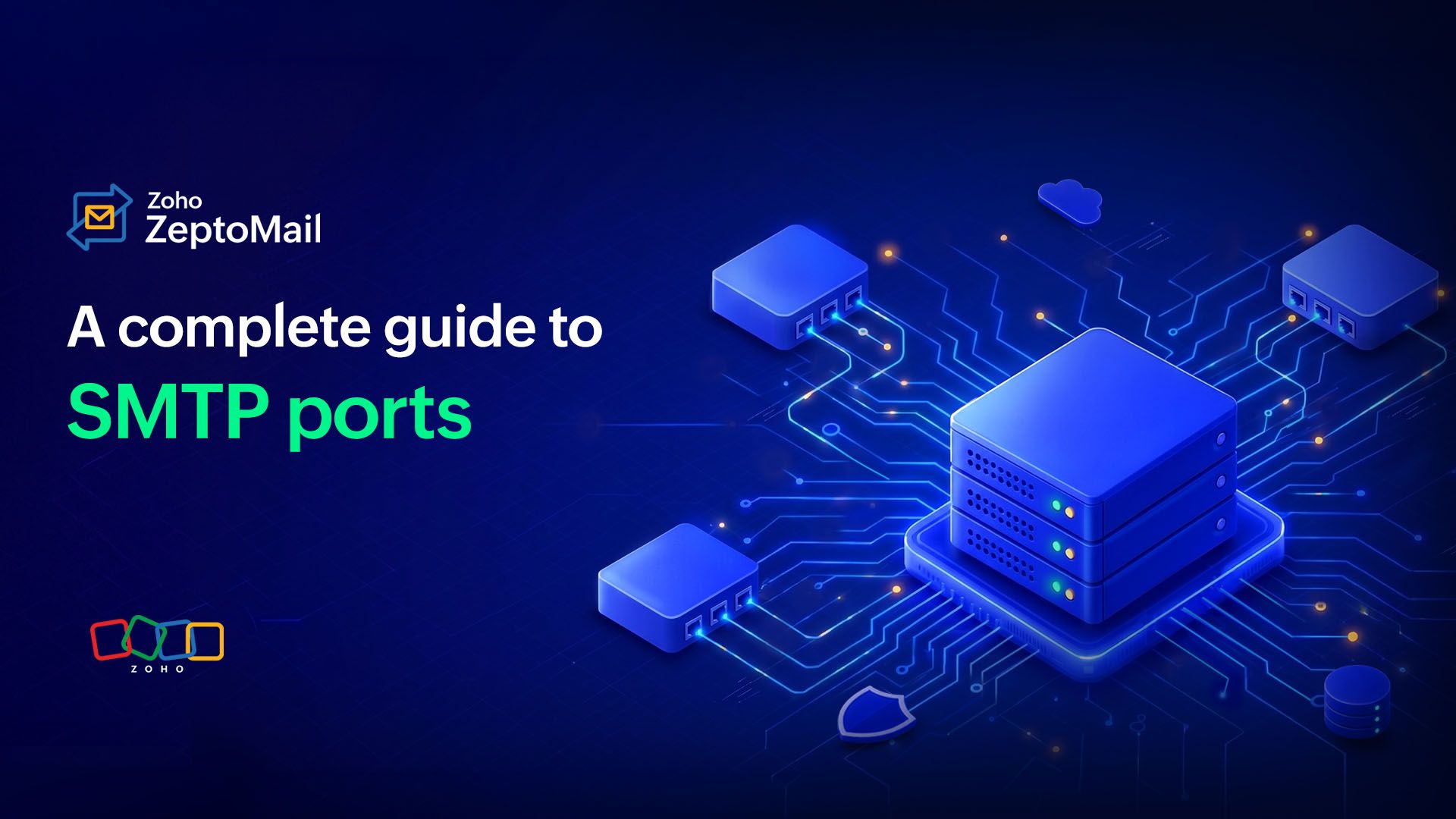
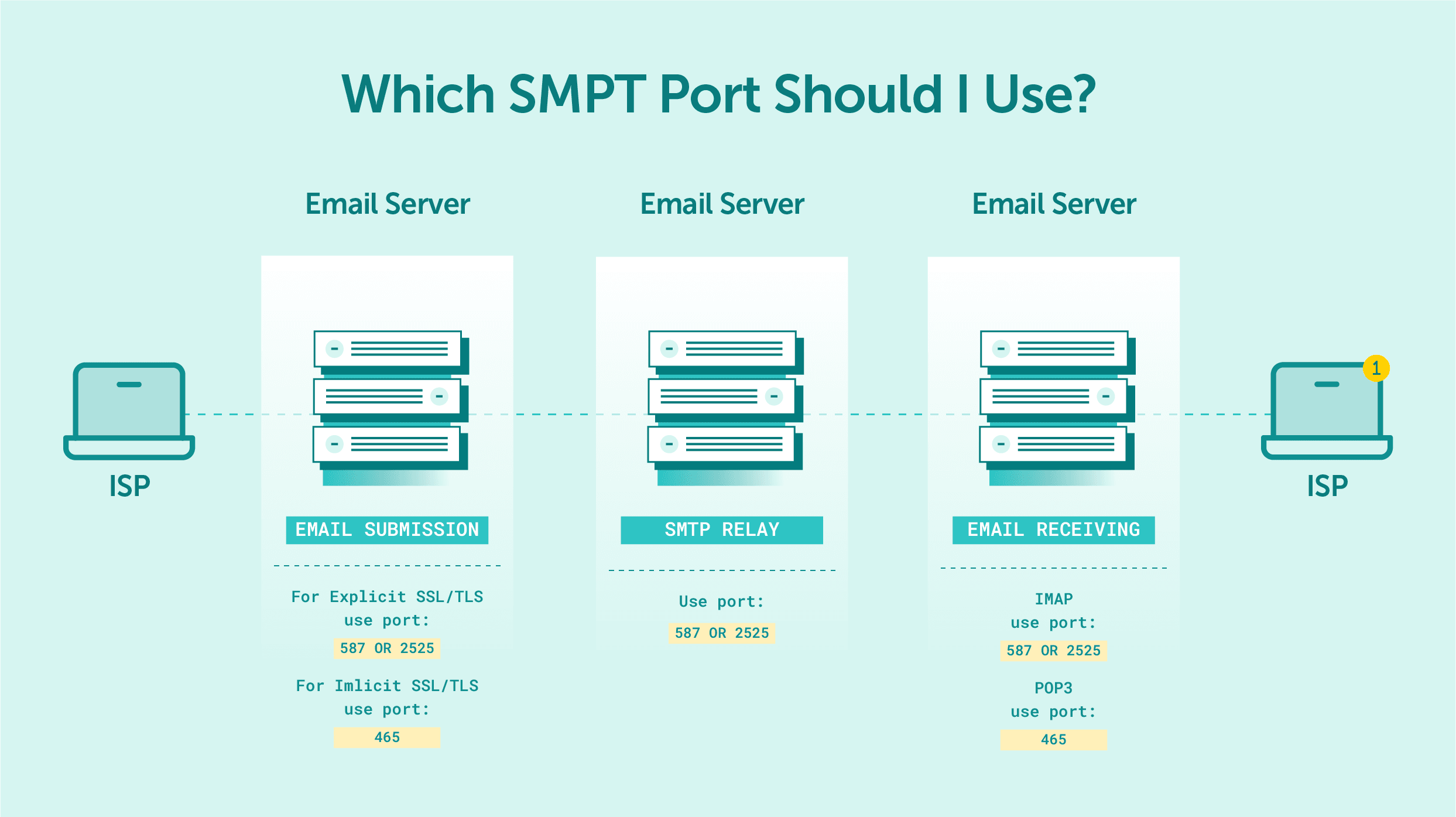
SMTP has four ports in common use, and they differ mainly in how they handle encryption:
- Port 25 is the original SMTP port. It sends in plain text, and although it can be upgraded with TLS, most internet service providers block it because it is heavily abused for spam.
- Port 587 is the port IANA registered for secure mail submission. It requires an explicit TLS connection (STARTTLS), and it is the right choice for a mail client sending through a server.
- Port 465 works over an implicit SSL connection. If the server does not support SSL on this port, the connection is simply refused rather than downgraded.
- Port 2525 is an unofficial alternative to port 25 that also supports TLS. It is handy when a network blocks the standard submission ports.
If you have ever wondered whether SMTP runs on port 25 or 587, the short answer is that 25 is for server-to-server delivery and is widely blocked for clients, so 587 is the port you almost always want when configuring an email program.
POP3 ports for downloading email
POP3, the Post Office Protocol version 3, has only two ports:
- Port 110 is the default POP3 port, and it is not encrypted.
- Port 995 is the secure POP3 port, working over TLS/SSL.
Unless you have a specific reason not to, use 995 so your login and messages are not sent in the clear.
IMAP ports for receiving email
IMAP, the Internet Message Access Protocol, mirrors POP3 with two ports of its own:
- Port 143 is the default IMAP port and provides no encryption.
- Port 993 is the secure IMAP port over TLS/SSL.
Again, the encrypted option (993) is the one to choose on any modern setup.
Every email port in one table
Here is the whole set in one place for when your client asks for a number:
| Protocol | Job | Unencrypted port | Secure port (SSL/TLS) |
|---|---|---|---|
| SMTP | Send mail (outgoing) | 25 (also 2525) | 587 (STARTTLS), 465 (SSL) |
| POP3 | Download mail (incoming) | 110 | 995 |
| IMAP | Sync mail (incoming) | 143 | 993 |
A good rule of thumb: if a setup screen offers both a secure and a non-secure option, pick the secure port every time. If a connection fails, trying the alternative port for that protocol is the first thing worth checking.
IMAP vs POP3: which one should you use

Both protocols receive mail, and every modern server supports both, so the question is really about how you want your inbox to behave. POP3 downloads messages to one device and removes them from the server, which keeps your server storage low and lets you read mail offline, but it makes syncing across phone and laptop awkward. IMAP leaves messages on the server and reflects every action, a read receipt, a reply, a move to a folder, across all your devices in real time.
For almost everyone today, IMAP is the better default. It is the protocol behind multi-device access, and it is why an email read on your phone already shows as read on your laptop. POP3 still has its place on a slow or intermittent connection, or when server storage is tight, but it is increasingly treated as a legacy option and is used less and less. If you are configuring a client by hand and are not sure, choose IMAP.
Secure ports and the port 25 problem
The pattern across all three protocols is the same: a low, original port that runs in plain text, and a higher port that wraps the connection in TLS encryption. Plain-text ports (25, 110, 143) expose your credentials and message contents to anyone watching the network, which is why the secure ports (587 or 465, 995, and 993) are the default on any account set up in the last decade.
Port 25 is the special case. It still does essential work moving mail between servers, but because spammers leaned on it for years to push unauthenticated mail, providers routinely block outbound connections to port 25 from ordinary users. That is the single most common reason a freshly configured account can receive mail but not send it, and switching outgoing to 587 usually fixes it. Getting these ports right is also part of the bigger deliverability picture, alongside authentication records like SPF, DKIM, and DMARC.
Typical settings for Gmail, Outlook, and Yahoo
You rarely have to invent these numbers. The major providers all settled on the same standard secure ports, so the values look the same whether you are setting up Gmail, Outlook.com, or Yahoo Mail:
| Provider | IMAP (incoming) | POP3 (incoming) | SMTP (outgoing) |
|---|---|---|---|
| Gmail | 993 (SSL) | 995 (SSL) | 587 (TLS) |
| Outlook.com | 993 (SSL) | 995 (SSL) | 587 (TLS) |
| Yahoo Mail | 993 (SSL) | 995 (SSL) | 587 (TLS) |
The only things that really change between providers are the server names, such as imap.gmail.com or outlook.office365.com, and whether POP3 access has to be switched on in the account settings first. The ports themselves are the standard secure ones every time.
When email stops sending or receiving
Most setup failures trace back to a port mismatch, and they tend to split into two symptoms.
If you can receive mail but cannot send it, the outgoing port is almost always the culprit. Many networks and providers block port 25 for ordinary users because of its history with spam, so an account configured to send over 25 will quietly fail. Switching the outgoing server to 587, or to 465 if the provider prefers implicit SSL, resolves most of these cases.
If you cannot connect at all, check whether the port and the encryption setting actually match. A client pointed at 993 for IMAP but set to "no encryption" will be refused, and the same applies to 995 on POP3. When a connection keeps failing, trying the alternative port for that protocol is the quickest test: swap 587 for 465, or 993 for 143, and see whether the handshake completes.
Getting your mail ports right
The whole system comes down to three protocols and a short list of numbers: SMTP on 587 to send, IMAP on 993 or POP3 on 995 to receive, and the plain-text versions only when you have a reason. Match the right port to the right protocol, lean on the encrypted option, and most email setup problems disappear before they start. The same care over how mail moves carries over to whether your messages actually land, which is where the difference between a free and a business email account, and a clean sending setup, starts to matter.
Quick answers on email ports
Is SMTP port 25 or 587?
Both are SMTP ports, but they do different jobs. Port 25 handles delivery between mail servers and is widely blocked for ordinary users, so when you configure an email client to send mail, port 587 (secure submission) is the one to use.
Is POP3 being phased out?
POP3 has not been formally retired, but it is increasingly treated as a legacy option and used less and less. Because it downloads mail to one device and removes it from the server, it does not fit the multi-device habits most people have now, and IMAP has become the default for new setups.
Which email ports are secure?
The encrypted ports are 587 and 465 for SMTP, 995 for POP3, and 993 for IMAP. Their plain-text counterparts (25, 110, and 143) send your credentials and message contents unprotected, so the secure ports are the right default on any modern account.
What is the difference between ports 465 and 587?
Both secure outgoing mail, but they negotiate encryption differently. Port 587 starts as a normal connection and upgrades to TLS (explicit, through STARTTLS), while port 465 is encrypted with SSL from the first byte (implicit). Most clients today use 587, though plenty of providers still accept 465.
§ Before your next send
Find the addresses that will bounce
Verify a single address free, or upload a CSV — the free plan includes 50 checks a month, no card needed.

BounceCheck Team
The team behind BounceCheck - helping businesses verify emails and improve deliverability.

