Email List Decay Rate: How Fast Lists Go Bad and How to Slow It Down
 BounceCheck Team
Before your next send Find the addresses that will bounce.
Verify an email freeEmail list decay rate is the share of addresses in your database that go bad over a set period, usually a year. The benchmark figure most marketers quote is around 22.5% annually, drawn from HubSpot research on database decay. Recent industry data puts the working range at 22 to 30% per year, with B2B lists decaying considerably faster.
The number matters because decay is invisible until you send. A list that looked healthy six months ago can quietly produce bounces, low engagement, and spam complaints today, all of which feed back into sender reputation. Knowing your decay rate is how you decide when to verify, when to suppress, and when to re-engage.
This guide covers the typical decay rate, the causes behind it, the deliverability cost of ignoring it, and the cleaning cadence that keeps the rate in check.
What Is an Email List Decay Rate?
The decay rate is the percentage of email addresses on your list that become invalid, unresponsive, or otherwise unsendable over a fixed period. It is not the same as your unsubscribe rate. Decay covers passive losses that subscribers do not announce: a job change, an abandoned inbox, a domain that no longer exists, a typo at signup that was never caught.
Decay also includes a softer category of addresses that technically still work. These are inboxes that accept mail but produce zero opens or clicks over a long stretch. Mailbox providers read that silence as a quality signal, and it counts against deliverability even though the address never bounced.
How Fast Does an Email List Decay?
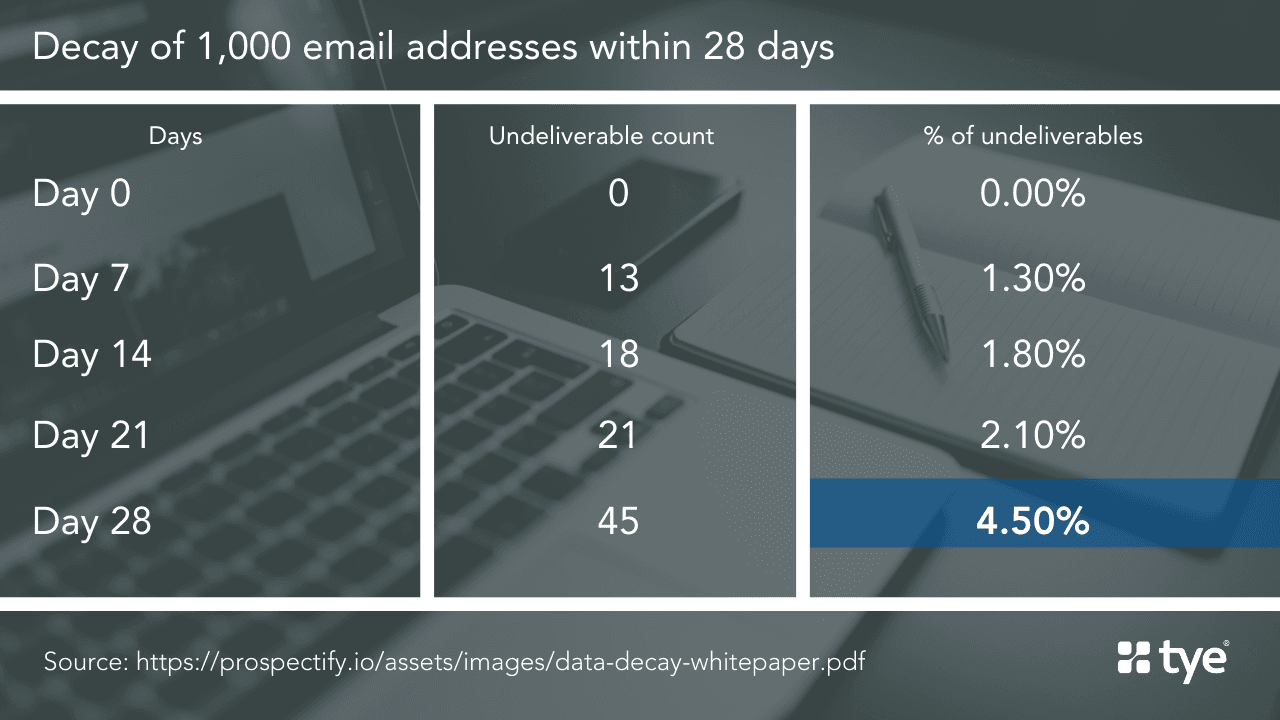
Most B2C lists decay at 20 to 25% per year. B2B lists run faster, with 25 to 30% annual decay being typical and outliers reaching higher. The often-cited HubSpot figure of roughly 22.5% per year, or about 2.1% per month, is a useful planning baseline.
| Starting List Size | Decay Rate | Viable Addresses After 12 Months (no cleaning) |
|---|---|---|
| 10,000 | 22.5% | 7,750 |
| 50,000 | 22.5% | 38,750 |
| 50,000 (B2B) | 30% | 35,000 |
| 100,000 | 25% | 75,000 |
The drop happens whether or not you send. Job changes, domain expirations, and account abandonments all proceed in the background. An active sender sees the decay surface as bounces, while a dormant sender sees it the first time they hit send on a long-ignored list.
Why Email Lists Decay

Five drivers cover most of the decay you will see on a typical list:
- People change jobs, and with them their corporate email addresses go offline. Some sources estimate that up to 70% of job-related addresses change within 12 months, which is why B2B lists feel the hit first.
- Personal inboxes get abandoned as subscribers drift to newer accounts. The original inbox may still accept mail, but no one reads it, and providers eventually recycle it into a spam trap.
- Domains expire and companies fold, so every address on that domain starts hard bouncing from that point on.
- Typos slip through at signup, like gmial.com or yhoo.com. The addresses never worked, but they sit on the list inflating the count.
- Disposable and one-time signups grab a lead magnet and disappear. The address may stay technically valid for a few weeks before the disposable provider kills it.
B2B vs B2C Decay Rates
B2B lists decay faster because they are tied to employment. When someone leaves a job, the address goes with the role, not with the person. As a planning baseline:
- B2C lists decay 20 to 25% per year, driven mostly by abandoned personal inboxes and typos.
- B2B lists decay 25 to 30% per year on average, with sales and recruiting databases trending higher because of how aggressively roles change in those functions.
- SMB-focused B2B is often the worst case, because small businesses fold or get acquired, and their domains disappear with them.
If you sell to a high-turnover audience like tech startups or agencies, plan for the upper end of the B2B band and verify more often.
How a Decaying List Hurts Deliverability

The decay rate is not just a list-size accounting problem. It pushes sender reputation down through four channels at once:
- Bounce rates spike as dead addresses produce hard bounces, and a sustained bounce rate over 2% starts costing you inbox placement.
- Spam traps catch you out because providers and blocklist operators recycle abandoned addresses into traps. Hitting even one recycled trap can trigger a blocklist entry that takes weeks to undo.
- Engagement metrics drop, which Gmail, Outlook, and Yahoo all treat as a quality signal that drags inbox placement down.
- Spam complaints rise as forgetful subscribers mark mail as spam rather than unsubscribing, and decayed segments are where most of those complaints come from.
The compounding effect is what makes decay dangerous. None of these four signals are catastrophic on their own, but they reinforce each other, and once reputation slides, even clean addresses on the list see lower inbox placement.
How to Slow Down Email List Decay
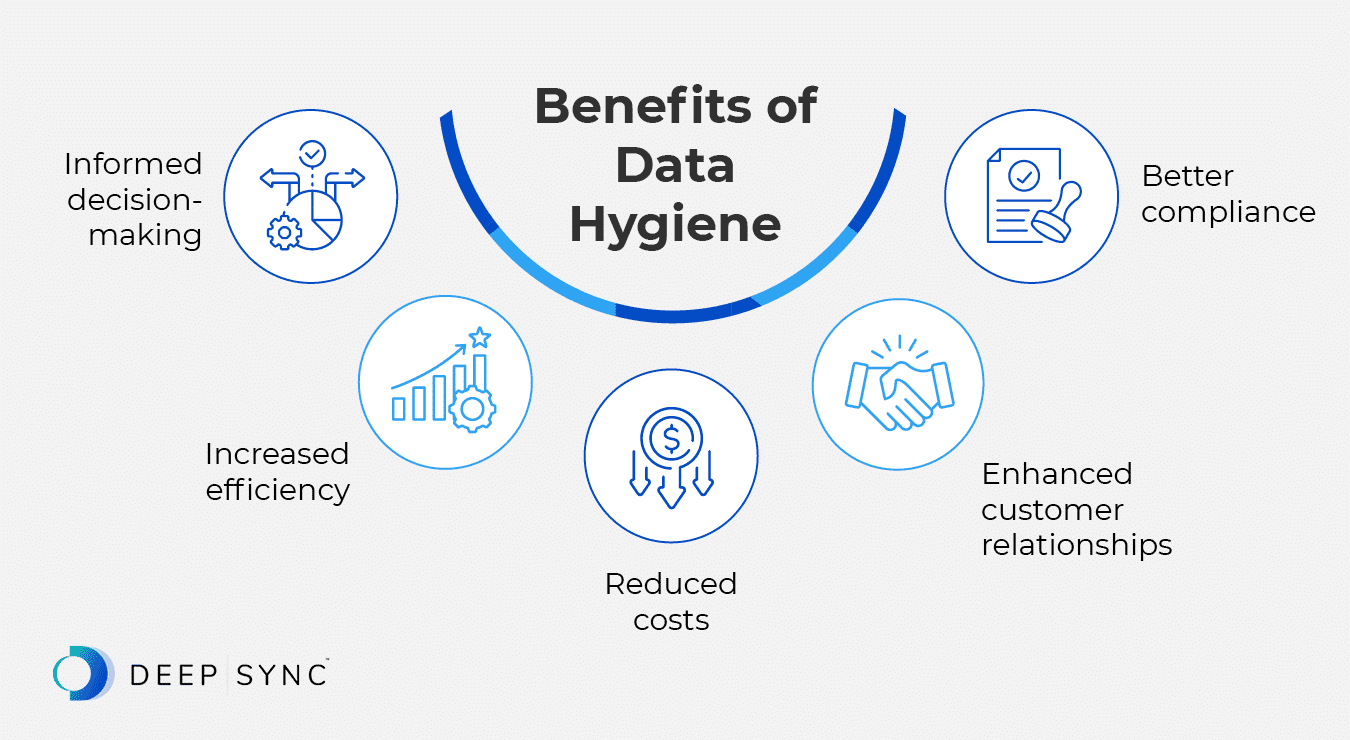
You cannot stop decay, but you can slow it dramatically and contain the collateral damage. Some best practices to put in place:
- Run verification before importing any new or dormant list into your ESP or CRM, so dead addresses do not spike your bounce rate on the first send.
- Re-verify the list on a schedule, ideally every 3 to 6 months depending on how often you send. At roughly 2% decay per month, six months of drift puts about 12% of the list at risk.
- Validate at the point of capture with real-time API checks on signup forms, which blocks typos and disposable addresses before they ever enter the list.
- Apply a sunset policy that suppresses subscribers after 90, 180, or 365 days of no opens or clicks, ideally after a final re-engagement series.
- Segment by engagement, not just tenure, and reserve the engaged segment for your highest-stakes sends while keeping risky cohorts on cooler frequencies.
For a deeper walkthrough of how verification slows decay specifically, see emailexpert's breakdown of list decay and verification.
Frequently Asked Questions
What is a typical email list decay rate?
The typical range is 22 to 30% per year, or roughly 2 to 2.5% per month. B2C lists sit closer to 22%, B2B lists closer to 30%, and high-turnover B2B niches can run higher.
How fast does an email list decay?
About 2.1% per month on average, which compounds to roughly 22.5% over a year. A list left untouched for 12 months can lose a quarter of its viable addresses without you noticing until you next hit send.
Why do email lists go bad?
The main causes are job changes, abandoned personal inboxes, expired domains, typos at signup, and disposable or one-time addresses. Job changes are the dominant driver for B2B lists.
How often should you clean an email list?
Every 3 to 6 months for active lists, and always before importing a new or dormant list. Combine bulk verification with a sunset policy so you remove both invalid addresses and disengaged subscribers.
Do B2B lists decay faster than B2C lists?
Yes. B2B lists typically decay 25 to 30% per year because addresses are tied to employment and turnover rates are high. B2C lists usually decay 20 to 25% per year, driven more by abandoned inboxes than job changes.
Does email verification stop list decay?
No, verification slows decay and contains the damage. It removes invalid, disposable, and risky addresses before they bounce, but it cannot predict future engagement. Verification works best paired with a sunset policy and real-time validation at signup.
What percentage of an email list goes bad each year?
Around 22 to 30% on average, with the exact number depending on whether the list is B2C or B2B and how aggressively you cleaned it the year before.
Cut Your Decay Rate Before It Hits Your Sender Reputation
Verifying on a 3 to 6 month cadence keeps the decay rate from ever showing up as a bounce spike that costs you inbox placement.
BounceCheck runs every address through a 30-step pipeline and returns a 0-100 score, so you can suppress the dead weight on your list before the next campaign goes out. Stealth SMTP verification runs silently, without alerting recipients or risking your domain.
$9.99 for 10K verifications. Credits never expire.
§ Before your next send
Find the addresses that will bounce
Verify a single address free, or upload a CSV — the free plan includes 50 checks a month, no card needed.

BounceCheck Team
The team behind BounceCheck - helping businesses verify emails and improve deliverability.

