How to Get Off an Email Blacklist: Step-by-Step Delisting Guide (2026)
 BounceCheck Team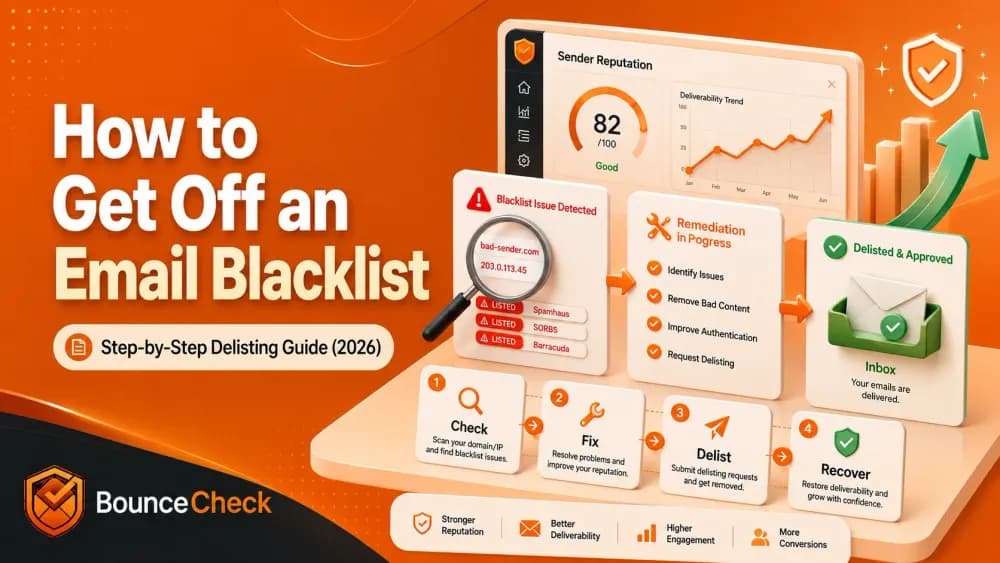
Before your next send Find the addresses that will bounce.
Verify an email freeMost senders find out they're blacklisted the slow way: open rates collapse, bounces spike, an enterprise customer reports your mail going to junk. By the time you notice, you're already losing revenue.
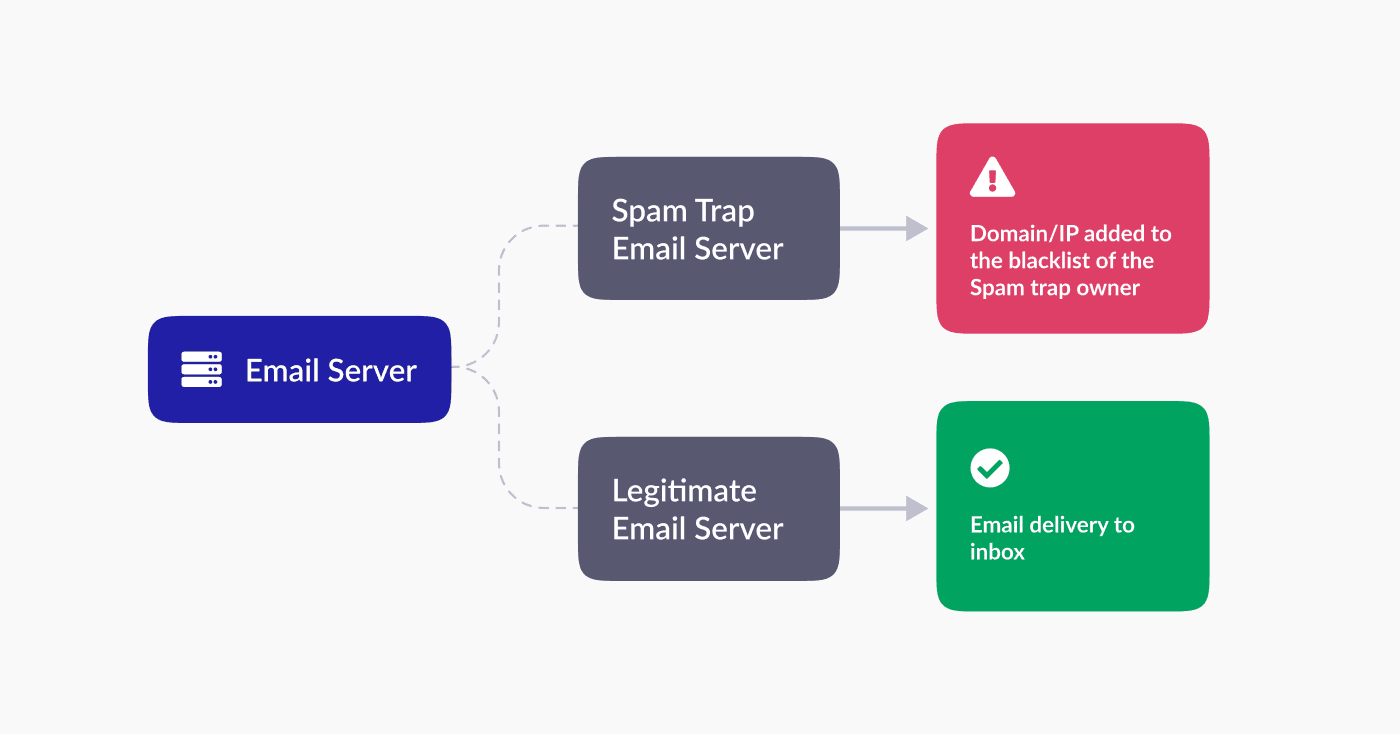
Email blacklists (also called DNSBLs or RBLs) are real-time lists of IPs and domains flagged for spam, phishing, malware, or behavior that looks abusive. ISPs, corporate spam filters, and enterprise security gateways query these lists before accepting your mail. If you're on a list the receiving server consults, your message bounces or routes to spam.
The fix is sequential: identify which list flagged you, fix the underlying cause, then submit a delisting request to that operator. Most legitimate removals process within 24 hours to two weeks. Skip the cause and operators re-list you within days.
How to run an email blacklist check
Two ways to check, you'll usually use both.
Check vendor sites directly
Visit the websites of the most common blacklist vendors and look up your IP or domain. Each operator publishes their own page:
- Spamhaus: spamhaus.org (SBL, XBL, PBL lookup)
- Microsoft (Office 365): sender.office.com
- Proofpoint: support.proofpoint.com
- Barracuda: barracudacentral.org/lookups
- Cisco/IronPort: talosintelligence.com
- Invaluement: invaluement.com
- Spamcop: spamcop.net
- SURBL: surbl.org
Vendor sites give you operator-specific listing reasons when you want to dig in.
Use a multi-RBL lookup tool
Multi-RBL tools check dozens of blocklists in one pass, useful for fast breadth. Two free options:
- MXToolbox: scans Spamhaus, Barracuda, SURBL, SORBS, Spamcop, UCEPROTECT, and 80+ others. No signup.
- BlacklistAlert: similar coverage, simpler interface.
Either approach works as a first pass. Once you find a hit, jump to the vendor site for the specific listing reason.
Two supplementary checks worth running after the lookup. Read your last 10 hard bounces from your ESP. The SMTP code usually names the list outright:
554 5.7.1 Service unavailable; client host blocked using Spamhaus...(names the list directly)550 5.7.1 rejected due to sender reputation(reputation, not necessarily an external list)550 5.7.606 Access denied, banned sending IP [x.x.x.x](Microsoft, fix at sender.office.com)
If you send through SendGrid, Postmark, Mailgun, or any shared infrastructure, the listed IP is theirs, not yours. Check both your domain and the IP your ESP routes through.
Then run an inbox-placement test (Glock Apps, MailReach, or your ESP's seed test). A blacklist only matters if it's actually changing where your mail lands. UCEPROTECT L2 and L3 are hosting-block lists and most major mailbox providers ignore them, so don't panic over a UCEPROTECT-only hit. Gmail and Microsoft barely consult external blocklists at all, they run their own reputation systems.
Email blacklist removal: how do I remove my email from the blacklist?
Three sub-stages. Each one builds on the previous, and skipping any of them is how senders end up re-listed within a week.
Diagnosing the problem
Before fixing anything, get clear on what you're dealing with:
- Identify which blacklists flagged you: MXToolbox or BlacklistAlert will name them. Write down each operator and the listing reason if available.
- Assess severity: one hit on UCEPROTECT is barely a problem. Three hits on Spamhaus, Barracuda, and SURBL simultaneously means you have a systemic sending issue, not a one-off.
- Understand the reason: listings rarely happen by accident. Common triggers include a sudden volume spike (warm-up skipped), a spam complaint rate above 0.1%, poor list hygiene with bounce rate above 2% on cold campaigns, a compromised account sending without your knowledge, spammy or deceptive content (all-caps subject lines, "100% free", misleading headers), or missing/broken SPF, DKIM, or DMARC.
Cross-reference each listing with the trigger you suspect. Spamhaus's SBL flags sending patterns; XBL flags compromised hosts; PBL flags IPs that shouldn't send direct-to-MX. Knowing which sub-list matters, because each one expects a different remediation note when you request delisting.
Assess and address the root cause
This is where most senders fail. Operators read your delisting request, and a generic "we have resolved the issue" with no evidence of a fix usually gets ignored or, on Spamhaus, flagged for tighter scrutiny next time.
Work through these in order:
- Review sending practices: did you import an old list, send to purchased data, or skip warm-up on a new domain? Document the change you're making.
- Analyze content quality: pull a sample of recent campaigns. Look for trigger phrases, excessive capitalization, deceptive subject lines, or one-pixel tracking that filters flag. Rewrite and A/B test.
- Enhance email authentication: audit SPF, DKIM, and DMARC. If any record is missing or failing, fix it. Start DMARC at
p=none(monitor only), then move top=quarantineonce aggregate reports look clean. Without DMARC visibility you have no idea who's sending on your behalf. - Review infrastructure and security: rotate SMTP credentials, force-reset mailbox passwords, enforce 2FA, and scan for malware if a compromise is plausible. Spamhaus's XBL specifically targets hosts showing botnet-style behavior.
- Check recipient engagement: pull open rates, click-through rates, and complaint rates from your ESP. Engagement under 10% combined with complaints above 0.1% will keep you on lists even after delisting.
- Subscribe to feedback loops: major ISPs (Gmail Postmaster Tools, Microsoft SNDS, Yahoo Complaint Feedback Loop) publish notifications when recipients mark your mail as spam. Sign up if you haven't. Without feedback loops you'll miss the early warning signal that lands you on a list in the first place.
For numerical thresholds on bounce rate and complaint rate, see acceptable hard bounce rates for cold email and why your bounce rate is too high. Subscribe to Gmail Postmaster Tools for visibility into your domain reputation, complaint rate, and authentication status across Gmail.
Requesting delisting
Every operator has its own form. The process splits into three things: finding the right one, submitting with the right information, and monitoring afterwards.
Finding the delisting process for each blacklist
| Blacklist | Delisting process | Typical wait |
|---|---|---|
| Spamhaus (SBL, XBL, PBL) | Lookup at spamhaus.org, follow the listing-specific link, complete the removal form with a written remediation note | 24 to 48 hours after review |
| Microsoft (Office 365) | Use the Office 365 delist portal at sender.office.com, sign in, complete the form with IP and remediation details | A few hours to 24 hours |
| Proofpoint | Contact Proofpoint support directly, no public portal | 1 to 5 business days |
| Barracuda | barracudacentral.org/rbl/removal-request | 12 to 48 hours |
| Cisco/IronPort | Varies by sub-list, talosintelligence.com or support contact | 1 to 5 business days |
| Invaluement | invaluement.com, online form or email submission | 24 to 72 hours |
| Spamcop | Auto-expires 24 hours after the last complaint, no manual delist needed | 24 hours |
| SURBL | surbl.org form, requires the offending URL or domain to be cleaned first | 24 to 72 hours |
| SORBS | sorbs.net delisting page, often automatic decay | 24 to 72 hours |
| UCEPROTECT L2/L3 | Cannot be manually removed, auto-expires after 7 days of clean behavior, or pay an "express" fee (which most senders ignore) | 7 days |
Submitting delisting requests with relevant information
Each form asks for the IP or domain, contact email, and a description of what you fixed. Be specific:
"We identified that an inactive mailbox ([email protected]) was compromised on 2026-04-22, rotated all SMTP credentials, enforced 2FA on every mailbox, and verified our outbound list with a third-party verification tool. Bounce rate is now under 1%, complaint rate under 0.05%."
Vague language ("we have resolved the issue") gets ignored. Operators want evidence.
Monitoring and following up on the delisting request
After submitting, watch three things:
- Re-run the multi-RBL check daily. Most listings clear within 24 to 72 hours of acceptance.
- Watch SMTP codes. Still seeing
554or550after delisting? You're probably on another list you missed. Run the lookup again. - Don't snap back to full volume. Send 10 to 20% of your prior daily volume for the first 3 to 5 days, then scale. A hard return to baseline looks like spam-cannon behavior to operators that just delisted you, and it's a fast path to re-listing.
If your expected wait window passes without action, send a single follow-up. Re-submitting daily flags you as abusive. Rebuilding reputation takes weeks, our how many days to recover sender reputation post has the full timeline.
Best practices to avoid blacklisting in the future
Most senders blacklisted once get blacklisted again within 90 days, because they treat delisting as the goal instead of learning how to avoid blacklists in the first place. The fix is the system around your sending.
Building an email list organically
A clean list is the single biggest predictor of blacklist risk. Build it the right way and the trigger conditions almost never appear.
- Lead magnets: offer something specific (ebook, template, checklist, free tool access) in exchange for a verified email. Specific beats generic, "subscribe to our newsletter" rarely converts the right people.
- Webinars and gated events: registration captures intent. Attendees self-select as relevant, which lifts engagement and pushes complaint rate down.
- Double opt-in: send a confirmation email after signup and only add subscribers who click the link. Adds one step, eliminates the bulk of typos, spam-trap submissions, and bot signups. Required for GDPR in most cases.
- Avoid purchased lists: purchased data hits spam traps at high rates and the word "purchased" almost always appears in a blacklist operator's investigation note. One imported list can undo months of clean sending.
Real-time email verification
Verification catches what list-building hygiene misses. Typos at signup, role-based addresses (info@, admin@), disposable domains, and recycled spam traps all slip through opt-in forms. A verifier intercepts them before they enter your database.
BounceCheck's API runs a 30-step check (syntax, MX, SMTP handshake, catch-all, disposable, role-based) in around 280ms and returns Valid / Risky / Invalid plus a 0 to 100 confidence score. Drop it into your signup form and bad addresses never enter the list. For imported old data, run a bulk verification pass first, then suppress everything that comes back Risky or Invalid.
Honest gaps on the tool: BounceCheck is a newer brand (founded 2021), no public G2 listing yet, monthly credits expire on subscription plans, and standard tiers cap at 50,000 verifications per month. What it does well is the verification layer that keeps you off lists in the first place. See pricing or run a single address through the free disposable email checker to gut-check accuracy before committing.
Monitoring email-sending practices and volume
A clean list still gets you blacklisted if your sending pattern looks like spam.
- Warm up new domains: don't send 10,000 emails on day one of a fresh domain. Ramp gradually: 50 on day one, 250 on day two, 500, 1,000, and so on. ISPs build reputation around consistency.
- Avoid spam triggers in content: all-caps subject lines, excessive exclamation marks, "100% free", "act now", deceptive sender names. Filters score every campaign. Run a spam check before sending high-volume campaigns.
- Start non-promotional on cold lists: the first few sends to a cold audience should look like newsletters or industry updates, not hard sales. Engagement signals built early carry forward.
- Segment by sending purpose: use separate subdomains for transactional, marketing, and cold outreach (e.g.,
mail.yourdomain.comfor marketing,transactional.yourdomain.comfor receipts). A burn on cold outreach shouldn't take down password resets. - Track complaint rate and engagement weekly: keep complaints under 0.1%. Aim for opens above 15% on cold, above 25% on warm. Most ESPs (Klaviyo, Mailchimp, ActiveCampaign) surface alerts when either metric spikes, turn those on.
- Run a reputation check monthly: set a recurring calendar reminder. Catching a listing in 24 hours is fixable, catching it three weeks in costs real revenue.
For the broader playbook, our email deliverability guide walks through all 18 levers in order of impact. Our sender reputation guide covers the metric thresholds in detail, and spam traps explained covers how recycled and pristine traps end up in your data.
Take action to remove your email from the blacklist
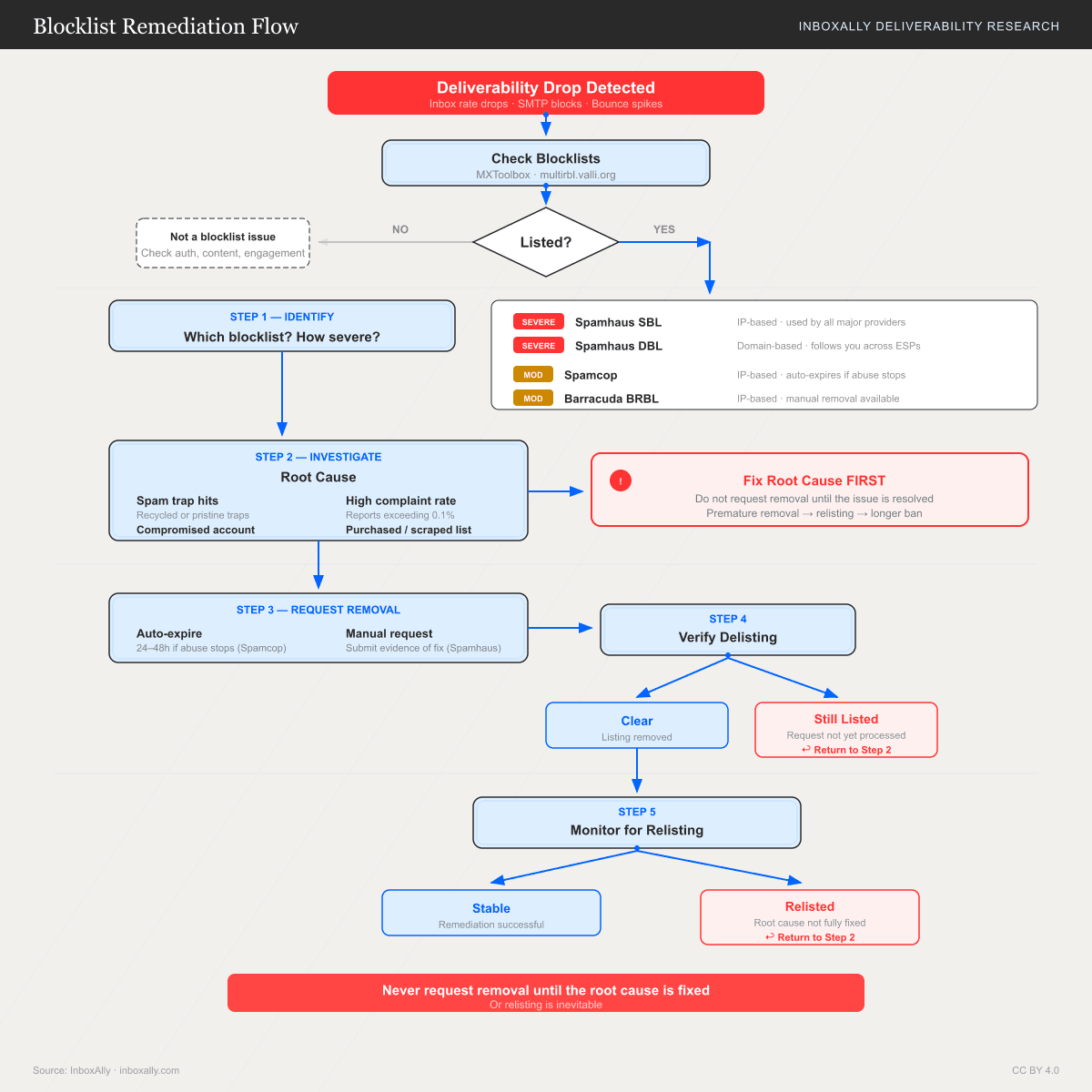
The fastest delisting is the one you never need. But if you're listed right now, the sequence is:
- Run a multi-RBL lookup, identify every list flagging you.
- Fix the underlying cause, document the change.
- Submit a delisting request to each operator with specific remediation evidence.
- Monitor daily, ramp volume back to 10-20% of baseline, scale slowly over 3 to 5 days.
- Subscribe to feedback loops so the next early warning reaches you before a listing.
Each step takes hours, not days. The discipline isn't technical, it's resisting the urge to skip step 2.
FAQs
How do I unblacklist my email?
Run a multi-RBL lookup (MXToolbox or BlacklistAlert) to identify the list, fix the trigger (list hygiene, authentication, compromise), then submit a delisting request to that specific operator. Reputable lists process within 24 to 72 hours once they see you've addressed the cause.
How long does it take to get off a blacklist?
Automatic lists like Spamcop expire 24 hours after the last complaint. Manual lists like Spamhaus, Barracuda, and Microsoft take 12 hours to 5 business days. UCEPROTECT L2/L3 take 7 days minimum and can't be expedited without paying.
Can I get my IP off Spamhaus permanently?
Not if you keep triggering it. Spamhaus tracks repeat senders, and once you're on the DROP list, removal is essentially manual case review. The realistic path is one clean delisting plus a verified fix so you don't get re-listed.
Will being blacklisted on UCEPROTECT hurt my Gmail delivery?
Almost never. UCEPROTECT L2/L3 are hosting-block lists and most major mailbox providers ignore them. If you're only on UCEPROTECT and your bounce codes don't reference it, focus on actual deliverability signals instead.
Do I need to delist if I'm moving to a new domain?
Yes if the listing is domain-based. No if it's IP-based and the new domain runs on different infrastructure. But starting fresh on a new domain doesn't repair your old domain's reputation, search history, or link equity. Fix the original.
How often should I check if I'm blacklisted?
Monthly minimum. Weekly if you send 50,000+ per month or run cold outreach. Most operators don't notify you, the first warning is usually a tanking open rate. Combine MXToolbox monitoring with Gmail Postmaster Tools and Microsoft SNDS for full coverage.
Does email verification prevent blacklisting?
It prevents one of the most common triggers, spam-trap hits and high bounce rates. It doesn't prevent compromise, content-based filtering, or complaints from a poorly targeted campaign. Treat verification as one layer among several.
Start free, 100 verifications, no card required.
§ Before your next send
Find the addresses that will bounce
Verify a single address free, or upload a CSV — the free plan includes 50 checks a month, no card needed.

BounceCheck Team
The team behind BounceCheck - helping businesses verify emails and improve deliverability.

