Double Opt-In vs Single Opt-In Email: Which One Should You Use in 2026?
 BounceCheck Team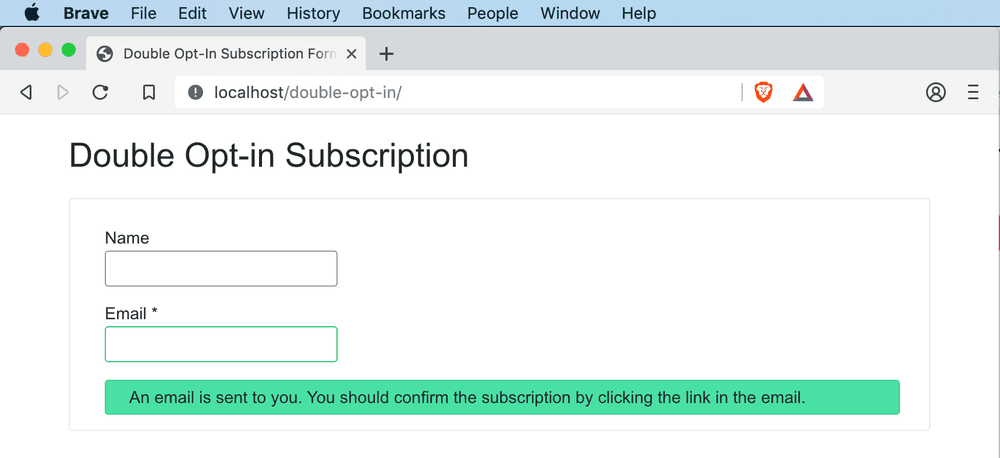
Single opt-in (SOI) adds subscribers to your audience immediately after they submit a form, while double opt-in (DOI) requires them to click a verification link in a confirmation email. SOI grows lists faster. DOI grows cleaner lists with fewer bots, lower bounces, and stronger consent evidence. The "better" method depends on your audience, your regulations, your ESP, and how closely you can monitor deliverability. This guide walks through how each works, the benefits of each, how to customize and implement them, what they do to your deliverability, and how to choose between them.
What is the single opt-in process?
Single opt-in is a subscription process where a new contact joins your mailing list without requiring the owner of that email address to confirm they knowingly and willingly opted in. The person hands over their email through a form (or checkout box, or any other signup surface), submits, and they are on your active list immediately.
That's the whole flow. No confirmation email, no verification link, no waiting state. From the subscriber's view it is the lowest-friction path possible. From your side, you only have the visitor's claim that the address is valid and that they want your emails.
Benefits of single opt-in
- Lower barriers to subscribing. One step instead of two creates a better experience for the subscriber, especially on mobile.
- Faster email list growth. You don't lose people who miss, ignore, or misunderstand a confirmation email. Everyone who hits submit counts.
- More opens, clicks, and conversions in raw numbers. A single opt-in list includes everyone who would have completed a double opt-in process plus the people who would have dropped off at the confirmation step. More addresses means more raw engagement, even if percentage rates run lower.
What is the double opt-in process?
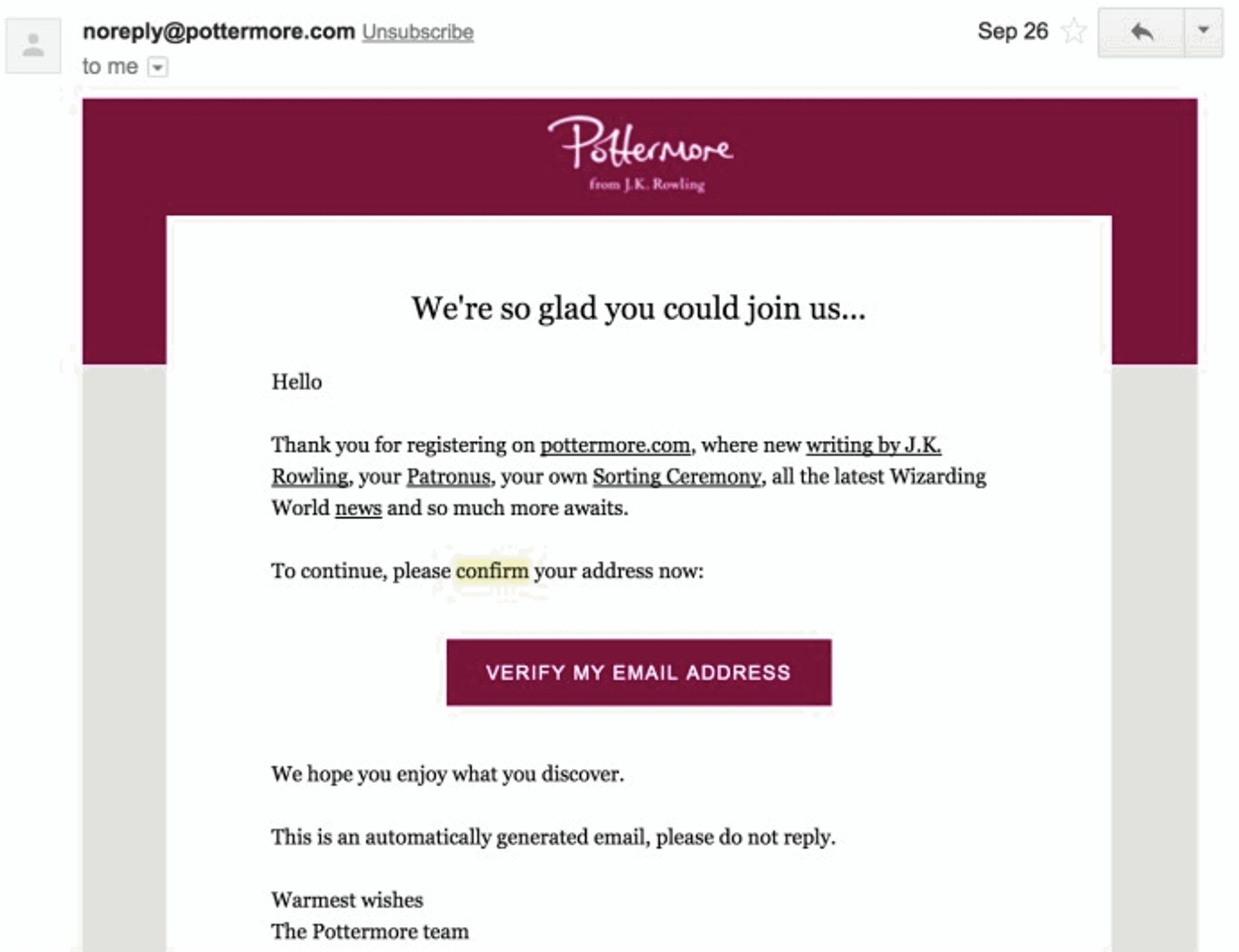
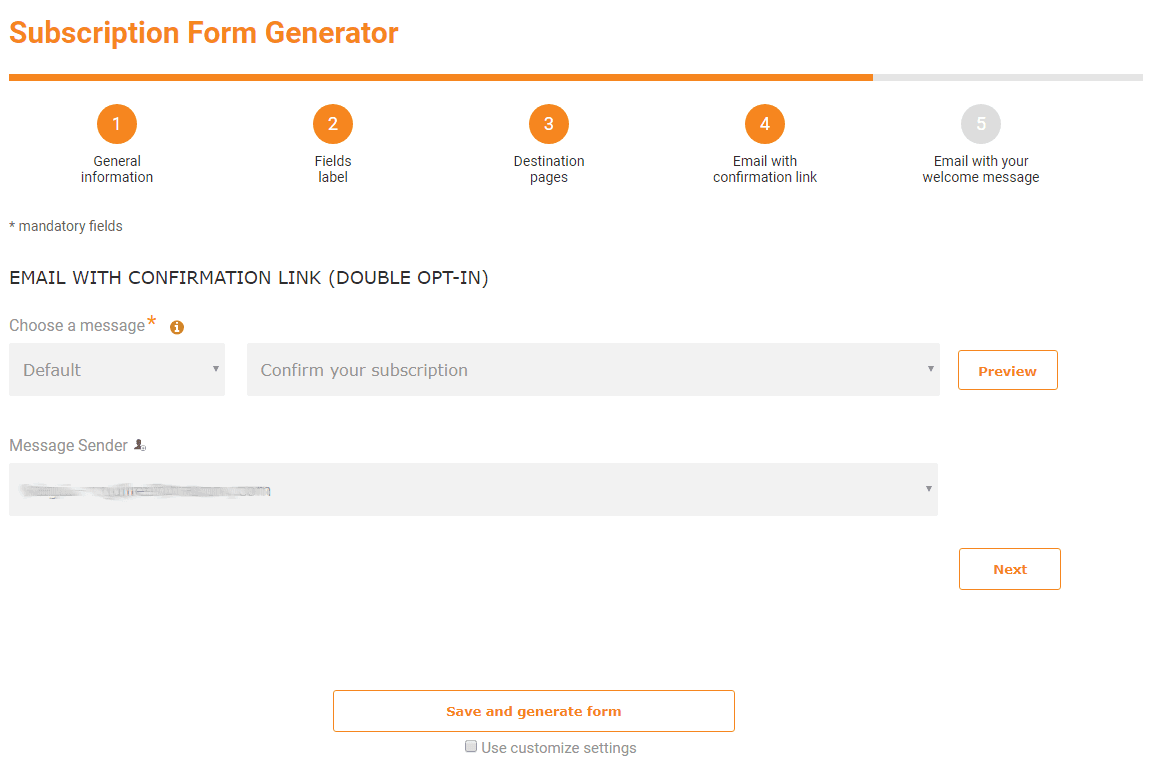
Double opt-in (also called confirmed opt-in, or COI) is a subscription process in which a new email address is only added to your mailing list after the address owner clicks a confirmation link in an opt-in confirmation email sent after the form submission. The visitor signs up, your ESP sends them a "Confirm subscription" email, and only the click on that link adds them to your active audience.
The mechanics are the same across Gmail, Yahoo, Outlook, and every other provider. There is no special "double opt-in process Gmail" enforces, it is a workflow you configure in your ESP, not something mailbox providers impose.
Benefits of double opt-in
- Fewer spam complaints. Subscribers who actively confirmed their email are far less likely to mark your messages as spam, which helps you keep emails out of the spam folder.
- Adhere to data privacy laws. DOI lists carry the cleanest evidence of consent for regulations like GDPR (EU/UK), CASL (Canada), and LGPD (Brazil). The US's CAN-SPAM Act doesn't require opt-in at all but DOI exceeds the bar comfortably.
- Higher engagement rates. A DOI list proportionally has more engaged subscribers than a SOI list, because every confirmed user was motivated enough to click a second time.
- Improved deliverability. Confirming address validity at signup removes typos, bots, and fake submissions before they hit your list, which keeps bounce rates low and protects your sender reputation.
Customize the signup process
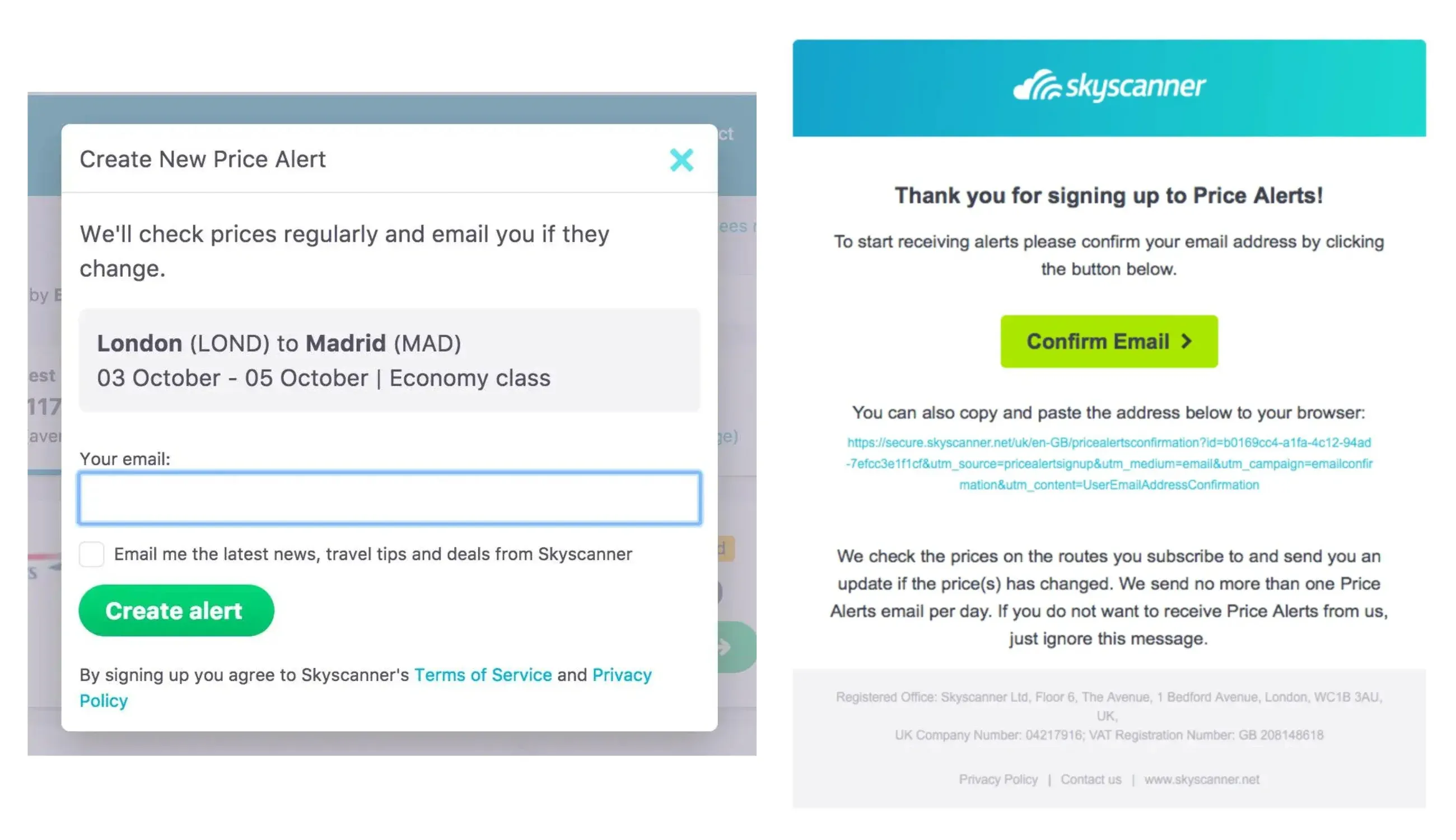
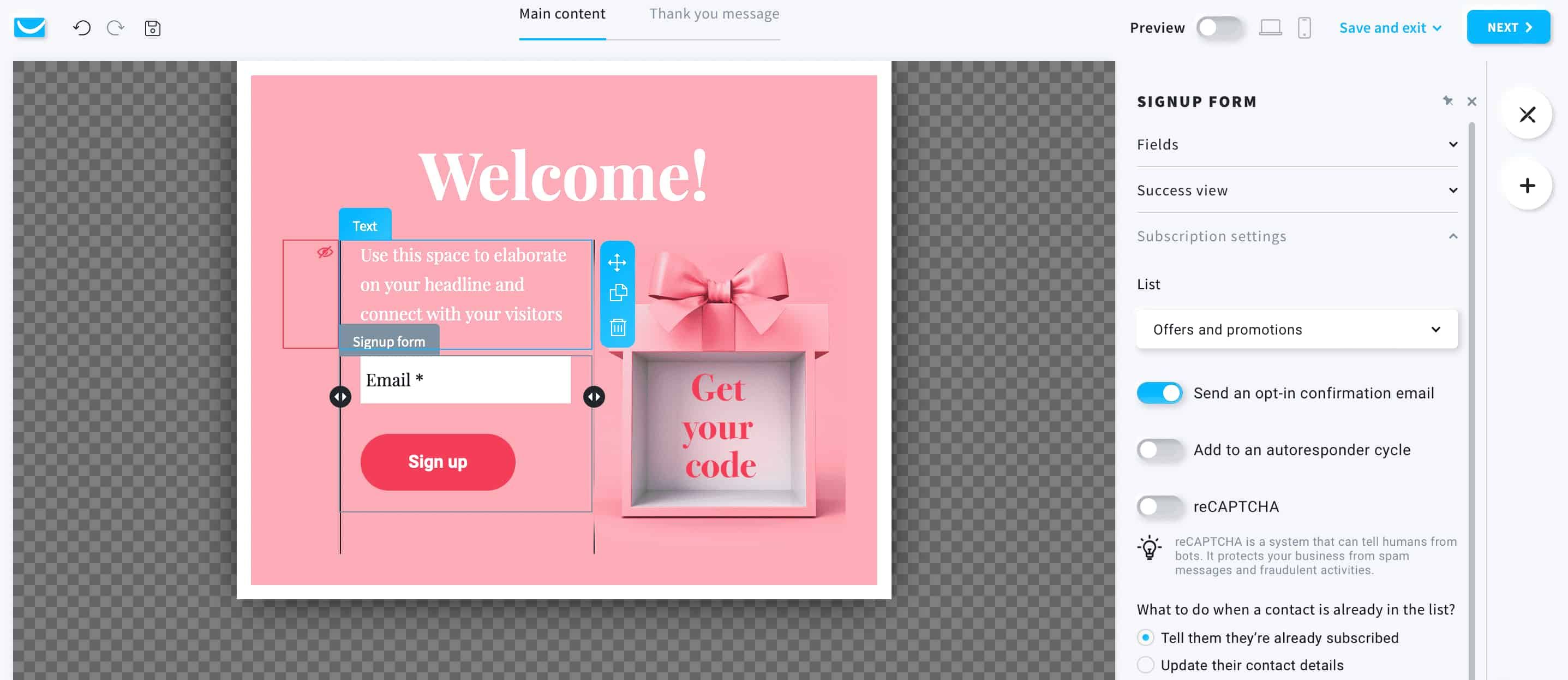
Whether you go single or double, the signup experience is built from a few customizable pieces. DOI uses all four. SOI uses the first and the fourth.
- Signup form. The hosted, embedded, or pop-up form a visitor fills out. Must include clear consent language. Add reCAPTCHA or hCaptcha to filter bot submissions, this matters most for SOI but helps DOI too.
- Signup thank-you page. Where the visitor lands after submitting the form. On DOI, this page tells them a confirmation email is coming and what subject line to expect. On SOI, this page can welcome them and start onboarding immediately.
- Opt-in confirmation email. Only used on DOI. Sent within seconds of submission, with one clear CTA button to confirm. Keep the subject line direct: "Confirm your subscription to [Brand]" beats clever every time.
- Confirmation thank-you page. Only used on DOI. The page the subscriber lands on after clicking the confirmation button. Use it to welcome them, set expectations, and ideally hand off to a welcome email sequence.
If you use a free email verification API at the signup form, you can reject syntax errors, disposable domains, and known invalid mailboxes before the form even submits, which lifts the quality of both SOI and DOI flows. Our free disposable email checker covers the disposable side as a standalone check.
Tips for customizing your opt-in process
Review the details of your email program, ESP, and regulations
Sometimes the choice between SOI and DOI is not really up for discussion. SOI is not for you if any of these apply:
- You need to follow specific data privacy guidelines like positive opt-in for GDPR. Our email validation and GDPR guide covers what "documented consent" looks like in practice.
- Your ESP requires double opt-in (some do on free plans or for abuse-prone industries).
- You don't have good visibility into your deliverability.
- You are not prepared to deal with being blocked or junked at one or more inbox providers.
- Your industry requires stronger permission, healthcare, financial services, marketing to minors.
- Your company is a target of signup-form abuse or harassment.
If any of those describe your situation, single opt-in is not a safe or viable option.
Choose your performance priorities
You also need to weigh whether higher performance rates or higher total performance matters more to you.
Double opt-in lists have higher open rates, click rates, and conversion rates than single opt-in lists, because confirmed subscribers are both willing and able to jump through an extra hoop to receive your emails.
Single opt-in lists generate more total opens, clicks, and conversions in absolute numbers, because they include everyone who would have completed a double opt-in process and then some. Larger list, lower per-recipient engagement, higher raw totals.
Review where and how you grow your email list
Email permission has three components:
- Signup. How did the person indicate they want promotional messages?
- Context. Under what circumstances did they sign up?
- Confirmation. How are you confirming they willingly and knowingly signed up?
These combine into very different signup experiences:
- Active context + active signup (e.g., checkout with an unchecked opt-in box) needs the least extra friction. Single opt-in is often sufficient.
- Active context + passive signup (pre-checked boxes during checkout) needs more confirmation. DOI is safer.
- Passive context + active signup (sweepstakes entry where the user clicks an unchecked opt-in box) also benefits from DOI.
- Passive context + passive signup (sweepstakes with a pre-checked box) almost always needs DOI to be defensible.
Match your confirmation step to the intent strength of the signup.
Use multiple approaches and email subdomains
You don't have to choose one method for the whole program. If you use a mix of opt-in strategies, or you're experimenting with a new method, run each one on a separate email subdomain. That way the reputation of one channel doesn't bleed into another.
For example, if you grow part of your list through sweepstakes (passive context) and another part through your own product (active context), put them on different subdomains. If the sweepstakes traffic spikes complaints, your product emails on a different subdomain are insulated. If you don't have visibility into acquisition source performance, deliverability problems become mystical and expensive. Subdomains give you the dial to adjust without burning the whole program.
Tips for effectively implementing your opt-in process
Monitor deliverability on single opt-in email lists
Single opt-in makes it easy to add subscribers, but you have to take extra precautions to monitor list hygiene and engagement.
- Verify the address at the form in real time. Block syntax errors, typos like
gmial.com, and known disposable domains. How email verification works walks through the technical layers, MX checks, SMTP handshake, catch-all detection, that catch bad addresses before they enter your list. - Avoid using no-reply email addresses, so new subscribers can ask questions.
- Fine-tune your welcome emails with A/B testing to boost early engagement.
- Use alternate confirmation methods on the form itself, double-entry email fields, real-time verification, removing fake or non-engaging subscribers periodically.
- Monitor hard and soft bounces and remove problematic addresses.
- Run routine spam tests to spot issues before they compound.
Make engagement easy for double opt-in email lists
Deliverability is less of a concern on a DOI list because the addresses already verified themselves. The risk shifts to subscribers falling out of the funnel at the confirmation step.
- Tell subscribers on the thank-you page that they need to confirm, so they expect an extra message.
- Use a clear subject line on the confirmation email that signals action: "Confirm your subscription to [Brand]."
- Make the confirmation email easy to understand and click. One CTA button, plain-text fallback link below it, minimal copy.
- Send one reminder email after about 24 hours if they haven't clicked. Don't send three.
Measuring the effectiveness of double opt-in vs single opt-in
If you commit to a method, you need to measure whether it's working. Three signals matter most:
Spam complaint rate. Compare before and after if you switch methods. A drop after moving to DOI confirms the friction is paying off. A spike after moving to SOI tells you to add more verification at the form. Gmail and Yahoo want bulk senders under 0.3%; the comfort zone is 0.1% or lower.
Deliverability audit. Run a full audit on your current sending: SPF, DKIM, DMARC alignment, bounce rates by ISP, complaint rates by ISP, content scoring. You will see fast whether the opt-in choice is the bottleneck or whether something else (authentication, content, list age) is dragging you down.
Engagement rates. Open rates, click rates, conversion rates, unsubscribe rates. If engagement collapses after you switch to SOI, the faster list growth is not worth it. If engagement holds steady or improves after switching to DOI, the smaller list is paying for itself in quality.
The role of your sender reputation
You don't want any email going to spam, but a confirmation email landing in spam is particularly costly. If a potential subscriber never sees the confirm message, the DOI funnel breaks and they never join your list.
Your sender reputation is a score that mailbox providers assign to your sending based on subscriber behavior, list hygiene, authentication, and content. Gmail, Yahoo, and Outlook publish very similar requirements. Google's Email sender guidelines lay out the thresholds, complaint rates, authentication, unsubscribe handling, that bulk senders need to hit.
If you have a weak sender reputation already, the confirmation emails in your DOI process can themselves go to spam, breaking the funnel. You don't fix that by switching opt-in methods. You fix it by repairing authentication, cleaning your list, and improving engagement on the campaigns you do send. BounceCheck's 30-step verification engine (syntax, MX, stealth SMTP, catch-all, disposable, role-based) returns Valid / Risky / Invalid plus a 0–100 confidence score, which is the input you need to keep an SOI list clean or to pre-verify addresses before sending a DOI confirmation.
Honest gaps to mention: BounceCheck is a newer brand, we don't have a public G2 listing yet, our monthly credits expire at end of cycle (not a rolling balance), and standard self-serve tiers cap at 50,000 verifications per month. If those are dealbreakers, Bouncer is a solid peer in this space.
Should you choose single opt-in or double opt-in?
There is no universal answer, you need to fit the method to your list, your audience, and your regulatory exposure. But you don't have to overcomplicate it:
- Use single opt-in if you can monitor deliverability closely in exchange for a larger list. SOI is about quantity. It works best when your signup context is active (your own product, checkout) and your audience is US-centric or somewhere CAN-SPAM-style rules apply.
- Use double opt-in if you want a more curated list of motivated subscribers. DOI is about quality. Default to it for EU/UK/Canadian audiences, passive signup contexts (sweepstakes, lead magnets, pre-checked boxes), regulated industries, and any program that has had deliverability issues in the past.
You can also mix: SOI on the surfaces where intent is obvious, DOI on the surfaces where it isn't, each on a separate subdomain so reputations don't cross-contaminate.
FAQs
Is double opt-in required by GDPR?
No. GDPR requires freely given, specific, informed, and unambiguous consent that you can prove later. DOI is the cleanest way to produce that proof. SOI with timestamp, IP, form context, and consent text logged can also satisfy GDPR, but the evidentiary burden is on you.
Is double opt-in required by Gmail or Yahoo?
No. Neither inbox provider mandates DOI. They enforce outcomes: spam complaint rates under 0.3%, authenticated sending, low bounce rates, and easy unsubscribe. DOI helps you hit those targets but the choice of method is yours.
Will I lose subscribers with double opt-in?
Yes, typically 20–40% of people who submit your form will not click the confirmation link. Many of those would not have engaged with your emails anyway. Clear thank-you-page instructions and a single 24-hour reminder recover most of the genuine drop-offs.
Can I switch from single opt-in to double opt-in later?
Yes, and it's a common move after a deliverability incident. The switch only affects new signups. Existing subscribers stay as-is. If you want to retroactively confirm older subscribers, run a re-engagement campaign that asks inactive users to click a link to stay subscribed, then suppress non-clickers.
Does single opt-in hurt deliverability?
It can, if you don't compensate. SOI lists carry more typos, bots, and unmotivated subscribers, which raise bounces and complaints. Verify at the form, monitor metrics daily, sunset non-engagers every 60 to 90 days, and SOI deliverability can match DOI.
What's the difference between double opt-in and confirmed opt-in?
Nothing. They are the same workflow. "Confirmed opt-in" (COI) is the older industry term, "double opt-in" is what most ESPs now use. Same two-step process either way.
Should I use double opt-in for cold outreach?
Cold outreach lists are not opt-in lists at all, the recipient didn't sign up. DOI doesn't apply. For cold sending, verify every address before send, use a separate domain or subdomain, warm it slowly, and keep volume low.
Final thoughts
The single-versus-double choice is really a question about what kind of list you want to run. SOI optimizes for top of funnel and trusts you to do the hygiene work downstream. DOI front-loads the hygiene, smaller list, cleaner addresses, less daily babysitting.
Default to double opt-in for sources where consent context is passive (lead magnets, contests, EU traffic), and single opt-in for sources where intent is obvious and you control the form (checkout, in-product signup). Either way, verify at the form, monitor your complaint and bounce rates weekly, and don't mix the two on the same subdomain.
Start free with 100 verifications, no card required, and drop the API into whichever signup flow you choose.

BounceCheck Team
The team behind BounceCheck - helping businesses verify emails and improve deliverability.