Maildrop Alternatives for Replies, Privacy, and Blocked Domains
 BounceCheck Team
Before your next send Find the addresses that will bounce.
Verify an email freeMaildrop's three practical limits each have a different replacement: Addy.io when you need to reply to or send from a throwaway address, Mail.tm when you need a disposable inbox nobody else can open, and Cloudflare Email Routing when a signup form rejects @maildrop.cc and you already own a domain. Maildrop itself does one job well, showing you a message that arrived at an address you invented, in a browser, with no account. Nothing below ranks the three replacements against each other, because each one fixes a different wall.
Choosing a throwaway inbox from scratch is a different exercise, and a side-by-side comparison of ten temporary email services already covers that ground. This article assumes Maildrop is what you are already using, and that one of its three limits is what stopped you: you cannot reply, the inbox is public, or the domain is blocked.
What Maildrop's own pages say it will not do
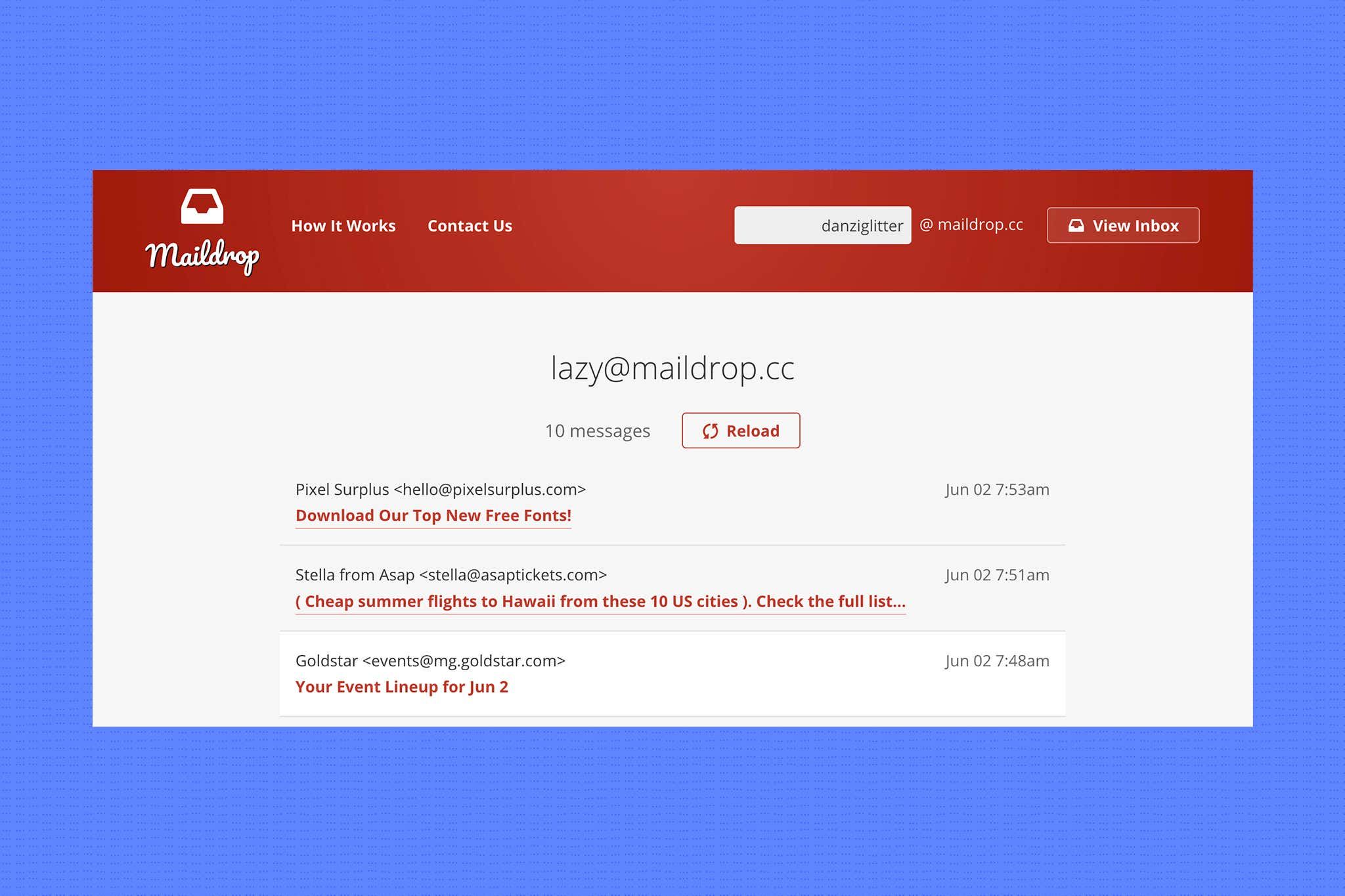
Maildrop publishes all three limits itself. It has no signups and no passwords, so every inbox is readable by anyone; it documents reading incoming mail and never composing, replying, or receiving attachments; and every address sits on the single domain maildrop.cc, which a form can blocklist in one string. None of the three is a bug, and none has a workaround inside Maildrop.
Maildrop describes itself as "a free disposable email address to use anytime", and its documentation is unusually candid about the trade-offs. The first limit is access control, or the absence of any. Maildrop's how-it-works page states plainly that "Maildrop has no signups. Maildrop has no passwords." Its privacy policy goes further: "Every inbox on Maildrop is available to the public", "Any message sent to Maildrop can be read by any user", and "There are - by design - no security measures to sign into Maildrop and view email messages." You are not opening your inbox. You are opening an inbox, and so can anyone else who types the same name.
The second is direction. Every page Maildrop publishes about how the service works describes reading what arrives; none of them describes composing, replying, or forwarding. The attachment line makes the same point from the other side: "All attachments in messages are removed and discarded - this means no sending files to an inbox." A verification code works fine in that model. A conversation with a support agent does not.
The third is the domain. Every Maildrop address lives on maildrop.cc, and a signup form that blocklists that one string closes the door on every inbox name you could invent behind it. Changing the local part changes nothing, because the rejection happens on the right-hand side of the @.
Gap 1: you need to reply, not just read
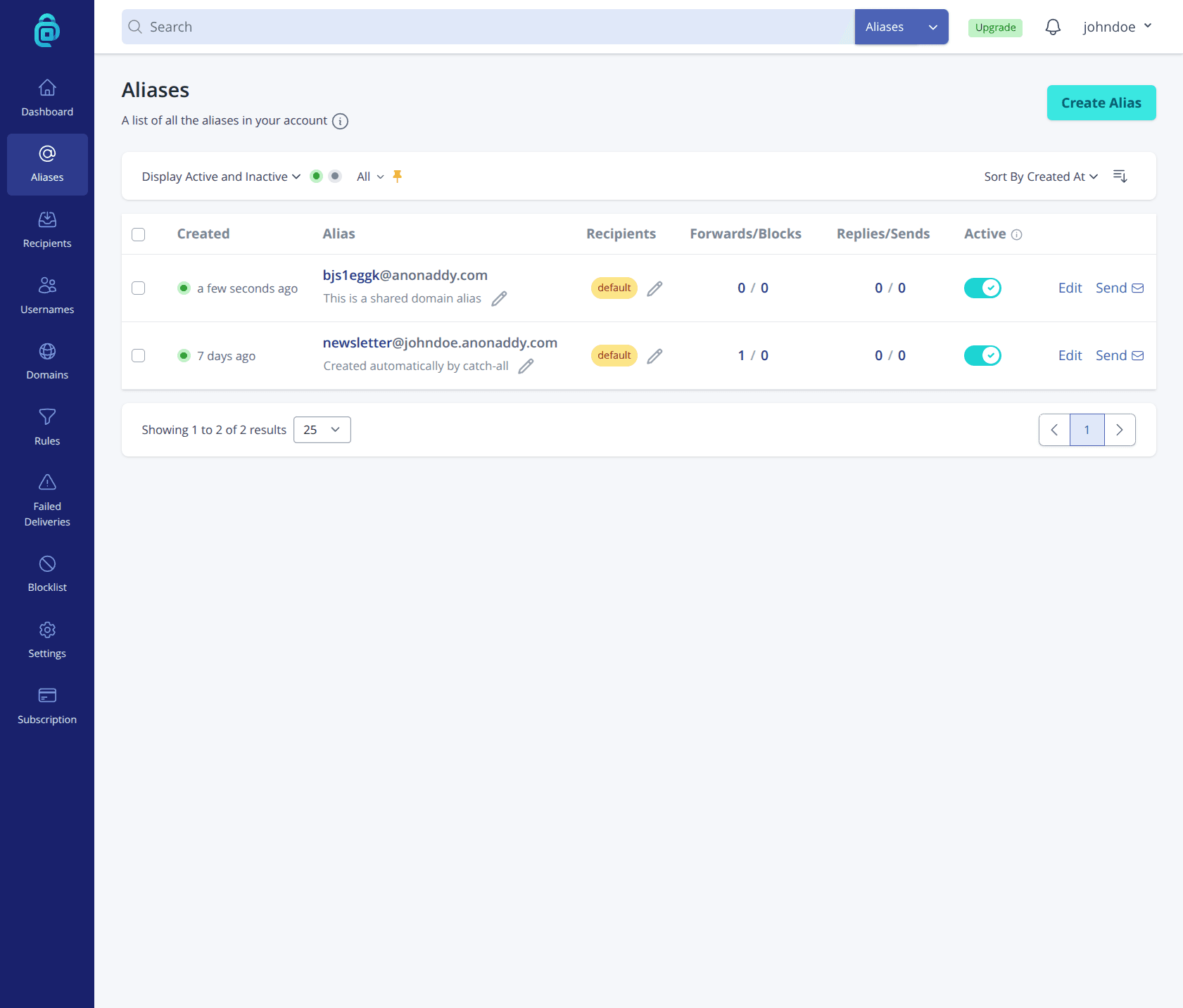
Addy.io replaces Maildrop when the exchange needs a second message from you. Its homepage documents replying anonymously to a forwarded email, so the sender receives it as if it came from the alias, and it documents starting a new conversation by sending from an alias. Maildrop documents no compose feature at all, so no choice of inbox name makes it two-way.
For anything that turns into a two-way exchange, an alias forwarder replaces Maildrop, and Addy.io is the one that documents both halves of the exchange on its own homepage. It says you can "Reply anonymously to forwarded emails, the sender will receive the email as if it has come from the alias", and that "You can even initiate an email conversation by sending an email from one of your aliases", with your real address "not revealed when replying or sending from an alias".
The mechanism is different from Maildrop's in a way that matters. Mail sent to the alias lands in a mailbox you already own and already log into, so nothing is parked on a page a stranger can open, and outbound mail leaves through the alias rather than through a web form. Addy.io describes itself as "Free, Open-source Anonymous Email Forwarding", and its free tier lists unlimited standard aliases against one recipient address, two available alias domains, ten active shared domain aliases, and a 10MB monthly bandwidth limit.
Two costs come with that. You need an account and a real mailbox behind it, which is exactly the friction a Maildrop user was avoiding, and the 10MB bandwidth ceiling on the free tier means image-heavy newsletters consume it faster than plain text receipts do. For a single throwaway code, Maildrop is still less work. For a thread you have to answer, there is no version of Maildrop that gets you there.
Gap 2: you need an inbox only you can open
Mail.tm replaces Maildrop when the public inbox is the problem. Its site states that "Every temporary mailbox is protected by a unique, automatically generated password", and that nobody but you can see what is inside. Maildrop's privacy policy states the opposite, that any message sent to Maildrop can be read by any user, so guessing an inbox name is its entire authentication story.
The password changes what the address is safe to receive. A guessable public name is fine for a trial signup and wrong for anything carrying an order number, a partial address, or a reset link, because on Maildrop the exposure is not hypothetical. Mail.tm also exposes API access, which its site frames as a way for power users to register disposable mailboxes in bulk, so scripted signup testing does not have to run through a page you refresh by hand.
What Mail.tm does not fix is gap 3. The mailbox is private, but the address still sits on a domain Mail.tm owns and publishes, not on one you control, so a form's opinion about disposable domains applies to it the same way it applies to Maildrop.
Gap 3: the form rejects @maildrop.cc
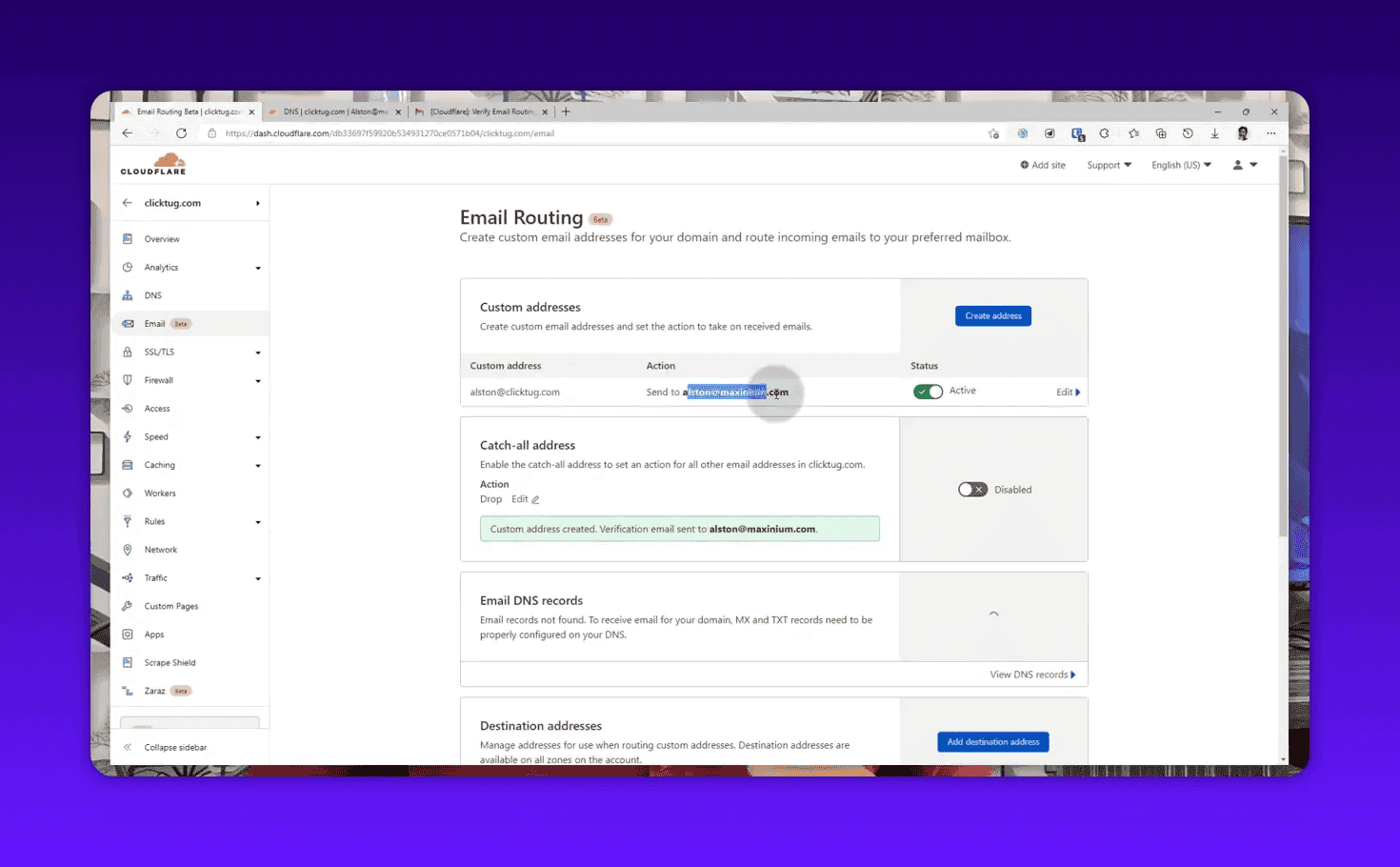
Cloudflare Email Routing replaces Maildrop when a signup form rejects the domain. Its documentation describes routing incoming email for custom addresses on a domain you own to a verified destination, external address, or Worker, says the feature is "Available on Free and Paid plans", and requires that the domain already use Cloudflare DNS. An address on your own domain carries no disposable-domain signal.
Swapping one shared throwaway domain for another shared throwaway domain is a race you lose slowly. The durable answer is an address on a domain you own, and Cloudflare Email Routing gets you there at no cost if the domain is already on Cloudflare, since its documentation notes that "Sending to verified destination addresses in your account is free on all plans."
Setup is a routing rule rather than a mailbox. You enter the local part you want, pick the destination it should forward to, then confirm ownership of that destination: Cloudflare's guide instructs you to "Open the verification email Cloudflare sends to that address and select Verify email address." The one hard prerequisite is stated just as plainly, since "You must be using Cloudflare DNS to use Email Service", so this is a fix for people who already run a domain, not a thirty-second substitute for typing a name at maildrop.cc.
The payoff is that the disposable-domain question stops applying. Nothing about [email protected] looks like a throwaway to a signup form, because it is not one. Enabling a rule for every local part instead of a named one turns the domain into a catch-all address, which is convenient for you and genuinely unhelpful for anyone trying to verify those addresses later.
Which wall, which tool
Three walls, three replacements, and no ranking between them, because they do not compete for the same job. Replying needs an alias forwarder, a private inbox needs a password on the mailbox, and a blocked domain needs a domain of your own. Match the row below to the sentence you would use to describe why Maildrop stopped working for you.
| The wall you hit | What Maildrop states | Use instead | What that service states |
|---|---|---|---|
| You have to reply or send | Attachments "removed and discarded", no compose feature documented | Addy.io | Reply from an alias, and "initiate an email conversation by sending an email from one of your aliases" |
| Anyone can open the inbox | "Every inbox on Maildrop is available to the public" | Mail.tm | "Every temporary mailbox is protected by a unique, automatically generated password" |
| The site blocks the domain | Every address is on the single maildrop.cc domain | Cloudflare Email Routing | Routes incoming mail for custom addresses on your own domain, "Available on Free and Paid plans" |
The same three gaps seen from the sending side
Every fix above makes the address harder for a recipient system to categorize, which matters if you are the one collecting signups rather than dodging them. An alias on somebody's own domain carries no disposable-domain signal at all, and a catch-all domain accepts every local part you throw at it, so disposable email detection answers a policy question and not a delivery question. Whether a specific mailbox exists is a separate test.
The protocol draws that line explicitly. When a recipient is known not to be deliverable, RFC 5321 has the receiving server return a 550 reply naming the mailbox, and it forbids a server from returning a 250 to a VRFY command unless the address has actually been verified, never merely because the syntax parses. A regex on your form is not the same test as a mailbox check, which is why lists full of syntactically perfect dead addresses still bounce.
Those bounces are counted against the sender. Google's guidelines for email senders tell you to reduce volume when messages start bouncing or being deferred, to authenticate with SPF and DKIM, and to keep the spam rate reported in Postmaster Tools below 0.10%. BounceCheck is an email verification tool on that side of the problem: real-time and bulk verification through a stealth SMTP engine, with an API, a free tier of 50 addresses a month, and paid plans from $9.99 for 5,000 addresses a month, with add-on credit packs that never expire.
Be honest about the ceiling. Removing invalid addresses prevents hard bounces, but it does not repair a reputation you have already damaged, add the authentication records you never published, or make an unengaged list want your mail. No tool can promise inbox placement.
FAQs
What are the best Maildrop alternatives?
There is no single best one, because Maildrop fails in three different directions. Addy.io replaces it when you need to reply or send, since its site documents replying from an alias and starting a conversation from one. Mail.tm replaces it when the public inbox is the problem, since every mailbox it creates carries a generated password. Cloudflare Email Routing replaces it when a form rejects @maildrop.cc, because the address ends up on a domain you own rather than a shared disposable one.
Are there free Maildrop alternatives?
Yes, all three replacements have a free path. Addy.io describes itself as "Free, Open-source Anonymous Email Forwarding" and its free tier lists unlimited standard aliases against one recipient address plus a 10MB monthly bandwidth limit. Mail.tm creates password-protected temporary mailboxes at no charge. Cloudflare Email Routing is "Available on Free and Paid plans", though it requires a domain already using Cloudflare DNS.
Can you reply to an email in a Maildrop inbox?
Maildrop's own documentation describes reading incoming messages and nothing else, and it states that attachments are "removed and discarded", so treat it as a read-only window. Use an alias forwarder such as Addy.io if the exchange needs a second message from you.
Can other people read my Maildrop inbox?
Yes, and Maildrop says so first. Its privacy policy states that "Every inbox on Maildrop is available to the public", that "Any message sent to Maildrop can be read by any user", and that by design there are no security measures for signing in to view messages. Anyone who types the same inbox name sees the same mail.
What can I use when a signup form rejects @maildrop.cc?
Move off shared disposable domains rather than shopping for a fresher one. An address on a domain you own, forwarded to your real mailbox with something like Cloudflare Email Routing, carries no disposable-domain signal, and an alias forwarder with a custom domain does the same. If the account is one you will need to recover later, that is also a hint the form is attached to something worth using a real address for.
Is a password-protected temporary inbox still disposable?
Yes. Mail.tm's mailboxes are still throwaway addresses on a domain it owns; the password only decides who can read the mail while the mailbox exists. Privacy from other users and independence from the service's domain are two separate properties, and only the second one is fixed by using your own domain.
Pick by the wall you hit
Name the failure before choosing the replacement. A public inbox that cannot answer anyone is exactly right for a code you will use once, and no amount of inbox-name creativity turns it into something else. Replying needs an alias, privacy needs authentication on the mailbox, and a blocked domain needs a domain of your own. And if you are on the collecting end of these addresses rather than the hiding end, run your list through BounceCheck before your next send.
§ Before your next send
Find the addresses that will bounce
Verify a single address free, or upload a CSV — the free plan includes 50 checks a month, no card needed.

BounceCheck Team
The team behind BounceCheck - helping businesses verify emails and improve deliverability.