Temp-Mail Alternatives: 11 Temporary Email Tools Compared
 BounceCheck Team
Run a signup form? Keep throwaway addresses out of your list.
Check an addressThe best Temp-Mail alternatives split into two groups, and which one you want depends on how long the address needs to live. For a single one-time code with no signup, use 10 Minute Mail, EmailOnDeck, or TempInbox. For a confirmation link you need to click, an attachment, or a reply, use Guerrilla Mail. For an address you want to keep and control, use an alias forwarder: SimpleLogin, AnonAddy, Firefox Relay, or Spamgourmet, which deliver mail into a mailbox you already own instead of expiring it.
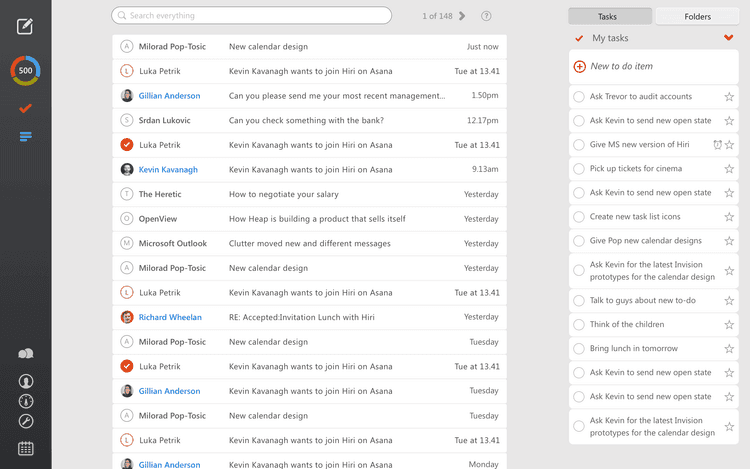
A throwaway inbox is a public, no-signup mailbox that deletes its own mail after a set number of minutes or at the end of a session. An alias forwarder is an account-based service that generates a masked address and passes mail through to your real mailbox until you delete the alias. Temp Mail is a throwaway inbox. The eleven services below cover both shapes, so choose by address lifespan and by whether you need to reply from it.
Temp Mail works until it does not. A signup form rejects its domain, the inbox clears before your confirmation link arrives, or you need the address to stay reachable for longer than one session.
Why people look for Temp-Mail alternatives
Three problems push people off Temp Mail: a signup form that rejects its domain, an inbox that clears before the confirmation link arrives, and an address that cannot stay reachable past one session. Domain rejection is the most common, and it makes the address useless no matter how good the service is — if you're unsure why a form keeps bouncing you, you can check if a domain is flagged as disposable before switching services. Keeping two or three services open is the practical fix, because different sites block different domains.
The second reason is a feature gap. Some users want a longer inbox window, custom domains, or an address they can keep instead of one that vanishes after a few minutes. Others simply want to get away from ads, a dated interface, or a service that only offers a handful of domains to pick from.
What makes a good disposable mail service
A usable disposable mail service needs five things: no registration, fast inbox loading, several domain options, automatic message deletion, and a free tier that covers the core function rather than gating it. Multiple domains is the feature that rescues you when one domain is blocked, and fast loading matters because a confirmation code that arrives after the page times out is worthless.
- No registration required, so an address takes seconds rather than a signup flow
- Fast inbox loading, since a confirmation code that arrives after the page times out is worthless
- Multiple domain options, which is what saves you when one domain is blocked
- Automatic message deletion, so nothing lingers in a public inbox
- Free usage for the core function, with paid tiers optional rather than mandatory
Two more are worth weighing if you plan to use the address more than once. Open source code lets you audit or self-host the service, and browser extensions cut the round trip to a website every time you need a new address.
Eleven Temp-Mail alternatives compared
Seven of the eleven services below are throwaway inboxes you open and abandon: Temp Mailx, Guerrilla Mail, 10 Minute Mail, EmailOnDeck, TempInbox, Maildrop, and Mailinator. The other four are alias forwarders that sit in front of a mailbox you control and can be switched off one alias at a time: AnonAddy, SimpleLogin, Firefox Relay, and Spamgourmet.
1. Temp Mailx
Temp Mailx is a no-signup throwaway inbox that separates two timers most services combine into one: how long the address itself keeps accepting new mail, and how long a message that already arrived stays stored before it's deleted. That distinction matters when a confirmation email is simply slow rather than the address having expired, a common source of confusion with single-timer services. It also exposes a public API for developers who need to generate and check inboxes programmatically rather than through the web UI, which makes it a reasonable fit for QA workflows that run repeated signup tests. Multiple domains are available if one gets blocked by a signup form, and the inbox loads instantly with no account or personal information required at any point.
- Pros: dual timer system for address life vs. message storage, developer API, instant no-signup inbox, multiple domain options
- Cons: receive only, no reply or compose functionality
2. Guerrilla Mail
Guerrilla Mail gives you an inbox immediately, lets you set the part of the address before the @, and keeps attachments intact. It also goes further than most throwaway services: you can click a confirmation link and even reply from the address. Its short retention window is the usual reason people start hunting for a Guerrilla Mail replacement that holds mail longer.
- Pros: instant inbox, custom address prefix, attachment support, outbound replies
- Cons: the interface looks dated, and mail expires quickly
3. 10 Minute Mail
The name is the specification. You get an address that lives for ten minutes, which is enough for a single one-time code and nothing more.
- Pros: very fast setup, simple interface
- Cons: the inbox expires quickly, and the domain choice is limited
4. EmailOnDeck
EmailOnDeck is built around speed of delivery with no registration step. Messages tend to land fast, which matters when a verification code has a short validity window.
- Pros: fast message delivery, no registration
- Cons: no long-term inbox
5. TempInbox
TempInbox is a plain throwaway inbox with a quick refresh, so new mail shows up without reloading the page yourself.
- Pros: easy to use, fast inbox refresh
- Cons: ads on the site
6. Maildrop
Maildrop is a free, open source throwaway address for the times you do not want to hand over your real one. There is no account and no password, so it is the closest thing here to a zero-commitment inbox.
- Pros: free and open source, no account needed
- Cons: receive-only, with no published retention window
7. Mailinator
Mailinator is the throwaway inbox most QA teams already know, because it lets you sign up for a service and read the confirmation mail without creating an account first. Free use is aimed at testing signup and password-reset flows rather than private correspondence, and paid plans exist for teams that need more.
- Pros: well established, suited to testing signup flows, freemium with a paid tier
- Cons: the free service is built for throwaway testing, not privacy
8. AnonAddy
AnonAddy is alias based rather than disposable. It creates forwarding aliases that deliver into your real mailbox, so you keep the mail and can retire a single alias when it starts attracting spam. That makes it a long-term privacy tool rather than a burner.
- Pros: advanced privacy control, works for long-term use
- Cons: requires an account, and is not fully disposable
9. SimpleLogin
SimpleLogin is an open source alias service that shields your personal address behind generated ones. The free plan includes unlimited bandwidth and lets you reply from the alias, though composing a brand-new message from the alias, not just replying, requires the paid plan, which also removes the free tier's 10-alias cap.
- Pros: open source, freemium, unlimited bandwidth, replies through the alias on the free plan
- Cons: an account is required, so it is not anonymous to the provider, and composing new mail from the alias needs a paid plan
10. Firefox Relay
Firefox Relay creates masked addresses for online accounts, mainly to stop the same address being used to track you across services. It runs as a web service with Chrome and Firefox extensions, on a freemium open source model.
- Pros: browser extensions, open source, freemium
- Cons: a Mozilla account is required, and free masks are capped
11. Spamgourmet
Spamgourmet takes a different angle on expiry. Its disposable addresses self destruct after a set number of messages rather than after a set time, so an address you created for one receipt stops working once that receipt arrives.
- Pros: free, open source, message-count expiry
- Cons: an older interface, and setup is less obvious than a one-click inbox
Feature comparison: privacy, retention, and outbound mail
Three columns decide most choices: whether an account is needed, how long the address lasts, and whether you can send from it. All seven throwaway inboxes work without an account but expire on their own, and all four alias forwarders require an account and last until you delete the alias. Guerrilla Mail is the only no-account service here that supports replies.
| Service | Type | Account | How long it lasts | Reply from it? |
|---|---|---|---|---|
| Temp Mailx | Throwaway inbox | No | Dual timer: address life and message storage set separately | No, receive only |
| Guerrilla Mail | Throwaway inbox | No | Short, expires quickly | Yes |
| 10 Minute Mail | Throwaway inbox | No | 10 minutes | Not stated |
| EmailOnDeck | Throwaway inbox | No | Session only | Not stated |
| TempInbox | Throwaway inbox | No | Not published | Not stated |
| Maildrop | Throwaway inbox | No | Not published | No, receive only |
| Mailinator | Throwaway inbox | No for free use | Short-lived | No |
| AnonAddy | Alias forwarder | Yes | Until you delete the alias | Yes |
| SimpleLogin | Alias forwarder | Yes | Until you delete the alias | Yes |
| Firefox Relay | Alias forwarder | Yes | Until you delete the mask | Yes |
| Spamgourmet | Alias forwarder | Yes | Until the message quota runs out | Yes |
On privacy the split is clean. Throwaway inboxes hide you from the sender but hand your mail to a service you do not control, while alias forwarders keep the mail in your own mailbox and hide only your real address. If nobody else should be able to open the message, an alias forwarder is the stronger choice.
Which Temp-Mail alternative should you choose
Choose by the failure you are fixing. A rejected domain needs nothing more than a different service, since different websites block different domains. A single one-time code needs 10 Minute Mail or EmailOnDeck. A reply or an attachment needs Guerrilla Mail. A signup or password-reset test needs Mailinator or Maildrop. An address you want to keep needs AnonAddy, SimpleLogin, or Firefox Relay.
Matching the job to the tool:
- A single one-time code: 10 Minute Mail or EmailOnDeck
- A confirmation you need to reply to, or an attachment you need to open: Guerrilla Mail
- Testing a signup or password-reset flow: Mailinator or Maildrop
- Ongoing signups you want to keep but control: AnonAddy, SimpleLogin, or Firefox Relay
- One receipt and then nothing: Spamgourmet, which expires by message count
Safety tips when using disposable mail
Disposable addresses suit low-stakes signups and fail anywhere account recovery matters. Three rules cover most of the damage: never use temp mail for banking or government services, do not store personal documents in an inbox the service can wipe without warning, and finish the verification step before the address expires.
- Never use temp mail for banking or government services, where losing access to the inbox means losing the account
- Do not store personal documents in a temporary inbox, since the service decides when it is wiped
- Finish the verification step before the inbox expires, because a ten-minute address does not wait for you
Alias forwarders soften the first problem. Because the mail lands in a mailbox you own, a password reset sent months later still reaches you even after the alias itself is switched off.
Where temp mail ends and email verification begins
Temp mail and email verification solve opposite problems. Temp mail is recipient-side: you want to receive a message without exposing your real address. Email verification is sender-side: you hold a list of addresses and need to know which ones will still accept mail. BounceCheck is an email verification tool that checks syntax, domain, and mailbox validity before a campaign is sent. Neither category substitutes for the other.
If your goal is only to keep marketing mail out of your main inbox, you may not need a third-party service at all. Gmail supports sub-addressing with a plus sign, which lets one mailbox accept tagged variations of your own address that you can filter or ignore.
The sender side is where disposable addresses turn into a cost. Temporary addresses stop accepting mail once they expire, so a list collected through signup forms slowly fills with addresses that will produce a hard bounce on the next send. Google's guidelines for bulk senders are explicit that bounce rates and spam complaints feed into whether your mail is accepted at all, which is why senders screen lists before a campaign rather than after. A disposable email checker flags the throwaway domains at the point of signup, and full verification catches the addresses that have since gone dead.
Verification is one lever, not a cure. It removes invalid addresses, but it will not repair a damaged sending reputation, fix missing authentication records, or make an unengaged list want to open your mail. If you send bulk email and your list has ever accepted signups from the open web, run it through BounceCheck before your next send and see how much of it is still deliverable.
FAQs
What are the best Temp-Mail alternatives?
For quick one-time codes, 10 Minute Mail, EmailOnDeck, and TempInbox do the job with no signup. Guerrilla Mail is the better pick when you need attachments or a reply. For addresses you want to keep and control, AnonAddy, SimpleLogin, Firefox Relay, and Spamgourmet forward mail into your own mailbox instead of expiring it.
Which disposable email service is the most private?
Alias forwarders are more private than throwaway inboxes, because the message is delivered to a mailbox you control rather than sitting on a public service. SimpleLogin, AnonAddy, and Spamgourmet are open source, so their handling of your mail can be audited rather than taken on trust.
Can you send email from a temporary address?
Sometimes. Guerrilla Mail lets you click confirmation links and reply from the throwaway address. Alias forwarders such as SimpleLogin and AnonAddy also support replying from the alias on their free plans, though composing a brand-new message usually requires a paid plan. Most short-lived inboxes, including Maildrop, are receive-only.
How long do temporary email addresses last?
It depends entirely on the service. 10 Minute Mail expires in ten minutes, Guerrilla Mail and other throwaway inboxes clear soon after the session ends, and several services publish no retention window at all. Alias addresses last until you delete them, or in Spamgourmet's case until the message quota you set runs out.
Do websites block temporary email addresses?
Yes. Signup forms commonly reject addresses from known disposable domains, and that is the most frequent reason a temp mail service that worked yesterday fails on one site today. Because each site blocks a different set of domains, an address from a second service often passes where the first was refused. Senders run the same check in reverse with a disposable email checker.
Is Guerrilla Mail better than Temp Mail?
Guerrilla Mail is better when you need to do something with the message, since it supports attachments, custom address prefixes, and replies. Temp Mail and similar services are easier for a single code and a closed tab. In practice the more useful comparison is which service the site you are signing up to has not blocked.
§ Run a signup form?
Keep throwaway addresses out of your list
Check any address or domain against our nightly-updated list of disposable providers — free, no account needed.

BounceCheck Team
The team behind BounceCheck - helping businesses verify emails and improve deliverability.