What Is a Mail Exchanger (MX) Record?
 BounceCheck Team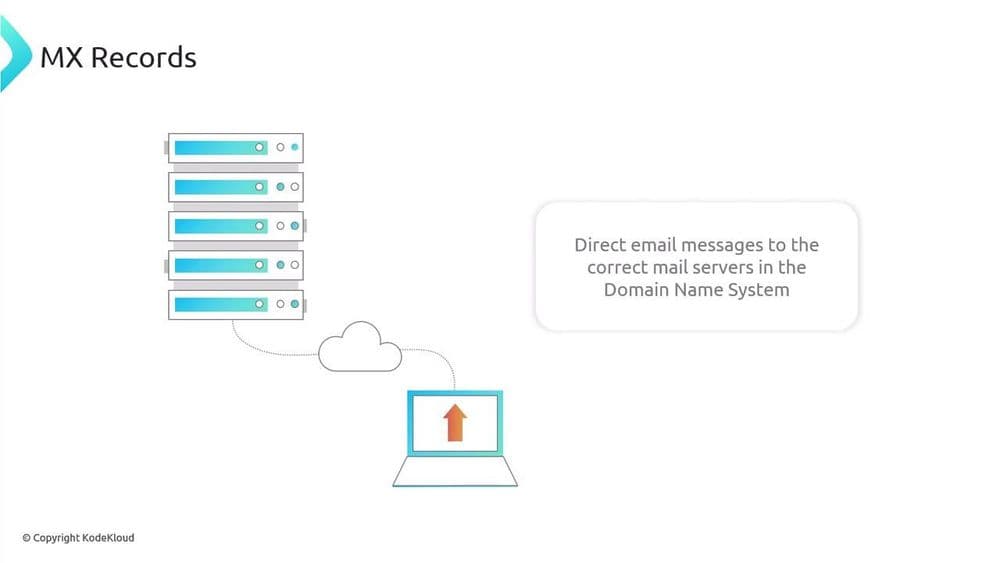
Before your next send Find the addresses that will bounce.
Verify an email freeA mail exchanger (MX) record is a type of Domain Name System (DNS) record that specifies the mail servers responsible for receiving email on behalf of a domain. Think of it as the postal address for a domain's email: it tells every other server on the internet exactly where to deliver messages sent to that domain. When people ask what "mail exchange" means, this is it, the MX record is the entry in DNS that points incoming mail at the right server.
The DNS works like the internet's address book, translating human-readable domain names such as gmail.com into the IP addresses that computers use to find each other. An MX record sits inside that system and answers one specific question: which server should accept mail for this domain? Without a correctly configured MX record, a domain cannot reliably receive email at all.
How an MX record routes your email
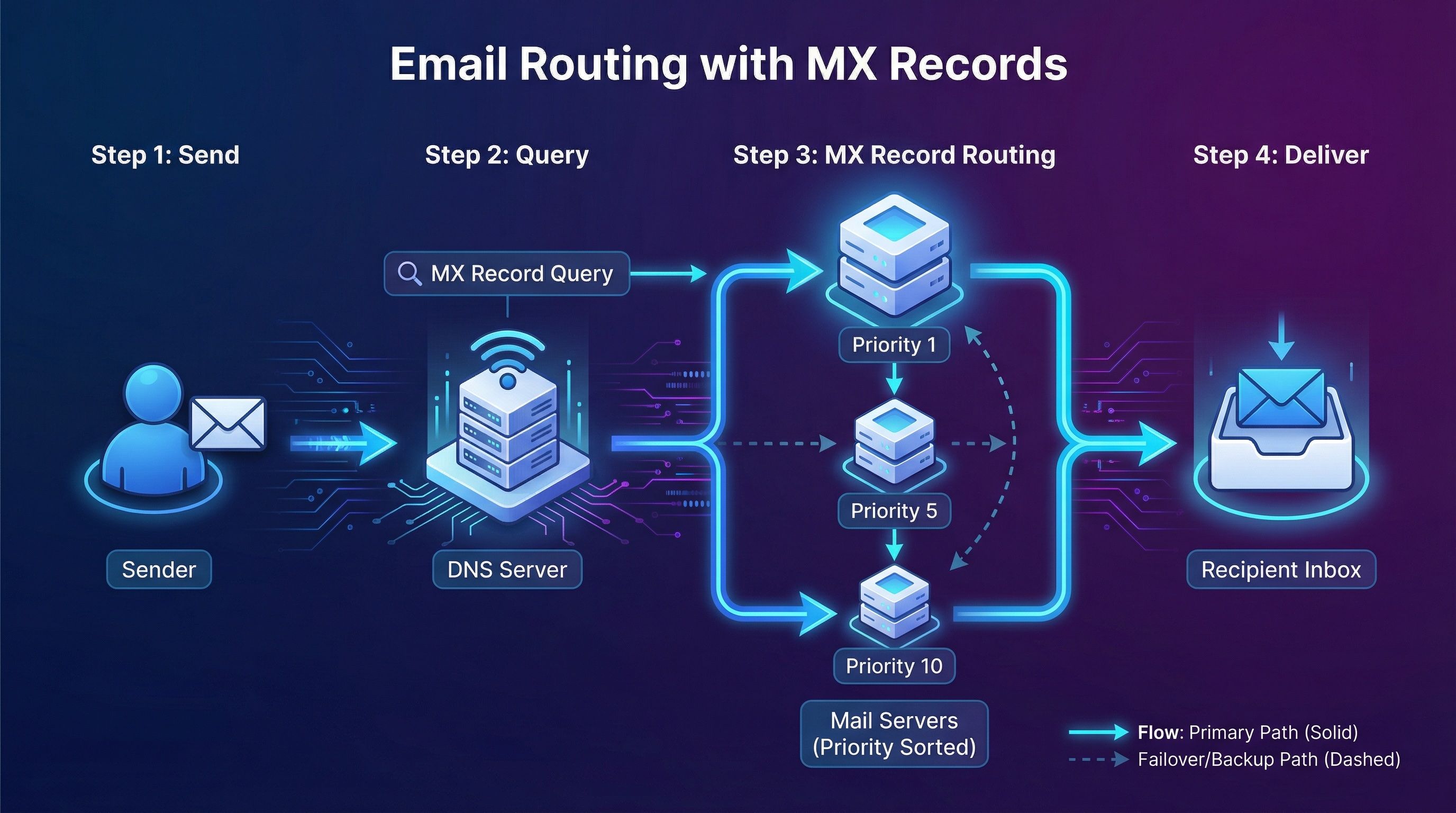
When someone sends a message to an address like [email protected], the sender's mail server does not magically know where gmail.com keeps its inbox. It performs a DNS lookup to find the MX records for the recipient's domain. Those records hand back the hostname of the authorized mail server, and the sending server then opens a connection using the Simple Mail Transfer Protocol (SMTP) and begins the transfer.
The mail exchanger acts as the gateway for everything coming in. It accepts the message on behalf of the domain, checks the sender against its security policies, and passes the email along to the intended mailbox. Take that step away and the message has nowhere to go: it bounces, gets rejected, or quietly disappears.
MX record vs A record
People often confuse the MX record with the A record, because both live in DNS and both involve the domain half of an email address. The difference is what each one points at. An A record maps a domain name to an IP address. An MX record names the server that handles mail for the domain and assigns it a priority.
This is also why "do I need an MX record to send email?" has a nuanced answer. A domain can technically accept mail with only an A record, but most modern email systems and security standards expect properly configured MX records, and domains that lack them often see messages rejected under spam and security policies.
| A record | MX record | |
|---|---|---|
| What it points to | An IP address | A mail server hostname |
| Main job | Locate the domain on the network | Route email to the right server |
| Has a priority value | No | Yes |
| Required for receiving mail | No (but discouraged) | Yes, in practice |
Reading an MX record: server and priority
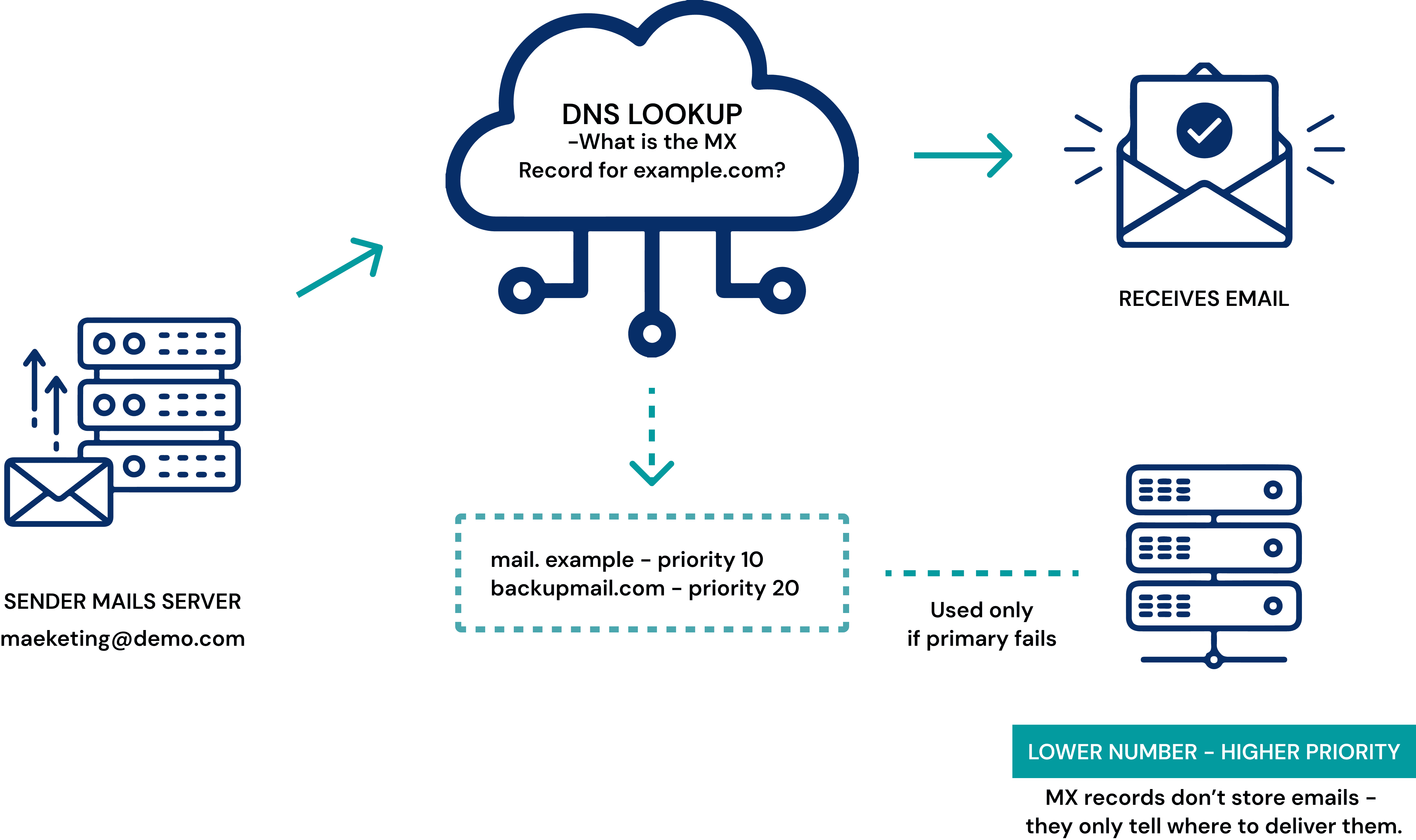
Each MX record has three main components. The mail server is the fully qualified domain name (FQDN) or IP address of the server assigned to receive mail for the domain, for example gmail-smtp-in.l.google.com. The priority is a numeric value that signals preference, and the rule is counterintuitive: a lower number means higher priority. The TTL (time to live) sets how long other servers cache the record before they query DNS again for an updated value.
When a domain publishes several MX records, sending servers try the lowest-numbered server first. If that server is unavailable, they fall back to the next lowest, and so on. That ordering is what makes failover and load balancing possible. Multiple MX records act as a backup plan, so a single server going offline does not stop mail from arriving, and high volumes can be spread across more than one server.

How to check your MX records
To check a domain's MX records, run dig +short <domain> mx on Linux or macOS, nslookup -q=mx <domain> on Windows, or use a browser-based MX lookup tool. The same lookup that troubleshooters run by hand is exactly what a sending server does automatically.
On Linux or macOS:
dig +short gmail.com mx
On Windows:
nslookup -q=mx gmail.com
In both cases the result lists each server with its priority number in front:
5 gmail-smtp-in.l.google.com.
10 alt1.gmail-smtp-in.l.google.com.
20 alt2.gmail-smtp-in.l.google.com.
30 alt3.gmail-smtp-in.l.google.com.
40 alt4.gmail-smtp-in.l.google.com.
Here gmail-smtp-in.l.google.com carries the priority of 5, so servers attempt delivery there first and only fall back to the alternates if it cannot be reached. The hostnames also give away who runs the mailbox: servers ending in google.com mean Google handles the domain's mail, so the same lookup also tells you which provider hosts a domain. A web tool like MXToolbox runs the same query from a browser if you would rather not use the command line. To look up MX and auth records together in one pass, including SPF, DKIM and DMARC, use BounceCheck's DNS health checker, or try the provider lookup tool if you want the provider's name rather than a raw MX hostname. If you use a hosted provider such as Google Workspace or Microsoft 365, the provider gives you the exact MX records to publish, and this lookup is the same check email verification runs before it trusts that an address can receive mail. If you have just published or changed your MX records, give them time to take effect: updates can take up to 24 to 48 hours to propagate across the internet, though they often appear within a few hours depending on the record's TTL.
Why MX records matter for deliverability
MX records do more than route incoming mail, they shape how the rest of the internet judges a domain. When they are configured correctly, email reaches its destination and the domain keeps a healthy sender reputation. When they are wrong or missing, messages bounce, get lost, or never leave the queue, and receiving systems can read that as a sign the domain is not trustworthy.
A handful of issues account for most MX problems: records pointing at the wrong server, duplicate or out-of-order priority numbers, a primary server going down with no backup configured, and authentication gaps where the MX is fine but SPF, DKIM, and DMARC are not. Each of those quietly chips away at delivery rates long before anyone notices a missing message.
Keeping your mail routing solid
An MX record is a small entry in DNS, but it carries a lot of weight: it is the line that tells the world where your email lives. Understanding what it does, how priority works, and how to read a lookup turns a confusing DNS setting into something you can verify in seconds. Get it right and your mail lands where it should; get it wrong and messages vanish without a trace.
§ Before your next send
Find the addresses that will bounce
Verify a single address free, or upload a CSV — the free plan includes 50 checks a month, no card needed.

BounceCheck Team
The team behind BounceCheck - helping businesses verify emails and improve deliverability.

