What Is BCC in Email? Blind Carbon Copy Explained
 BounceCheck Team
BCC in email stands for blind carbon copy. When you put an address in the BCC field, that person receives the email like everyone else, but their address is hidden from all the other recipients. No one on the To, CC, or other BCC lines can see who was blind copied, and blind-copied recipients cannot see each other. It is the one email field built specifically to keep recipients private from one another.
That single behavior, hiding recipients, is why BCC is useful for protecting privacy on a group message and why it is a poor tool for sending real bulk email. This guide covers what BCC means, how it compares to To and CC, when to use it, the etiquette pitfalls that trip people up, and the deliverability reasons it breaks down the moment you try to use it as a mailing list.
What BCC (blind carbon copy) means
BCC (blind carbon copy) is an email recipient field that delivers your message to the addresses you enter while removing those addresses from the copy every other recipient sees. A blind-copied person receives the full email, but no one else on the message knows they got it, and blind-copied recipients cannot see each other.
The term comes from the pre-email era, when a typist used carbon paper to make copies of a letter. A "carbon copy" went to someone openly; a "blind" carbon copy went to someone the main recipient did not know about. Email kept the language, and BCC still does exactly that job: deliver the message while stripping that recipient's address out of the copy everyone else sees.
Every recipient on the To and CC lines is visible to the whole group. Every recipient on the BCC line is visible only to the sender. A BCC recipient sees the To and CC names but not the other BCC names, so a blind-copied group has no idea how many other people got the same email. Because the field hides addresses rather than personalizing anything, it is easy to misuse in ways that quietly damage your email deliverability, which is the trade-off the rest of this guide keeps returning to.
To vs CC vs BCC
All three fields deliver the same message. The difference is who each recipient can see: To and CC show every address to the whole group, while BCC hides each address from everyone except the sender.
| Field | Who can see this recipient | Recipients visible to others? | Typical use |
|---|---|---|---|
| To | Everyone on the email | Yes | The primary person expected to read or act |
| CC | Everyone on the email | Yes | People kept in the loop for transparency |
| BCC | Only the sender | No, hidden from all others | Recipients who should stay private to each other |
To and CC are transparent: they broadcast the full recipient list to the whole group, which is exactly what you want when everyone should know who else is involved. BCC is the opposite. It delivers privately, so it fits any situation where the recipients should not see one another's addresses.
When to use BCC
Use BCC when the recipients should not see one another's addresses. The legitimate cases are narrow and specific: protecting privacy on a group email, bowing out of an introduction, quietly removing someone from a thread, or keeping a silent record. In each one the point is privacy or a clean thread, not scale.
- Protecting privacy on a group email, where you are emailing people who do not know each other and have no reason to see each other's addresses, such as a club announcement, a customer notice, or an event invitation.
- Making an introduction and then stepping back, where you introduce two people on the To line and move yourself to BCC so they can reply directly without cluttering your inbox, a move often noted with "moving you to BCC" in the first line.
- Removing someone from an ongoing thread, where you shift a person to BCC so they see the message that wraps them out but are spared every future reply-all.
- Keeping a silent record, where you blind copy an archive address or a colleague who needs to see the message went out without joining the visible conversation.
BCC is a courtesy tool for small, deliberate sends, not a distribution engine.
How to use BCC in Gmail and Outlook
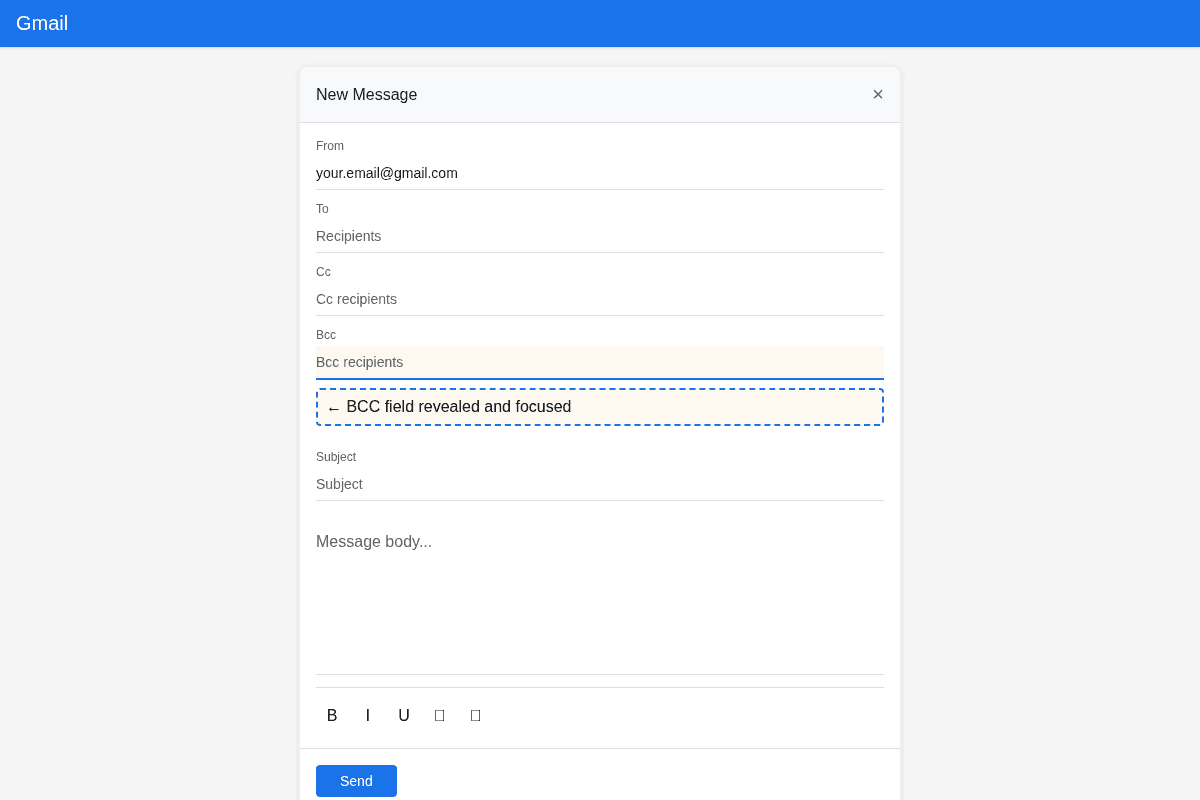
Both major clients keep BCC one click away when you compose a message. In Gmail you click the Bcc link in the compose window; in Outlook you enable the Bcc field from the Options tab. Once it is visible, any address you type there receives the email and stays hidden from the other recipients.
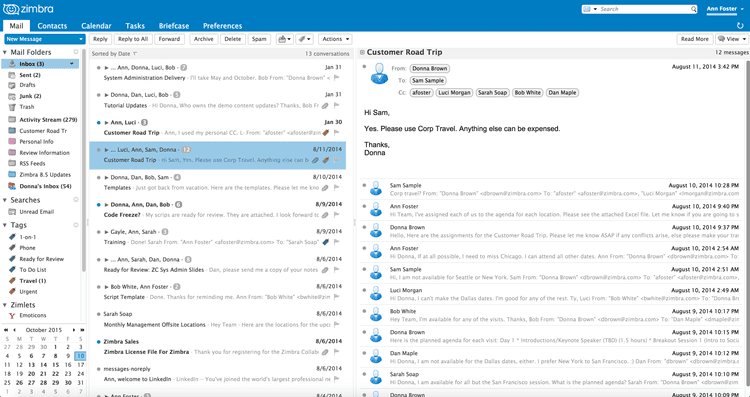
- Gmail: open a new message, click Bcc in the top-right of the compose window next to the recipient line, then add addresses to the field that appears. Google's own Gmail support documentation confirms that blind-copied recipients stay hidden from everyone else on the message.
- Outlook: the BCC field is sometimes hidden by default. In a new message, enable it from the Options tab so the Bcc box appears above the message body, then add recipients. Microsoft's guide to the Bcc field in Outlook walks through showing and hiding it.
BCC etiquette and common pitfalls
Because BCC hides people, it creates confusion that the To and CC fields never do. The safe rule is to use BCC only when hiding the list genuinely helps the recipients, and to say so in the body when you move someone to BCC. The pitfalls below come up again and again:
- Reply-all surprises, where a blind-copied recipient hits reply all and suddenly exposes that they were secretly on the message, revealing the BCC to everyone and often embarrassing the sender.
- Using BCC to be sneaky, where quietly copying a manager or third party on a private exchange can backfire badly on trust if it ever surfaces.
- Looking suspicious to filters, where a message with one visible recipient and a large hidden BCC list carries the signature of spam, which pushes spam filters to treat it with suspicion and can land it in the junk folder.
- Losing the thread, where recipients who cannot see who else got the email reply with context that no longer makes sense to the group.
Why BCC is not a way to send bulk email
BCC is not a way to send bulk email. Dropping a few hundred addresses into the BCC field has no personalization, no unsubscribe option, trips spam filters, and hits provider recipient limits, so it fails on every axis that matters for reaching the inbox.
- No personalization, because a single message goes to everyone, so you cannot address recipients by name or tailor content, and identical mass mail reads as generic to both people and filters.
- No unsubscribe, because a raw BCC blast has no opt-out mechanism, which is exactly what bulk-mail rules and spam laws expect legitimate senders to include.
- High spam risk, because one sender fanning a message out to a large hidden list is a classic spam pattern that hurts your sender reputation and inbox placement.
- Provider limits, because mailbox providers cap how many recipients a single message can reach and throttle accounts that push large volumes, so big BCC sends bounce or stall.
If you actually need to reach a list, the right path is a proper sending method rather than the BCC field. The mechanics of doing it correctly are covered in how to send mass email in Gmail without wrecking deliverability, and high-volume senders also have to meet the Gmail and Yahoo bulk sender requirements around authentication, spam-rate thresholds, and one-click unsubscribe. Whichever route you take, cleaning the list first with a bulk email verifier removes the invalid addresses that would otherwise bounce and drag down your reputation before the campaign even lands.
FAQs
What does BCC stand for in email?
BCC stands for blind carbon copy. It is a recipient field that delivers the email to the addresses you enter while hiding those addresses from every other recipient on the message.
Can BCC recipients see each other?
No. Recipients on the BCC line cannot see any of the other BCC recipients, and no one on the To or CC lines can see them either. Only the sender knows who was blind copied.
What is the difference between CC and BCC?
CC (carbon copy) shows every recipient to the whole group, so it is transparent. BCC (blind carbon copy) hides each recipient from the others. Use CC when people should see who else is included and BCC when they should not.
Can you BCC someone without them knowing?
You can BCC someone without the other recipients knowing, since the field hides addresses from the visible group. The person you BCC still receives the email and can see they were sent it, so it is hidden from the group, not from the blind-copied recipient.
Is BCC good for sending bulk email?
No. BCC has no personalization, no unsubscribe option, trips spam filters, and runs into provider sending limits. For any real mailing list, use a proper sending method and verify the list first.
Send your next campaign the right way
BCC is a privacy tool, not a mailing platform. When you are ready to reach a real list, run it through BounceCheck first to strip out the invalid addresses that cause bounces and hurt your sender reputation before you hit send.

BounceCheck Team
The team behind BounceCheck - helping businesses verify emails and improve deliverability.