How to Send Mass Email in Gmail Without Wrecking Deliverability
 BounceCheck Team
Before your next send Find the addresses that will bounce.
Verify an email freeYou can send mass email in Gmail in three ways, and the right one depends on your list size: use BCC for a handful of recipients, Gmail's built-in mail merge (called multi-send, on Google Workspace) for a real campaign of up to 1,500 people, and a third-party add-on or a dedicated email service provider beyond that. Whichever you pick, staying inside Gmail's daily sending limits and authenticating your domain with SPF, DKIM, and DMARC is what keeps a bulk send out of the spam folder. Gmail was built for personal correspondence, so hitting its limits or skipping authentication can push your messages to spam and damage the domain you send from.
This guide walks through each method, the daily limits that cap how much you can send, and the deliverability steps that keep a bulk send out of the junk folder.
Method 1: Gmail multi-send (the built-in mail merge)
Multi-send is Gmail's native mail merge, available on eligible Google Workspace plans, and it is the closest thing to a proper bulk tool inside Gmail. It sends each recipient a separate, individual copy of the message, hides everyone else's address, supports merge tags for personalization, and automatically appends an unsubscribe link. A single multi-send message can reach up to 1,500 recipients.
Multi-send is only available on eligible Google Workspace plans, not on a free personal Gmail account. To use it, open a new message, then switch on multi-send mode from the toolbar at the bottom of the compose window. Add your recipients in the To field, and use merge tags such as @firstname or @email to pull in details per person. According to Google's mail merge documentation, a single multi-send message can go to up to 1,500 recipients, and the automatic unsubscribe link is added for you to keep the send compliant.
The trade-offs are real. There is no scheduling, no open or click tracking, no A/B testing, and no reusable templates the way a marketing platform offers. Multi-send is best for a personalized announcement to a warm, opted-in list, not for ongoing newsletters or cold outreach at scale.
Method 2: BCC for small one-off sends (and why it stops working)

BCC (blind carbon copy) works for small, one-off sends but breaks down for true mass email. You write one message, drop everyone into the BCC field, and send, which hides addresses from each other but gives you no personalization, no unsubscribe link, and no tracking. For a quick note to a dozen colleagues it is fine; past a few dozen names it starts to look like spam to filters.
BCC does not scale, and the reasons matter once your list grows past a few dozen names:
- Every recipient gets the exact same email. There is no personalization, so you cannot even use a first name, which lowers engagement.
- There is no unsubscribe link, so a bulk BCC blast can breach anti-spam rules and annoy people who have no clean way to opt out.
- Large BCC sends look like spam to filters. A single message fanned out to hundreds of hidden recipients is a classic spam signature, and providers may throttle or block it.
- You get no reporting. You cannot see who opened, who bounced, or who marked it as spam, so you are flying blind on the metrics that protect your reputation.
Use BCC for genuinely small, occasional sends. Once you need personalization, an unsubscribe option, or any kind of tracking, it is time to move up to multi-send or a dedicated tool.
Method 3: Third-party mail merge add-ons
A third-party mail merge add-on sits on top of your Gmail inbox and adds the features multi-send leaves out: it connects to Google Sheets for your recipient list and merge fields, and typically adds scheduling, follow-up sequences, open and click tracking, and reusable templates. It does not raise your Gmail sending quota, because it still sends through your own account.
Add-ons still send through your Gmail or Workspace account, which means they are bound by the same daily sending limits Gmail enforces. They do not raise your quota. What they buy you is control and visibility: personalization pulled from a spreadsheet, automated follow-ups, and reporting on what actually landed. For anyone running structured outreach, that reporting is where you catch problems early, and pairing an add-on with clean list hygiene keeps your email deliverability intact as volume rises.
Gmail sending limits you need to know
Gmail caps sending in a rolling 24-hour window: a free personal account can reach about 500 recipients a day, while a Google Workspace account can reach about 2,000 recipients a day (with up to 1,500 per multi-send message). Cross the limit and Gmail temporarily blocks further sending, usually for up to 24 hours. New or low-reputation accounts often start lower.
| Account type | Daily recipients | Multi-send cap |
|---|---|---|
| Free personal Gmail | About 500 per day | Not available |
| Google Workspace | About 2,000 per day | Up to 1,500 per message |
These are approximate ceilings that Google can adjust, and new or low-reputation accounts often start lower. The exact Gmail sending limits shift as an account builds a track record, and Gmail throttles further sends once you cross them. The practical takeaway: a free account is fine for a small merge, but any serious volume needs Workspace or a proper sending platform.
Authentication: the SPF, DKIM, and DMARC rules
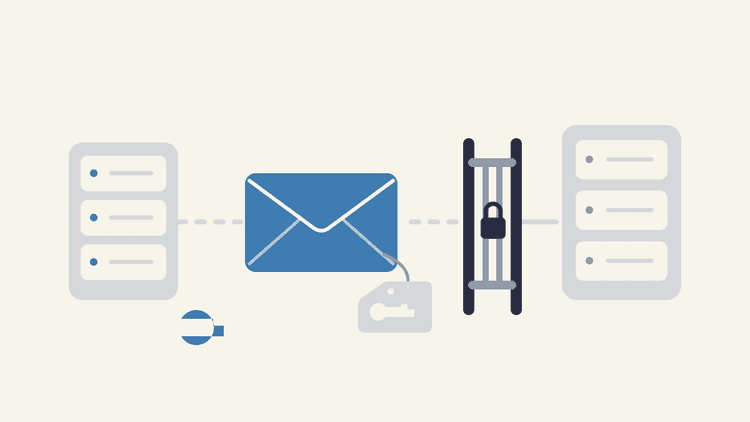
To send mass email in Gmail without landing in spam, authenticate your sending domain with all three records: SPF lists which servers may send for your domain, DKIM adds a cryptographic signature proving a message was not altered, and DMARC tells receivers what to do when SPF or DKIM fails and reports who is sending as you. Sending limits decide how much you can send; authentication decides whether it lands.
- SPF lists which servers are allowed to send mail for your domain, so receivers can reject forgeries.
- DKIM adds a cryptographic signature that proves a message was not altered in transit.
- DMARC tells receiving servers what to do when SPF or DKIM checks fail, and it gives you reporting on who is sending as your domain.
Google defines a bulk sender as anyone sending roughly 5,000 or more messages a day to Gmail addresses, and its email sender guidelines require those senders to authenticate with SPF and DKIM, align DMARC, keep spam complaint rates low, and include a one-click unsubscribe. Enforcement has tightened over time, with stricter requirements for the highest-volume senders phasing in from November 2025. Even if you send far fewer than 5,000 a day, setting up all three records is the baseline for inbox placement, and getting SPF, DKIM, and DMARC right means publishing the exact DNS records each one requires before your first campaign. If you send to a Gmail or Yahoo audience at scale, the specific provider rules in the Gmail and Yahoo bulk sender requirements spell out the thresholds you must meet.
Best practices to protect deliverability

To protect deliverability on a mass send, warm up a new domain gradually, verify your list to cut hard bounces, authenticate with SPF, DKIM, and DMARC before the first campaign, include a clear unsubscribe option, and send only to people who opted in. Getting the email out is easy; keeping it in the inbox without harming your sender reputation takes these habits:
- Warm up a new sending domain or account gradually. Start with small volumes to engaged recipients and increase over days and weeks rather than blasting your whole list on day one.
- Verify the list before you send. Invalid addresses cause hard bounces, and a high bounce rate is one of the fastest ways to damage the reputation that decides your inbox placement.
- Authenticate with SPF, DKIM, and DMARC before the first campaign, not after something goes wrong.
- Include a clear unsubscribe option and honor opt-outs quickly. A low complaint rate protects you more than any subject-line trick.
- Send to people who asked to hear from you. Engagement signals, opens and replies, carry weight with mailbox providers, while sending to cold or stale addresses drags placement down.
When to graduate to a real email service provider
Move to a dedicated email service provider (ESP) once you regularly send beyond Gmail's roughly 2,000-recipient daily ceiling, or when you need segmentation, automation, deliverability monitoring, and dedicated support. Gmail, multi-send, and add-ons all route through a mailbox built for personal mail, so they share that ceiling no matter how you configure them.
An ESP gives you higher volume, better reporting, and infrastructure designed for sending at scale. It does not, however, fix a dirty list or missing authentication. The same fundamentals follow you: authenticate your domain, keep your list clean, and watch your bounce and complaint rates. Moving platforms without fixing those is just spamming faster.
FAQs
What is the maximum number of recipients in a Gmail message?
A free personal Gmail account can reach about 500 recipients in a rolling 24-hour period. Google Workspace accounts can reach about 2,000 recipients a day, and a single multi-send (mail merge) message can go to up to 1,500 recipients.
Can you send mass email with a free Gmail account?
Yes, but only in a limited way. A free account can BCC a small group and is capped at roughly 500 recipients per day. Multi-send mail merge is not available on free Gmail, so for anything beyond a small list you need Google Workspace or a third-party tool.
What is the difference between BCC and mail merge in Gmail?
BCC sends one identical message to everyone, with no personalization, no unsubscribe link, and no tracking. Mail merge (multi-send) sends each recipient a separate, personalized copy with an automatic unsubscribe link, which is both more effective and more compliant for bulk sending.
Do you need SPF, DKIM, and DMARC to send mass email in Gmail?
For bulk sending you should treat all three as mandatory. Google requires senders of roughly 5,000 or more messages a day to Gmail to authenticate with SPF and DKIM, align DMARC, and offer one-click unsubscribe, and setting up the records is the baseline for reliable inbox placement even at lower volumes.
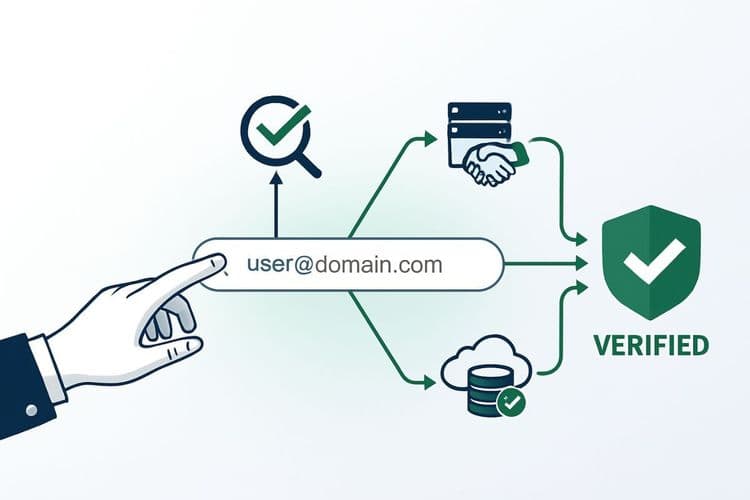
Bounces from invalid addresses are the single fastest way to wreck a mass send, so run your recipient list through BounceCheck before your next blast to remove the addresses that would hard-bounce and drag down your reputation.
§ Before your next send
Find the addresses that will bounce
Verify a single address free, or upload a CSV — the free plan includes 50 checks a month, no card needed.

BounceCheck Team
The team behind BounceCheck - helping businesses verify emails and improve deliverability.