Temp Email for Outlook: How to Create a Disposable Address
 BounceCheck Team
Run a signup form? Keep throwaway addresses out of your list.
Check an addressA temp email for Outlook is a throwaway address that receives mail without exposing your real one. Three routes work: create an alias on your Outlook.com account, add a +tag to an existing Microsoft 365 address, or generate a random address from a disposable mail service. Aliases and plus addressing keep the mail inside a mailbox you already own and last as long as that mailbox does. A disposable inbox self-destructs on a timer, usually between 10 minutes and 8 days, so anything you might need to recover later belongs on an alias instead.
What a temporary email address is
A temporary or disposable email address is a single-use address that stands in for your primary address on one signup or one contact. It takes two forms: aliases and plus addresses that forward into an account you already own, and standalone inboxes with a planned lifespan, often between 10 and 60 minutes, that stop working once the timer runs out. Providers that sell the second kind require no registration, no password, and no personal data, which is why people reach for them when a download form asks for an email before showing the file.
The techniques behind them are older than the tools. Sub-addressing, better known as plus addressing, appends a tag to the local part of an address, so [email protected] still resolves to [email protected]. Aliases register an extra address that forwards into a main account, which makes it possible to see which signup leaked your address. Catch-all wildcards go further and accept anything at a domain you control, though you then maintain the blacklist by hand.
Why people use a temporary Outlook address
People use a temporary Outlook address to keep the inbox they actually read usable. A separate address absorbs the newsletters, coupon blasts, and follow-up sequences that a single form submission can trigger for years. Five motives recur: privacy, spam control, short-lived signups, phishing detection, and automatic cleanup when a disposable inbox expires.
- Privacy: your personal or work address never enters the form, so it cannot be resold or added to a list you did not choose.
- Spam control: unwanted mail lands somewhere you do not read, and an alias tells you exactly which site leaked the address.
- Short-lived needs: software trials, one-off downloads, forum registrations, and product testing rarely need a permanent address.
- Phishing detection: a message that arrives at your real address claiming to be from a service you registered with an alias is a counterfeit.
- Automatic cleanup: disposable inboxes delete their contents when the address expires, so nothing sits in an archive.
Three ways to get a temp email for Outlook
The three ways to get a temp email for Outlook are an Outlook.com alias, plus addressing in Outlook via a Microsoft 365 mailbox, and a disposable mail service. They differ in one thing that matters more than convenience: whether you keep access to the mailbox afterwards. Only an alias lets you send mail as well as receive it, and only a disposable service expires on its own.
| Method | What you get | How long it lasts | Can you send from it? |
|---|---|---|---|
| Outlook.com alias | Extra address into your existing inbox | Until you remove it | Yes |
Plus addressing (+tag) | Receive-only extension of a real address | As long as the mailbox exists | No |
| Disposable mail service | Random address in a shared pool | 10 minutes to about 8 days | No |
Retention is what separates the disposable services from each other. Temp Mail and 10 Minute Mail hand out addresses that self-destruct after ten minutes, Guerrilla Mail needs no registration at all and deletes messages an hour after delivery, Maildrop clears an inactive inbox after 24 hours, ThrowAwayMail holds mail for 48 hours, and YOPmail keeps it for eight days. Mailinator works on the same public-inbox principle, which is convenient for QA testing and useless for anything you need to keep private. Some newer tools skip obvious throwaway domains entirely and hand out addresses on real Gmail and Outlook domains from a managed receive-only pool, precisely because @outlook.com passes domain-based blocklists that @tempmail.example does not. Those five names barely scratch the surface: our provider directory tracks 115 of them and how many domains each one runs.
How to create a temporary email address in Outlook
To create a temporary email address in Outlook on a personal Outlook.com account, add an alias. An alias is an additional email address on the same account, and it shares the inbox, contact list, and settings of your primary address, so mail sent to it arrives where you already read your email.
- Sign in and open the Add a Username page for your Microsoft account.
- Choose whether to create a new Outlook.com address or register an address you already own as a username.
- Select Add username and the alias starts delivering into your existing inbox.
- Set up an inbox rule for the new address so its mail files itself away from your main view.
Two constraints are worth knowing before you pick a name. Aliases accept only letters, numbers, dots, underscores, and hyphens, and you cannot create one on the @hotmail.com, @live.com, or @msn.com domains, though you can still make an existing alias your primary address later. Work and school accounts cannot be attached as aliases at all.
Plus addressing on Microsoft 365
Microsoft 365 mailboxes already have plus addressing, so no alias is needed. Plus addressing in Exchange Online is enabled by default and needs no setup: mail to [email protected] resolves to [email protected], the tag is arbitrary, and normal address character rules apply. Exchange first tries to match the full address, then retries without the plus and the tag.
The tradeoffs are real. You cannot send from a plus address, plus addresses are not mailbox aliases so they do not resolve to a display name in the To or CC field, and an administrator can switch the feature off for the whole organisation.
How to create a temporary email address in Gmail
Gmail creates a temporary address through the same sub-addressing trick rather than a new account: mail to [email protected] arrives at [email protected]. Yahoo and FastMail support the same syntax. The only setup work is a filter that matches the alias in the To field and then labels, forwards, or skips the inbox.
- Open the settings icon and choose See all settings.
- Go to Filters and blocked addresses and create a new filter.
- Enter your alias in the To field, for example
[email protected]. - Select Create filter, then pick an action: forward it, label it, or skip the inbox.
- Create a label such as "newsletters" so the mail collects in one place you can open on your own schedule.
Where temporary Outlook addresses fall short
Temporary Outlook addresses fail in one predictable way: you use a throwaway address, the account works, and then you need the mailbox back. Six limits recur, running from lost password resets and outright signup rejections to receive-only restrictions, plus-sign handling bugs, alias stripping after a data breach, and community bans.
- Lost access: a disposable inbox has no permanent storage, so a password reset sent months later arrives nowhere and the account is gone.
- Rejected at signup: plenty of platforms block temporary addresses outright because they cannot verify the user, and public detection lists and managed services exist to catch them.
- Receive-only limits: pooled Gmail and Outlook addresses cannot send mail, and you cannot log into outlook.com with one because you do not own the underlying account.
- Reset complications: some services choke on a plus sign in the address you registered with, which turns a routine password reset into a support ticket.
- Weaker than it looks: attackers who obtain an address in a data breach can strip the alias portion and recover the underlying address.
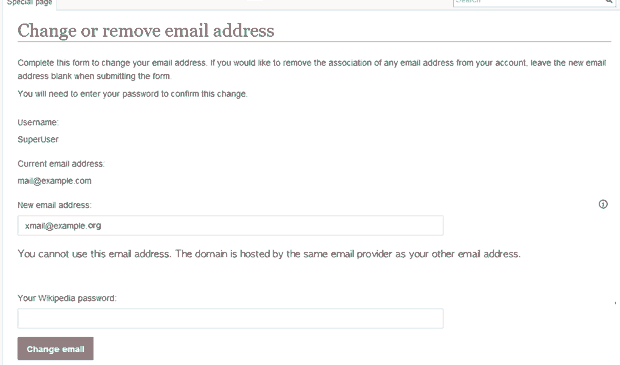
- Community bans: forum and wiki operators block disposable addresses because they let banned users return under a new identity.
What temporary addresses mean if you send email
For senders, disposable addresses are a list-quality problem rather than a security one. People who sign up with one rarely open what you send, because the address often expires before the message is read, so engagement metrics sag for reasons that have nothing to do with the campaign. Removing inactive and non-interacting addresses keeps the remaining list engaged and reduces the volume of mail nobody wanted.
Verification is where that cleanup happens. Checking syntax, domain, and mailbox status before a send tells you which addresses will bounce and which belong to known disposable domains, and a disposable email checker flags the throwaway signups specifically. If you need to catch them at scale, our guide to disposable email detection compares blocklists with API-based checks. It is worth being clear about the limits: removing invalid and disposable addresses protects your bounce rate, but it does not repair a damaged sender reputation, fix missing authentication, or make an unengaged list engaged.
Verification also cannot see intent. An Outlook.com alias is a perfectly valid mailbox that a real person reads, so it passes every check, exactly as it should.
FAQs
How do you get a temp email for Outlook?
Three methods work. On a personal Outlook.com account, add an alias from the Add a Username page in your Microsoft account settings, and mail to it lands in your existing inbox. On a Microsoft 365 mailbox, append a tag to your address, as in [email protected]. For an address you never want to see again, use a disposable service, accepting that it expires and cannot send mail.
Are temporary email addresses legal?
Using one is legal, and the technique is a documented feature of Outlook.com, Microsoft 365, Gmail, and Yahoo. What varies is whether a given site permits it: forum, wiki, and platform operators regularly block disposable addresses in their own terms, and blocking is a policy decision rather than a legal one.
How long does a temporary email address last?
It depends on the type. Disposable inboxes run from ten minutes on services like Temp Mail and 10 Minute Mail, to 24 hours on Maildrop, 48 hours on ThrowAwayMail, and around eight days on YOPmail. An Outlook.com alias or a plus address lasts as long as the mailbox behind it.
Can a temporary email address be traced?
An alias or plus address is not anonymous, because both are attached to a Microsoft account you signed into and mail to either one lands in your regular inbox. Pooled disposable addresses are the opposite problem: the underlying accounts belong to the service, not to you, so you have no ownership and no control over who else sees what arrives.
Why use a temporary Outlook address instead of a Gmail one?
Domain reputation is the practical reason. Signup forms recognise @outlook.com as a mainstream provider, so an Outlook address clears simple domain-based blocking that flags obvious throwaway domains. Gmail supports plus addressing just as well, so if you already run a Gmail account the filter approach costs you nothing.
Do services accept temporary Outlook addresses for verification?
Often, but not reliably. An Outlook.com alias behaves like any other mailbox and passes verification, while pooled or obviously disposable addresses get caught by detection lists that many platforms subscribe to. If the account is one you will need to recover later, use an alias rather than a self-destructing inbox.
BounceCheck is an email verification tool that checks syntax, domain, and mailbox status and flags disposable domains. If you send campaigns, run your list through it before the next send to see which addresses are invalid or disposable while you can still act on it.
§ Run a signup form?
Keep throwaway addresses out of your list
Check any address or domain against our nightly-updated list of disposable providers — free, no account needed.

BounceCheck Team
The team behind BounceCheck - helping businesses verify emails and improve deliverability.