What a Bounced Email Means (and How to Fix One)
 BounceCheck Team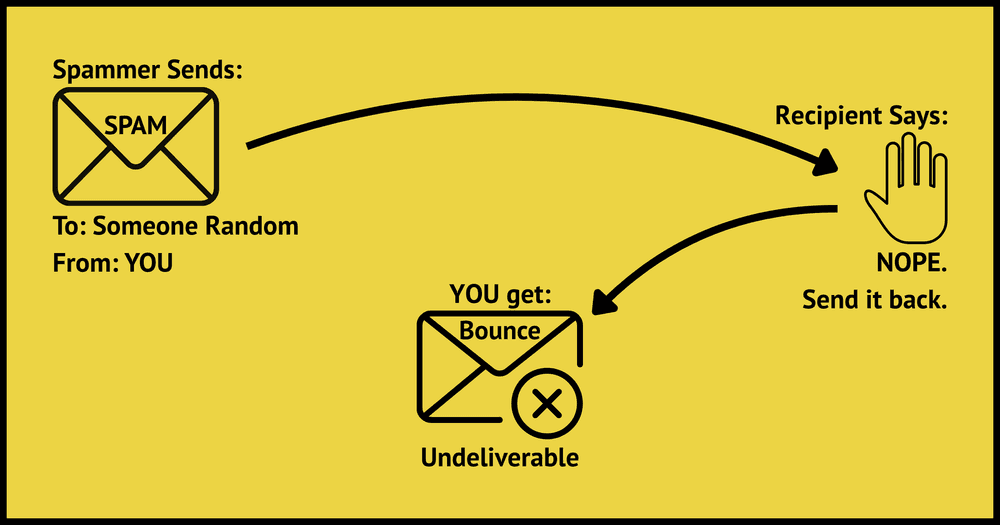
Before your next send Find the addresses that will bounce.
Verify an email freeA bounced email is a message that gets rejected by a mail server and returned to the sender, which means it never reaches the recipient's inbox. When an email bounces, the receiving server usually sends back an automated Non-Delivery Report (NDR), also called a Delivery Status Notification (DSN), with an error code explaining why delivery failed. In short: the message went out, but it came back undelivered.
This guide explains what a bounced email means, the difference between hard and soft bounces, why emails bounce, how to read the bounce code, and what to do about it.
What does a bounced email mean?
A bounce means the recipient's mail server refused to accept or deliver your message. Once a server has accepted a message for delivery, it takes on the responsibility to return a bounce if it later cannot deliver it, so a real bounce is always automated and generated by a mail server, not a person. The notice arrives from an address like MAILER-DAEMON and carries a null sender so it cannot bounce again.
The bounce can come from two places. Sometimes your own outgoing server returns it because it could not reach the destination at all, for example when the domain name does not exist. Other times the recipient's server accepts the message, then sends back an NDR because it cannot drop the mail into the mailbox.
Hard bounce vs soft bounce

Not every bounce means the same thing. There are two types, and the type decides whether you retry or remove the address.
| Hard bounce | Soft bounce | |
|---|---|---|
| Meaning | Permanent failure | Temporary failure |
| Typical cause | Address does not exist, invalid domain, server blocked you | Mailbox full, server down, message too large |
| What to do | Remove the address immediately | Let your provider retry |
| Reputation impact | High, damages sender reputation fast | Lower, but repeated soft bounces turn hard |
A hard bounce is a permanent delivery failure, and continuing to send to it damages your standing with inbox providers. A soft bounce is a temporary problem, so most email platforms retry it automatically. The line between hard and soft bounces is not fixed, though: if the same address soft bounces across several campaigns, treat it as permanent and remove it.
Why do emails bounce?
Bounces happen for specific, diagnosable reasons. The most common causes are:
- Invalid email address: a typo, an outdated address, or an account that no longer exists.
- Full mailbox: the recipient has exceeded their storage quota.
- Server issues: a temporary outage or misconfiguration on the receiving end.
- Message blocked: the content triggered spam filters or failed a security policy.
- Size limits: attachments or images pushed the message past the server's maximum.
- Authentication failures: missing or misconfigured SPF, DKIM, or DMARC records.
Because a bounce is tied to a specific recipient, one campaign can bounce for some contacts and deliver perfectly for others.
What the bounce code tells you
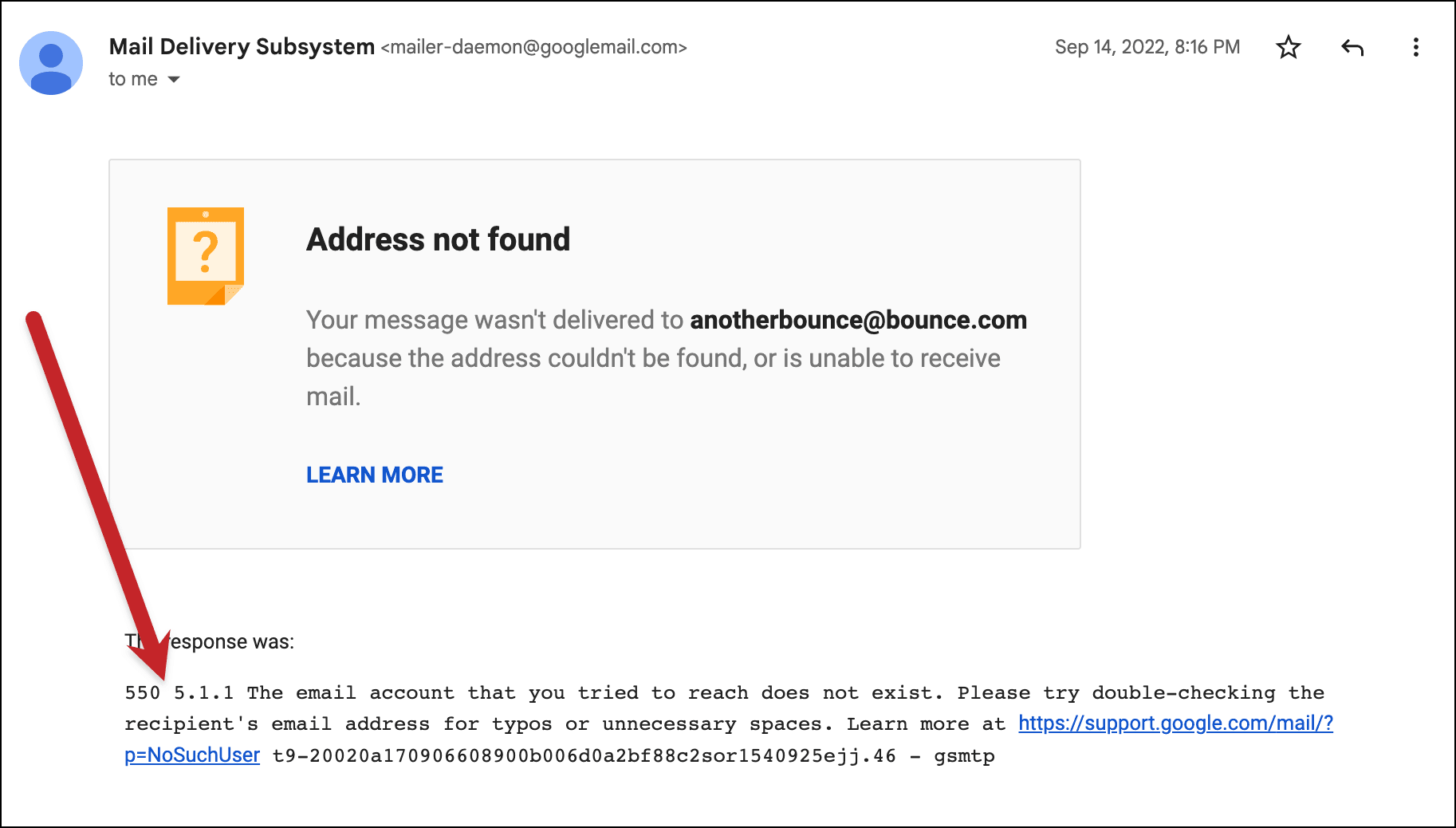
Every NDR contains an error code, and the first digit tells you the most important thing. Codes starting with 5 signal a permanent problem (a hard bounce), while codes starting with 4 mean a temporary issue worth retrying (a soft bounce). Beyond that first digit, the enhanced status codes defined in RFC 3463 pinpoint the exact reason: 5.1.1 means the user is unknown, 5.2.2 means the mailbox is full, and 5.7.1 means the message was rejected by a security policy or spam filter.
The report also lists the date, the server that bounced the message, and often part of the original message. Microsoft's documentation on non-delivery reports explains how servers construct them.
Should you delete bounced emails?
For hard bounces, yes, remove the address with no exceptions. It will never deliver, and each repeat attempt chips away at your sender reputation until even valid subscribers start landing in spam. Keeping your bounce rate below 2% is the practical target.
Soft bounces are different. Give them a few chances and let your platform retry, because the mailbox may just be full or the server briefly down. Some platforms allow a set number of soft bounces before converting the address to a hard bounce automatically. As a rule of thumb, if an address soft bounces three or more times in a row, treat it as permanent and drop it.
How to reduce and fix bounced emails
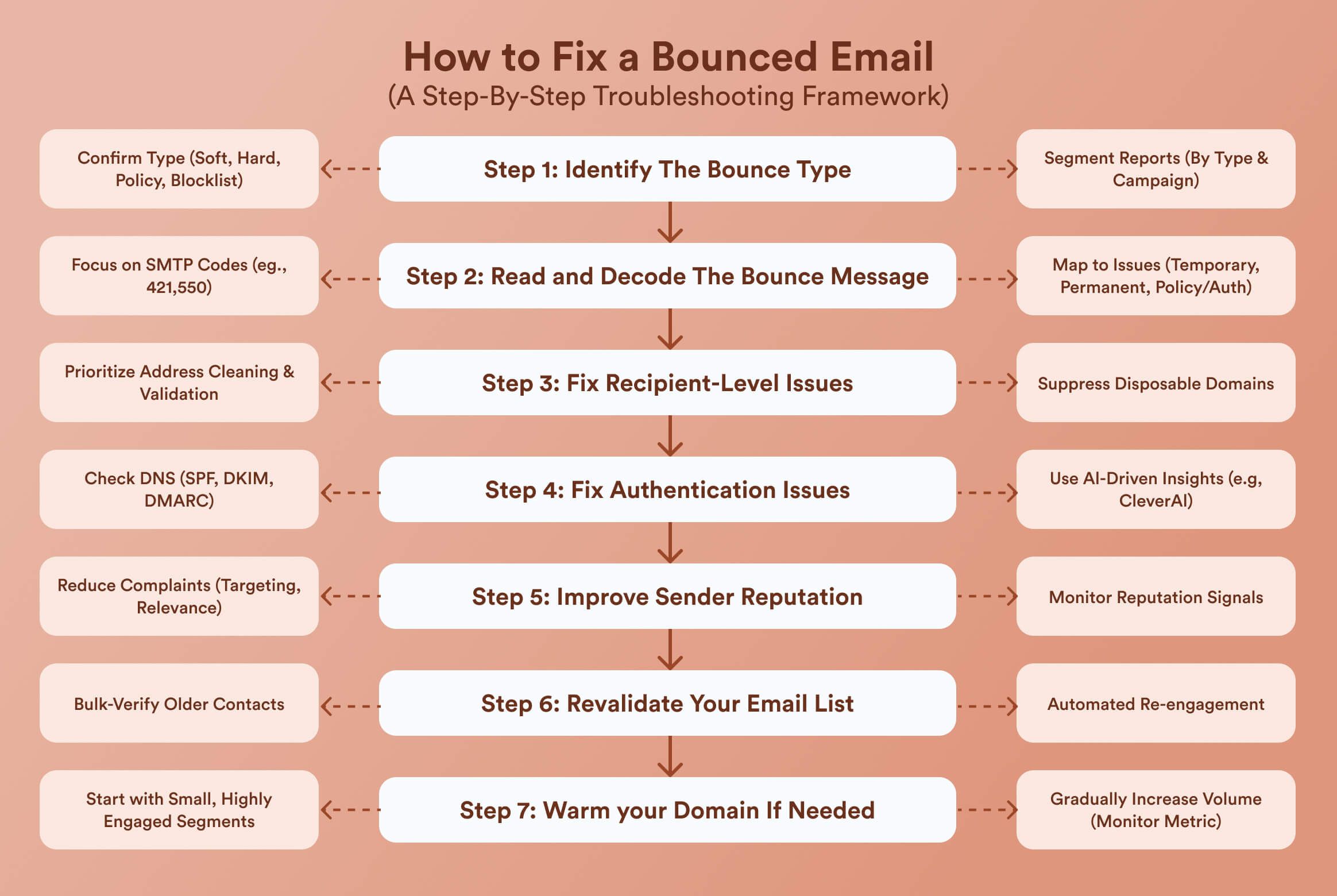
You cannot prevent every bounce, but good list hygiene removes most of the preventable ones:
- Verify addresses before you send. Running your list through email verification catches invalid and non-existent addresses before they bounce.
- Use double opt-in to confirm addresses at signup and catch typos at the source.
- Clean your list regularly by removing contacts that have not engaged in 6 to 12 months.
- Authenticate your domain with SPF, DKIM, and DMARC so policy checks do not reject your mail.
- Never buy email lists, which are full of outdated addresses and spam traps.
When you do see bounces, act on the type: delete hard bounces, let soft bounces retry, and review your content if the code points to spam or a policy block.
Common questions about bounced emails
How do you say an email bounced back?
You can say the email "bounced," "bounced back," or "was returned undelivered." All three mean the message did not reach the recipient and came back to you, usually with a non-delivery report attached.
Why did my email bounce if the address looks correct?
An address that looks fine can still bounce if the mailbox is full, the recipient's server is temporarily down, or a security filter blocked the message. A correct-looking address can also be a spam trap or an account that was deactivated after the person left a company.
Is a bounced email the same as a blocked email?
Not exactly. A block is one reason an email bounces. When a server refuses your message on policy or reputation grounds, it returns a bounce, but bounces also happen for non-block reasons like invalid addresses or full mailboxes.
Can the sender tell if their email bounced?
Yes. The sender receives an automated non-delivery report shortly after the failure, and email platforms record the bounce in their reporting so you can see exactly which recipients did not receive the message.
§ Before your next send
Find the addresses that will bounce
Verify a single address free, or upload a CSV — the free plan includes 50 checks a month, no card needed.

BounceCheck Team
The team behind BounceCheck - helping businesses verify emails and improve deliverability.

