Mailinator: Is It Safe to Use? Privacy Risks and Alternatives
 BounceCheck Team
Mailinator is a public, receive-only disposable email service built mainly for developers and QA teams to test email and SMS workflows. Any address ending in @mailinator.com works instantly, with no signup: send a message to it, then read it in the public inbox on the Mailinator website. Public inboxes are exactly that, public, and messages are deleted automatically after a few hours. Paid plans add private domains, an API, and SMS testing for automated, repeatable tests.
This guide explains what Mailinator is, how it works, what teams use it for, whether it is safe, and why accepting Mailinator addresses in your own signups is a problem worth handling.
What is Mailinator?
Mailinator is an email and SMS workflow testing platform, best known for its free disposable email service. Founded in 2003 by Manybrain LLC, it is one of the longest-running disposable email tools on the web. The core idea is simple: it accepts and displays email sent to any address on its domain, so you get instant, throwaway inboxes without provisioning real mailboxes.
Although people often think of it as "temporary email," its primary purpose today is testing. Development and QA teams use it to verify flows like two-factor authentication (2FA), sign-ups, password resets, and magic links, either by hand or through automated test suites. It is not a durable mailbox provider like Gmail or Outlook: those host inboxes you keep, while Mailinator hands out inboxes designed to vanish.
How Mailinator works
Mailinator works by accepting mail for every possible address on its domain, so any @mailinator.com inbox already exists and needs no setup. You send an email to a handle you choose, then read it in the public inbox on the Mailinator site. Public inboxes are receive-only and auto-delete after a few hours.
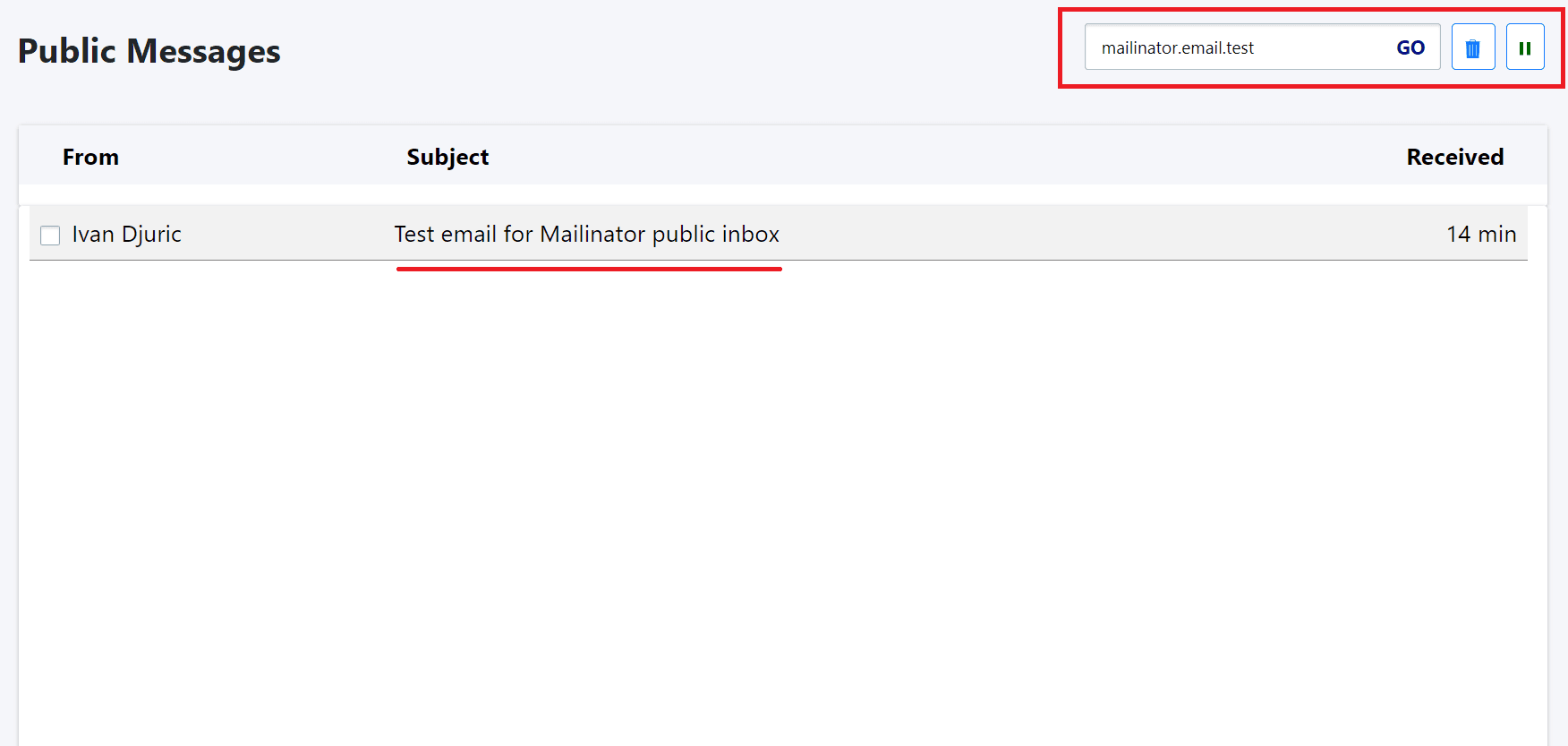
Using the free public service takes seconds:
- Pick any handle you like, for example
[email protected]. You do not create it in advance; it already exists. - Send or trigger an email to that address.
- Go to the Mailinator public inbox page, type the handle, and read the message.
A few things define the free tier: inboxes are receive-only, anyone who types the same handle sees the same mail, messages auto-delete after several hours, and attachments are not delivered. For automated testing, paid plans add a REST API, webhooks, routing rules (for example, auto-clicking a verification link), private domains, and SMS testing. As of 2026, plans run roughly as follows:
| Plan | Price | Best for |
|---|---|---|
| Public | Free | Manual throwaway inboxes, no signup |
| Business | $99/mo (or $79 billed yearly) | Private domain, API, teams |
| Enterprise | From about $699/mo | High volume, multiple domains, SSO |
What Mailinator is used for
Mailinator is used mainly for email and SMS workflow testing by developers and QA teams, who check that sign-up, password-reset, and 2FA messages send correctly. Automated test frameworks use its API to read verification codes and finish flows. Individuals also use it for throwaway signups that avoid revealing a personal address.
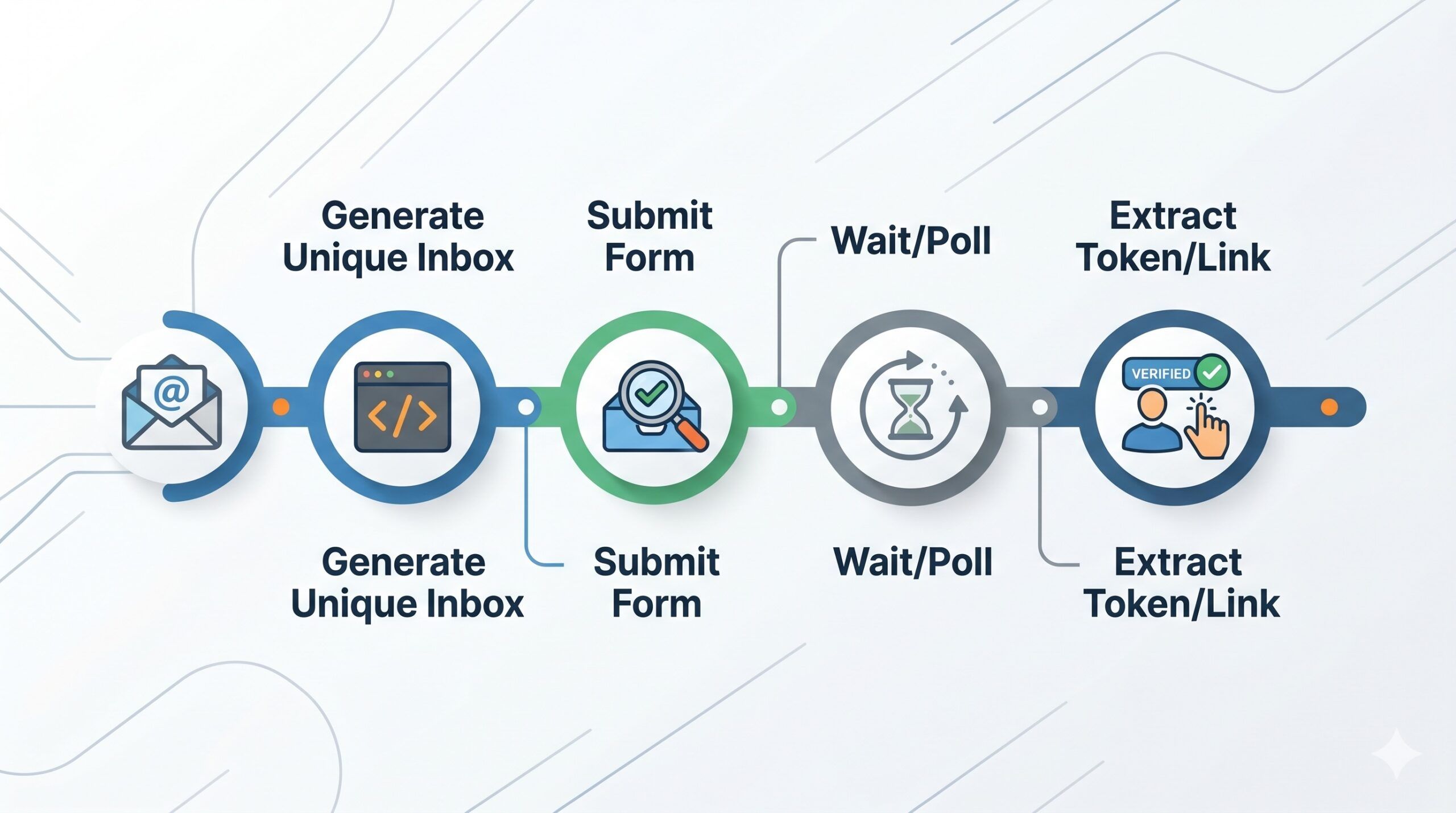
The platform's main audience is technical teams, and the common use cases are:
- QA and workflow testing: confirm that sign-up, password-reset, 2FA, and confirmation emails actually send, contain the right content, and trigger the right next step.
- Automated end-to-end tests: the API lets test frameworks like Selenium, Cypress, and Playwright create an address, wait for the email, extract a verification code or link, and finish the flow, no human inbox needed.
- Quick manual checks: developers and product managers preview how an email arrives without using a personal account.
- Personal throwaway signups: people also use a Mailinator address to try a service without handing over their real address.
Are Mailinator inboxes safe and private?
Public Mailinator inboxes offer no privacy. Because any address on the public domain is readable by anyone who guesses or knows the handle, and there is no login, you should never send anything sensitive to a public inbox, no real password resets, personal data, or private account mail. Treat public Mailinator as a shared, disposable scratchpad.
Privacy is a paid feature. Business and higher plans provide private domains that only your team can access, with persistent storage and stronger security controls. The rule of thumb: public inboxes for throwaway testing, private domains when the data matters.
The risk of Mailinator addresses in your signups
Mailinator addresses in your signups are a risk because they are disposable: the address stops working within hours, so it never confirms, opens mail, or becomes a real user. Left unchecked, disposable signups inflate your list, distort metrics, and drive bounces that erode sender reputation.
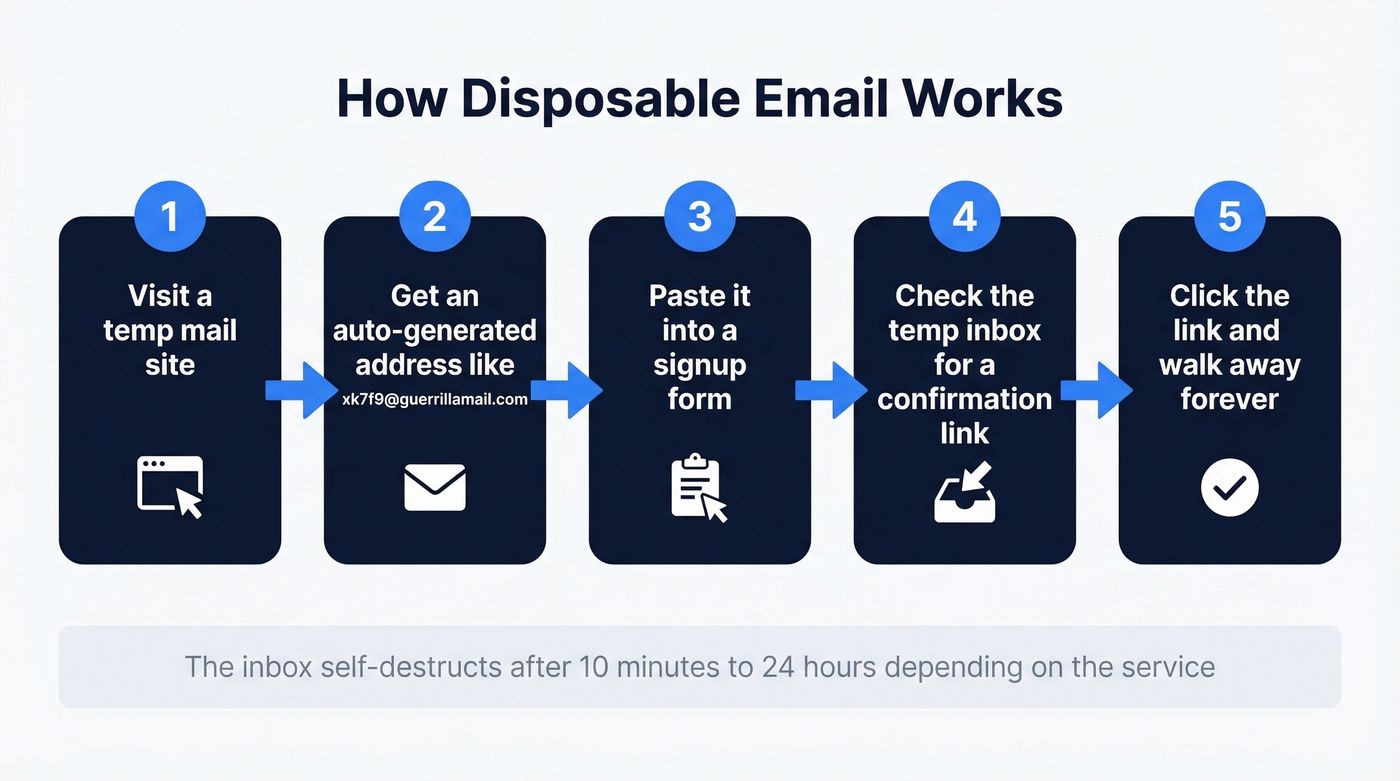
There is a flip side to a tool this convenient. When people sign up to your product with a @mailinator.com address (or any of the many other disposable domains like Guerrilla Mail, 10 Minute Mail, or Temp Mail), they are handing you a throwaway. That address stops existing within hours, so it will never open your mail, confirm a subscription, or become a real user. Left unchecked, disposable signups inflate your list, distort your metrics, and drive bounces that erode sender reputation. This is why many apps block public disposable domains at the signup or trial step.
The fix is to detect disposable and temporary addresses when they enter your system. Email verification flags disposable domains (alongside invalid, role-based, and spam-trap addresses) so you can block or challenge them at signup rather than cleaning them up later. BounceCheck checks each address for exactly this, including whether it belongs to a known disposable provider, so a Mailinator-style throwaway does not quietly join your real list.
Common questions about Mailinator
What is Mailinator used for?
Mailinator is used mainly by developers and QA teams to test email and SMS workflows, such as sign-up confirmations, password resets, and 2FA codes, without setting up real mailboxes. Its public inboxes are also used as throwaway addresses for signing up to services without revealing a personal email.
Is Mailinator free?
Yes. Mailinator offers a 100 percent free, public disposable email service that needs no signup: any @mailinator.com address works instantly. Paid plans (starting around $99/month for Business) add private domains, an API, SMS testing, and persistent storage for serious automated testing.
Who owns Mailinator?
Mailinator is owned by Manybrain LLC, which founded the service in 2003. It is one of the oldest and best-known disposable email services, now positioned primarily as an email and SMS testing platform for development teams.
Are Mailinator emails private?
No, not on the public service. Any email sent to a public @mailinator.com inbox can be read by anyone who enters the same handle, with no login required, and it is deleted after a few hours. Only paid private domains keep test data restricted to your team.
Should I block Mailinator addresses on my signup form?
Usually yes, if you want real users. A Mailinator address is disposable, so it will not stay reachable or engage with your emails. Detecting and blocking disposable domains at signup with email verification keeps your list clean and protects your sender reputation.

BounceCheck Team
The team behind BounceCheck - helping businesses verify emails and improve deliverability.