Why Is My Email Blocked? Causes and Fixes
 BounceCheck Team
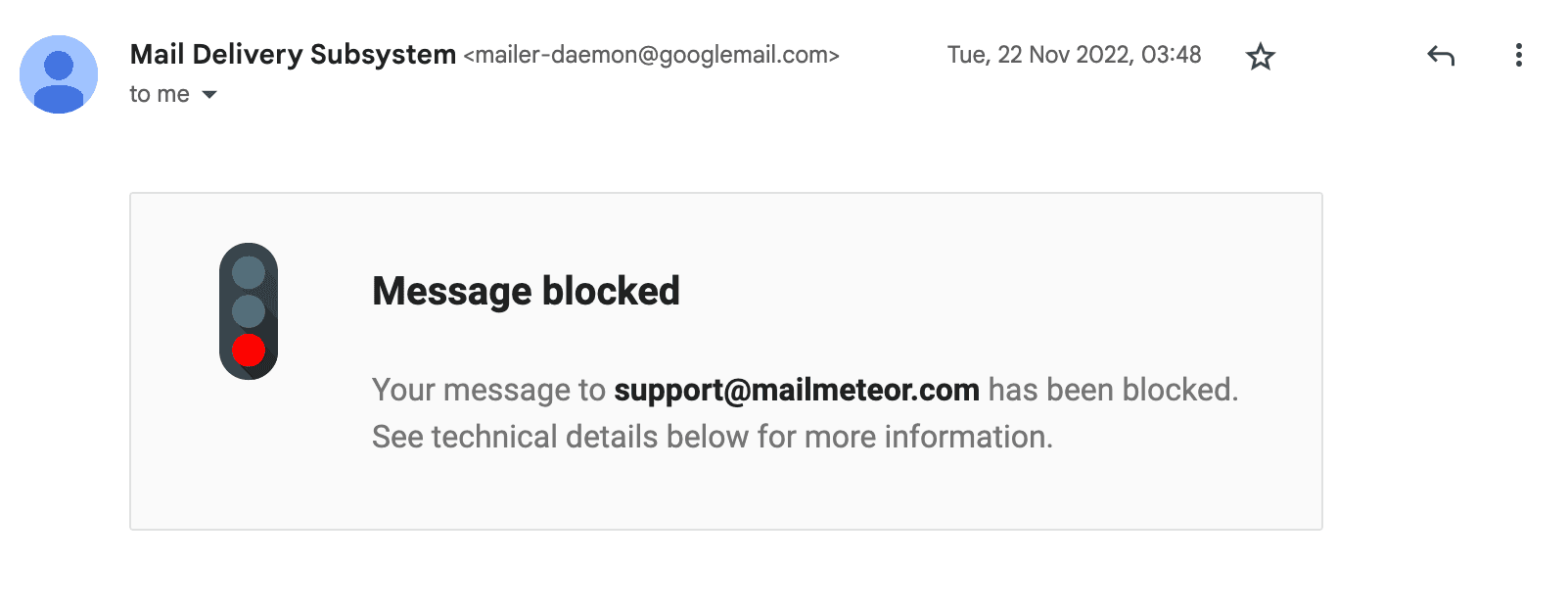
Your email is blocked when a mail server refuses to accept it outright, so it never reaches the recipient at all. Unlike an email that slips into the spam folder, a blocked message is rejected: you usually get a bounce-back notification, often with an error code like 550. The block comes from one of two places, either your own provider stopping your account from sending, or the recipient's server rejecting your message because it looks risky.
This guide explains the difference between blocked and spam, how to tell which side the block is on, why it happens, and how to fix it.
Why is my email blocked?
A blocked email is one a mailbox provider or receiving server prevents from reaching the inbox, like a bouncer turning you away at the door. Every message you send passes automated security checks first. When one fails, the server rejects the email and sends back a non-delivery report explaining why. That bounce message is your most important clue, because it usually names the exact reason.
Blocks happen for a handful of reasons: failed authentication, a poor sender reputation, blocklisted IP or domain, spam-like content, or a security lockout on your own account. Each has a specific fix once you know which one you are dealing with.
Blocked vs going to spam: what is the difference?
These sound the same but are not. The distinction tells you where to look:
- Blocked: the receiving server rejected the message. It was not delivered, and you get a bounce-back or non-delivery report.
- Spam folder: the message was delivered, but the provider filed it in junk. You get no notification, and only the recipient can see it.
If you received a bounce, you were blocked. If there is no bounce, the message likely landed in spam instead, which is a separate problem covered in our guide on why emails go to spam.
Is your account blocked, or the recipient's server?
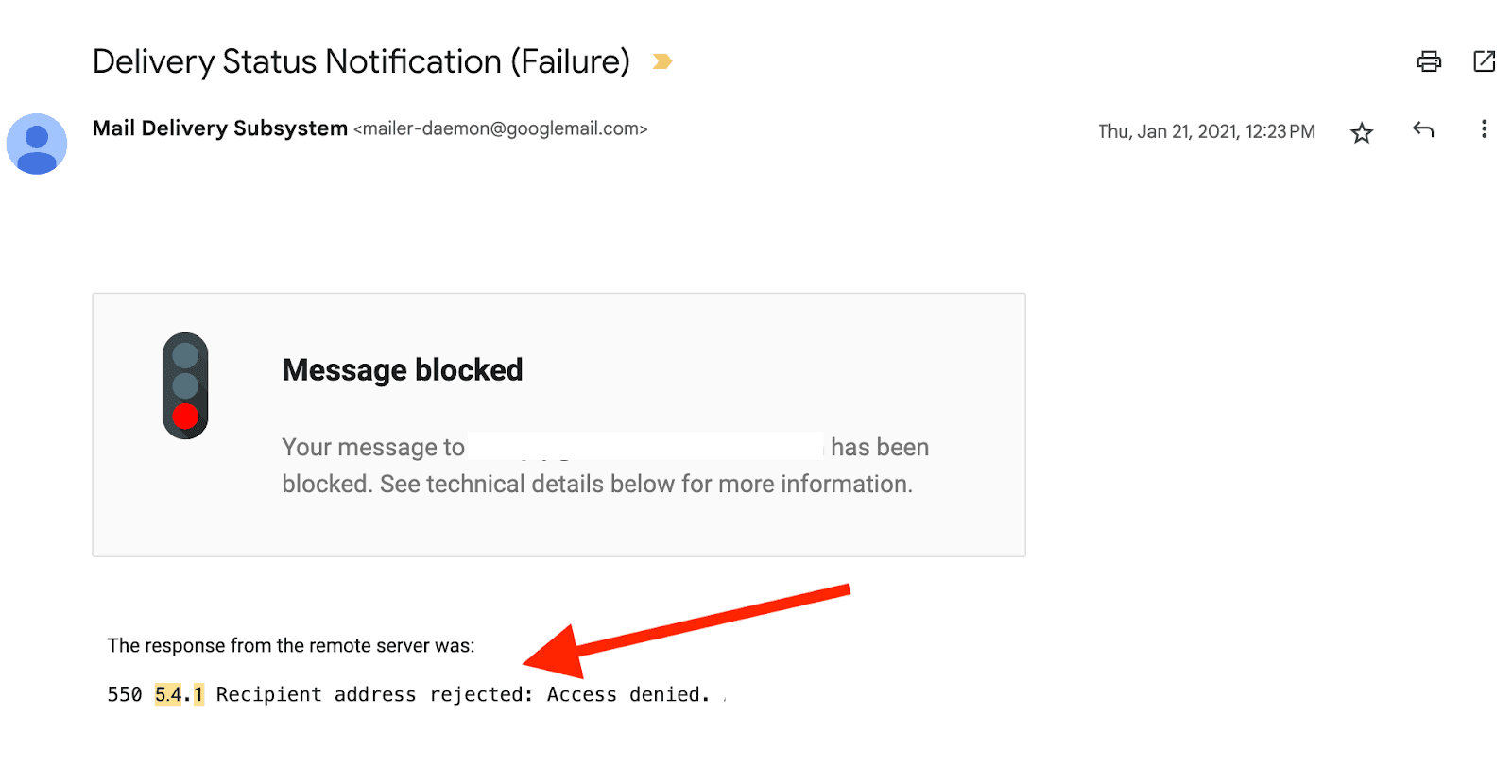
Before fixing anything, work out which side the block is on:
- Every message you send bounces: the block is on your own account. Your provider likely flagged it as abusive or compromised, or you hit a sending limit. Check your provider's message-delivery troubleshooter and reset your password.
- Only some recipients bounce: the receiving server blocked those messages. Read the bounce code (a 550 means a hard rejection) and address the cause below.
- You cannot log in at all: your account is locked, usually after failed password attempts or a policy violation. Use your provider's account recovery flow to verify your identity.
Why the recipient's server blocks you
A recipient's server blocks your mail when the message fails a trust check on arrival. The five common triggers are missing authentication, poor sender reputation, a blocklisted IP or domain, spam-like content, and repeated sends to invalid addresses. Missing authentication is the most frequent cause, and the bounce code usually points to which one applies.
When the block is on the recipient's side, it is almost always one of these:
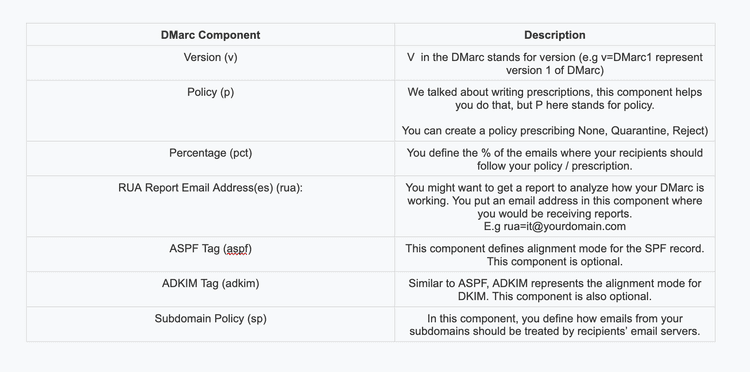
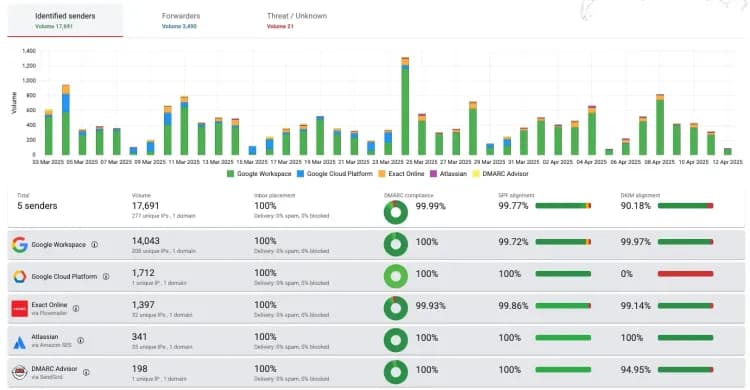
- Missing authentication: without SPF, DKIM, and DMARC, modern providers reject mail from custom domains as unverified. This is the most common cause.
- Poor sender reputation: a history of complaints, bounces, or low engagement lowers your score until servers stop trusting you.
- Blocklisted IP or domain: your sending IP or domain landed on a denylist like Spamhaus. Sharing an IP with a spammer can do this to you through no fault of your own.
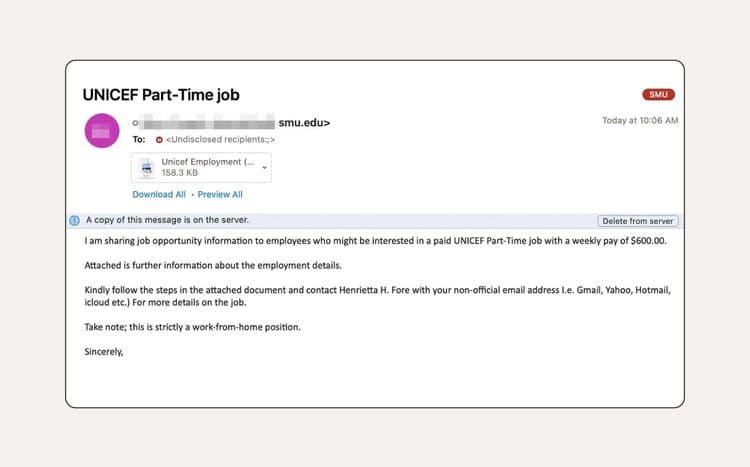
- Spam-like content: excessive capitalization, scam-associated words, too many links, or a missing subject line trip filters.
- Repeated invalid addresses: sending to dead addresses drives up hard bounces, one of the loudest red flags that you are not maintaining your list.
The bounce code narrows it down fast. Our breakdown of bounce codes explains what a specific 5xx rejection means, and an email blacklist check confirms whether a listing is the cause.
Gmail and Outlook specific blocks
Major providers add their own rules on top of the general ones. Gmail commonly blocks a message when it:
- Contains too many images (Gmail limits 25 MB per image and 100 images per email).
- Includes an unapproved attachment type like .exe or .zip.
- Has no subject line.
- Uses disallowed HTML such as JavaScript, ActiveX, or Flash.
- Contains a virus, or resembles phishing with a mismatched sender domain.
On top of that, the sender requirements Google and Yahoo enforce as of 2024 mean bulk senders must have SPF, DKIM, and DMARC (with at least a p=none policy), keep spam complaints under 0.30%, and provide one-click unsubscribe. Miss those and your mail gets blocked or filtered. Outlook is similar, weighting reputation and clean reverse DNS heavily.
How to fix and prevent blocked emails
Most blocks clear once you fix the underlying cause and then keep good sending habits. The core steps are to authenticate your domain, clean and verify your recipient list, resolve any blocklistings, repair the message, warm up new sending IPs, and monitor your reputation. Authentication is the single highest-impact fix for mail a recipient server rejects.
Work through the fixes in this order:
- Authenticate your domain. Set up SPF, DKIM, and DMARC, the single highest-impact fix.
- Clean and verify your list. Verifying addresses before you send removes invalid contacts and spam traps that drive bounces and blocklisting. BounceCheck is an email verification service that flags invalid and risky addresses before they hard-bounce.
- Check and fix blocklistings. Look up your IP and domain, then request delisting once the underlying issue is resolved.
- Fix the message. Add a subject line, cut risky attachments and disallowed HTML, and balance text against images.
- Warm up and stay consistent. Ramp new IPs gradually and avoid sudden volume spikes that look like a compromised account.
- Monitor your reputation. Track your sending with a tool like Google Postmaster Tools so you catch a problem before it becomes a block.
Common questions about blocked emails
How do I stop my emails from being blocked?
Authenticate your domain with SPF, DKIM, and DMARC, verify and clean your list to cut hard bounces, resolve any blocklistings, fix message issues like missing subject lines or risky attachments, and keep your sending volume consistent. Then monitor your reputation so new problems surface early.
Why are my emails suddenly being blocked?
A sudden block usually means something changed: a DNS edit broke your authentication, your IP landed on a blocklist, a volume spike looked suspicious, or your account was compromised and used to send spam. Check the bounce message and your authentication records first.
What is the difference between a blocked email and one in spam?
A blocked email was rejected by the server and never delivered, and you get a bounce-back. An email in spam was delivered but filed in the junk folder, with no notification. A bounce means blocked; no bounce usually means spam.
How do I recover a blocked email account?
If you cannot log in, use your provider's account recovery or identity-verification form (for example, Google or Microsoft's recovery page). If you can log in but every send bounces, reset your password in case the account was compromised, then contact support if the block persists.

BounceCheck Team
The team behind BounceCheck - helping businesses verify emails and improve deliverability.