What Is SMTP? The Simple Mail Transfer Protocol Explained
 BounceCheck Team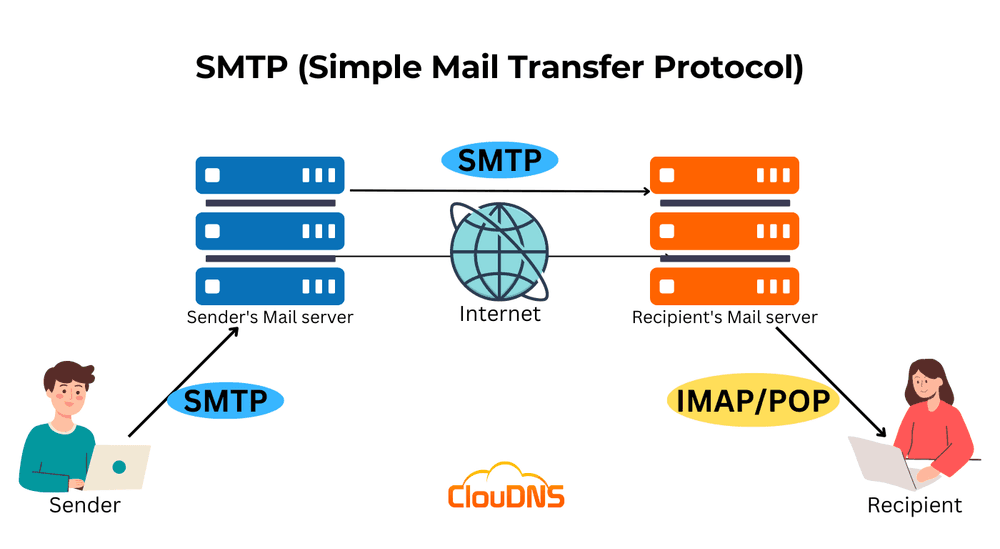
Before your next send Find the addresses that will bounce.
Verify an email freeSMTP stands for Simple Mail Transfer Protocol, the internet standard for sending and routing outgoing email between servers. When you hit send, SMTP is the set of rules that carries your message from your email client to your provider's server and on to the recipient's mail server. Think of it as the postal network for email: it handles the sending and the handoffs, while a separate protocol delivers the message into the recipient's inbox.
This guide explains what SMTP is, how it works, what an SMTP server is, the ports it uses, and how it differs from the protocols that receive mail.
What is SMTP?
SMTP is an application-layer protocol, first defined in RFC 821 in 1982 and updated in RFC 5321, that lets mail servers and other message transfer agents send, receive, and relay email across networks. It defines the commands and responses two systems exchange to move a message, so any compliant client and server can talk to each other.
SMTP handles outgoing mail only. Retrieving a message from the server into an inbox is the job of IMAP or POP, covered below. Modern email also layers extensions on top of SMTP: ESMTP (the EHLO command) adds capabilities, MIME lets messages carry attachments and HTML, and SMTPS wraps the connection in TLS or SSL encryption.
How SMTP works
SMTP works as a short sequence of text commands exchanged between two servers, often called the SMTP handshake. The sending server opens a connection, identifies itself, names the sender and recipient, transfers the message body, and closes the session. Each server along the route repeats the same exchange until the message reaches its destination.
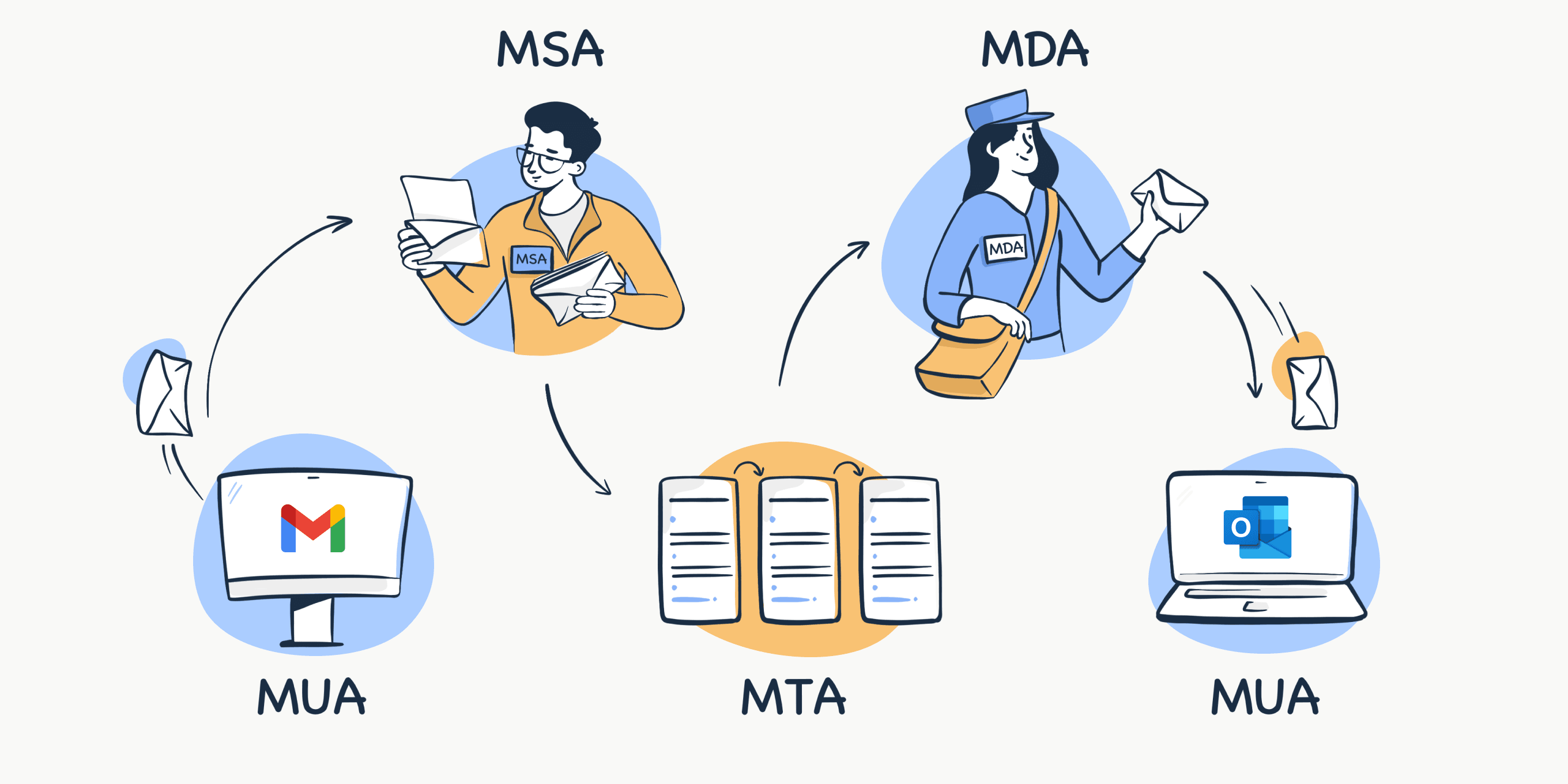
An SMTP session is a short back-and-forth, sometimes called the SMTP handshake:
- Your client opens a TCP connection to the SMTP server, which answers that it is ready.
- The client identifies itself with a HELO (or EHLO) command naming its domain.
- It states the sender with MAIL FROM and the recipient with RCPT TO.
- It sends the message body with the DATA command, ending with a single period on its own line.
- The server accepts the message (reply code 250) and the client closes with QUIT.
If the recipient is on another domain, the server relays the message to the next server along the route until it reaches the recipient's mail server. Each step uses the same command sequence.
What is an SMTP server?
An SMTP server, also called an outgoing mail server, is the software that handles sending. It receives your message from your email client, works out the next server based on the recipient's domain (querying DNS and the domain's MX record to find where mail should go), and relays it onward. Gmail's SMTP server, for example, is smtp.gmail.com.
You can run your own SMTP server or use a cloud service such as Amazon SES, SendGrid, or Mailgun. Either way, you configure it with a server address, a port, encryption, and authentication credentials. New or high-volume servers should also be warmed up so mailbox providers learn to trust them.
SMTP ports: 25, 465, 587, and 2525
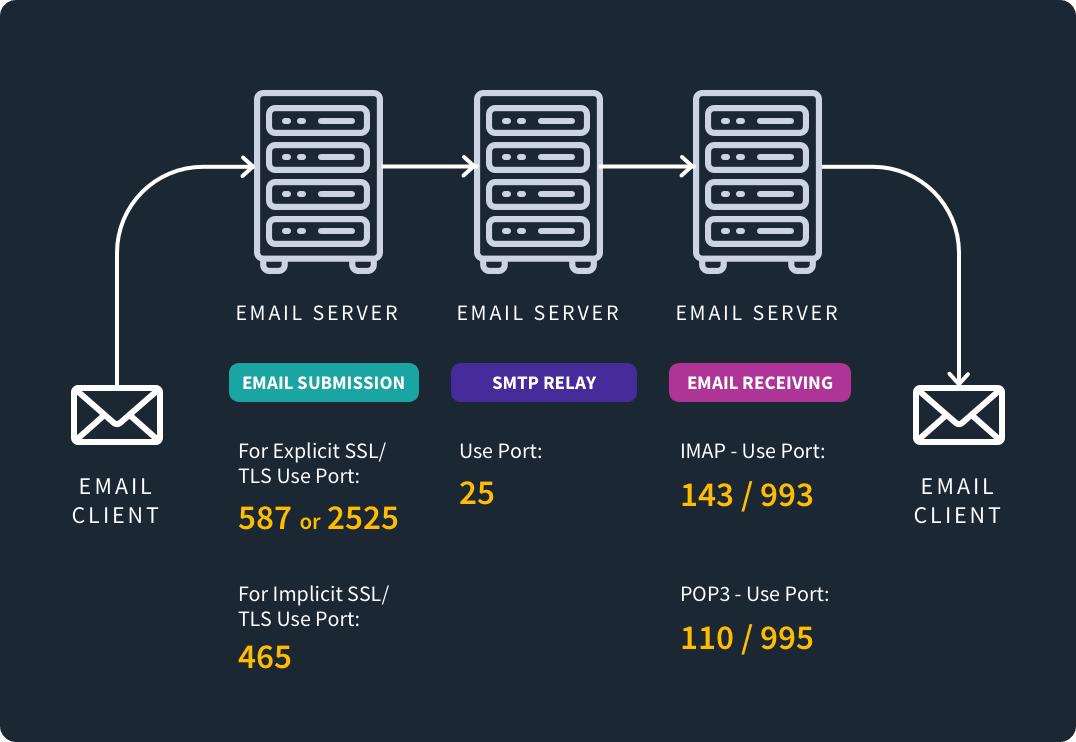
SMTP uses four common ports, and the one you choose depends on whether you are submitting mail from a client or relaying it between servers. Port 587 is the modern default for client submission, port 25 is reserved for server-to-server relay, port 465 is an older secure port, and port 2525 is an unofficial fallback. The port tells the server which connection to use.
| Port | Use | Notes |
|---|---|---|
| 25 | Server-to-server relay | The original port; blocked by most ISPs for client submission because spammers abuse it |
| 587 | Client submission (recommended) | The modern default, used with STARTTLS encryption |
| 465 | Secure submission (SSL/TLS) | Older and technically deprecated, but still widely supported |
| 2525 | Alternative submission | Unofficial fallback when 587 is blocked; supported by most providers |
For sending from an app or client, use 587. Reserve 25 for relaying between mail servers. Our ports guide covers how these fit alongside the receiving protocols.
SMTP vs IMAP and POP3
SMTP, IMAP, and POP3 divide the email cycle: SMTP sends and relays outgoing mail, while IMAP and POP3 retrieve incoming mail. IMAP leaves messages on the server for access across devices; POP3 typically downloads and removes them. SMTP is not an alternative to IMAP or POP3, it works alongside them.
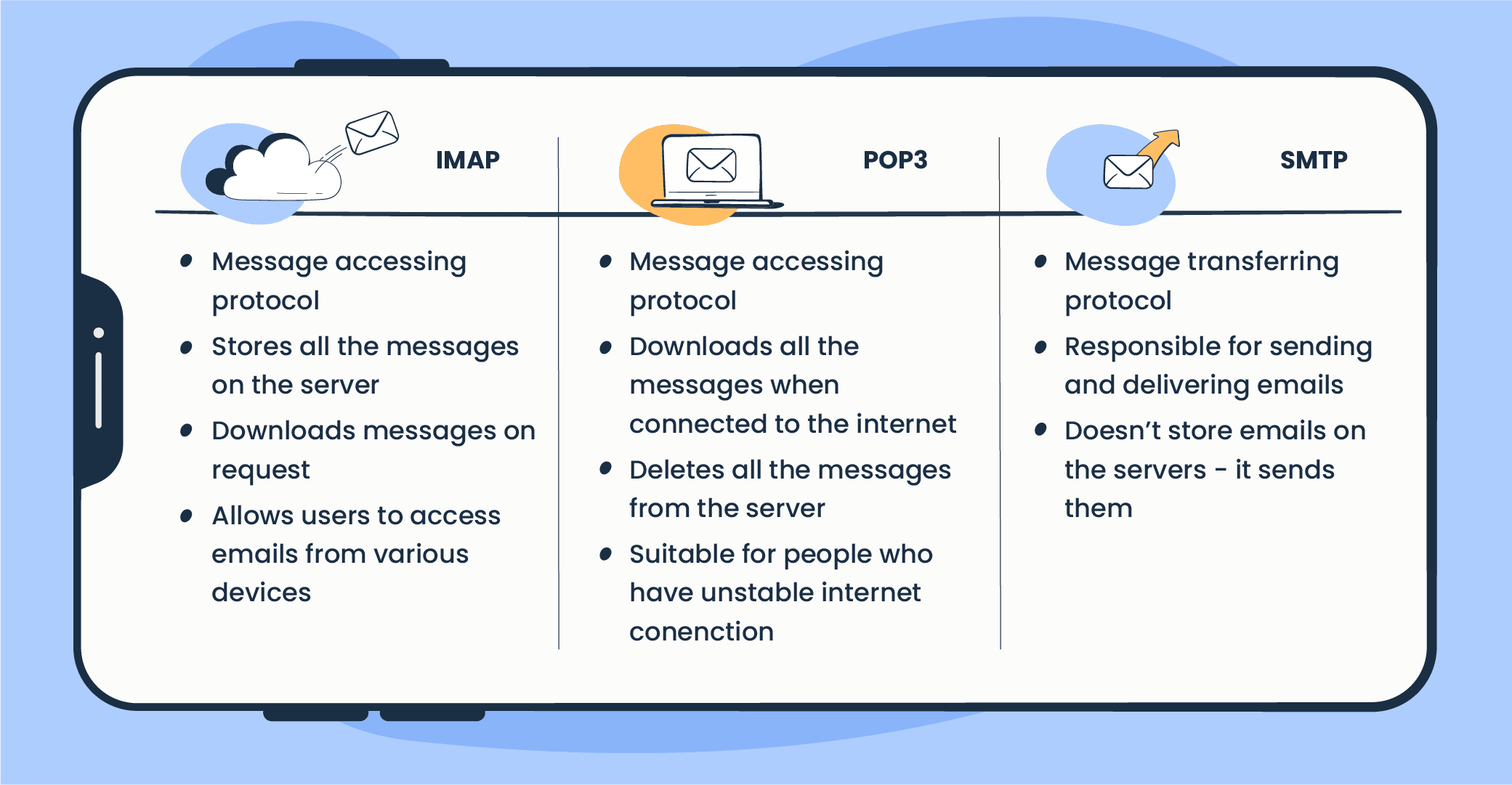
These three protocols split the email cycle between them:
- SMTP sends and relays outgoing mail.
- IMAP retrieves incoming mail and leaves it on the server, so you can read it from any device.
- POP3 retrieves incoming mail and typically downloads and removes it from the server, tying it to one device.
When you set up an email app, you enter your provider's SMTP server to send and their IMAP or POP server to receive. They are complementary, not alternatives.
Why SMTP matters for deliverability
SMTP moves your mail, but it does not guarantee the recipient's server will accept it. That decision comes down to authentication, sender reputation, and the quality of the address you are sending to. SMTP will happily attempt delivery to an address that does not exist, and the result is a hard bounce that hurts your reputation.
That is why verification sits alongside SMTP in a healthy sending setup: verifying an address before you send confirms the mailbox is real, so SMTP is not wasting attempts (and your reputation) on dead addresses. BounceCheck is an email verification service that checks whether a mailbox exists before you send, so SMTP handles the transport while clean data and authentication decide whether the transport succeeds.
Common questions about SMTP
What is SMTP used for?
SMTP is used to send and relay outgoing email between servers. Your email client uses it to hand a message to your provider's SMTP server, which routes it to the recipient's mail server. It is not used to read or download received mail, which is IMAP or POP3's job.
How do I find my SMTP server?
Your SMTP server address comes from your email provider and usually follows the pattern smtp.provider.com (for example, smtp.gmail.com for Gmail). You will find it in your provider's help documentation under outgoing mail or SMTP settings, along with the port and encryption to use.
What is the difference between SMTP and an SMTP server?
SMTP is the protocol, the set of rules for sending mail. An SMTP server is the software that implements those rules to actually send and relay your outgoing messages. In everyday use, "SMTP server" means your outgoing mail server.
Which SMTP port should I use?
Use port 587 with STARTTLS for sending from an email client or app, as it is the modern recommended default. Port 25 is for server-to-server relay and is usually blocked for submission, and 465 is an older secure port that still works but is deprecated.
§ Before your next send
Find the addresses that will bounce
Verify a single address free, or upload a CSV — the free plan includes 50 checks a month, no card needed.

BounceCheck Team
The team behind BounceCheck - helping businesses verify emails and improve deliverability.

