Best Temporary Email Services: Mailinator vs Guerrilla Mail vs OpenInbox
 BounceCheck Team
Run a signup form? Keep throwaway addresses out of your list.
Check an addressMailinator, Guerrilla Mail, and OpenInbox solve three different problems, so the best temporary email service depends on which problem you have. Mailinator is a testing tool whose free inboxes are public, readable by anyone who knows the address, and driven by a REST API that test suites call directly. Guerrilla Mail is a consumer throwaway that can also send and reply, with messages cleared roughly 60 minutes after they arrive. OpenInbox is positioned on private inboxes and an API instead of public inboxes. Pick Mailinator to test your own application's email, Guerrilla Mail when you need to reply from a throwaway address, and OpenInbox when the inbox must not be publicly readable.
A temporary email service is an inbox you can use without registering, which deletes messages after a fixed retention window. Below is how the three compare on inbox model, retention, sending, and API access, four other services worth knowing, and the factor that decides more signups than any feature list: whether the site you are registering with accepts the domain at all.
How temporary email services differ from each other
Temporary email splits into three categories that get lumped together under one label: short-lived public inboxes, alias forwarders, and developer testing platforms. Short-lived public inboxes hand you an address instantly and delete the mail on a timer. Alias forwarders create a permanent address that routes to your real inbox and can be revoked one alias at a time. Developer and testing platforms exist to catch mail your own application sends, with an API instead of a web page as the primary interface.
- Short-lived public inboxes, which need no registration and delete messages after a fixed window, covering Temp Mail, Guerrilla Mail, 10 Minute Mail, YOPmail, Maildrop, and Mailinator's free domains.
- Alias and forwarding services, which keep an address alive indefinitely and forward to a real mailbox, covering SimpleLogin, addy.io, Firefox Relay, and Apple's Hide My Email.
- Developer and testing platforms, which exist to receive mail your own signup and password reset flows generate, where the API and private inboxes matter more than the interface.
Mailinator sits in the third category and rents access to the first. Guerrilla Mail sits squarely in the first. OpenInbox markets itself into the third while keeping inboxes private, which is the distinction the rest of this comparison turns on. Since the domains behind these public inboxes are widely known, you can test whether a domain is disposable if you need to confirm which category a specific address falls into.
Mailinator vs Guerrilla Mail vs OpenInbox compared
The three services differ on one axis before any other: who can read the inbox. Mailinator's free domains are public, so the address is the only credential and anyone who guesses it sees the mail, with private inboxes behind a paid business plan. Guerrilla Mail is also public but can compose, reply, and attach files up to 150MB, which neither of the others offers. OpenInbox states that its inboxes are private by default and that its API flags one-time passcodes in arriving messages.
| Service | Inbox model | Retention | Can send mail | API |
|---|---|---|---|---|
| Mailinator | Public free domains, private on paid plans | Public inbox mail clears within hours | No, receive only | Yes, REST API and webhooks |
| Guerrilla Mail | Public, no registration | About 60 minutes | Yes, with 150MB attachments | Yes |
| OpenInbox | Private inboxes | Not stated by the vendor | Not stated | Yes, REST API |
Retention is where the free options separate. An hour is enough for a confirmation link and useless for an account you may need to reset next week, which is why YOPmail's eight day window and the alias services matter more than any speed benchmark.
Mailinator: public inboxes built for testing
Mailinator is a temporary email service for QA and automated testing rather than personal privacy, and it remains in active use as of 2026. Any address at one of its public domains works without setup, which is what a test suite needs when it has to read a verification email it just triggered. Mailinator receives only, so you cannot reply from a Mailinator address, and its free public inboxes are cleared within hours.
The tradeoff is that public means public. Nothing gates access to a free Mailinator inbox except knowing the address, and Mailinator's public domain model is the reason teams keep it away from anything resembling a real account. Private domains and private inboxes exist, on a paid business plan, and that is the tier to look at if the mail you are testing contains anything you would not post publicly.
- Good for: testing your own signup, password reset, and transactional email flows.
- Watch out for: public inboxes readable by anyone, and the receive only limitation.
Guerrilla Mail: the throwaway that can also send
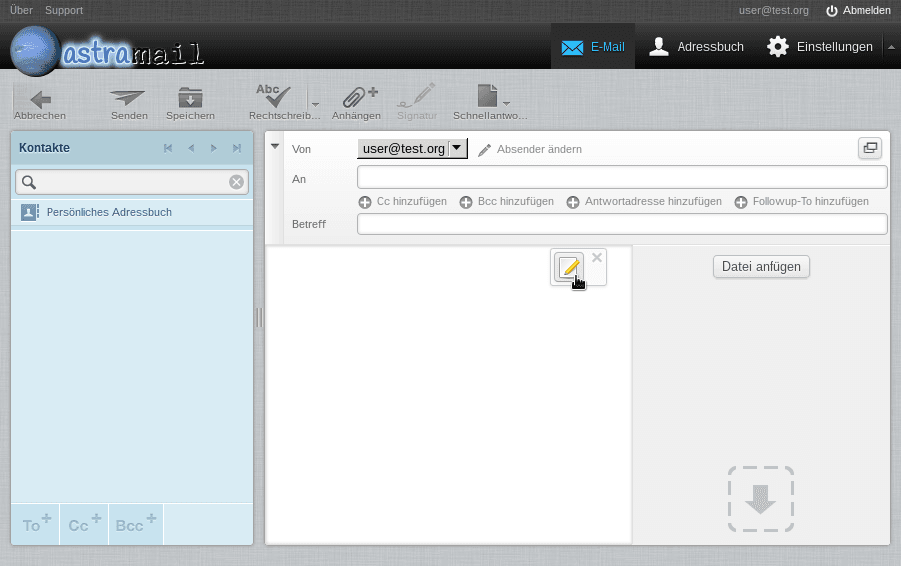
Guerrilla Mail is a public temporary email service that hands you a working inbox the moment the page loads, with no registration, no password, and no confirmation step. Messages are deleted about 60 minutes after they arrive. It can compose, send, reply, and forward, it accepts uploads up to 150MB, it lets you swap the local part of the address for something you choose, and it offers a scrambled address option that hides the readable name. That send capability separates Guerrilla Mail from most free throwaway inboxes, which receive and nothing else.
Its age cuts both ways. Guerrilla Mail has been around long enough to be dependable and long enough that its domains sit on essentially every disposable blocklist worth maintaining, so signup forms refuse it more often than they refuse a newer provider. Retention is the second reason people go looking for a Guerrilla Mail replacement with a longer window. In TempForward's own testing across late 2025 and early 2026, Guerrilla Mail delivered in about 3.2 seconds, which is slower than the services that market on speed and fast enough that delivery time is not what costs you the signup.
- Good for: a throwaway address you need to reply from, or a forum signup you will abandon.
- Watch out for: the one hour window, and how often forms reject the domain.
OpenInbox: private inboxes with an API
OpenInbox is a temporary email service built on three stated properties: inboxes that are private rather than public, a REST API for programmatic access, and detection of one-time passcodes in arriving mail so a script can pull the code without parsing the message body. Against Mailinator, private inboxes answer the public inbox objection directly. Against Guerrilla Mail, the API targets developers rather than someone dodging a newsletter.
What is not documented matters as much as the feature list. OpenInbox is a newer name than the other two, and its retention window, pricing, and delivery performance are not established by an independent test in the current search results, so the claims above are the vendor's own positioning rather than measured behavior. Weigh that before a test suite depends on it. If you need an inbox nobody else can read and an API to drive it, OpenInbox belongs on the shortlist. If you need a track record, Mailinator has the longer one.
Other temporary email services worth knowing
Four more temporary email services cover the cases the three above leave open. Temp Mail is the widely used fallback when a domain is refused, 10 Minute Mail handles a single confirmation link, YOPmail holds mail for about eight days, and SimpleLogin gives you a permanent alias instead of a throwaway. Only SimpleLogin survives past the week you created it.
Temp Mail
Temp Mail is the most widely used temporary email service, rotating across a large pool of domains so that a blocked domain is not the end of the attempt. The free inbox is short-lived and cannot send or reply, and a paid tier adds custom domains and several simultaneous addresses. It is the closest like-for-like swap when Guerrilla Mail's domain is refused.
10 Minute Mail
10 Minute Mail does what the name says, self-destructing after ten minutes, with an extension available while you wait on a slow sender. It receives only. Use it for a single verification link and nothing you will need again.
YOPmail
YOPmail holds mail for about eight days, the longest window among the no-signup services, and lets you pick your own inbox name. The inbox is public like Mailinator's, and it cannot send to addresses outside YOPmail, so treat it as durable storage for confirmations rather than a mail client.
SimpleLogin
SimpleLogin is not disposable at all. It forwards mail from an alias to your real inbox, the address survives as long as you keep it, and you deactivate a single alias when it starts attracting spam. The free tier covers a limited number of aliases. This is the right category when the reason you wanted a temporary address was privacy rather than disposability.
How to choose a temporary email service
Work backwards from the flow rather than from a feature comparison. Testing your own application points to Mailinator or OpenInbox, a single confirmation link points to 10 Minute Mail or Temp Mail, a message you need next week points to YOPmail, replying from a throwaway points to Guerrilla Mail, and privacy points to an alias forwarder. Within any category, retention decides more than speed does.
| What you need | Service to use | Why |
|---|---|---|
| Test your own application's email | Mailinator, or OpenInbox if the inbox must be private | Both expose an API a test suite can call |
| One confirmation link, right now | 10 Minute Mail or Temp Mail | No registration, and the inbox expires on its own |
| Reopen a message later in the week | YOPmail | Holds mail about eight days, the longest no-signup window |
| Reply from the throwaway address | Guerrilla Mail | One of the few free options that can send, with 150MB attachments |
| Privacy rather than disposability | SimpleLogin or another alias forwarder | The address is permanent, forwards to your real inbox, and is revocable |
| A domain the signup form will accept | Temp Mail, or a Gmail or Yahoo alias | Rotating domain pools and mainstream domains are refused less often |
Delivery speed is the criterion most roundups lead with and the one that changes the fewest outcomes. TempForward's testing puts the spread across mainstream services at roughly one to three seconds, which is inside the time it takes to switch browser tabs. A verification email that never arrives has almost always been refused or filtered, not delayed.
Why sites block temporary email domains
Sites reject disposable domains to cut spam, fake registrations, free trial abuse, and automated account creation, and they do it by checking the domain against lists of known providers. The consequence is counterintuitive: the more popular a temporary email service is, the worse it performs at signup. Guerrilla Mail's reach is exactly what gets it refused, and a smaller provider with a rotating domain pool gets through more often.
If a form rejects your address, the moves are limited and mechanical.
- Switch to a provider with several domains and try a less common one, checked against the full list of tracked disposable providers.
- Use a Gmail or Yahoo alias, since neither domain appears on a disposable list.
- Use an alias forwarder on a custom domain, which is not a disposable domain at all.
- Check whether the mail was accepted but delayed before assuming a block.
From the other side of the form the same question is a filtering decision rather than guesswork. A domain either appears on a disposable list or it does not, and a disposable email checker settles it in a single lookup. This matters because a disposable address that expires becomes a hard bounce on the next send, and Google's guidelines for bulk senders expect you to mail valid recipients and keep complaint rates low rather than discover the problem after throttling starts.
What temporary email cannot do
Temporary email keeps spam off your primary address and hides your identity from a service you do not trust. It does not make you anonymous, it does not work on every site, and nothing is recoverable once the retention window closes. Never use a disposable address for banking, healthcare portals, government logins, or any account you may need to recover.
- Anyone who knows or guesses a public address can read the mail in it, on Mailinator's free domains, Guerrilla Mail, and YOPmail alike.
- Traceability depends on the provider's own security posture, so anonymity is a claim rather than a guarantee.
- Registration success varies by site and by domain reputation, so no provider works everywhere.
- Recovery is impossible after the window closes, which rules temp mail out for anything with a password reset.
One category boundary is worth stating plainly, because the two get confused. Every service on this page is a tool for receiving mail at a throwaway address. None of them verifies whether an address on your list is real, and none is an email verification service in the sense that BounceCheck is. They sit on opposite sides of the signup form: temporary email services help the person filling it in, and verification tools help the business collecting the addresses.
FAQs
What is a temporary email service?
A temporary email service gives you a working inbox address without registration and deletes the messages after a fixed retention window, from ten minutes on 10 Minute Mail to about eight days on YOPmail. It is used to receive verification links and confirmations without exposing a primary address. A temporary email service does not verify whether an address on a mailing list is real.
What is the best temporary email service?
No single service is best, because the leaders solve different problems. Mailinator is the pick for testing your own application's email, Guerrilla Mail for a throwaway address you need to reply from, OpenInbox when the inbox must stay private, YOPmail when the mail must still be there in a few days, and SimpleLogin when you want privacy rather than disposability.
What is the best temporary email service for privacy?
An alias forwarder such as SimpleLogin, because the address is yours, revocable, and never publicly readable. Among the services in this comparison, OpenInbox is the one built on private inboxes, while Mailinator's free domains and Guerrilla Mail are both public, meaning anyone who knows the address can open the mail.
Is Mailinator safe to use?
Safe for testing your own application's email, unsafe for anything private on the free tier. Public Mailinator inboxes have no access control beyond the address itself, so treat anything sent there as published. Private inboxes are available on a paid business plan.
Which temporary email service is fastest?
The spread between mainstream services is roughly one to three seconds in TempForward's own testing, with Guerrilla Mail measured at about 3.2 seconds. That difference rarely decides anything. When a verification email does not arrive, the cause is usually a rejected domain or a spam filter rather than slow delivery.
Can a temporary email address bypass a signup blocklist?
Sometimes, and less often with the well known providers. Sites check the domain against lists of disposable providers, so a service with many rotating domains gets through more often than Guerrilla Mail or Mailinator. A Gmail or Yahoo alias gets through nearly always, because neither domain is disposable.
What is the difference between Guerrilla Mail and OpenInbox?
Guerrilla Mail is a public, no-signup inbox that can send and reply and clears mail after about an hour. OpenInbox is positioned as the opposite trade, with private inboxes and an API aimed at developers rather than at someone avoiding a newsletter. Guerrilla Mail has the longer public track record; OpenInbox's retention and pricing are not independently documented.
BounceCheck flags disposable, invalid, and risky addresses before you send, which is the other half of this problem if you are the one collecting signups. If disposable addresses are inflating your list, run it through BounceCheck before your next campaign. Verification will not repair a damaged sender reputation on its own, and it does stop you mailing addresses that no longer exist.
§ Run a signup form?
Keep throwaway addresses out of your list
Check any address or domain against our nightly-updated list of disposable providers — free, no account needed.

BounceCheck Team
The team behind BounceCheck - helping businesses verify emails and improve deliverability.