Role-Based Email Addresses: Examples, Risks, and How to Handle Them
 BounceCheck Team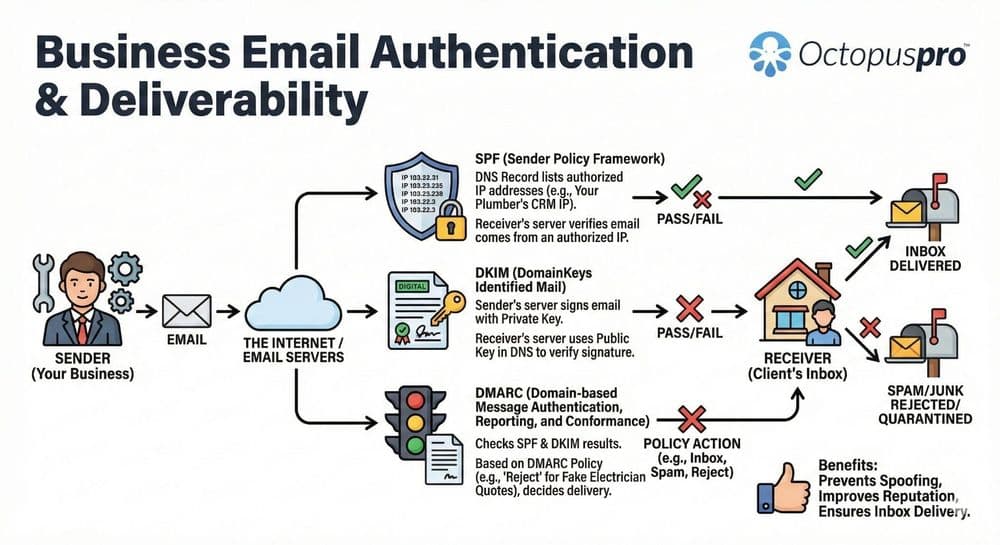
Before your next send Find the addresses that will bounce.
Verify an email freeA role-based email address is a company address tied to a job role or team rather than a specific person. Common prefixes are info@, support@, sales@, admin@, and hr@. The address is usually managed by several people, forwarded to a shared inbox, or attached to a position that changes hands as employees come and go.
Role-based addresses are useful for public-facing inquiries, but most major email service providers either block them at import or warn against sending campaigns to them. This guide covers what role-based addresses are, the common prefixes, why platforms treat them as risky, and how to add one as a legitimate subscriber when you need to.
What Is a Role-Based Email Address?
A role-based email address is a company address defined by a job role or team rather than a named person. The address has generic prefixes like info@ or marketing@ that do not identify a specific employee, and it typically routes to a shared inbox or distribution list that several people manage.
Because the address is not tied to one person, role-based addresses usually do not opt in to receive marketing email, which means they are not genuine subscribers. That distinction is the core reason email platforms treat them differently from personal addresses.
Common Role-Based Email Prefixes
Role-based prefixes fall into a few recurring categories. The same patterns repeat across industries:
- Generic inquiry: info@, contact@, hello@
- Department: sales@, marketing@, accounts@, hr@, it@
- Service and support: support@, helpdesk@, reception@
- Administrative and technical: admin@, webmaster@, postmaster@, sysadmin@, hostmaster@
- Security and abuse: abuse@, security@, privacy@
- Automated: noreply@, no-reply@, mailer-daemon@
- Role-specific: manager@, director@, principal@, secretary@
Why Role-Based Addresses Hurt Email Marketing
Role-based addresses usually do not opt in to receive emails, which means they are not genuine subscribers. They are associated with increased bounce rates and spam complaints, and that combination negatively impacts sender reputation and deliverability across every campaign you send.
How Email Platforms Block Role-Based Addresses

Most major ESPs block role-based addresses from list imports to protect deliverability. The blocklists are public. Mailchimp and Pipedrive both refuse the following prefixes during bulk uploads, with significant overlap between the two:
- abuse@, admin@, billing@, compliance@, devnull@, dns@, ftp@
- help@, hostmaster@, inoc@, ispfeedback@, ispsupport@
- list@, list-request@, maildaemon@
- noc@, no-reply@, noreply@, null@
- phish@, phishing@, postmaster@, privacy@
- registrar@, root@, security@, spam@, support@
- sysadmin@, tech@, undisclosed-recipients@, unsubscribe@
- usenet@, uucp@, webmaster@, www@
- info@, marketing@, mail@, news@, newsletter@, ops@, order@, press@, sales@
- everyone@, default@, email@, feedback@
HigherLogic's Thrive Marketing Enterprise rejects role-based addresses during bulk upload and returns a rejects report so you can see what was filtered. Pipedrive blocks campaign sends to these addresses entirely. The rule across all three platforms is consistent: bulk import or campaign send is blocked, but a signup-form opt-in is allowed. That is also why verification tools usually flag these addresses with the risky status rather than marking them invalid, since the mailbox may exist but sending to it is likely to be filtered or hurt your reputation.
How to Add a Role-Based Address as a Subscriber
When you genuinely need to email a role-based address, every platform offers an opt-in workaround rather than a bypass. If you are not sure whether a given address counts as role-based in the first place, you can check whether an address is role-based before you go looking for a workaround:
- Mailchimp accepts role-based subscribers through the signup form, so share the form link with the subscriber and have them opt in themselves.
- With express written permission, you can also add a single role-based subscriber manually in Mailchimp.
- If a subscriber is willing to share an alternate non-role address, edit their profile or ask them to update it.
- Pipedrive requires a double opt-in confirmation before any campaign can be sent to a role-based address.
- HigherLogic supports a per-account exception list, added via a Customer Support ticket with the role addresses you want excluded from the auto-rejection.
Role-Based Address Questions, Answered
Are role-based email addresses bad?
Role-based addresses are not bad for receiving public inquiries, which is exactly what info@ and support@ exist for. They become a problem on marketing lists: because they route to a shared inbox and rarely opt in, they raise bounce rates and spam complaints, which most ESPs penalize. Use them for inbound contact, not as campaign subscribers.
Can you send marketing emails to info@ or support@ addresses?
Only with explicit opt-in. Mailchimp, Pipedrive, and HigherLogic block role-based addresses from bulk imports and campaign sends by default, but all three allow a signup-form opt-in or a double opt-in confirmation. Without that consent, sending to role-based addresses risks deliverability damage and, in some regions, compliance violations.
What is the difference between a role-based and a personal email address?
A personal address such as jane.smith@ belongs to one named individual who controls the inbox and can consent to mail. A role-based address such as info@ or sales@ is tied to a function or team, is shared by several people, and changes hands as staff turn over. That shared, consent-ambiguous nature is why platforms treat the two differently.
Keep Role-Based Addresses Off Your List with BounceCheck
The blocklists from Mailchimp, Pipedrive, and HigherLogic exist because role-based addresses are easy to detect by prefix and they hurt deliverability when sent to in bulk. Catching them before import is the cleanest fix.
BounceCheck runs every address through a 30-step pipeline that returns a 0-100 score and an explicit role-based flag, so you can suppress them in one filter pass before importing into your ESP. Stealth SMTP verification runs silently, without alerting recipients or risking your domain.
$9.99 for 10K verifications. Credits never expire.
§ Before your next send
Find the addresses that will bounce
Verify a single address free, or upload a CSV — the free plan includes 50 checks a month, no card needed.

BounceCheck Team
The team behind BounceCheck - helping businesses verify emails and improve deliverability.

