TXT Record Lookup: How to Check TXT Records (Commands and Tools)
 BounceCheck Team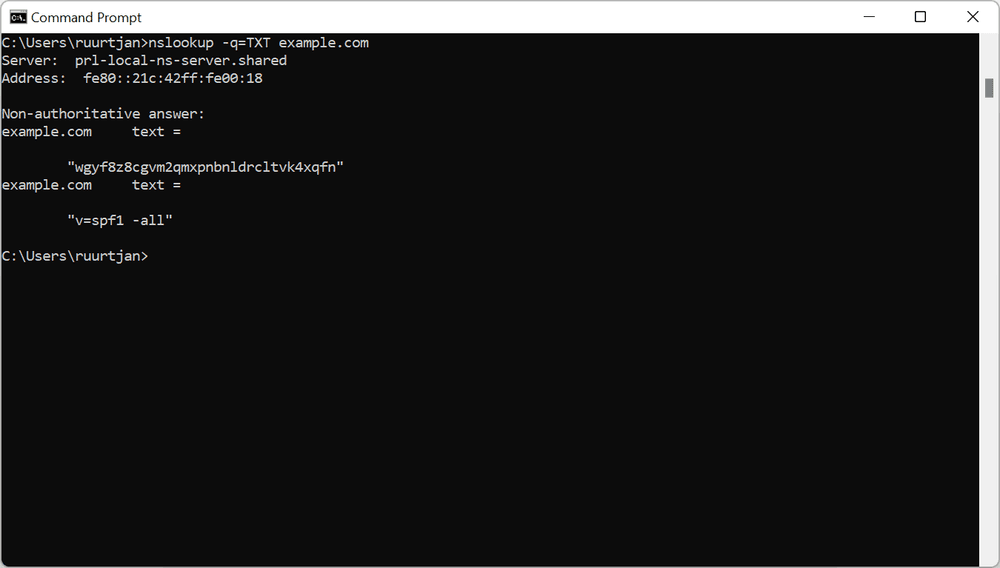
Before your next send Find the addresses that will bounce.
Verify an email freeA TXT record lookup queries a domain's DNS for its TXT (text) records. The fastest way to run one is a command line query: dig TXT example.com on macOS or Linux, nslookup -type=txt example.com on Windows, or host -t TXT example.com. If you prefer not to touch a terminal, paste the domain into a web based DNS lookup tool and filter for the TXT type. Both return the same data: the text strings a domain has published for things like SPF, DKIM, DMARC, and domain verification.
The same query works whether you want every TXT record on a domain or a specific one such as a DKIM selector, and each result has the same four parts: the record's name, its TTL, the type, and the quoted value.
What is a TXT record?
A TXT record is a DNS record that stores arbitrary text against a domain name. Unlike an A record (which maps a name to an IP address) or an MX record (which points mail to a server), a TXT record simply holds a string that another system reads and interprets. The format was defined by the IETF in RFC 1464, which describes how the DNS can store arbitrary string attributes against a name.
A single TXT record is a quoted string. A domain can hold many TXT records at the same name, and one long value is split into chunks of up to 255 characters that a resolver reassembles. The value is only meaningful to the service reading it: mail servers read SPF and DKIM strings, while Google or Microsoft read a verification token. The DNS itself treats every TXT value as plain text.
How to look up TXT records
To look up a TXT record, run a DNS query for the TXT type against the domain: use dig TXT example.com on macOS or Linux, nslookup -type=txt example.com on Windows, or host -t TXT example.com on either. Every operating system ships with one of these tools, so you rarely need to install anything. Each command asks a resolver for the TXT records at a name and prints what it gets back.
| Platform | Command | Values only |
|---|---|---|
| Windows | nslookup -type=txt example.com | Not available |
| macOS / Linux | dig TXT example.com | dig TXT example.com +short |
| macOS / Linux (alternative) | host -t TXT example.com | Not available |
| Any browser | Enter the domain in a web DNS tool and select the TXT type | Not available |
How to look up TXT records on Windows
Open Command Prompt or PowerShell and run nslookup with the TXT type:
nslookup -type=txt example.comTo query a specific resolver instead of your default one, add its address at the end, for example nslookup -type=txt example.com 8.8.8.8 to ask Google's public DNS.
How to look up TXT records on Mac and Linux
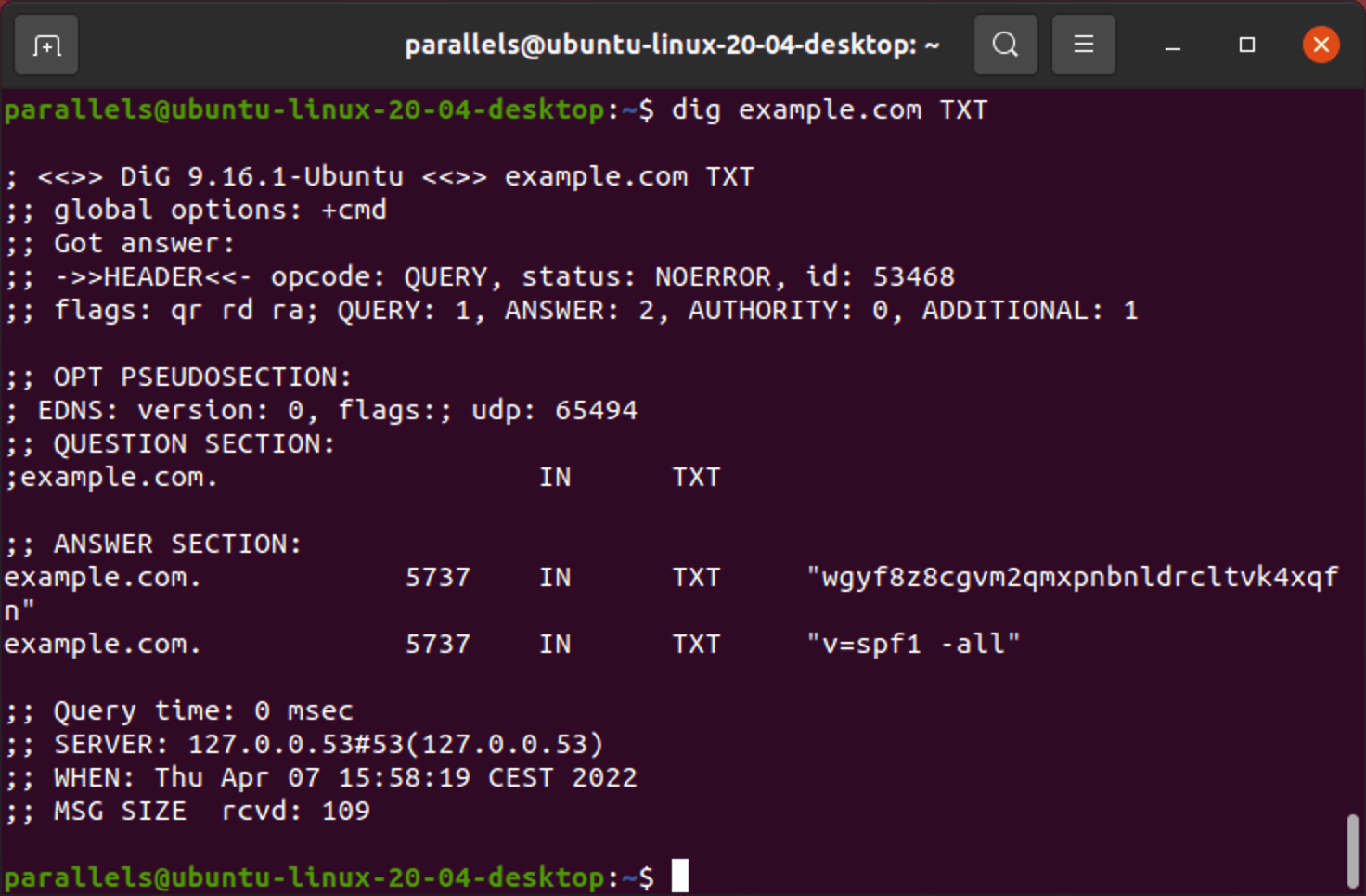
macOS and most Linux distributions include dig, which gives the cleanest output for DNS work:
dig TXT example.comAdd +short to strip everything except the record values:
dig TXT example.com +shortIf dig is not installed, host does the same job:
host -t TXT example.comHow to look up a specific TXT record
Email authentication records live at predictable subdomains, so you can query them directly instead of reading every TXT record on the domain. Query DMARC at the _dmarc name and a DKIM key at its selector under _domainkey:
dig TXT _dmarc.example.com +short
dig TXT selector1._domainkey.example.com +short
Replace selector1 with the selector your mail provider assigns. On Windows, the same targets work with nslookup -type=txt _dmarc.example.com.
How to check TXT records with a web tool
Web based DNS lookup tools run the same query from their own servers and show the result in a browser, which is useful when you are on a locked down machine or want a second opinion from a network outside your own. You enter the domain, choose the TXT record type, and read the returned strings. Our own DNS health checker works this way, returning the TXT records alongside the rest of the domain's DNS setup.
A web tool is worth reaching for when you want to:
- Check a record from a different network than your own, to rule out local caching.
- See the record without opening a terminal or remembering command syntax.
- Validate SPF or DMARC syntax, since many tools parse the record and flag errors.
The trade off is that a public tool queries from its location, not yours, so a freshly changed record may appear at different times depending on which resolver you check.
How to read TXT record output
A TXT record lookup returns four parts for each record: the name it belongs to, the TTL (its cache time in seconds), the type (TXT), and the quoted value string. The value is the payload a service reads, such as an SPF or DMARC string, while the name and TTL tell you which record it is and how long a resolver caches it. These parts are the same whichever lookup method you use.
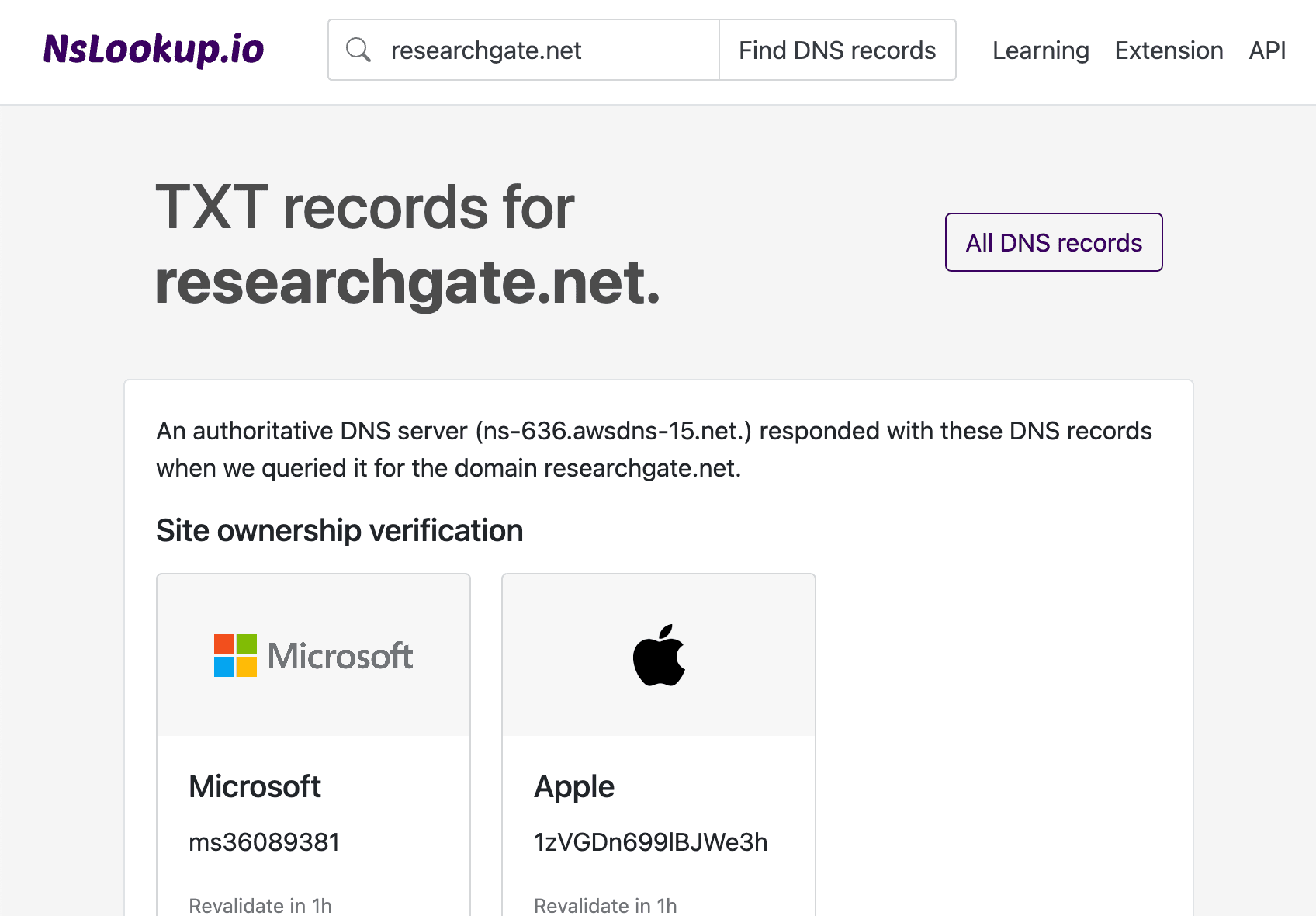
| Component | What it means |
|---|---|
| Name | The domain or subdomain the record belongs to, such as example.com or _dmarc.example.com. |
| TTL | Time to live in seconds. It sets how long a resolver caches the record before asking again, for example 3600 for one hour. |
| Type | The record type, which is TXT here. |
| Value | The quoted text string itself, such as v=spf1 include:_spf.google.com ~all. |
A long value that appears as two or more quoted strings side by side is a single record split into 255 character chunks; the reading service joins them back together. If you see several separate TXT records at one name, each is its own entry, which matters because some record types are only allowed once.
How to check TXT record propagation and troubleshoot
When you add or change a TXT record, the change is not instant everywhere. Resolvers cache the old value for the length of its TTL, so a new record can take from a few minutes up to 48 hours to appear for everyone. Google's own guidance on troubleshooting TXT records notes that verification and authentication records can take time to propagate and recommends checking with a lookup tool before assuming the record is wrong.
If a lookup returns nothing or the old value, work through these checks:
- Query the authoritative name server directly rather than a cached resolver, for example
dig TXT example.com @ns1.example.com. - Confirm you published the record at the right name; a record meant for the root domain must be at
@, not atwww. - Check for a duplicate that conflicts, since multiple SPF records on one domain cause SPF to fail even though each record looks valid on its own.
- Wait out the TTL of the previous record before concluding the change did not work.
Deleting a TXT record is done in the same DNS host that created it. Remove the exact record you no longer need, and leave the SPF, DKIM, DMARC, and verification records in place, because deleting those breaks mail delivery or drops a service's access to the domain.
What TXT records are used for
TXT records are used mainly for email authentication and domain verification: SPF, DKIM, DMARC, ownership tokens, and BIMI are all published as TXT records. Each use shares the same lookup method; only the value string and the name change.
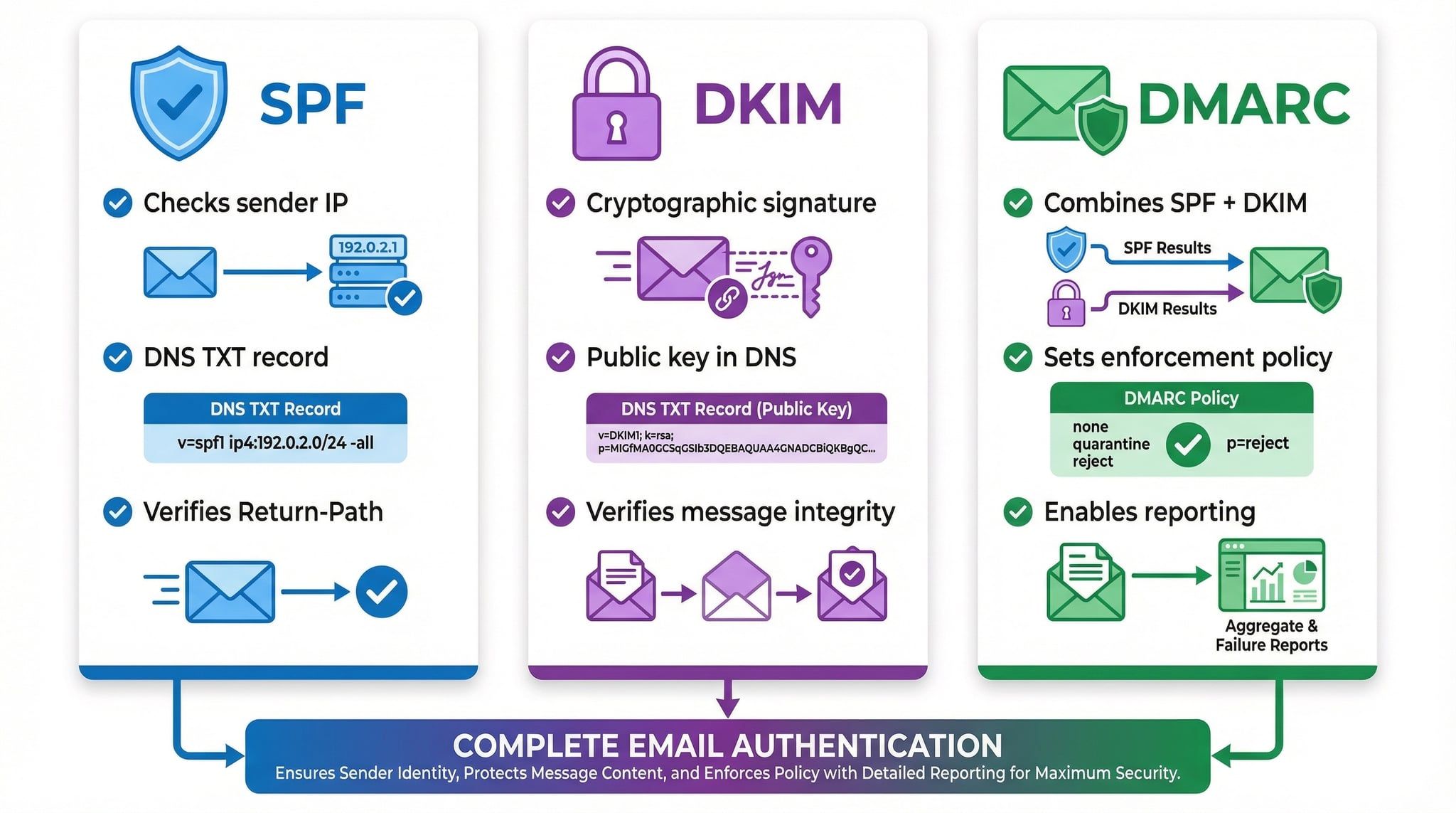
- SPF lists the servers allowed to send mail for the domain, published at the root as a value beginning
v=spf1followed by mechanisms such asinclude:andip4:. - DKIM holds the public key that verifies a message signature, published at
selector._domainkey.example.comwith a value beginningv=DKIM1. - DMARC tells receivers what to do when SPF or DKIM fail, published at
_dmarc.example.comwith a value beginningv=DMARC1. These three sit at the center of SPF, DKIM, and DMARC email authentication. - Domain verification proves ownership to a provider, such as a
google-site-verification=token you add so Google or Microsoft can confirm you control the domain. - BIMI points to the brand logo a supporting inbox can display, published at
default._bimi.example.comwith a value beginningv=BIMI1.
A TXT record lookup is also a routine step when diagnosing delivery problems. If you already run a reverse DNS lookup when checking a sending IP, adding a TXT lookup for SPF, DKIM, and DMARC gives you the full authentication picture for the domain.
FAQs
What is a TXT record lookup?
A TXT record lookup is a DNS query that returns the TXT (text) records published on a domain. You run it with a command such as dig TXT example.com, nslookup -type=txt example.com, or a web based DNS tool. The result shows the text strings a domain publishes for SPF, DKIM, DMARC, domain verification, and similar services.
How do I look up a TXT record on Windows?
Open Command Prompt or PowerShell and run nslookup -type=txt example.com, replacing the domain with the one you want to check. Add a resolver address at the end, such as 8.8.8.8, to query a specific DNS server.
How do I look up a TXT record on Mac or Linux?
Run dig TXT example.com in the terminal, or add +short to see only the values. If dig is missing, host -t TXT example.com returns the same records.
How long does it take for a TXT record to propagate?
A new or changed TXT record can take from a few minutes up to about 48 hours to appear everywhere, because resolvers cache the previous value for the length of its TTL. Querying the authoritative name server directly shows the current value sooner.
Can I delete a TXT record?
Yes, you delete a TXT record in the DNS host where it was created. Remove only the record you no longer need and keep your SPF, DKIM, DMARC, and verification records, since deleting those breaks mail delivery or provider access.
What is the difference between a TXT record and an SPF, DKIM, or DMARC record?
SPF, DKIM, and DMARC records are all published as TXT records. The TXT type is the container; the value string and the name (such as _dmarc) are what tell a mail server which purpose the record serves.
Clean sender data starts with clean records and a clean list. Once your SPF, DKIM, and DMARC TXT records check out, run your list through BounceCheck before your next send to catch invalid addresses that would bounce.
§ Before your next send
Find the addresses that will bounce
Verify a single address free, or upload a CSV — the free plan includes 50 checks a month, no card needed.

BounceCheck Team
The team behind BounceCheck - helping businesses verify emails and improve deliverability.