Ways to Close an Email: Sign-Offs That Work in Every Context
 BounceCheck Team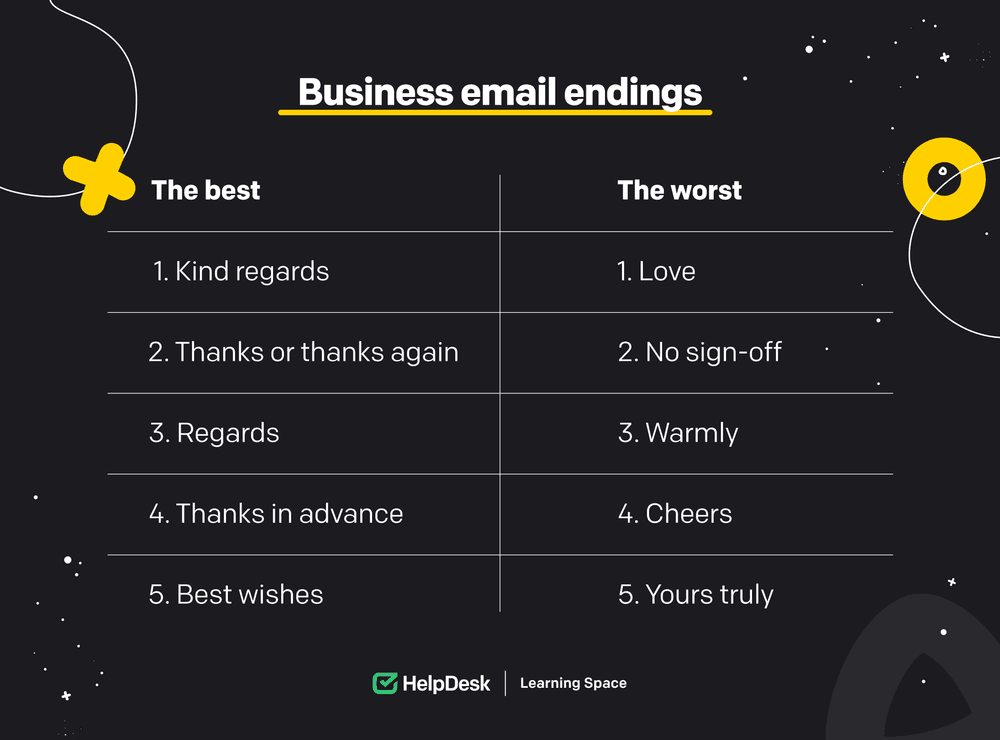
Ending an email comes down to one move: add a sign-off that matches your relationship with the recipient, then a final line that sets up the reply you want. Best regards and Sincerely are the safe formal defaults, Best and Thanks suit people you already know, and gratitude-based closings such as Thanks in advance draw the highest reply rates. Skip Cheers in US business mail, abbreviations like Rgds, and dropping the sign-off entirely.
| Situation | Sign-off to use |
|---|---|
| Cold or first contact, hiring manager, executive | Best regards, Kind regards |
| Cover letter or legal correspondence | Sincerely |
| A colleague you already know | Best, All the best |
| Asking a favor or an action | Thanks in advance, Thank you |
| Inviting a reply | Looking forward to hearing from you |
| Avoid in US business mail | Cheers, Xoxo, Rgds, no sign-off |
Your subject line gets the open. Your body gets the read. But the last line your reader sees, the sign-off, sets the tone they remember when they decide whether to reply. Pick the wrong one and you sound stiff, careless, or weirdly familiar. Pick the right one and the email feels like it ended exactly where it should.
The good news: there are only a handful of ways to close an email worth knowing, and the rules for choosing between them are simple.
Four rules before you pick a sign-off
The two best guides on this topic, Signitic and Forbes, converge on a short list of meta rules.
Match the context: the sign-off has to fit the tone of the email and the relationship with the recipient. A breezy Cheers to a hiring manager is wrong. A buttoned-up Yours faithfully to a colleague you message every day is wrong in a different way.
Get the grammar right: capitalize only the first word, end the sign-off with a comma. Best regards, not best regards and not Best Regards. It is a small detail that signals attention.
Keep your signature short: title, name, phone, one link if it helps. Forbes warns against giant logos and stacked promo links because they pull the eye away from the actual message.
Mix it up across emails: reusing the same closing every time reads as autopilot. Vary the close enough that the reader notices you wrote the email for them.
Forbes adds one more: you only need to sign off on the first email in a thread. Once a back-and-forth is going, dropping the sign-off is fine and reads as natural.
Formal sign-offs (when you do not know the recipient yet)
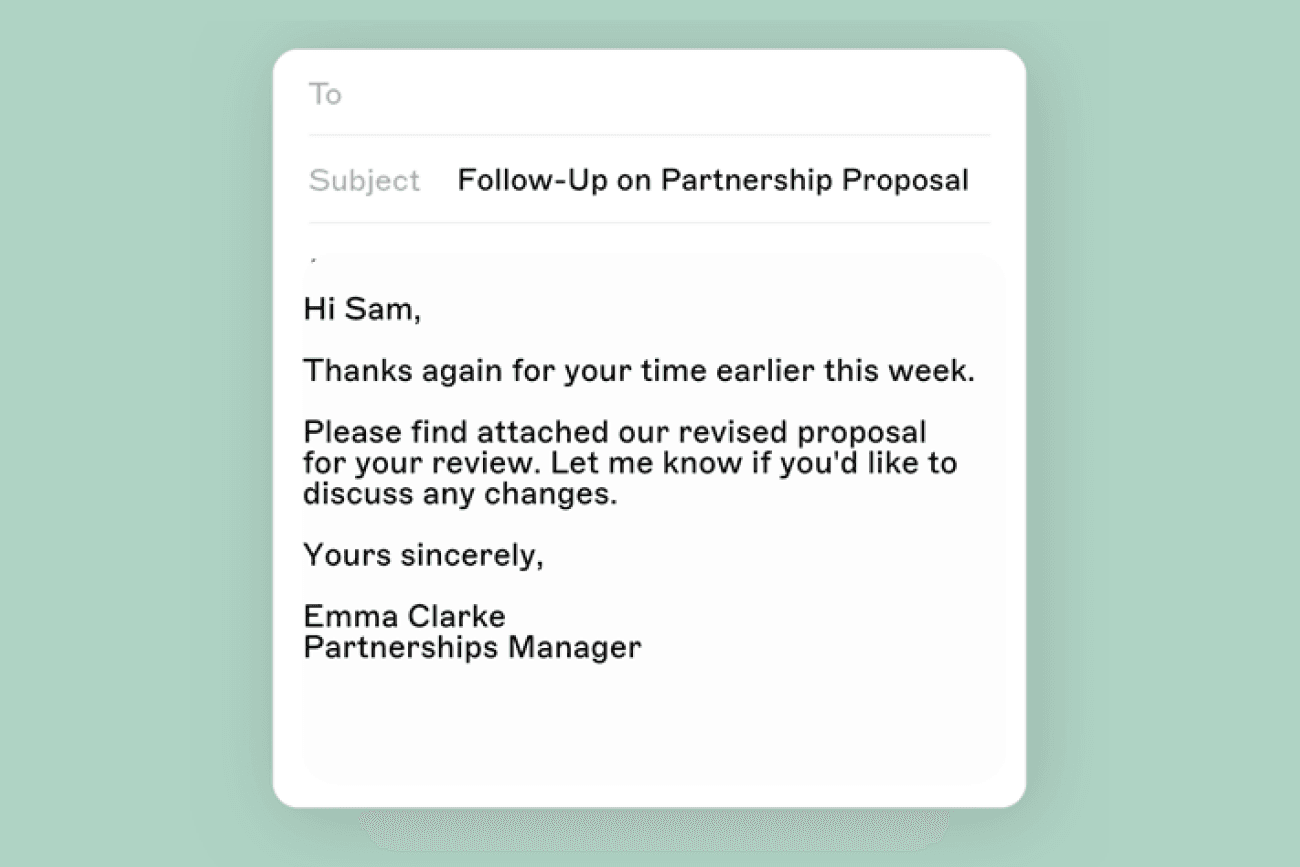
Use these for cold outreach, first-time emails to a client, a hiring manager, a partner, or anyone you need to read you as professional and not too chummy.
Best regards: safe, standard, widely accepted. The default formal sign-off.
Kind regards: professional with a touch of warmth. Good when the email itself was a request.
Warm regards: lovely after a thank-you note. Forbes likes it especially for personal-feeling business mail.
Best wishes: friendly without being too soft. A strong choice when you want a positive note.
Sincerely: very formal. Use for cover letters, legal correspondence, or anything that needs to read as old-school official.
Yours sincerely: the British convention when you addressed the recipient by name.
Yours faithfully: the British convention when you did not (e.g. Dear Sir or Madam).
Respectfully: appropriate when there is a real hierarchy, like a student writing to a professor or a junior writing to a senior executive.
Cordially: technically correct but a bit stiff. Save for first contact with someone in a formal field.
Forbes notes that Sincerely by itself can read as stilted for everyday business mail, fine if your email is genuinely formal, off-key if it is a quick request. The Yours variants (Yours truly, Sincerely yours) feel like a school pen pal letter to modern readers, so skip them unless your industry is unusually traditional.
Casual sign-offs for people you already know
Use these with colleagues you talk to often, clients past the first exchange, or anyone where the tone is already informal.
Best: the most ubiquitous closing of all, per Forbes. Short, friendly, hard to get wrong.
All the best: a touch warmer than Best, works almost anywhere.
Take care: good for ending an informal email to someone you know.
Have a great day: positive, contextual. Swap in week or weekend depending on timing.
Talk soon: an informal stay-in-touch close. Only use it if you actually intend to follow up soon.
Cheers: standard British informal, roughly equivalent to thanks. In American business mail it can read as affected, so know your audience.
Warmly: good for someone you know well but do not write to often.
Sign-offs that say thanks
Signitic cites a Moosend study finding that emails ending with some form of thank-you get higher response rates than emails without. A separate analysis of 350,000 email threads put numbers on it: gratitude-based closings drew a 62% response rate versus 46% without one, with Thanks in advance topping the list at 65.7% and a plain Best answered just 51.2% of the time. Use gratitude when the recipient is doing you a favor, has helped already, or is being asked to take an action.
Thanks: simple, warm, fine in most casual contexts.
Many thanks: a touch more emphatic. Good when the help has been real, not hypothetical.
Thank you: more formal than Thanks. Default to this with a recipient you do not know well.
Thanks in advance: boosts response rates because it presumes the recipient will help. Use only when the ask is small. On a large ask it reads as pushy.
Thanks for your consideration: appropriate when you are pitching, applying, or asking the recipient to evaluate something. Avoid on job-related correspondence where it reads as begging.
Much appreciated: warm without being effusive. A solid alternative when Thanks would feel too casual.
With appreciation: more formal version of Much appreciated.
Watch out for the exclamation point. Thanks! can read as bossy when the email is itself a task assignment, as Forbes notes from personal experience.
Sign-offs that invite a response
Use these when the email needs the recipient to do something next.
Looking forward to hearing from you: classic. Sets the expectation politely. Slightly demanding if overused.
Looking forward to chatting more about X: the named version works better because X shows you read what they wrote.
Let me know if you have any questions: open, helpful, low-pressure.
Let me know how things go: good for handing a task back to the recipient when you have set them up to succeed.
Will follow up with more info soon: sets an expectation about your own next step. Only use it if you will actually follow through.
Sign-offs to avoid
Both references list these as risky for business mail.
Cheers (in US context): affected, read as boozy reference even when it is not.
Xoxo: never in a business email.
Love or Kisses: save for personal mail.
Peace: dates the writer and signals nothing useful.
Ciao: pretentious in English-speaking business contexts.
Rgds or thx: abbreviations look careless. Two extra letters do not save time.
Sent from my iPhone: Forbes admits it can excuse brevity, but most readers find it a tic.
Long disclaimers: legally ignorable in most jurisdictions and they bury the actual message.
No sign-off at all: reads as cold and rushed even when neither is intended.
Forbes catalogs a longer list of one-off oddities (fortune-cookie quotes, smiley faces, motivational orders like Make it a great day). The pattern is consistent: anything that pulls attention to itself rather than to the message belongs in personal mail.
How to pick the warmest sign-off for the email
If you want a sign-off that reads as warm without slipping into overfamiliar, lean on the Warm family. Warm regards and Warmly both add a degree of personal heat to a still-professional close. Kind regards lands similarly. Pair any of them with a one-line wish (Have a great weekend) and the warmth carries through without crossing into the personal.
The trick is to make the warmth match the email. A warm close on a curt request reads as sarcasm; a curt close on a warm message reads as withdrawal. Match.
How Gen Z signs off
Younger writers in casual professional contexts tend to drop the traditional closers entirely and favor short, lowercase, contextual lines: cheers, take it easy, talk soon, or just a first name. Some skip the sign-off and end with their initials. None of this works in a cold email to a hiring manager, but in a 1:1 with a peer it reads as natural rather than dashed off. The underlying rule is the same one Forbes and Signitic spell out: match the tone of the relationship.
The 5 C's of email
A quick note on a related question: the 5 C's are Clear, Concise, Correct, Complete, and Courteous, often quoted as the basic principles of business email writing. A polished sign-off is the courteous part. The first four are the body of the email doing its job.
A small checklist before you hit send
Before the close, run through these.
Does the sign-off match the email? If you wrote a request, end with thanks-style. If you wrote an update, end with a relationship-style close. If you wrote an ask that needs action, end with a forward-looking line.
Is the grammar tight? Capital on the first word only, comma at the end.
Is the signature minimal? Name, title, one link or phone number. No quote, no oversized logo.
Are you on the first email of the thread? If yes, sign off. If you are five replies deep, you can let it go.
That is the whole game. The references both make the same broader point: sign-offs are the small last touch that decides whether your email feels finished or unfinished, and the rules are simple enough that there is no excuse for getting them wrong.
For the full taxonomies, Signitic's 37 sign-offs and the Forbes 89 list by Susan Adams are the long-form companions to this guide.

BounceCheck Team
The team behind BounceCheck - helping businesses verify emails and improve deliverability.