Cold Email Deliverability: How to Land in the Inbox
 BounceCheck Team
Before your next send Find the addresses that will bounce.
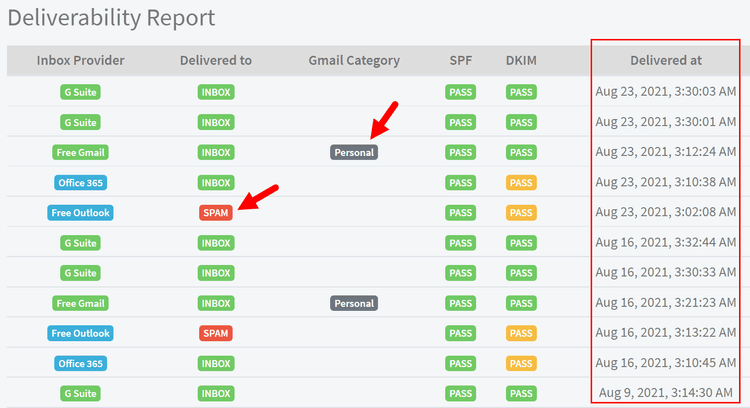
Verify an email freeCold email deliverability is the share of your outreach that reaches the inbox instead of the spam folder or a bounce. It is decided mostly by technical setup, not by copy: how your sending domain is authenticated, how clean your list is, and how carefully you ramp sending volume. To land in the inbox, authenticate your domain with SPF, DKIM, and DMARC, send from a dedicated warmed domain, verify your list before every send, and increase volume gradually. Get the foundation right and mailbox providers treat you as a legitimate sender; get it wrong and even a well written email never gets seen.
This guide walks through the technical levers that control inbox placement for cold outreach, in the order you should set them up. It is about getting delivered, not about writing the message itself.
| Lever | What it controls |
|---|---|
| Authenticate the domain (SPF, DKIM, DMARC) | Whether providers accept your mail as legitimate at all |
| Dedicated, warmed sending domain | Isolates and builds sender reputation away from your main domain |
| List verification before every send | Keeps hard bounces low so you are not flagged as careless |
| Gradual volume ramp | Makes your sending pattern look human, not like a spam blast |
| Plain, simple content | Avoids triggering content filters on the message itself |
| Ongoing monitoring | Catches bounce, complaint, and blacklist problems early |
Authenticate your sending domain
Authenticate your sending domain with SPF, DKIM, and DMARC before your first send. Authentication is the first thing a mailbox provider checks, and Gmail and Yahoo now require bulk senders to authenticate their mail; messages that fail are rejected or dropped straight into spam. The three records work together, so set up all three on the sending domain before you send anything.
Each of the three records does a different job, and getting the exact DNS values right for SPF, DKIM, and DMARC for marketers is what turns a spoofable domain into an authenticated sender. Google publishes its requirements in the Gmail sender guidelines, and Microsoft covers the same framework in its sender authentication best practices.
SPF
SPF (Sender Policy Framework) is a DNS TXT record that lists the servers allowed to send mail for your domain. When a receiving server gets your message, it checks whether the sending IP is on that list. Publish one SPF record per sending domain and include every service you send through.
DKIM
DKIM (DomainKeys Identified Mail) adds a cryptographic signature to each message so the receiver can confirm the mail was not altered in transit and really came from your domain. Your sending platform gives you the public key to publish as a DNS record, then signs outgoing mail with the matching private key.
DMARC
DMARC ties SPF and DKIM together and tells receivers what to do when a message fails both. Start with a monitoring policy (p=none) so you can see who is sending on your behalf, then tighten to quarantine or reject once your legitimate mail is passing cleanly.
Send from a dedicated, warmed sending domain
Send cold email from a dedicated secondary domain that you have warmed up, never from your primary company domain. A batch of bounces or complaints can damage the reputation of the domain you use for real business mail, and that reputation is slow to repair. The safer pattern is to isolate cold outreach on separate domains built for the job.
- Register a secondary sending domain, often a close variant of your main brand, and point it back to your primary site with domain forwarding so it looks legitimate to anyone who checks.
- Consider a subdomain for outreach so that any reputation hit is isolated from your root domain.
- Warm up every new inbox before you send campaigns from it, gradually increasing activity so providers see a natural sending pattern rather than a cold domain that suddenly blasts hundreds of messages.
- Spread volume across multiple domains and inboxes instead of pushing everything through one address, which keeps per-inbox volume low and your overall reputation resilient.
New domains have no sending history, so they start with a neutral to fragile reputation. Taking the time to warm up the domain builds that history slowly, and matching the domain in your MX and sending configuration keeps the setup consistent.
Verify your list before you send
Run your list through bulk verification before every campaign to remove addresses that no longer exist. List quality is the fastest way to wreck deliverability: every invalid address is a hard bounce, and a high bounce rate signals to mailbox providers that you are not managing your list, which pushes more of your mail to spam.
Do not buy email lists. Purchased and scraped lists are full of dead addresses and spam traps, which are addresses that exist only to catch senders who did not collect their contacts properly. Hitting one can get your domain blacklisted. A few habits keep a cold list clean:
- Verify every address with a bulk email verifier before the send, then re-verify older lists that have been sitting for a while.
- Prefer business email addresses over free consumer accounts for B2B outreach.
- Suppress addresses that already bounced so you never mail them again.
Ramp your sending volume gradually
Ramp sending volume gradually over roughly four to six weeks rather than sending at full volume immediately. A brand new domain that sends hundreds of cold emails on day one looks exactly like a spam operation, so volume has to climb slowly for providers to build trust. Many practitioners start at around 5 to 10 emails a day per inbox and keep each individual address at a modest daily cap rather than running one high-volume sender.
The safe ceiling depends on the age and reputation of the domain. A fresh domain can safely send only a trickle at first, and how many emails per day a new domain can safely send rises week by week as it earns trust. A few rules travel well:
- Keep each inbox to a modest daily volume and add more inboxes when you need to scale, rather than pushing one address harder.
- Spread sends across the day instead of releasing the whole batch at once.
- Do not send the identical message to a large list. Vary the wording so your mail does not look like a single automated blast.
Keep your content out of spam filters
Keep cold email content plain and short so the message itself does not trigger content filters. Once the infrastructure is sound, cold email that reads like a marketing broadcast is what tips filters, so keep outreach lightweight and personal.
- Send in plain text rather than heavy HTML templates, and keep the email short.
- Skip attachments and images in the first touch, which filters treat with suspicion from an unknown sender.
- Limit links, since multiple or shortened links raise spam scores.
- Turn off open tracking, which injects a tracking pixel that can hurt placement.
- Avoid spam trigger words and pushy sales language in the subject line and body.
- Include a clear, easy way to opt out so recipients unsubscribe instead of marking you as spam.
Monitor bounce rate, complaints, and reputation
Monitor bounce rate, complaint rate, blacklists, and sender reputation after every campaign, and react quickly when they move. Deliverability is not set once and forgotten; providers judge you on ongoing signals. Track your sender reputation alongside the metrics below.
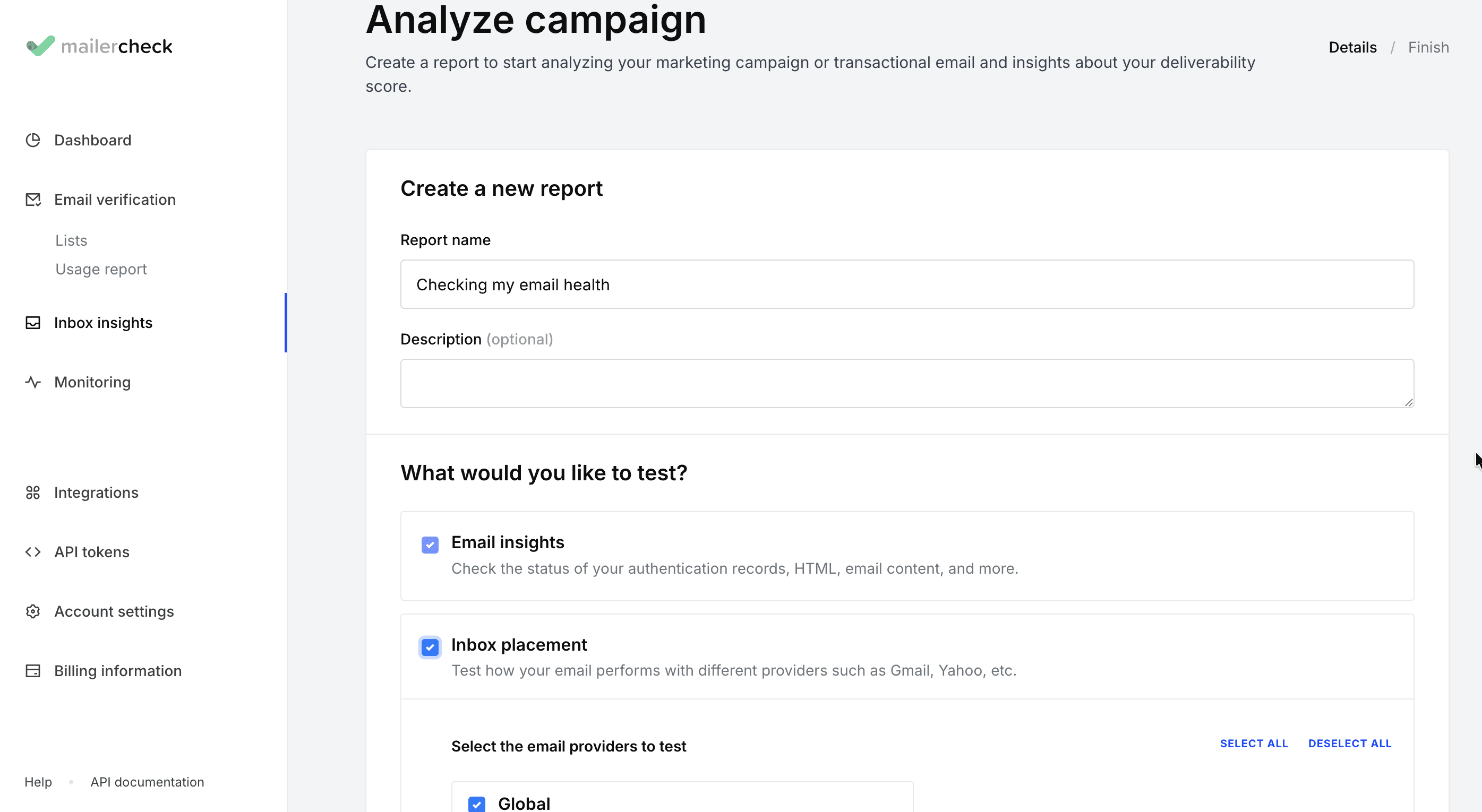
- Bounce rate should stay low. A rising bounce rate usually means your list needs re-verification before the next send.
- Complaint rate is critical. Google asks bulk senders to keep spam complaints below 0.3 percent, and crossing that line pushes your mail toward the spam folder.
- Blacklists should be checked regularly so you catch a listing early and start delisting before it spreads.
- Underperforming inboxes or campaigns should be paused fast. If one sender starts bouncing or getting complaints, turn it off rather than letting it drag down the rest.
Verification is one lever, not the whole story. It removes the invalid addresses that cause hard bounces, but it does not by itself repair a damaged reputation, fix authentication gaps, or make an unwanted message welcome. Treat it as the hygiene layer under everything else here.
FAQs
What is cold email deliverability?
Cold email deliverability is the percentage of your outreach emails that reach the recipient's inbox rather than the spam folder or a bounce. It is determined mainly by technical factors, domain authentication (SPF, DKIM, DMARC), sending domain reputation, list quality, and sending volume, rather than by the wording of the message.
How do I set up SPF, DKIM, and DMARC for cold email?
Publish an SPF TXT record listing your sending services, add the DKIM key your sending platform gives you as a DNS record, then add a DMARC record starting with a monitoring policy. Set up all three on the sending domain before your first campaign so mailbox providers can authenticate your mail.
How many domains and inboxes do I need for cold email?
There is no single number. The pattern is to keep per-inbox volume low and add more domains and inboxes as you scale, so no single address carries too much sending. Send cold outreach from secondary domains, not your primary business domain.
Do I need to warm up every new inbox before sending?
Yes. Every new inbox and domain starts with no sending history, so warm each one up before running campaigns from it. Skipping warmup on a fresh inbox is one of the fastest ways to land in spam.
What open rate means my cold emails are reaching the inbox?
Open rate is an imperfect proxy because tracking pixels are unreliable and can themselves hurt deliverability. A very low open rate across a verified list is a warning sign that your mail is being filtered, but confirm inbox placement with a seed test rather than open rate alone.
What spam trigger words should I avoid in cold emails?
Avoid aggressive sales and money language such as free, guarantee, act now, and similar pushy phrasing, especially in the subject line. Beyond specific words, cold email that reads like a promotional broadcast is more likely to be filtered than a short, plain, personal message.
Verification is the one lever you can pull before every send. Run your list through BounceCheck to strip invalid addresses and spam traps before your next campaign, so your bounce rate stays low and your sending reputation stays intact.
§ Before your next send
Find the addresses that will bounce
Verify a single address free, or upload a CSV — the free plan includes 50 checks a month, no card needed.

BounceCheck Team
The team behind BounceCheck - helping businesses verify emails and improve deliverability.