Email Lookup: How to Find an Address or the Person Behind One
 BounceCheck Team
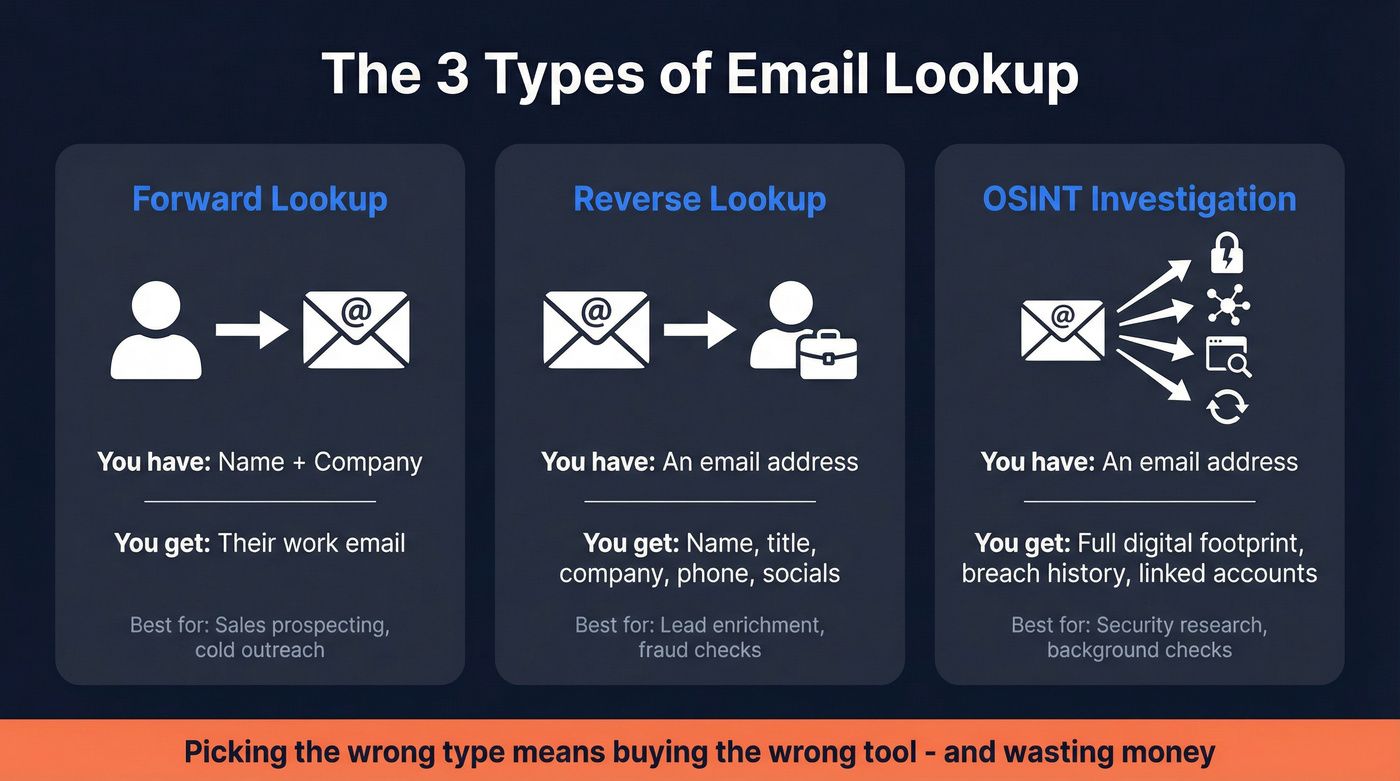
An email lookup is the process of finding a person's email address from details you already have, or finding out who owns an address you already hold. The first direction is a forward lookup: you put in a name and company and get an email out. The second is a reverse lookup: you put in an email and get a name, company, and social profiles back. Both pull from public data and verification databases, and both are only as useful as the addresses they confirm, so the last step is always to check that an address is real before you send to it.
What is an email lookup?
Email lookup covers two related tools that solve opposite problems. When you are prospecting and have a name but no address, an email lookup tool finds the address using the contact information you already hold, such as a full name, company, or social profile. When all you have is the address itself, a reverse email lookup works backward and finds the person or organization behind it.
Most reverse tools rely on OSINT, or Open Source Intelligence, which means they search and cross-reference publicly available information from many online sources rather than any private database. That is also why results vary: an address tied to a public professional profile returns far more than one with no online footprint.
Forward lookup vs reverse lookup
The two directions answer different questions and suit different jobs. A forward lookup is built for outreach, where you know who you want to reach and need their address. A reverse lookup is built for identification, where an address has landed in your inbox or CRM and you want to know who is behind it before you reply or add them to a list.
| Forward lookup | Reverse lookup | |
|---|---|---|
| What you start with | A name and company | An email address |
| What you get back | A likely email address | A name, company, and social profiles |
| Main use | Sales and recruiting outreach | Identifying or verifying a contact |
| Typical tool | Email finder | Reverse email lookup |
If your goal is the first column, the deeper mechanics live in our guide on finding email addresses. If it is the second, see how a reverse lookup turns an unknown contact into an engaged subscriber.
What an email lookup can reveal
From a single address, a lookup can surface a range of details when they are publicly available:
- The owner's full name
- Their current company and job title
- Professional social profiles such as LinkedIn and X
- The company domain and website
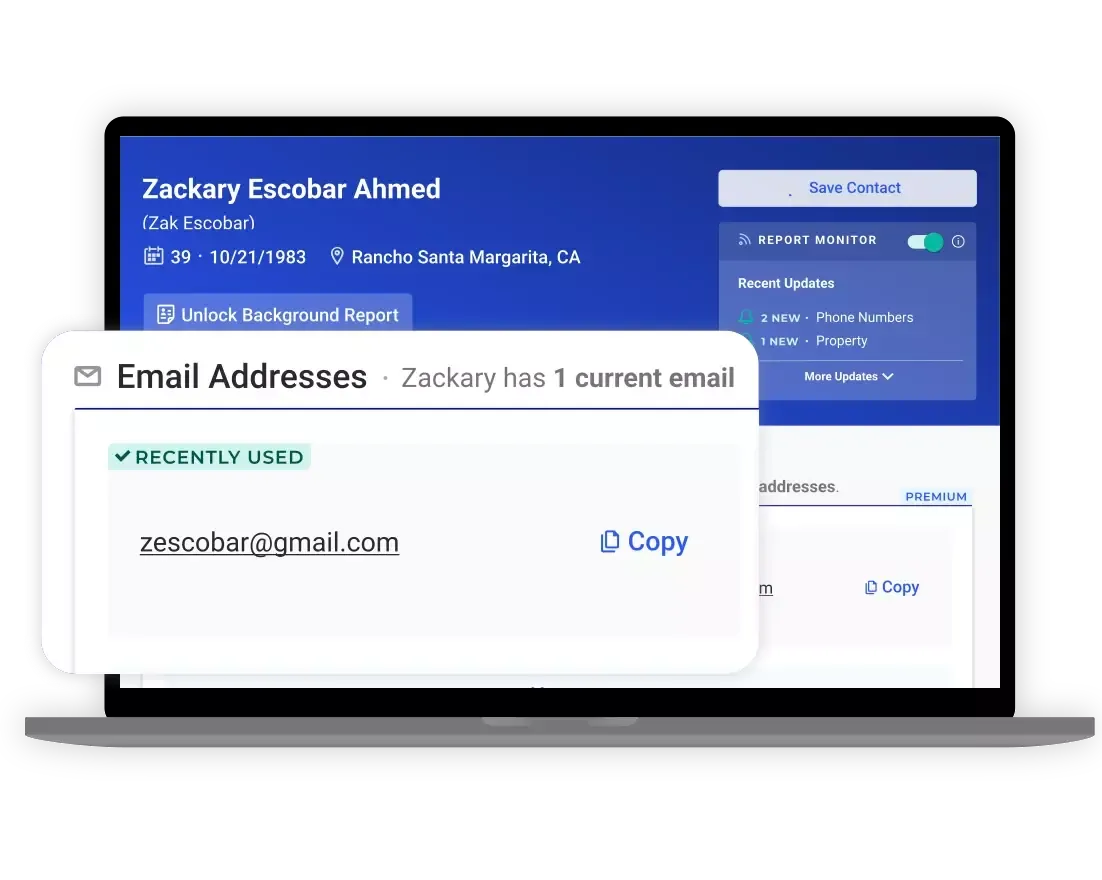
- Alternate email addresses and, on people-search services, phone numbers
- Location, past employers, and schools attended on records-based tools
Results are strongest for corporate addresses, which are tied to websites and professional profiles. Personal addresses from Gmail, Yahoo, or Outlook often return little, because privacy settings keep that information off public sources.
Free vs paid email lookup tools
Free email lookup exists, and it is enough for occasional checks. Many tools offer a free tier, commonly around 25 to 100 searches per month, and some reverse tools run entirely on free public sources like DNS and a domain's public website, so they cost nothing to query. The trade-off is volume and depth: free tiers cap your searches and return less complete data than paid plans.
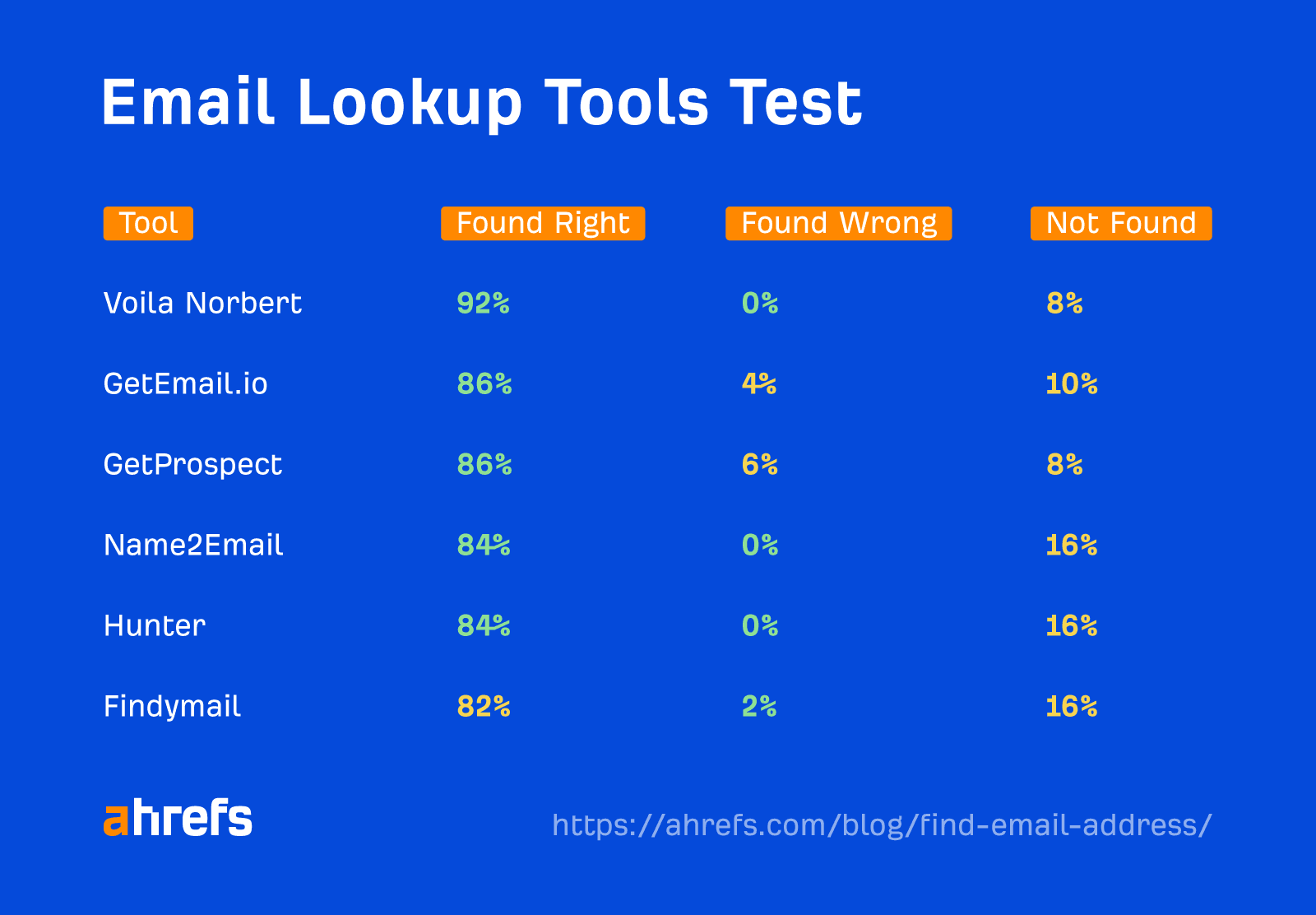
Paid plans are where bulk work happens. Established finders index very large address libraries, run bulk searches, and add verification, with plans that typically start near 49 dollars a month for several hundred searches and scale up from there. Some tools only charge for a result they are confident is real, which protects you from paying for dead ends. If you are doing one-off lookups, a free tier is plenty. If you are building lists at scale, a paid plan pays for itself in time saved.
How to look up an email without a tool
You can find many addresses by hand, and it costs nothing. The methods are slower than a tool and do not scale, but for a single contact they often work:
- Check the person's website, especially the contact, about, and team pages
- Look at social profiles, such as the LinkedIn Contact Info section or an X bio
- Search the company domain on Google or DuckDuckGo for any published address
- Guess the company email format, usually [email protected] or [email protected], from one known address
- Ask the person directly through a contact form or a generic company inbox
These tactics cover most situations, and the full step-by-step version sits in our dedicated guide to finding email addresses. Whatever method you use, treat the result as a lead, not a confirmed address.
Verify an address before you use it
Every lookup method, manual or automated, can hand you an address that is stale, guessed, or wrong. Sending to it anyway carries real cost, which is why verification is the step that turns a lookup into a usable contact. There are three reasons to confirm an address first:
- You protect delivery, because invalid addresses cause hard bounces that never reach anyone
- You keep your spam-complaint rate low, with the accepted benchmark sitting under 0.1 percent, or fewer than one complaint per 1,000 emails
- You defend your sender reputation, since mailing unverified addresses raises bounces and signals to inbox providers that you are a careless sender
BounceCheck is an email verification service that checks an address for syntax, domain, and mailbox validity before you send, so a lookup result can be confirmed in seconds rather than tested live on a real campaign. You can watch the downstream effect on your domain with a free tool like Google Postmaster Tools, which reports your spam rate and reputation. The practical sequence is simple: look up the address, verify it, then send.
Common questions about email lookup
Is there any free email lookup?
Yes. Many lookup and reverse-lookup tools offer a free tier, often around 25 to 100 searches a month, and some run entirely on free public sources so they cost nothing to query. Free tiers are capped and return less data than paid plans, but they are fine for occasional checks or a small list.
How do I find an email by name?
Use a forward lookup, also called an email finder. You enter the person's full name and their company domain, and the tool combines them, tests likely formats such as [email protected], and verifies which one is deliverable. You can also do this by hand by guessing the format from one known address at the company and verifying it.
Can you look up an email without paying?
Yes. Free tiers handle low volumes, and manual methods cost nothing at all: check the person's website, their LinkedIn Contact Info, or search the domain on Google. The catch is that free and manual results are often less current, so verify any address before you send to it.
How do I find a person by their Gmail address?
Run the address through a reverse email lookup, which checks public sources for any profile tied to it. Personal addresses like Gmail return less than corporate ones, because privacy settings keep most details off public sources, so expect partial results and confirm anything you find against a second source.

BounceCheck Team
The team behind BounceCheck - helping businesses verify emails and improve deliverability.