Effective Ways to Find Email Addresses (Without Guessing Blindly)
 BounceCheck Team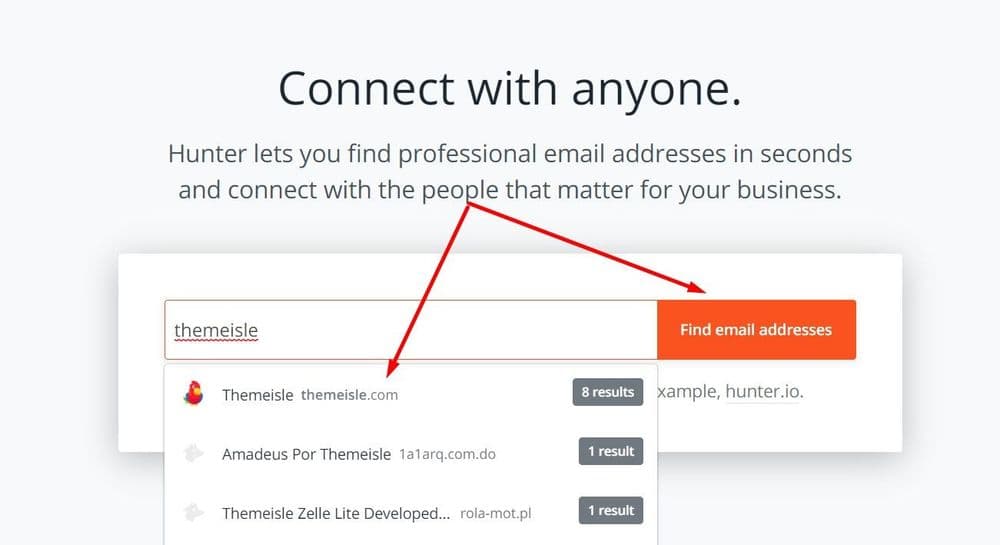
Most of the time you do not need a trick to find someone's email address. You need a short list of reliable places to look and the patience to work through them. Whether you are a salesperson chasing a decision maker, a recruiter sourcing talent, or a marketer building an outreach list, the methods below cover almost every situation.
One rule sits above all of them: finding an address is only half the job. Reaching the right person is what makes outreach work at all, and outreach is unforgiving: a Backlinko analysis found only 8.5% of outreach emails get a reply. An email that bounces wastes your time and quietly damages your sender reputation, so confirm every address before you hit send. We will get to that, but first, here is where to look.
Which Method Fits Your Situation
There is no single best way to find an email, because the right method depends on whether you need one contact or hundreds, and how much you can spend. Use this as a quick map before you dig in.
| Method | Accuracy | Speed | Best for |
|---|---|---|---|
| Finder tool | High | Seconds | Single contacts or bulk lists |
| Published pages | Medium | A few minutes | Small businesses and personal brands |
| Social profiles | Varies | A few minutes | Founders, creators, developers |
| Google operators | Medium | A few minutes | Public roles and press contacts |
| Format guessing | High | A few minutes | When you know the name and company |
| Introduction | Very high | Slow | High-value, relationship-led outreach |
Start With Pages People Publish on Purpose
Before you reach for any tool, check the sources people intentionally make public. Company and personal websites are often the fastest route to a working address, and the information is there because the owner wants to be contacted.
- About and Contact pages, usually the first stop, sometimes list direct addresses and other times a contact form that still puts you in touch.
- Press or media pages often publish direct emails for PR, partnerships, or leadership.
- Team and author bio pages at smaller companies frequently include individual addresses.
- Footers and sidebars commonly hide a mailto link you can click straight through.
If the page only shows a generic inbox like info@ or hello@, do not dismiss it. At small businesses those inboxes are often read by the founder, so a direct, polite message can still land with a decision maker. At larger companies you can use the form or generic address to ask who the right contact is.
Check Social Profiles for Public Contact Info
Many professionals list their contact details on the platforms where they already work. Reliability depends on the platform, so treat each one differently.
- LinkedIn sometimes shows an address in the Contact Info section, especially for founders, consultants, and recruiters. Even when it does not, it confirms the right person's name, title, and company so you can find the address elsewhere.
- X (Twitter) users often put an email in their bio or a pinned post; searching their posts for "email" or "contact" can surface it.
- GitHub is one of the more reliable sources, since commit history and profile bios frequently expose a real working address.
- Facebook and Instagram are worth a look for local and small businesses, where the About section or an Email button leads straight to an inbox.
Whatever you find this way can be outdated, so verify it before you use it. This approach works best for one-off, targeted searches rather than building a large list at scale.
Use Google Search Operators to Surface Emails
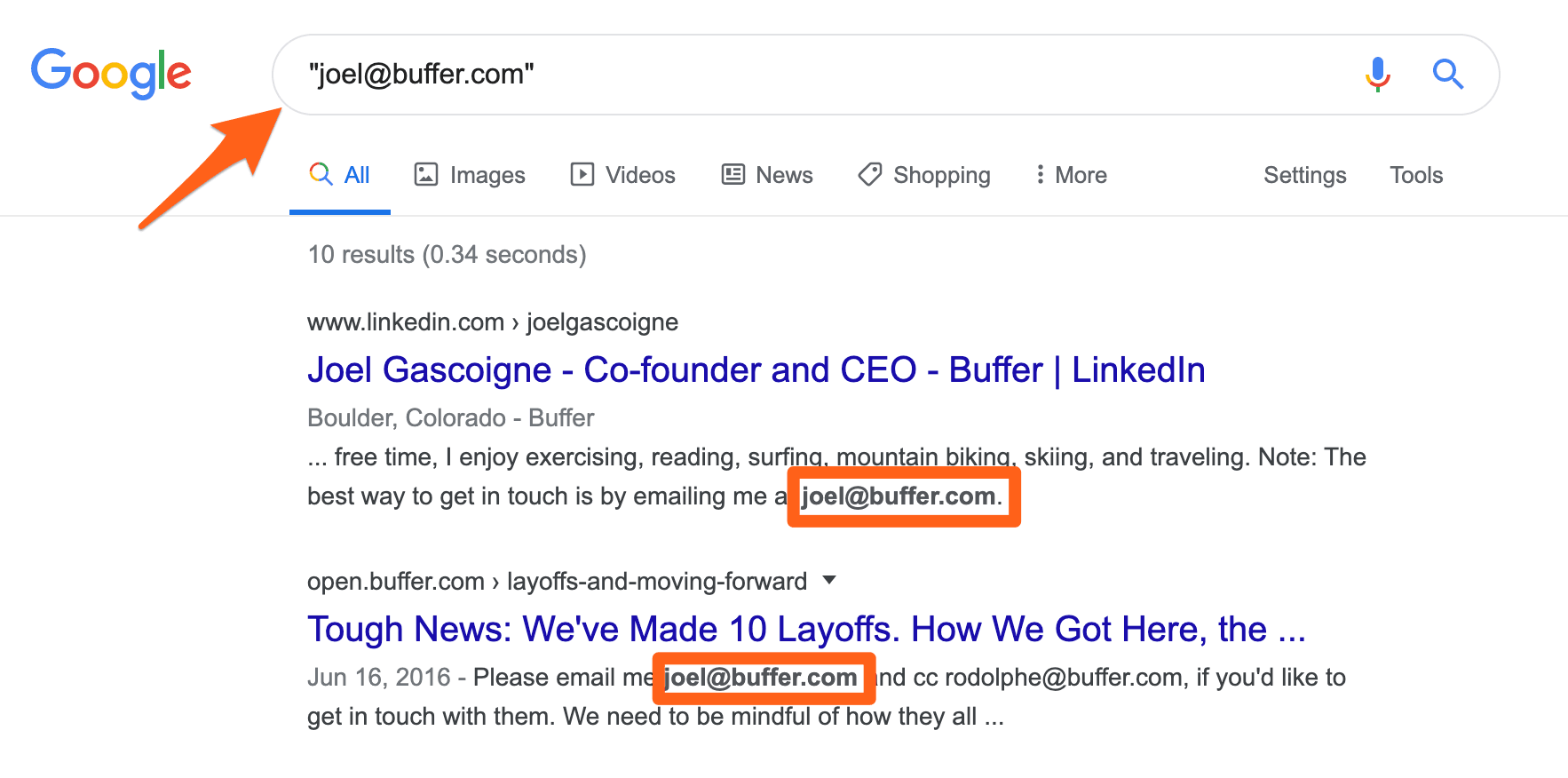
A plain Google search is usually too broad. Search operators narrow it down to pages that actually contain an address, and they are free. Try queries like these, swapping in the real name and domain:
- site:company.com "@company.com" to pull addresses published anywhere on the company's own site.
- "First Last" "@company.com" to catch a person's address in press releases, job listings, or PDFs.
- "First Last" site:company.com to find team pages or author bios that link to a profile.
- company.com email format to reveal the company's naming pattern even when no single address shows up.
Addresses rarely appear in the search snippet, so open each result and use Ctrl+F to search the page for the @ symbol. Adding filetype:pdf can surface resumes, event programs, and press kits where emails are written out in plain text.
One quirk worth knowing: searching "@company.com" as an exact phrase works in DuckDuckGo but not Google, which reads the @ symbol as a social tag. Switch to DuckDuckGo when you want to surface every public address tied to a domain in one search.
Guess the Email Format, Then Confirm It
When direct search comes up empty but you know the person's name and employer, you can often work out the address yourself. Most companies use one predictable pattern across the whole organization:
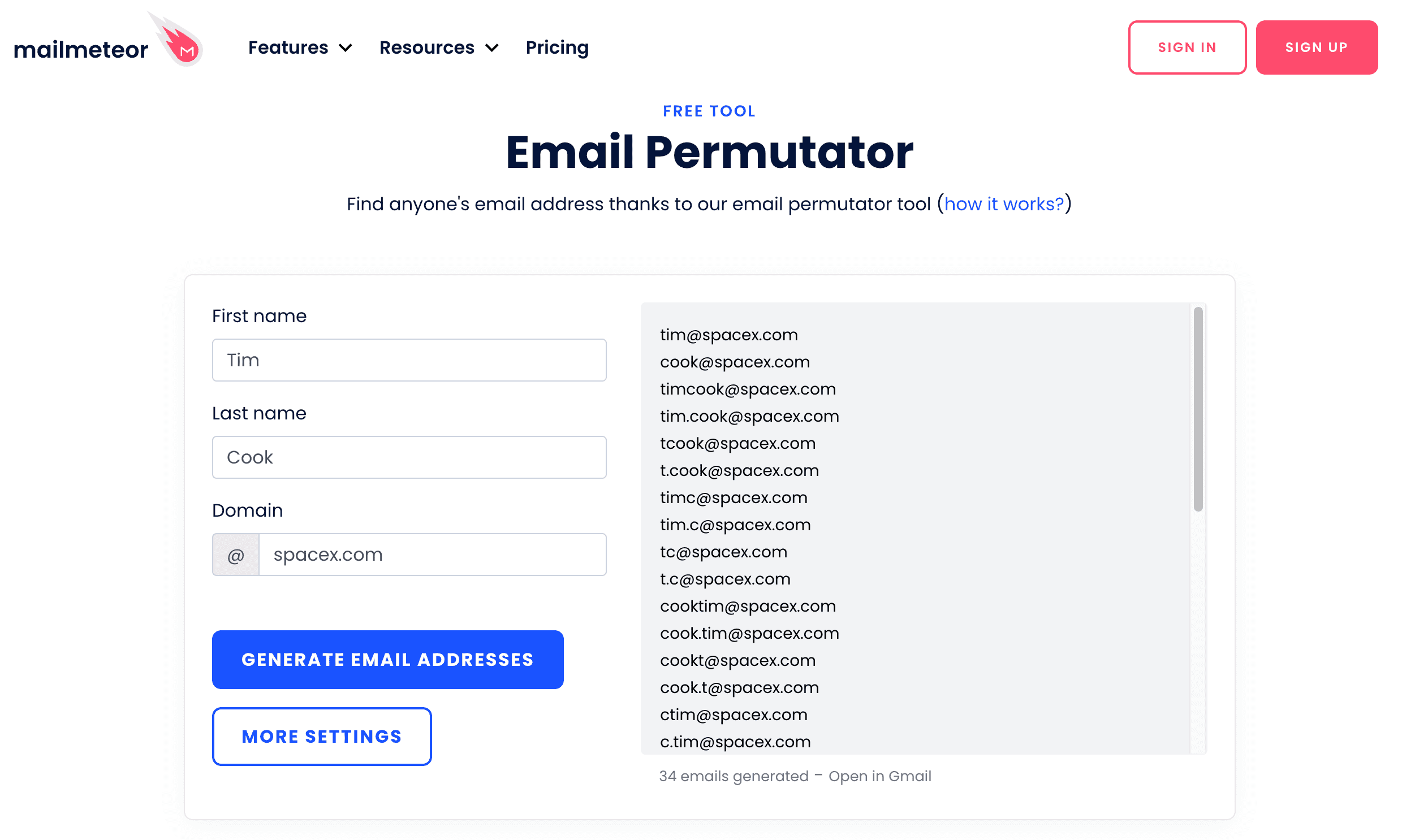
Find one confirmed address for any employee, through a press page or author bio, and you can usually infer the rest. Larger companies lean toward firstname.lastname@, while very small teams often use just the first name. Instead of typing variations by hand, a permutator like the Mailmeteor email permutator generates every common combination from a name and domain in one step. This is the same logic behind turning a contact list into addresses, which we cover in our guide on how to convert names to valid email addresses.
Generating guesses is only half the work. A permutation is a hypothesis until a verifier confirms which one is actually deliverable, so never send to a raw guess.
Email Finder Tools for Speed and Scale
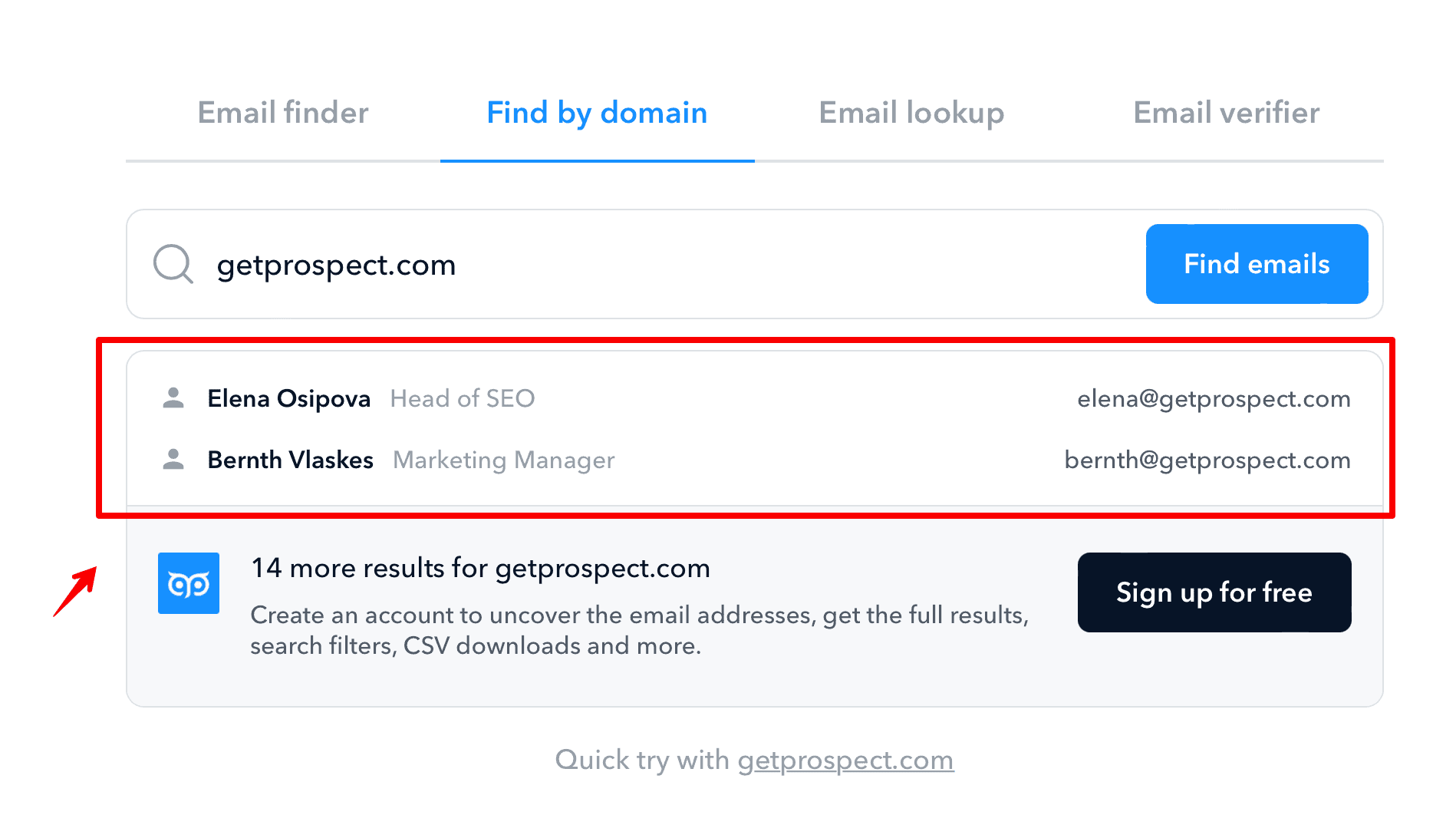
If you want the quickest route, dedicated email lookup tools are built for exactly this. You enter a name and a company domain, and the tool scans public sources, matches the address, and runs deliverability checks, usually in seconds. Most return a clear status of valid, risky, or not found.
Nearly every reputable tool offers a free tier so you can test it before paying. Common free allowances sit around 50 searches per month, which is plenty for occasional lookups. When you evaluate one, look for:
- Clear validation results, so you know whether an address is confirmed or merely a guess.
- Pay only for valid emails, rather than burning credits on not-found results.
- Bulk search and API access if you plan to build lists at any scale.
- Catch-all handling, since the toughest domains accept every address and need deeper checks.
Treat the output as a strong lead, not gospel. Even good tools can return a risky result on a catch-all domain, which is why the final step matters as much as the search.
Verify Before You Hit Send
Every method above can hand you a stale or wrong address. An old PDF may list someone who left two years ago, a guessed format may not exist, and a scraped profile may be out of date. The numbers back this up: one analysis found nearly 28 percent of emails checked in a recent year were invalid or risky, up from around 22 percent two years earlier.
Verification confirms whether an address is real and able to receive mail, and a good verifier does it without sending anything. The checks happen behind the scenes:
- Syntax and format, ruling out typos and malformed addresses.
- Domain and MX records, confirming the domain can actually accept mail.
- Mailbox response, testing whether the specific inbox exists.
Many finder tools include this step, but if yours does not, run results through a dedicated verifier. If you want the mechanics, our breakdown of how email verification works walks through each stage, and for large lists, real-time versus bulk verification explains when to check addresses one by one and when to clean them in batches.
A Workflow You Can Repeat
The most efficient approach is not one method but a sequence. Start with the cheapest, fastest source and escalate only when it fails. Check published pages and social profiles first, run a quick Google operator search, then move to a finder tool or format guessing if the address is still hiding. For a high-value contact, a warm introduction from a mutual connection often beats every technical trick combined.
Whichever path you take, end at the same place: verify the address. Clean inputs are what keep your bounce rate low and your messages landing where they should, and they are the foundation of any serious outreach effort.
Quick Answers on Finding Emails
Are there any free ways to find email addresses?
Yes. Checking company websites, scanning LinkedIn and GitHub, and running targeted Google searches cost nothing. Most finder tools also offer a free tier, often around 50 searches a month, so you can find a handful of addresses without paying. Just verify anything you find, since free methods tend to surface older data.
Can you find emails without an email finder tool?
Yes. Manual methods such as checking About and Contact pages, reading social profiles, using Google search operators, and looking up WHOIS records all work without a paid tool. They take longer and do not scale well, but for one-off searches they are often enough.
How do I find someone's email address on LinkedIn?
Open the profile and check the Contact Info section below the person's name, where some users publish an address. If it is not there, use the profile to confirm their exact name, title, and company, then apply Google operators or format guessing to find the address elsewhere. Verify before sending, as listed addresses can be outdated.
What if I cannot find someone's email at all?
Some addresses stay private, especially at companies with strict filtering. When that happens, try a warm introduction through a mutual contact, reach out on LinkedIn, or email a generic company inbox and ask to be redirected to the right person. A relevant message to info@ often gets forwarded.

BounceCheck Team
The team behind BounceCheck - helping businesses verify emails and improve deliverability.