Email Verification with n8n: A Developer's Guide With Importable Workflow
 BounceCheck Team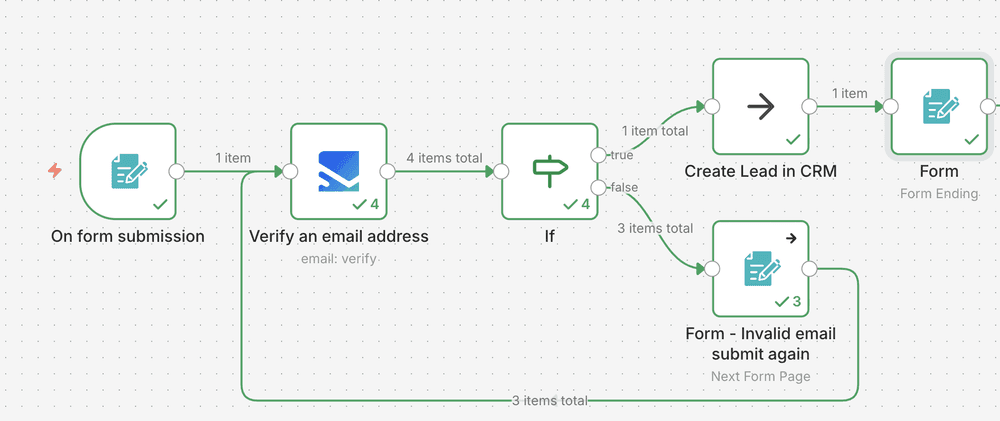
Before your next send Find the addresses that will bounce.
Verify an email freeIf you self-host n8n, email verification belongs inside the workflow itself rather than as a downstream cleanup step. The webhook fires, the address goes through a real verifier, and the rest of the flow only runs on addresses that will not bounce. The whole thing takes one HTTP Request node and a Switch. This guide covers the minimum viable workflow, the bulk pattern for cleaning lists, a ready-to-import JSON template, and a short quick start using BounceCheck as the verification API.
Two flavors of email verification in n8n
"Email verification" in an n8n context usually means one of two different things, and the workflow shape is different for each.
The first is deliverability verification: is this address real, will it accept mail, will it bounce. This is the use case for cleaning a list, gating a signup form, or qualifying leads before they land in your CRM. It is the pattern this guide focuses on.
The second is user authentication: send a one-time passcode and confirm the recipient owns the inbox. n8n handles this with the standard email-sending nodes plus a wait-for-webhook step, and it is a different workflow entirely. If your goal is account activation rather than list hygiene, skip ahead to the n8n authentication docs instead of this guide.
Most real-world deployments need both. The verification step protects the list from typos and disposable addresses before you ever ask the user to confirm. Confirmation then proves the human actually owns the mailbox. The two checks are sequential and they trace to different reference data, so we build them as separate nodes.
The minimum viable workflow: webhook to verify to branch
The minimum useful verification workflow has three nodes. Add nodes for downstream actions (welcome email, CRM upsert, Slack alert) only after the branch is working.
- Webhook trigger node. Configure as a POST endpoint. The expected payload is
{"name": "John Doe", "email": "[email protected]"}. n8n also accepts payloads nested in abodyfield, so sanitize the input first if your signup form wraps it. - Verification node (HTTP Request, or a vendor's first-class node if available). The node calls your verifier's API with the email address from
{{$json.email}}and returns a structured result with at least astatusfield (valid,invalid,accept-all, orunknown) and optionally a confidence score. - Switch node keyed on the
statusfield. Branch each verdict to its own downstream path:validcontinues to the welcome flow,invalidstops,accept-allroutes to a quarantine list,unknownretries after a delay.
A quick smoke test:
curl -X POST https://your-n8n-host/webhook/verify \
  -H 'Content-Type: application/json' \
  -d '{"name":"Test User","email":"[email protected]"}'
The webhook should answer in under a second on a healthy verifier. If the call hangs past five seconds, you are probably blocked by the verifier's rate limit (most free tiers cap at 5 to 10 requests per second), not by n8n.
For any signup flow expecting real human traffic, the typical split is about 85 to 90 percent valid and 10 to 15 percent invalid, with a small slice of accept-all for Yahoo and corporate catch-all domains. The 10 percent that the workflow rejects is the exact subset that would otherwise inflate your bounce rate and damage your sender reputation, which is the whole point of running this in the workflow rather than after the fact.
Quick start with BounceCheck (HTTP Request node)
If you do not have a verifier yet, here is the 60-second BounceCheck setup. The shape is generic and works for any HTTP-based verifier API, so substitute another vendor's endpoint if needed.
- Sign up at bouncecheck.email and grab your API key from the dashboard.
- In n8n, add an HTTP Request node downstream of the Webhook.
- Configure the node:
- Method: POST
- URL:
https://api.bouncecheck.email/v1/verify - Authentication: Header Auth, header name
Authorization, valueBearer YOUR_API_KEY - Body Content Type: JSON
- Body:
{"email": "={{$json.email}}"}
- Add a Switch node after the HTTP Request. Set Mode to
Expression, then route on{{$json.status}}with one output per verdict you want to handle. - Send a test webhook with curl (see the smoke test above) and confirm the Switch fires the expected output.
That is the whole quick start. Same shape, three nodes, ready to layer onto any signup form, Typeform/Webflow webhook, or CSV uploader. For the technical details of what the verifier actually does under the hood, our walkthrough of how email verification works covers the SMTP, MX, and accept-all stages a real API runs on each address.
A ready-to-import n8n workflow JSON
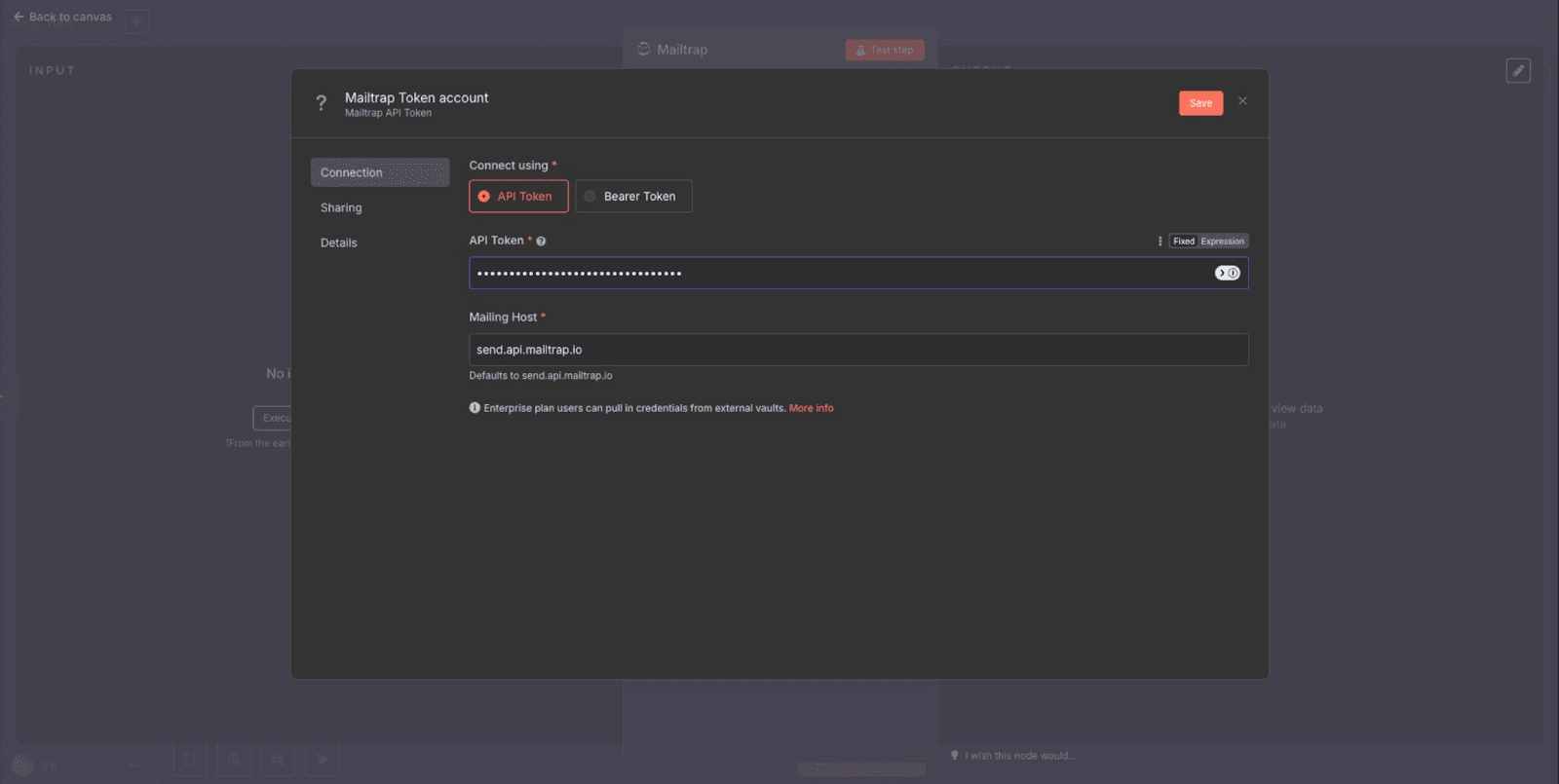
Copy the JSON below, open your n8n canvas, hit Cmd+V (or Ctrl+V), and the workflow pastes in as nodes. Add your API key under the HTTP Request node's credentials, activate the workflow, and the webhook URL is ready to receive POSTs.
{
  "name": "Email Verification (BounceCheck)",
  "nodes": [
    {
      "parameters": {
        "httpMethod": "POST",
        "path": "verify-email",
        "responseMode": "responseNode",
        "options": {}
      },
      "id": "webhook-1",
      "name": "Webhook",
      "type": "n8n-nodes-base.webhook",
      "typeVersion": 1,
      "position": [240, 300]
    },
    {
      "parameters": {
        "method": "POST",
        "url": "https://api.bouncecheck.email/v1/verify",
        "authentication": "genericCredentialType",
        "genericAuthType": "httpHeaderAuth",
        "sendBody": true,
        "contentType": "json",
        "jsonBody": "={{ JSON.stringify({ email: $json.body.email }) }}",
        "options": {}
      },
      "id": "verify-1",
      "name": "Verify with BounceCheck",
      "type": "n8n-nodes-base.httpRequest",
      "typeVersion": 4,
      "position": [460, 300]
    },
    {
      "parameters": {
        "mode": "expression",
        "output": "={{ $json.status }}",
        "rules": {
          "values": [
            { "output": "valid" },
            { "output": "invalid" },
            { "output": "accept-all" },
            { "output": "unknown" }
          ]
        }
      },
      "id": "switch-1",
      "name": "Route by Verdict",
      "type": "n8n-nodes-base.switch",
      "typeVersion": 3,
      "position": [680, 300]
    },
    {
      "parameters": {
        "respondWith": "json",
        "responseBody": "={{ { ok: true, status: $json.status } }}"
      },
      "id": "respond-1",
      "name": "Respond to Webhook",
      "type": "n8n-nodes-base.respondToWebhook",
      "typeVersion": 1,
      "position": [900, 300]
    }
  ],
  "connections": {
    "Webhook": { "main": [[{ "node": "Verify with BounceCheck", "type": "main", "index": 0 }]] },
    "Verify with BounceCheck": { "main": [[{ "node": "Route by Verdict", "type": "main", "index": 0 }]] },
    "Route by Verdict": { "main": [[{ "node": "Respond to Webhook", "type": "main", "index": 0 }]] }
  }
}
A few notes on what to wire next:
- Attach a Gmail or SMTP node to the
validoutput of Route by Verdict for welcome emails. - Attach a Google Sheets
Append or Updatenode withEmailas the matching column for idempotent logging. - Attach a Stop and Error node to the
invalidoutput (or a typo-correction sub-flow if you want to recover users who fat-fingered the domain). - For the
accept-alloutput, log the lead but flag it asriskyin your CRM rather than sending the welcome email immediately.
The bulk pattern: Sheets trigger to loop to patch back
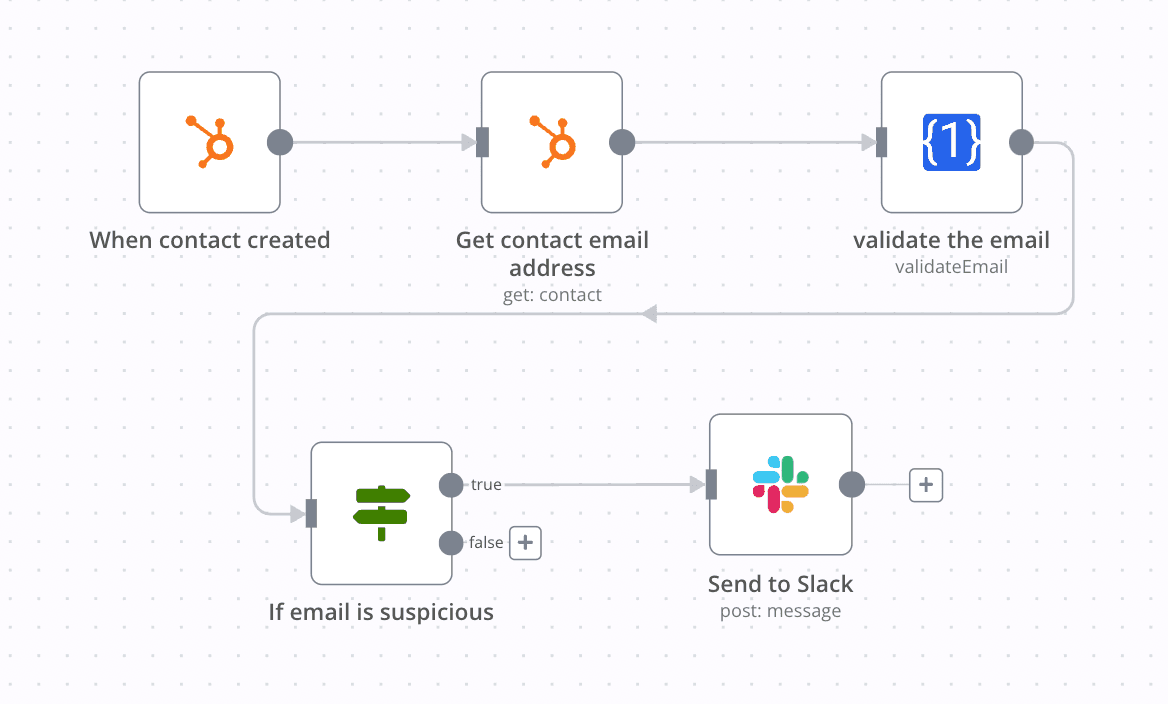
The real-time webhook pattern above is for signup forms and form-fill flows. For cleaning a static list (CSV import, weekly CRM sync, newsletter audience scrub) the workflow shape inverts: trigger on a schedule, read rows, loop, write the verdict back.
The canonical setup:
- Google Sheets Trigger fires hourly and reads rows where
Email Verifiedis empty. - Split In Batches with batch size 1 to respect the verifier's rate limit (most APIs cap at 5 to 10 calls per second on free tiers; a sequential one-per-row loop is the safest default).
- HTTP Request hits
/v1/verifyfor each row. - Google Sheets
Updatewrites the returnedstatusback to the same row, keyed on a stable Serial Number column.
The pattern is idempotent by design: rows with Email Verified already filled are skipped, so the workflow can re-run hourly without re-billing for the same address. For 1,000-row lists on a free verifier tier, expect the loop to take 4 to 6 minutes end-to-end at sub-500ms per call. The choice between this scheduled-bulk pattern and the real-time webhook usually comes down to where the address enters your system: see our breakdown of real-time vs bulk email verification for the decision tree.
A bulk Sheets workflow is also the right place to feed addresses into a more capable bulk email verifier if your free-tier API runs out of credits, or if you need accept-all resolution beyond the basic SMTP probe.
Handling catch-all, typos, and disposable domains
A verifier API gives you four verdicts. The downstream branch in your workflow needs to handle each one differently.
Valid
Safe to send. Bounce rate on valid addresses is typically under 1 percent when the verifier ran the full SMTP RCPT-TO probe. Pass through to the welcome flow.
Invalid
Mailbox does not exist. Stop the workflow and log the attempt. If you want to be helpful, run a typo-correction step on common patterns first: gmial → gmail, gmai → gmail, yhoo → yahoo, hotnail → hotmail. Send a correction suggestion email rather than silently failing. A small dictionary in a Code node is enough.
Accept-all
The destination domain (often Yahoo, sometimes corporate catch-all setups) accepts every mailbox name at the SMTP layer, so the API cannot confirm the specific address. Treat it as risky: log the lead, but skip the welcome email, or queue it for a slower confirm-via-double-opt-in path. Our note on the difference between accept-all and catch-all explains why the SMTP layer alone cannot resolve these.
Disposable or unknown
Disposable-domain detection happens before the SMTP check (the verifier maintains a list of throwaway providers like Mailinator, 10minutemail). Block at the form level if your business does not want trial signups from disposable inboxes. Unknown usually means the verifier timed out reaching the recipient's MX; retry the row in 5 to 15 minutes and you will usually get a clean verdict on the second pass.
Self-hosted considerations and credentials
One reason teams pick n8n over a hosted automation tool is that the workflow runs inside their own environment. The verification call leaves your perimeter to hit the API, but the lead data never goes anywhere else. For most regulated industries (healthcare, finance, EU GDPR scope) that is a meaningful difference from a no-code SaaS that proxies your data through their servers.
A few credential and rate-limit details that matter for production:
- API authentication. n8n uses Header Auth or Generic Credential Type for HTTP Request nodes. Store the verifier API key as a named credential, not inline in the node body, so you can rotate the key without editing the workflow JSON.
- Per-call billing. Most verifiers charge per successful verification. Configure auto-reload on your verifier account to avoid zero-balance pauses, or add a small balance-check sub-flow that alerts to Slack when you cross a threshold.
- Rate limiting. Free tiers are usually 5 to 10 requests per second. The Split In Batches node with a Wait node between batches (200 to 500 ms) is the cleanest way to stay under the limit during bulk runs.
- Webhook security. Add a shared-secret header check at the Webhook node, or place the workflow behind n8n's basic auth, so random POSTs cannot drain your verifier credits.
- Self-host networking. If your n8n instance runs in a private VPC, make sure the egress route to
api.bouncecheck.email(or your chosen verifier) is allowed. Most outbound-blocked deployments fail their first verification call with a timeout, not an auth error.
The n8n authentication docs cover API-key management in depth. For workflow-level secrets the credentials manager is the right place; the API itself uses API keys to authenticate calls.
Common questions
Can n8n do email verification natively, without an external API?
No. n8n has Gmail, SMTP, and Microsoft Outlook nodes that send and read mail, but no built-in mailbox-existence check. You always need an external verifier (HTTP Request node or a vendor's first-class integration) for the actual deliverability question.
Do I need to write any code to verify emails in n8n?
Not for the basic pattern. Webhook + HTTP Request + Switch covers 90 percent of use cases with zero code. You only reach for the Code node when you need custom logic like typo correction dictionaries or domain categorization.
Should I use the real-time webhook pattern or the bulk Sheets pattern?
Real-time for signup forms and lead capture (verify before the data lands anywhere). Bulk for cleaning an existing list (CRM scrub, weekly newsletter hygiene). Both can coexist in the same n8n instance.
How do I handle a verifier that returns 'unknown' or 'accept-all' on a Yahoo address?
Treat both as risky and route to a separate path. For Yahoo specifically (the most common accept-all domain), see our guide on how to check if a Yahoo email is valid for why Yahoo behaves this way and what verifiers do about it.
Can I import the workflow JSON above into n8n cloud as well as self-hosted?
Yes. The JSON is portable across both. Cloud users may need to adjust the webhook host portion of any test curl commands to match their .n8n.cloud subdomain.
§ Before your next send
Find the addresses that will bounce
Verify a single address free, or upload a CSV — the free plan includes 50 checks a month, no card needed.

BounceCheck Team
The team behind BounceCheck - helping businesses verify emails and improve deliverability.