How to Check if a Yahoo Email Is Valid: 4 Methods That Actually Work
 BounceCheck Team
Before your next send Find the addresses that will bounce.
Verify an email freeThe naive way to check if a Yahoo email exists is to send it a test message and wait for the bounce. It works, but it costs you an hour, leaves a footprint on your sender reputation, and only tells you about one address at a time. The faster methods take seconds and never touch the recipient's inbox. Here is what each one is good for, and where Yahoo's quirks (catch-all behavior, dormant accounts, regional domains) trip up checks that work fine on Gmail or Outlook.
The fastest manual check: Yahoo's recovery page
If you only need to check one or two Yahoo addresses right now, go to Yahoo's account recovery page at edit.yahoo.com/forgot and pretend you forgot the password. Enter the @yahoo.com address you want to verify, then click Next.
There are two outcomes:
- If Yahoo replies with the line We couldn't match the Yahoo ID you entered with information in our database, the address does not exist. You can stop there.
- If Yahoo shows you a security challenge or asks how you want to receive a recovery code, the mailbox exists. You do not need to actually complete the recovery, the prompt itself is the answer.
This is the equivalent trick to Gmail's password assistance page (which replies No account found with that email address) and Microsoft's recovery flow (The Microsoft account is incorrect.). The method is free, instant, and does not send any email. The catch is that it scales to roughly one address per minute before Yahoo starts throttling, so it is useful for spot checks, not for cleaning a list of 5,000 leads.
What "valid" actually means
Two different questions sit under "is this Yahoo email valid?" and the answer depends on which one you actually care about.
The first is validation, which only checks that the address is correctly formatted: [email protected] and not [email protected] or nameyahoo.com. Validation catches typos and obvious junk, but it tells you nothing about whether the mailbox exists. A perfectly formatted address pointed at a nonexistent inbox still passes validation.
The second is verification, which checks whether the mailbox can actually receive a message. Verification connects to the destination SMTP server and simulates a delivery handshake without sending an email. A verified valid verdict from a real verifier usually means a bounce rate under 1 percent when you do contact the address, because the recipient server has effectively confirmed the mailbox is active.
Yahoo adds one wrinkle. Yahoo Mail occasionally behaves like a catch-all email server, accepting any mailbox name during the SMTP check before silently bouncing the message later. That makes individual @yahoo.com addresses harder to verify than equivalent Gmail addresses, where the SMTP response is more deterministic. Reputable verifiers handle this with an accept-all detection layer plus a proprietary lookup for major providers, but it is the single biggest reason a Yahoo verification result can come back as unknown instead of a clean valid/invalid.
The SMTP check stack for Yahoo addresses
When you run a Yahoo address through a real email verifier, it walks through a fixed pipeline. Knowing the pipeline helps you read the verdict the tool returns. Every check below is performed in order, and any failure short-circuits the rest.
- Valid format: the address looks like
[email protected]and not a malformed string. - Gibberish check: the local part does not look like a randomly generated mailbox (
[email protected]fails this). - Disposable domain check: the domain is not a known throwaway provider (yahoo.com itself passes, but lookalike free providers fail).
- Webmail flag: Yahoo and Gmail are flagged as webmail so the verifier treats them differently from corporate domains.
- MX records present: the domain publishes mail-exchange DNS records. For yahoo.com this is always yes.
- SMTP server reachable: the verifier opens a TCP connection to the Yahoo MX server.
- SMTP RCPT-TO check: the verifier issues a
RCPT TO:for the specific address and reads the server's response code. - Accept-all (catch-all) detection: the verifier tests a deliberately fake mailbox at the same domain. If Yahoo accepts it, the domain is treated as catch-all and the previous check becomes unreliable.
- Accept-all verification: a proprietary lookup that resolves the ambiguous catch-all case for major providers including Yahoo.
For Yahoo specifically, the last two steps matter most. A surface-level SMTP check that ignores catch-all behavior will mark dormant or fake Yahoo mailboxes as valid, then watch your list bounce when you actually send. The same logic explains why our walkthrough of how email verification works puts the accept-all resolution stage at the end of the pipeline rather than treating SMTP acceptance as the final answer.
Yahoo email formats and domains
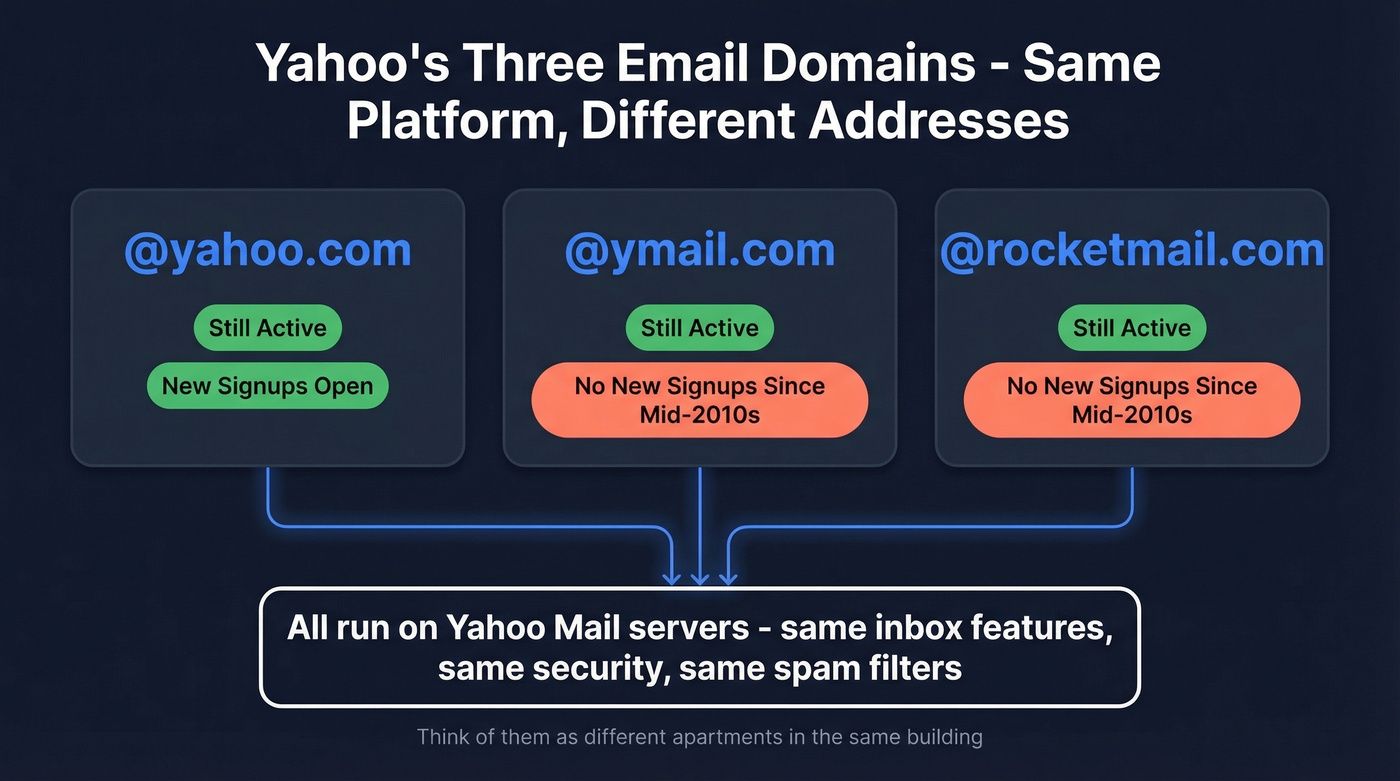
A valid Yahoo address can sit on more than one domain, and the local part follows a small handful of patterns. Knowing what the legitimate shapes look like helps you spot typos and fake addresses before running a verifier on them.
| Domain or pattern | Example | Notes |
|---|---|---|
| yahoo.com | [email protected] |
The primary Yahoo Mail domain, globally valid |
| ymail.com | [email protected] |
Alternative Yahoo-owned domain, still active for new signups in some regions |
| Regional Yahoo | [email protected], yahoo.fr, yahoo.com.au, uk.mail.yahoo.com |
Country-specific Yahoo domains, all route through Yahoo MX |
| First + last | [email protected] |
Most common pattern, about 48 percent of Yahoo addresses |
| First only | [email protected] |
About 43 percent of Yahoo addresses |
| First initial + last | [email protected] |
About 9 percent of Yahoo addresses |
If an address claims to be Yahoo but uses a different domain (@yahoo-inc.com, @yahoomail.com, anything with an extra letter), treat it as suspicious until you confirm otherwise. Yahoo's own help center lists yahoo.com and cc.yahoo-inc.com as the only domains real Yahoo service messages come from, and lookalike domains are a standard phishing trick.
Is this email FROM Yahoo legit, or a phishing copy
"Is a Yahoo email legit?" is a different question from "does this Yahoo address exist?" The first one is about sender trust, not mailbox existence. If you received a message claiming to be from Yahoo support and you want to confirm it is real, the verification methods above will not help. Check the sender side instead.
- Hover over the sender's name without opening the message. The actual address should end in
@yahoo.comor@cc.yahoo-inc.com. Anything else is spoofed. - A small Yahoo icon appears next to the sender name inside Yahoo Mail's web interface for messages actually sent by Yahoo. The icon does not appear in third-party clients even when the mail is genuine, so absence alone is not proof.
- Yahoo never asks for your password, credit card, or two-factor code via email. Any message that does is a phishing attempt.
- Generic greetings like "Dear User" or "Valued Customer" are red flags. Real Yahoo account notifications address you by name.
- Never click a verification link inside a suspicious email. Open a new browser tab, go directly to yahoo.com, sign in, and look for any official notice on the dashboard.
For an address you are about to email yourself, the existence question is what matters. For an address that just emailed you, the legitimacy question is what matters. Both checks are quick, just different.
Bulk Yahoo lists, when manual checks stop scaling
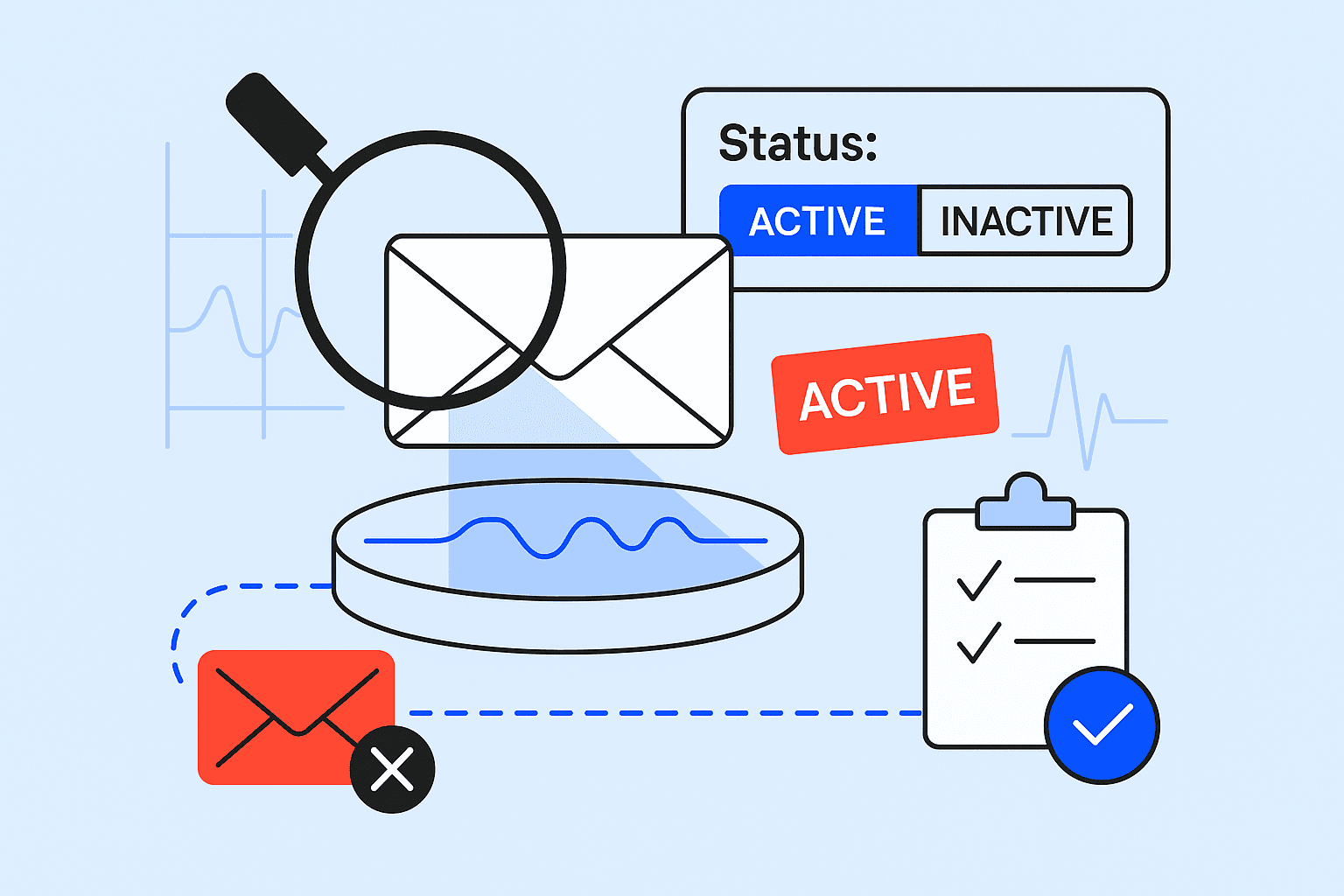
The recovery-page trick works for a handful of addresses. Past 50 or so, Yahoo will rate-limit your IP and the manual check becomes useless. The fix is a bulk email verifier that runs the full SMTP pipeline (including catch-all resolution) across your whole list in parallel.
A good Yahoo-aware bulk verifier returns four verdicts: valid (safe to send, expect under 1 percent bounce), invalid (mailbox does not exist, drop from list), accept-all (Yahoo's catch-all behavior obscures the answer, send carefully and watch the bounce), and unknown (something timed out, retry later). For dormant accounts that look valid but have not received mail in years, the closest signal is a valid but inactive verdict, and most bulk verifiers will surface those as a separate risk category rather than mixing them in with confirmed valid addresses.
If the list is large enough that one-off checks are not realistic, the decision tree is straightforward: real-time API for signup forms, bulk verification for list cleaning. The choice between real-time and bulk verification usually comes down to where the address enters your system, not the size of the list itself.
Turning the check into a workflow
For any Yahoo address you actually plan to email, run two checks in sequence. First a format check to drop obvious junk, then a verification step that handles Yahoo's catch-all behavior. The recovery-page trick is fine for a one-off confirmation, but it does not scale and it cannot tell you whether a Yahoo mailbox accepts external mail or just looks alive at the SMTP layer.
The larger payoff is upstream. Verifying every new Yahoo address before it lands on a list, instead of cleaning the list once a quarter, keeps bounce rates low and protects your sender reputation across every provider you reach. Yahoo is the strictest of the big three on dormant-account behavior, so a Yahoo address that passes verification today is the cleanest possible signal that your list is healthy.
Quick answers
How do I check if my Yahoo email address is valid?
Go to edit.yahoo.com/forgot, enter the address, and click Next. If Yahoo replies that it cannot match the Yahoo ID you entered, the address does not exist. If Yahoo shows a security challenge, the mailbox is real. This is the fastest no-send method for one-off checks.
How do I verify a Yahoo email account without sending an email?
Use an email verifier that runs the full SMTP pipeline (format check, MX lookup, SMTP RCPT-TO probe, catch-all detection). The verifier handshakes with Yahoo's mail server and reads the response code without ever delivering a message. Bounce rates on valid-flagged results are typically under 1 percent.
How do I know if a Yahoo email is legit and not a scam?
That is a different question from address validity. Check the sender domain (must end in @yahoo.com or @cc.yahoo-inc.com), look for the Yahoo icon next to the sender name in Yahoo Mail's web view, and ignore any email that asks for a password, credit card, or two-factor code. When in doubt, sign in to yahoo.com directly rather than clicking a link in the message.
Why does my Yahoo verification keep coming back as accept-all or unknown?
Yahoo sometimes accepts every mailbox name during the SMTP check before bouncing later, which the verifier flags as catch-all. The fix is a verifier with an accept-all resolution layer that uses a proprietary lookup for major providers including Yahoo. Without that layer, dormant or fake Yahoo addresses can slip through as valid.
§ Before your next send
Find the addresses that will bounce
Verify a single address free, or upload a CSV — the free plan includes 50 checks a month, no card needed.

BounceCheck Team
The team behind BounceCheck - helping businesses verify emails and improve deliverability.