How to Check if an Email Is Valid (Before You Hit Send)
 BounceCheck Team
Before your next send Find the addresses that will bounce.
Verify an email freeTo check if an email is valid, run two layers of checks: confirm the address is formatted correctly (a single @, a real domain, no stray characters), then confirm the mailbox behind it actually exists and can receive mail. The first layer takes a second by eye. The second layer needs a verification tool that inspects the domain's MX records and pings the mail server, all without sending a message the recipient would ever see.
Most people only do the first check and assume an address that looks right is safe to send to. It often is not. An address can be perfectly formatted and still bounce because the mailbox was deleted, the domain has no mail server, or the inbox is full. This guide walks through every reliable way to check validity, from a quick visual scan to automated verification, and when each one is worth your time.
What counts as a valid email address
A valid email address has two things going for it: correct formatting and a live mailbox on a domain that can accept mail. Formatting alone is not enough. The address john@gmail is well structured but invalid because it has no top-level domain, and [email protected] can be flawless on paper yet undeliverable because the company shut down its mail servers years ago.
Think of it as the difference between an address that is written correctly and an address where someone is actually home. Checking format catches typos and obvious junk. Checking deliverability tells you whether a real person will receive what you send. The parts that make up the structure, the local part and the domain, are worth understanding if you want to spot problems quickly.
Validation versus verification: the difference
These two words get used interchangeably, but they describe different depths of checking.
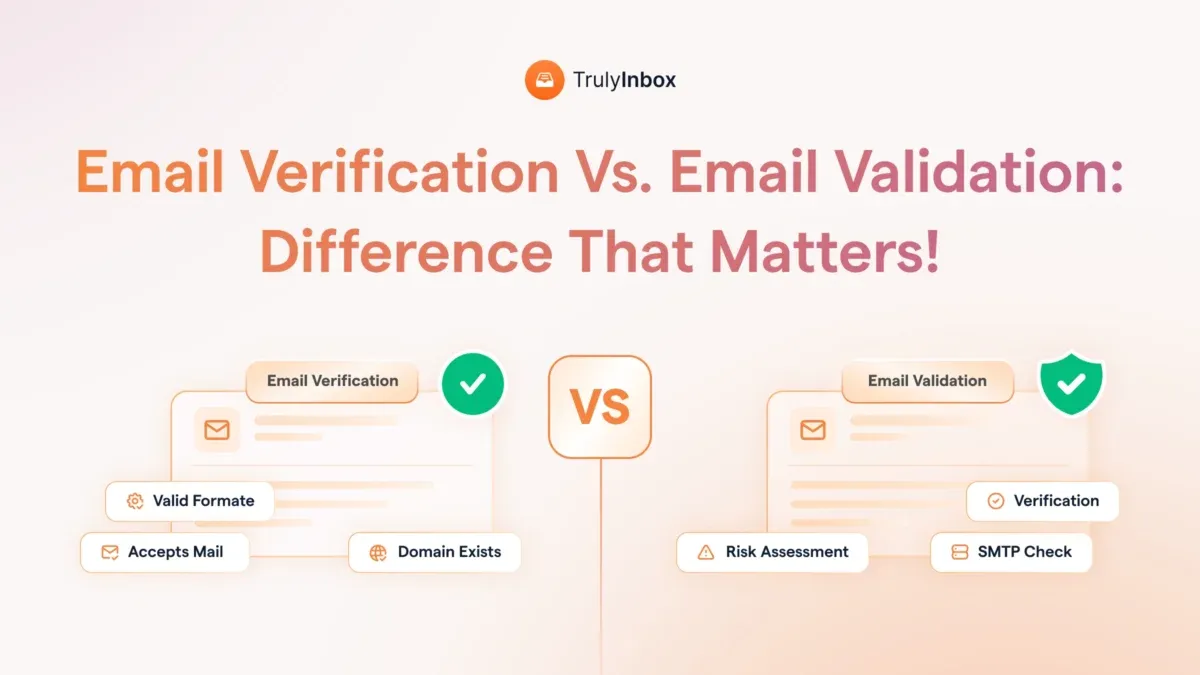
Validation is the surface check. It confirms the address follows the standard pattern: a local part, an @ symbol, and a domain with a real extension like .com or .org. Validation usually happens in the browser with a simple rule and runs instantly. It catches name@@domain.com or a missing extension, but it cannot tell you whether the mailbox exists.
Verification goes deeper, and it helps to see how verification works step by step. It confirms the domain has mail servers configured, that those servers respond, and that the specific mailbox is willing to accept mail. Verification is the layer that actually predicts deliverability, and it is the one that protects your sender reputation. You need both, but verification is the one that keeps your messages out of the bounce pile.
4 manual ways to check an email by hand
If you only have a handful of addresses to check, you can do it yourself without any tool. These methods are slow and limited, but they work for one-off checks.
1. Inspect the syntax and formatting
This is your fastest line of defense. Give the address a once-over and confirm it has:
- A single @ symbol dividing the name from the domain
- A real domain extension such as .com, .net, .org, or a country code like .uk, not something invented like .xyz123
- No spaces, brackets, commas, or other stray characters
- No obvious typo in the domain, like
gmial.comoryaho.com - An actual name before the @, not just
@yahoo.com
If the address fails this visual inspection, you have caught a bounce before it happened. Some characters trip people up even though they are perfectly legal, such as a dash or a plus sign in the local part, so check the rules before you reject something that looks unusual.
2. Send a test email
If you have one or two addresses you are unsure about, send a short message and ask the person to confirm. Delivered mail with a reply tells you the address is live. Mail sent to a dead address bounces back with an error report that names the reason. The drawback is obvious: it is slow, it tips off the recipient, and it only scales to a few addresses.
3. Use the password recovery page
Go to the sign-in or password recovery page of the email provider (Gmail, Yahoo, or Outlook) and enter the address. If the account does not exist, the provider usually says so. This works for a small number of checks, but run it too often from one device and the provider will flag you for suspicious activity and start blocking the lookups.
4. Search the address online
Paste the address into Google or a social platform. Many people attach the same address to a LinkedIn profile, a company page, or a public listing. A hit does not prove the mailbox is active today, but it is a signal the address is real and tied to a person rather than invented on the spot.
The faster way: use a verification tool
Manual checks fall apart the moment you have more than a few addresses. An email verification tool does every check in seconds and returns a clear status for each address, whether you paste a single email or upload a list of thousands. Comparing bulk email verifiers is the practical way to clean a mailing list, and a verifier does the work without sending a single message to your contacts.
BounceCheck is an email verification service that runs these checks on a single address through its free email checker or on a full list, returning a deliverability status for each one. Testing an address by actually emailing it and waiting for a non-delivery report is unreliable, because that report may never arrive. Verification tools sidestep that entirely: they talk to the receiving mail server quietly and report back what they learn.
What an email checker actually inspects
Behind the single "valid or not" answer, a verification tool runs a stack of separate checks. The main ones are:
- Syntax: confirms the address follows a valid format before anything else runs.
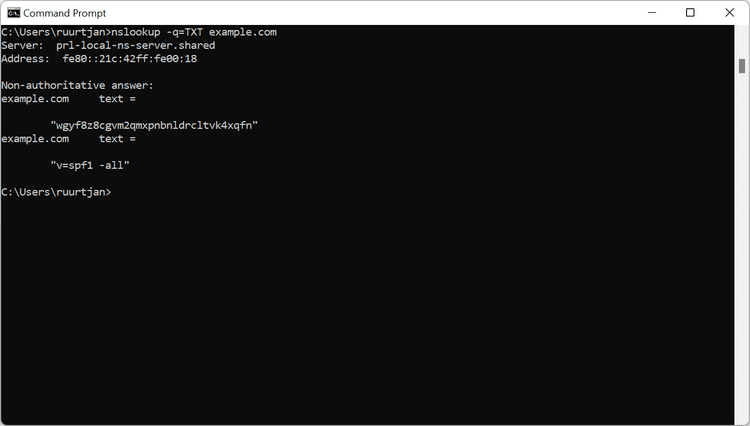
- DNS and MX records: checks that the domain exists and has mail exchange records, the records that tell the internet where to deliver mail for that domain. No MX record means no mail gets through.
- SMTP handshake: opens a quiet connection to the mail server and asks whether it will accept mail for that mailbox, without delivering anything.
- Catch-all detection: flags catch-all domains set up to accept mail to any address, where a specific mailbox cannot be confirmed. These are marked risky for that reason.
- Disposable detection: identifies throwaway addresses from temporary services like Mailinator or Yopmail that work briefly then die.
- Role-based detection: flags addresses like info@ or support@ that reach a group rather than a person. Role-based addresses often deliver but rarely engage.

Making sense of the results
Most verifiers sort each address into one of four buckets. Knowing what each one means tells you whether to send, hold back, or delete.
| Status | What it means | What to do |
|---|---|---|
| Valid | The mailbox exists and accepts mail | Safe to send |
| Risky | Responds but shows warning signs (catch-all, role-based, low-reputation host) | Send with caution, avoid for cold outreach at scale |
| Invalid | No mailbox, no MX record, or the server rejected the handshake | Do not send, it will bounce |
| Unknown | The provider blocks verification, common with large mailbox hosts | Inconclusive, treat with care |
One caveat worth remembering: even a valid address can still bounce later if the inbox fills up, the provider rate-limits your sending IP, or your domain fails authentication. Verification removes the addresses that will definitely bounce. It does not guarantee every remaining message lands.
Why it is worth checking before you send
Checking validity is not busywork. Skipping it has direct, measurable costs:
- Lower bounce rates. Sending to dead addresses produces hard bounces. A hard bounce rate above 2 percent is a red flag to inbox providers, and under the 2024 Gmail and Yahoo bulk-sender rules even a 0.3 percent rate can hurt you.
- Protected sender reputation. Repeated bounces tell providers your list is poor, which pushes your mail to spam folders, even for engaged subscribers. Following solid deliverability best practices keeps that reputation intact.
- Cleaner metrics. Invalid addresses skew your open and click rates, so you make decisions on numbers that do not reflect real readers.
- Lower costs. Most email platforms bill by contact count. Every dead address is money spent emailing no one.
- Fewer spam traps. Old, abandoned addresses get recycled into spam traps. Hitting one can land your domain on a blocklist that is slow and painful to escape.

Keep your list clean over time
A list is never clean for long. People change jobs, abandon old addresses, and let inboxes fill up, so a list that was healthy six months ago slowly decays into valid but inactive addresses. The fix is to make verification a habit rather than a one-time event. Verify new addresses at the point of capture, ideally right in your sign-up form, and re-check your full list on a schedule before any major campaign. That keeps bad data out at the source and removes the addresses that went stale since your last send.
Frequently asked questions
Can you check if an email is valid without sending anything?
Yes. A verification tool confirms the domain's MX records and pings the mailbox through an SMTP handshake without ever delivering a message. Your contact never knows the check happened, which is why this is the standard way to confirm an address.
Is there a free way to check a single email address?
Yes. Most verification services offer a free single-address checker with no sign-up. Free tools are fine for spot checks, but many run only basic syntax and domain checks, so they are less reliable than a paid verifier for confirming an actual mailbox.
How can I tell if an email address is active?
An address is active when its mailbox exists and accepts mail. A verification tool reports this directly through the SMTP handshake. Manually, the password recovery page of the provider will tell you whether the account exists, though it cannot confirm the mailbox is in regular use.
What happens if I send to an invalid email address?
It produces a hard bounce, a permanent delivery failure. A few are harmless, but repeated hard bounces damage your sender reputation, push future mail toward spam folders, and can lead to your domain being blocklisted.
§ Before your next send
Find the addresses that will bounce
Verify a single address free, or upload a CSV — the free plan includes 50 checks a month, no card needed.

BounceCheck Team
The team behind BounceCheck - helping businesses verify emails and improve deliverability.