Email Warm-Up Flow: The 4-Week Playbook for Getting Into the Inbox
 BounceCheck Team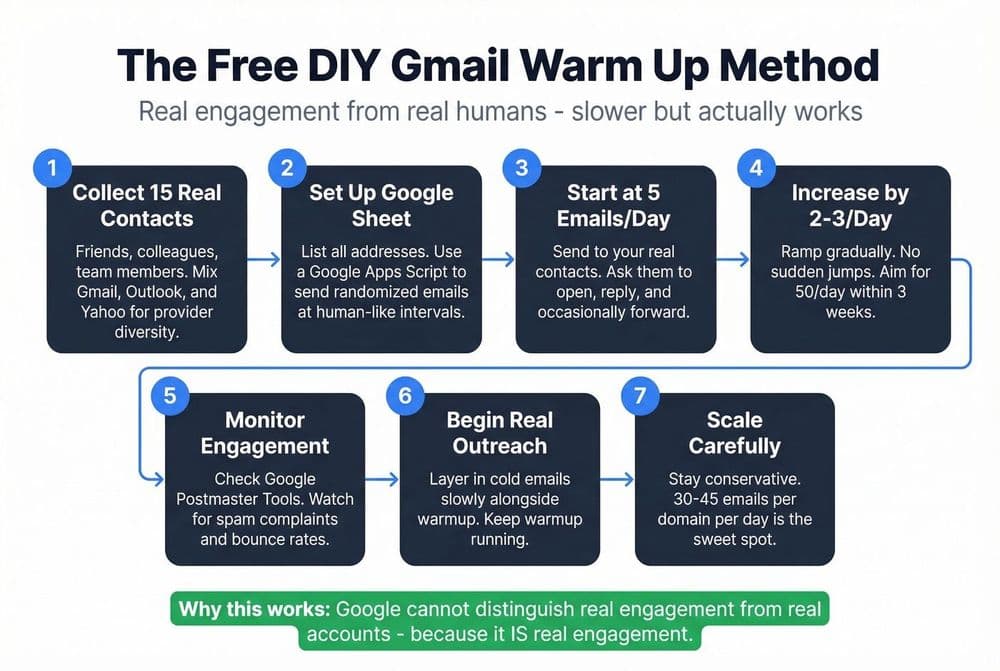
Before your next send Find the addresses that will bounce.
Verify an email freeYour email copy can be perfect and your offer can be irresistible. If the message lands in the spam folder, none of it matters. Sender reputation is the single thing that decides where a campaign goes, and the way you build (or rebuild) sender reputation is through a structured warm-up flow.
This guide is the execution playbook for the 4-week ramp: who to send to each week, what tone to write in, which engagement metrics to hit, and when to switch to an automated tool. For the total duration a warm-up should run end-to-end across different starting scenarios, see how long to warm up a new email domain. For the safe daily volume numbers and the technical-vs-safe gap on each mailbox provider, see how many emails per day from a new domain. For the underlying reputation theory that explains why mailbox providers reward this pattern, see email sender reputation explained.
What an Email Warm-Up Flow Actually Is
An email warm-up flow is the strategic, gradual process of increasing send volume and generating positive engagement from a new or inactive account so that Gmail, Outlook, Yahoo, and other providers treat your domain as a trustworthy sender. Mailbox providers view email from a new domain as suspicious until that domain has built a positive sending reputation, and that reputation is the gatekeeper between the primary inbox and the spam folder.
The length of the warm-up flow depends on the starting state of the account and domain:
| Scenario | Recommended warm-up period |
|---|---|
| Brand-new domain + new email account | 8 to 12 weeks (2 to 3 months) |
| New email on an aged domain with positive history | 3 to 6 weeks |
| Inactive account (no sends in 3+ months) | 2 to 4 weeks |
| Damaged reputation (recent spam complaints, sudden blasts) | 4 to 8 weeks, sometimes longer |
Microsoft's own guidance for senders running large customer journeys (up to 500,000 emails per day) sits in the 4-to-8-week range, depending on targeted volume and engagement. Skipping warm-up to push faster almost always extends the timeline because once a reputation is damaged it takes longer to repair than to build cleanly the first time.
Why the Warm-Up Flow Matters for Deliverability
The deliverability gap between a warmed and an unwarmed domain is dramatic. The pattern that mailbox providers reward, versus the one they punish, looks like this:
| Without a warm-up flow | With a warm-up flow |
|---|---|
| Mailbox providers see volume spikes | Mailbox providers see a gradual, predictable build in volume |
| Unknown sender, no reputation signal | Positive reputation develops over consistent weeks |
| Blocks, filtering, and rate limiting are common | Blocks rarely occur unless engagement drops |
| New campaigns risk spam-folder placement | New campaigns land in the primary inbox at predictable rates |
Reputation is built from observable signals: opens, clicks, replies, SPF/DKIM/DMARC authentication, and clean opt-in history. It is damaged by the opposite, high complaint rates, hard bounces, spam-trap hits, IP or domain blocklisting, and sudden volume spikes. A warm-up flow exists to feed the first column and starve the second.
One note that catches a lot of operators by surprise: reputation does not transfer cleanly between domains, and Gmail couples domain reputation with IP reputation. Switching domains or sending platforms restarts the process. Same-domain reputation follows you, but B2B senders have to run the same warm-up flow as B2C senders, because business domains now sit on Yahoo, Outlook, Gmail, and AOL infrastructure.
Before Day One: Domain Authentication and Pre-Flight Checks
A warm-up flow cannot start until the domain is properly authenticated. Without these records configured, mailbox providers will reject or spam your emails no matter how careful your ramp schedule is.
- SPF (Sender Policy Framework): authorizes the IP addresses allowed to send mail on your behalf. Published as a TXT record (example for Google Workspace:
v=spf1 include:_spf.google.com ~all). - DKIM (DomainKeys Identified Mail): cryptographically signs your emails so they cannot be forged. Add the DKIM key your provider gives you to DNS.
- DMARC: tells receivers how to handle messages that fail SPF or DKIM. Start with
v=DMARC1; p=none; rua=mailto:[email protected]to collect aggregate reports, then tighten top=quarantineand eventuallyp=rejectonce you trust the signal.
A few additional pre-flight checks worth doing in the same session:
- Use a dedicated subdomain (e.g.
outreach.yourdomain.com) for cold outreach so your main domain reputation stays insulated. - Configure reverse DNS and make sure your HELO/EHLO hostname is consistent with the sending domain.
- Confirm the daily mailbox limit with your provider before increasing volume.
- Document a rollback strategy in case reputation signals drop, you should know in advance which segment you cut first.
- Never use a personal account (
@gmail.com,@yahoo.com) for warm-up. Gmail actively penalizes high-volume sending from free accounts, and you cannot set SPF/DKIM/DMARC on them.
Free verification tools to confirm everything is wired correctly: mxtoolbox.com/spf, mxtoolbox.com/dkim, and dmarcian.com/dmarc-inspector.
The 4-Week Manual Warm-Up Flow
For a single account or a personal sending address, a manual warm-up flow runs over about 30 days. The four-week execution playbook below focuses on who to target each week, what tone to write in, and which engagement KPIs to hit. The specific daily send volumes per week are covered in the volume guide (how many emails per day from a new domain), and the full duration calibration across different starting scenarios sits in the timeline guide (how long to warm up).
Week 1 (Days 1 to 7): start small and ultra-personal
Audience: friends, family, colleagues, past clients, partners, anyone who already knows you. Keep each message short (2 to 5 sentences) in a casual tone, and end with an open question that invites a reply. The Week 1 KPIs:
- 70 to 100% open rate
- 30 to 60% reply rate
- Zero spam marks
This is the foundation. If you cannot hit these numbers with people who already know you, the rest of the flow will not save you.
Week 2 (Days 8 to 14): expand your circle
Audience: keep a portion of the volume going to your Week 1 contacts as your reputation safety net. Add recipients who have engaged with you in the last 60 to 90 days: old newsletter subscribers who opened, LinkedIn connections you have chatted with, previous leads who replied. Personalize every message with a name plus one specific detail, and spread sends across morning, midday, and afternoon rather than firing them in a single burst.
Week 3 (Days 15 to 21): build momentum
Audience: keep a baseline of personal sends to your warm contacts; route the rest to moderately engaged leads (people who have opened or clicked your emails in the past). Microsoft's own warm-up guidance lines up here: expand to subscribers who opened or clicked in the past 60 days, and add older segments only in chunks of 15% of your existing volume so you do not tip the reputation curve.
Week 4 (Days 22 to 30): mix in cold outreach
This is the first week where genuine cold outreach can enter the mix, but cap it at 20 to 30% of your daily volume. Prioritize the highest-intent prospects: recent website visitors, prospects who engaged on LinkedIn, webinar sign-ups. The remaining 70 to 80% of your sends should still be the warm and engaged segments you built in earlier weeks.
Through the whole 4-week flow, send consistently, ideally on weekdays at the same hours, since infrequent sending (anything less than weekly) drags the reputation curve down.
The Automated Alternative: When Manual Stops Scaling
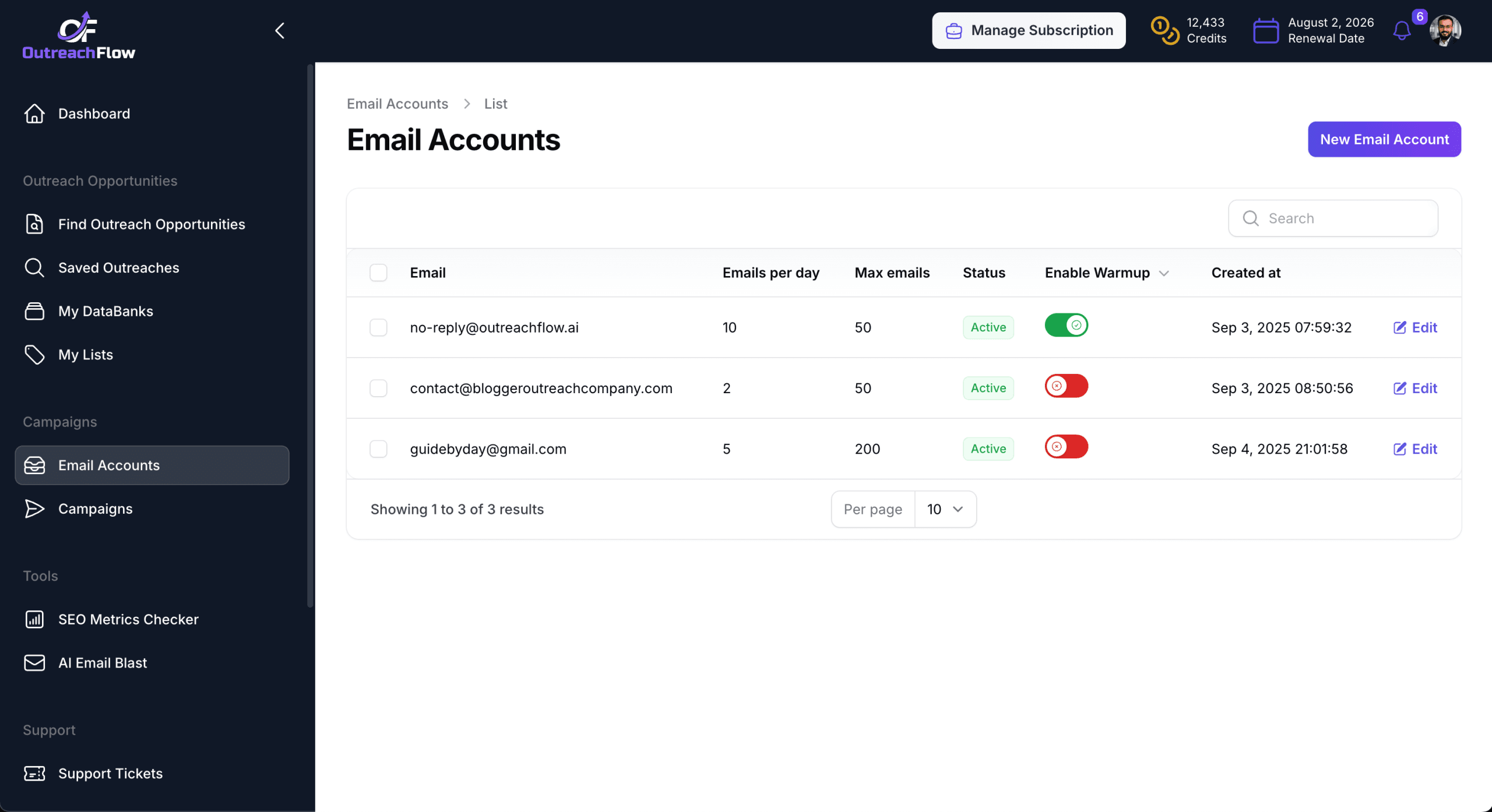
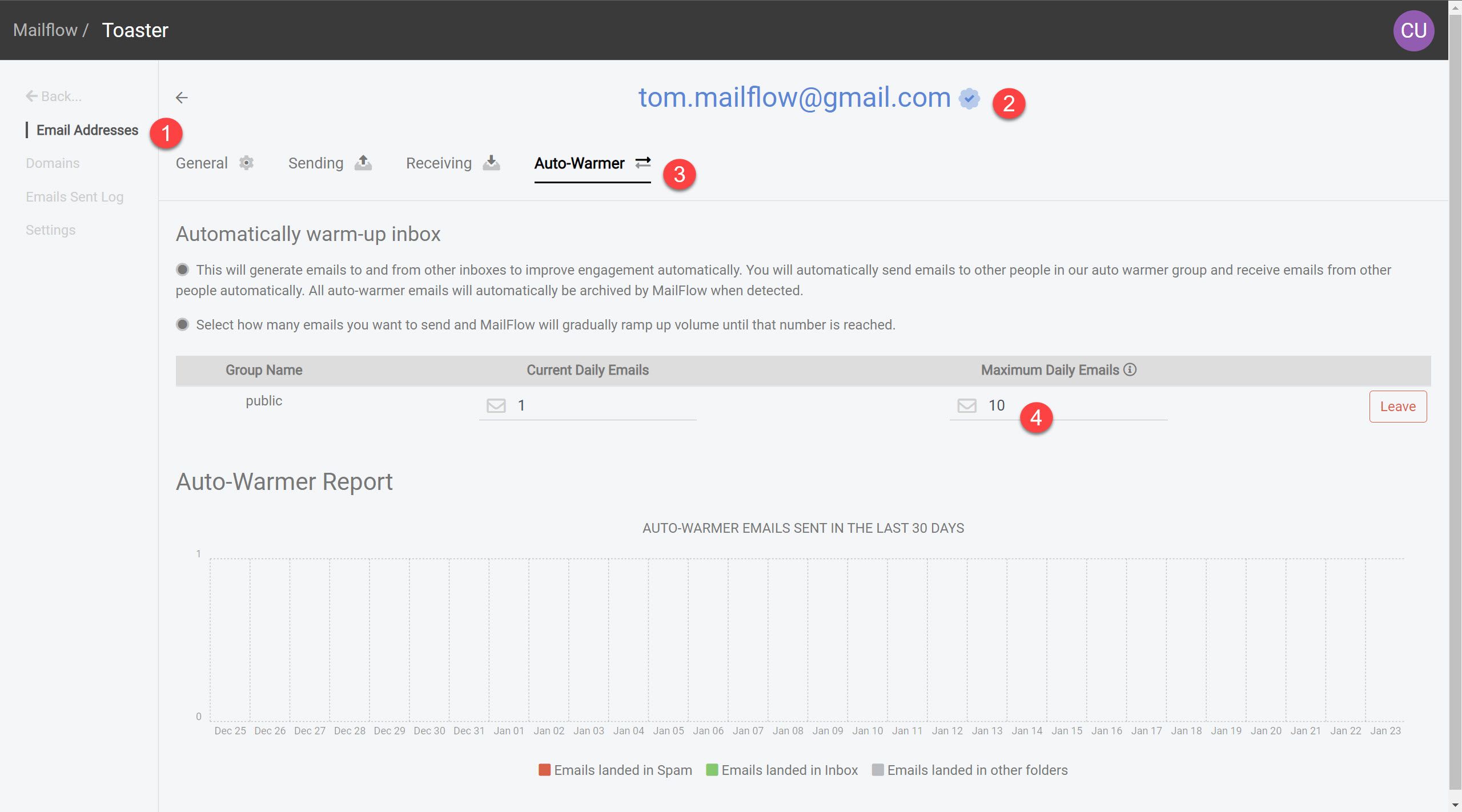
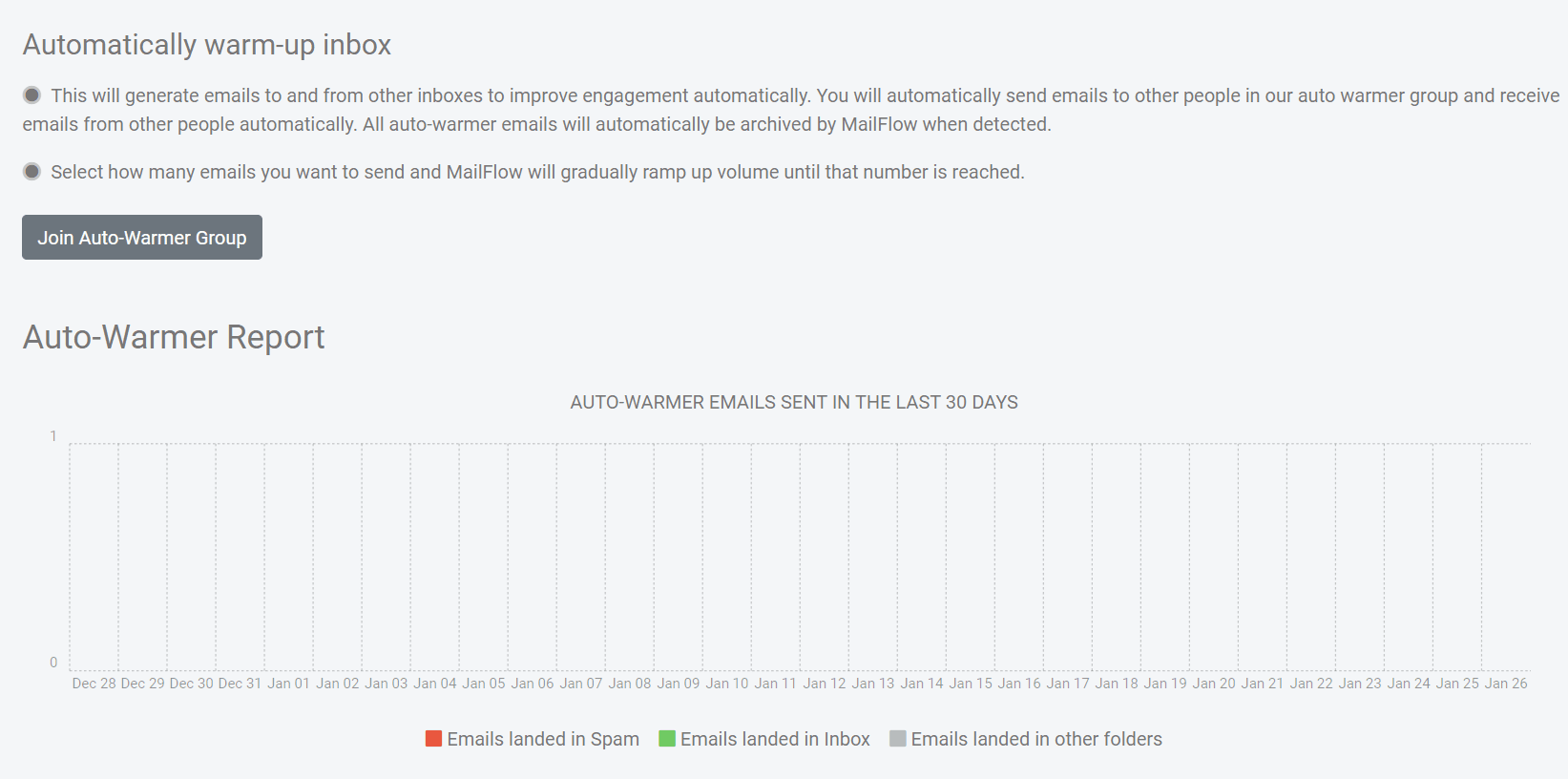
Manual warm-up works fine for one or two accounts. The moment you are warming up multiple inboxes, several domains, or planning a high-volume outbound program, the math stops working and automated warm-up is the right call. Automated tools push inbox placement to 95 to 98%, run 24/7 without manual scheduling, and produce more consistent engagement signals than even a disciplined human operator.
At a high level, an automated warm-up tool works like this:
- Connects to your sending account (Google Workspace, Microsoft 365, or any IMAP/SMTP inbox).
- Sends emails from your account into a private peer network of real B2B inboxes.
- Receives, opens, marks as important, removes from spam, and replies on the recipient side.
- Ramps daily volume gradually with human-like pacing across morning/midday/evening.
- Monitors engagement and adjusts volume up or down based on reputation signals.
Most tools let you configure four levers: max daily emails, target send volume, target reply rate, and daily ramp-up rate. Common starting settings are 30 to 50 emails per day with a ramp of about 5 emails per day, run for 3 to 4 weeks.
Picking the right warm-up tool
The selection criteria that hold up across most stacks:
- Peer-network size and freshness. A large, actively maintained network of real B2B inboxes produces stronger reputation signals than a small or stale one.
- Auto-replies, threading, and spam-folder rescue. All three are core, not premium features.
- Human-like pacing. The tool should ramp gradually and spread sends across the day, not burst.
- IMAP/SMTP compatibility. If you are not on a major provider, this is the deal-breaker.
- Transparent reporting. Inbox placement rate, spam rate, sender reputation snapshots, and per-provider deliverability should be visible in the dashboard.
- Unlimited (or per-inbox) pricing that matches your team. Per-account fees scale faster than they look on the pricing page.
The established email warmup tools include Mailwarm (large network, expert support), Lemwarm (built into lemlist's broader outbound stack), MailReach, Warmbox, Warmup Inbox, Warmy.io, and TrulyInbox. Most offer free trials or forever-free plans, which is the right way to compare them against your own domain.
Execution Best Practices

The execution-side practices that prevent the most common warm-up failures:
- Clean your list first. Verify every address before scheduling warm-up sends, hard bounces during warm-up are the fastest way to undo the work.
- Send consistently. ESPs treat sudden spikes as suspicious and infrequent sending (less than weekly) as a non-signal. Pick a schedule and hold it.
- Start with engaged contacts. Friends, past clients, recent openers, anyone likely to actually open and reply. The first sends set the entire reputation trajectory.
- Avoid HTML-heavy templates. Warm-up emails should look like plain personal mail, not branded broadcasts. Heavy HTML reads as automated.
- Never warm up with personal accounts. No SPF/DKIM/DMARC control, plus Gmail throttles high-volume free accounts.
For volume-specific habits (send-window pacing, multi-domain distribution, mid-week scheduling), see the volume guide. For the underlying signals (positive vs negative engagement) mailbox providers track, see sender reputation explained.
From a Warm Domain to Landed Campaigns
A warm domain is the foundation, not the finish line. The rest of the stack still has to be right: a clean list, well-written copy, low-friction CTAs, and a verifier between your prospect data and your sending tool.
The shortest version of the playbook is this: authenticate the domain before day one, ramp gradually over four weeks while prioritizing engaged recipients before cold outreach, and switch to an automated tool the moment you cross more than one inbox. Then verify every list before each major send so your bounce rate stays under 3%, your delivery rate above 95%, and your spam complaint rate under 0.1%. Run it that way and the warm-up flow stops being a setup tax and becomes the most reliable lever you have on cold email performance.
§ Before your next send
Find the addresses that will bounce
Verify a single address free, or upload a CSV — the free plan includes 50 checks a month, no card needed.

BounceCheck Team
The team behind BounceCheck - helping businesses verify emails and improve deliverability.

