Gmail and Yahoo Sender Requirements in 2026: The 5,000/Day Rule

Before your next send Find the addresses that will bounce.
Verify an email freeGmail and Yahoo apply two separate rules to bulk senders, and most guides collapse them into one. The 5,000-messages-per-day threshold decides whether you count as a bulk sender at all; the 0.30% spam-rate ceiling, with Google's real operating target closer to 0.10% in Postmaster Tools, decides whether you stay compliant once you're there. A third rule, one-click unsubscribe under RFC 8058, only applies to marketing mail, not transactional messages like password resets or shipping notifications.
Who counts as a bulk sender (the 5,000/day threshold)
A bulk sender is anyone who sends 5,000 or more messages in a single day to personal Gmail or Yahoo accounts, counted at the sending domain or IP level, not per campaign. Google and Yahoo announced the aligned threshold together in late 2023, and MxToolbox notes that even one large send a month, if it reaches enough Gmail or Yahoo recipients in a single day, can trip bulk-sender enforcement the same as a daily newsletter would.
The classification isn't a rolling average you can duck under next week. Once you cross 5,000/day, Chronos Agency's 2026 guidance is explicit that the bulk-sender label sticks permanently, even if your volume later drops back under the line. If you emailed 6,000 people once during a product launch, you're a bulk sender for every send after that, indefinitely.
The rule also targets personal accounts specifically, meaning @gmail.com addresses and Yahoo's own consumer domains, not enterprise or Workspace inboxes, though few senders segment their lists finely enough to lean on that distinction in practice. This matters because the two mailbox providers apply a different rulebook depending on which side of the 5,000/day line you're on: everyone clears a baseline, and bulk senders clear the baseline plus a stricter second tier.
Baseline requirements for all senders (SPF, DKIM, PTR, TLS, RFC 5322 formatting)
Every sender emailing personal Gmail or Yahoo accounts, regardless of volume, has to clear five baseline checks before a message even reaches the spam-rate conversation.
- SPF or DKIM: at least one authentication method has to be in place and passing; Google requires a DKIM key of at least 1024 bits and recommends 2048 bits.
- PTR records: your sending IP needs a valid forward and reverse DNS (PTR) match, confirming the IP resolves back to a hostname consistent with what it claims to be.
- TLS: the connection carrying the message has to be encrypted in transit during the SMTP handshake, a requirement Google added in December 2023.
- RFC 5322 formatting: messages need a valid Message-ID header and standard formatting under RFC 5322, the specification that defines what a syntactically correct email actually looks like.
- Spam rate under 0.3%: covered in more detail below, but it's a baseline requirement for everyone, not something reserved for bulk senders.
If you haven't set these up yet, SPF, DKIM, and DMARC explains the mechanics of each record before you get into alignment rules.
Additional requirements for bulk senders (DMARC alignment, one-click unsubscribe)
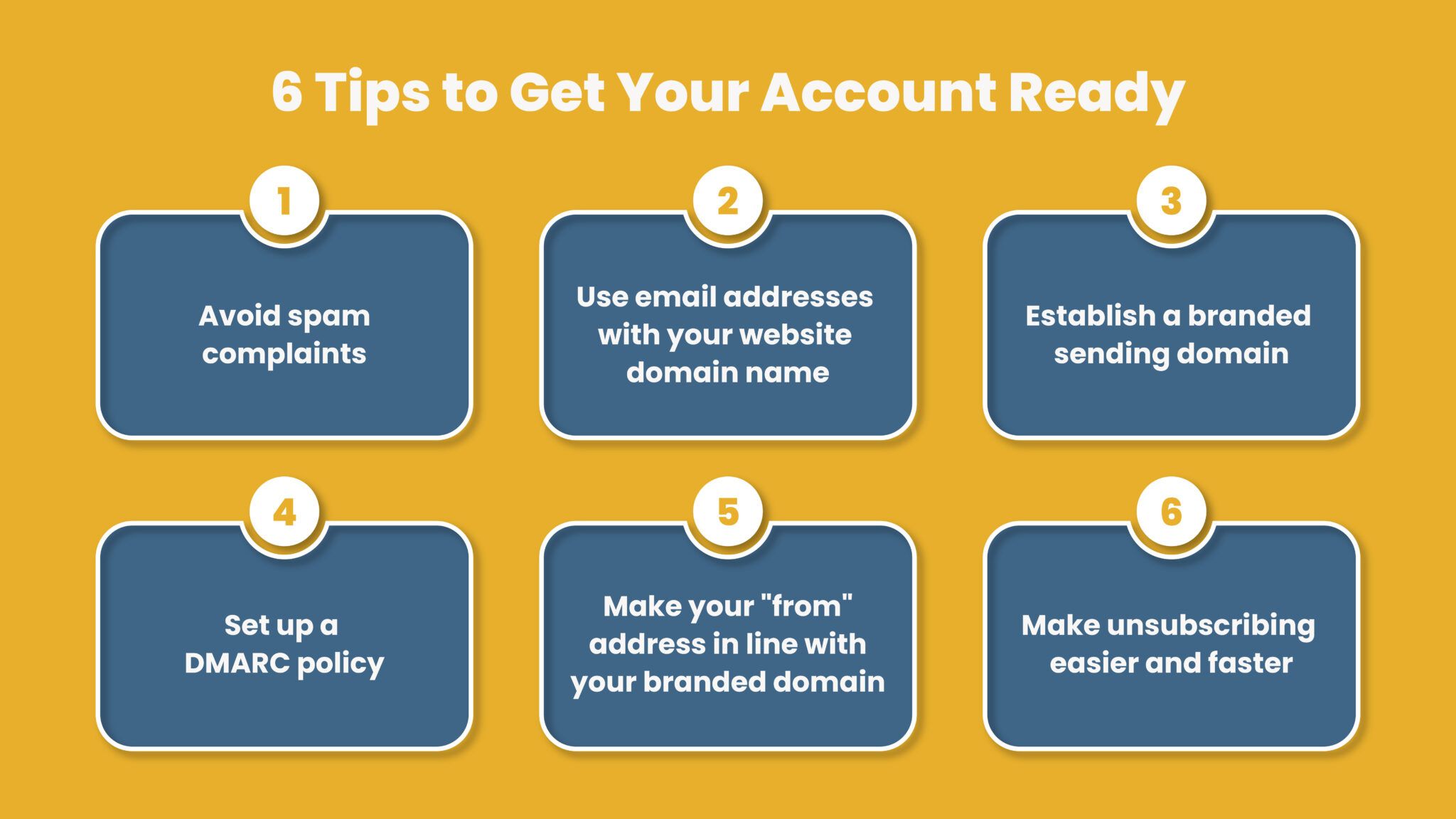
Cross 5,000 messages/day and two more requirements stack on top of the baseline. First, you need a published DMARC policy, at minimum p=none, and your messages need to pass DMARC alignment, meaning the domain in SPF or DKIM lines up with the visible From domain. Yahoo accepts relaxed alignment and strongly recommends adding an rua tag so you receive DMARC aggregate reports on who's sending mail as your domain; Gmail doesn't require the rua tag, but the reporting data is the only way to see authentication failures before they cost you deliverability.
Second, bulk senders have to support one-click unsubscribe with a visible unsubscribe link in every marketing message. That requirement gets its own section below, because it comes with a scope limit competitor posts routinely skip.
None of this replaces the baseline tier. Bulk senders still need SPF or DKIM, PTR records, TLS, and RFC 5322 formatting; DMARC and one-click unsubscribe are added requirements, not substitutes.

Spam-rate thresholds: 0.30% ceiling vs. 0.10% target in Postmaster Tools
0.30% is the number everyone quotes, and it's real: Google requires a spam rate below 0.3% measured in Google Postmaster Tools, and crossing it is a compliance failure regardless of your sending volume. But 0.3% is the ceiling, not the goal. Google's own guidance sets the actual operating target at under 0.10%, a threshold most competitor posts never mention because they stop at the compliance minimum instead of the number that keeps you safely inside it.
The gap between those two figures is where senders get caught out. A spam rate sitting at 0.25% is technically compliant and dangerously close to the line; one bad campaign or one purchased list segment can push it over 0.3% before you notice in Postmaster Tools, which reports with a lag. Yahoo's Marcel Becker, senior director of product management, told Mailgun the 0.3% figure was chosen specifically because it already matches thresholds used elsewhere in the industry, not because it's a comfortable margin.
In practice, spam rate tracks list hygiene more than it tracks your authentication setup. A recipient who no longer wants your mail doesn't unsubscribe, they hit "report spam," and Mailgun's State of Email Deliverability report found roughly 40% of senders are unsure whether they've correctly implemented both SPF and DKIM in the first place. The same report found 40% of senders who do have DMARC set up don't actually know which policy it's enforcing, a rough proxy for how many bulk senders have authentication in name only while their spam rate drifts toward the ceiling.

One-click unsubscribe: RFC 8058, and why transactional email is exempt
One-click unsubscribe means a recipient can opt out from their inbox interface in a single click, without loading your website or confirming anything. Technically, that requires two headers on every eligible message: a List-Unsubscribe header per RFC 8058 and RFC 2369, plus a List-Unsubscribe-Post: List-Unsubscribe=One-Click header that tells the mailbox provider a single click is enough to trigger the unsubscribe, no landing page required. If you haven't implemented the List-Unsubscribe header before, note that both headers need to be present together; one without the other doesn't satisfy the requirement.
The exemption most posts skip: one-click unsubscribe applies to bulk and marketing mail only. Chronos Agency's 2026 guidance is direct on this point, transactional messages, order confirmations, password resets, shipping notifications, and account alerts, are excluded. Those messages exist because the recipient took an action that requires a reply, not because you're marketing to them, and Gmail and Yahoo don't ask you to route an opt-out around a password reset.
That distinction matters for how you segment sends. If your transactional and marketing mail share the same domain or IP without separation, a spike in marketing-driven complaints can drag down the reputation your transactional mail depends on, even though the transactional messages themselves were never subject to the unsubscribe rule.
Yahoo-specific requirements (CFL enrollment, 2-day unsubscribe processing, per-connection limits)
Yahoo's Sender Hub lists the same baseline (SPF or DKIM, PTR records, TLS) and the same bulk-sender tier (DMARC, one-click unsubscribe) as Gmail, but three specifics diverge enough to catch senders who assume the two providers are interchangeable.
- 2-day unsubscribe processing: Yahoo requires bulk senders to honor an unsubscribe request within two days. Gmail expects prompt removal too, but Yahoo is the one that puts a number on it.
- Mandatory CFL enrollment: every DKIM domain sending to Yahoo needs an active Complaint Feedback Loop (CFL) enrollment, so Yahoo can route spam complaints back to you fast enough to act on them. This isn't optional for bulk senders the way an rua tag is; Yahoo requires it outright.
- Per-connection limits, enforced silently: Yahoo caps how many messages it will accept per SMTP connection, and once you hit that cap, it terminates the connection without an error message. There's no bounce code to catch in your logs, just a dropped connection, which makes this one of the harder Yahoo-specific issues to diagnose from the sending side.
DKIM's minimum key length carries over from the baseline tier too: Yahoo restates the same 1024-bit floor Gmail applies, so a key that clears one provider's requirement clears the other's as well.
What happens if you fail to comply (SMTP error codes)
Non-compliance doesn't produce a warning email, it produces a rejected or delayed message with an SMTP error code attached. The codes tell you which requirement failed.
| Failure | SMTP code | What it signals |
|---|---|---|
| SPF, DKIM, or DMARC authentication failure | 5.7.26 | Permanent rejection; the message never gets delivered |
| Exceeding Gmail's sending quota | 4.7.28 | Temporary rejection; retry after the rate window clears |
| SPF failure, escalating | 4.7.27 then 5.7.27 | Temporary delay first, permanent rejection if it continues |
| DKIM failure, escalating | 4.7.30 then 5.7.30 | Temporary rate limit first, permanent rejection if it continues |
| Yahoo per-connection limit reached | none returned | Connection terminated silently, no bounce to parse |
The 4.x codes are Gmail's way of giving you a chance to fix the problem before it becomes permanent: a 4.7.27 today that turns into a 5.7.27 next week means the SPF issue from the first bounce never got fixed. Yahoo's silent termination is the outlier here, since there's no error code to grep for in your logs, which is why monitoring your own send rate against Yahoo's per-connection limit matters more than watching for a bounce that will never arrive.
FAQs
Do Gmail and Yahoo require DMARC?
Only for bulk senders, those sending 5,000 or more messages a day to personal accounts. Both providers accept a DMARC policy of p=none at minimum, meaning you don't have to reject or quarantine failing mail, you just have to publish the record and pass alignment. Senders under the 5,000/day threshold aren't required to have DMARC, though SPF or DKIM is still mandatory for everyone.
Does the 5,000-per-day threshold reset if my volume drops?
No. Once you cross 5,000 messages/day to Gmail or Yahoo personal accounts, the bulk-sender classification is permanent, according to Chronos Agency's 2026 guidance, even if your sending volume falls back under the line afterward. A single high-volume campaign is enough to trigger it for good.
Is one-click unsubscribe required for transactional email?
No. RFC 8058 one-click unsubscribe applies to bulk and marketing mail from senders over the 5,000/day threshold. Transactional messages, password resets, order confirmations, shipping notifications, and account alerts, are excluded because the recipient triggered them through an action, not through a marketing send.
§ Before your next send
Find the addresses that will bounce
Verify a single address free, or upload a CSV — the free plan includes 50 checks a month, no card needed.