What Is a Transient Email Error? Causes, 4xx Codes, and What to Do
 BounceCheck Team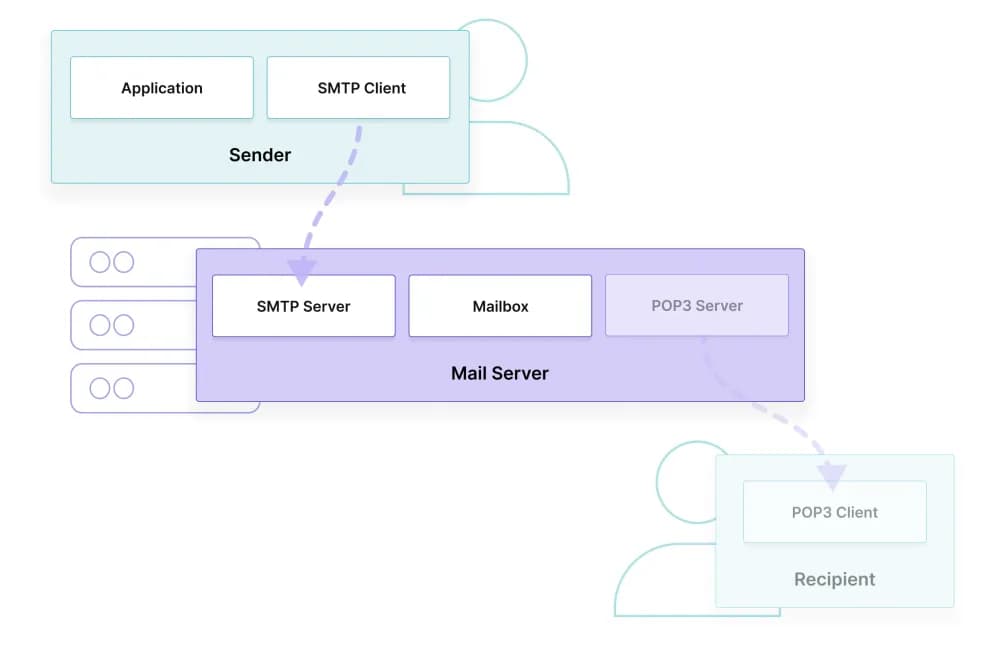
A transient email error is a temporary delivery failure: the recipient mail server accepted the connection but asked the sender to retry later instead of rejecting the message outright. It is signaled by a 4xx SMTP code and usually clears on its own within the standard 48-to-72-hour retry window. That distinction is everything when you are looking at a delivery report and trying to decide whether to remove an address or just wait.
This guide walks through what a transient error actually is, the SMTP code behind it, the common causes, how it differs from a permanent bounce, and what mail systems do during the retry window.
What a transient email error actually is
A transient email error, also called a transient bounce or soft bounce, is a temporary failure to deliver a message. The recipient mail server received the request, looked at it, and responded with a "not now" instead of a yes or a hard no. The sending server treats this as a signal to retry, not as a permanent rejection.
The contrast with a permanent bounce is the cleanest way to see it. A permanent bounce says the message will never be deliverable to that address. A transient bounce says the message itself is valid, but a temporary condition on the receiving side is blocking it. The same email, sent again an hour later, may go through without any change on the sender's part.
What the 4xx SMTP code tells you

Transient email errors carry a 4xx response code at the SMTP layer (for example 421, 450, 452, or the granular 4.2.2). The 4xx class is the formal SMTP signal for temporary failure, please retry. The IETF spec RFC 3463 calls this a persistent transient failure: the message itself is valid, but a temporary condition has caused the delivery attempt to be abandoned or delayed. RFC 3463 also notes that future attempts may succeed once that condition clears.
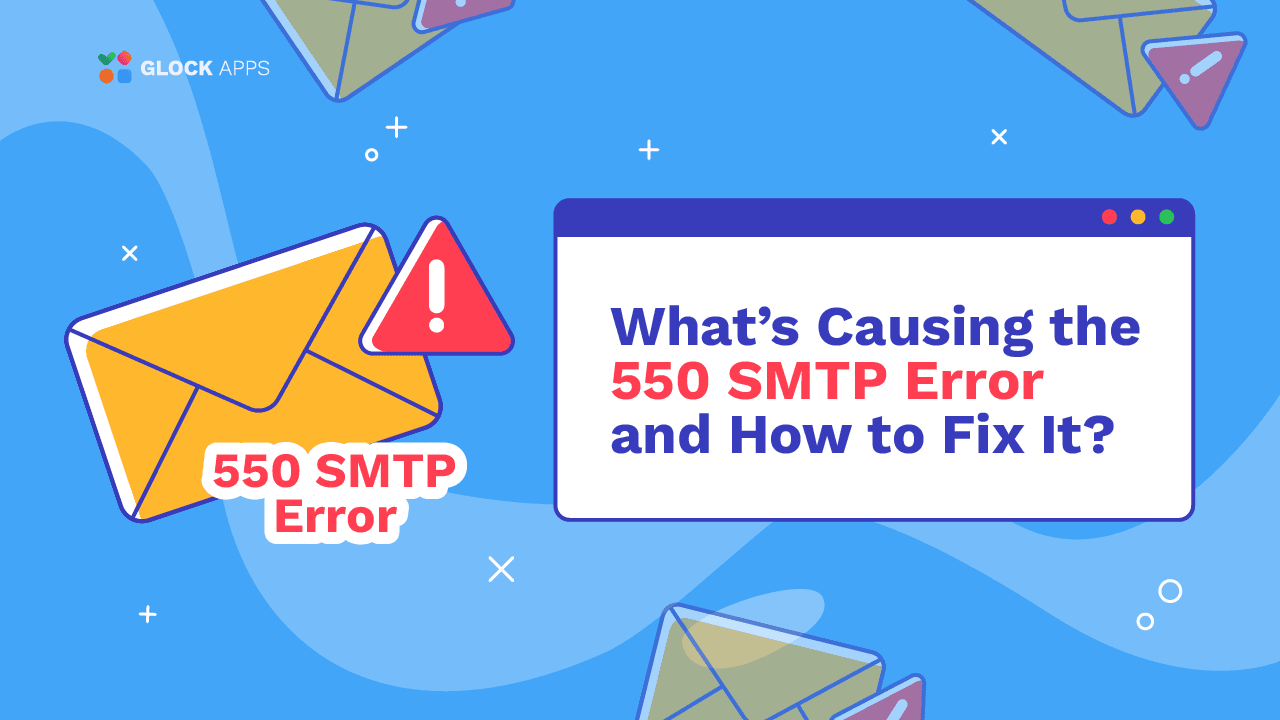
The 4xx range is what every modern mail server is built to interpret. A 5xx code, by contrast, is the permanent rejection, like a 550 bounce. The first digit is the routing instruction for the sending server: 4 means try again, 5 means stop.
| Aspect | 4xx (transient) | 5xx (permanent) |
|---|---|---|
| Bounce type | Soft | Hard |
| Sender behavior | Retry automatically | Stop, do not retry as-is |
| Typical cause | Full mailbox, greylisting, rate limit, DNS hiccup | Invalid address, blacklisted IP, DMARC reject |
| Resolution | Usually clears on its own | Requires sender or recipient action |
| Example codes | 421, 450, 452, 4.2.2, 4.7.0 | 550, 552, 553, 554, 5.1.1, 5.7.1 |
| Effect on list | Keep the address | Remove the address |
Common causes of a transient email error
The set of conditions that produce a 4xx is short and well understood. Most fall into a handful of buckets.
- Mailbox full: The recipient has exceeded the per-mailbox storage quota. Code 4.2.2 specifically signals this. Once the recipient deletes messages, future attempts deliver.
- Recipient server temporarily down: The mail server is unreachable, restarting, or undergoing maintenance. When it comes back up, the sender's retry succeeds.
- Greylisting: The recipient server is using greylisting as an anti-spam tactic. It returns a temporary failure on first contact and expects legitimate senders to retry after a short delay. Most spam senders do not retry, which is the whole point.
- DNS resolution issues: The sending server cannot look up the recipient's mail server because of a temporary DNS hiccup. Resolution recovers, retry succeeds.
- Rate limiting: The recipient server has thrown the sender into a temporary throttle because the volume from that IP is unusually high.
- Temporary authentication failure: A transient issue with SPF, DKIM, or DMARC validation can trip a soft rejection even when the underlying setup is correct.
- Message size exceeded: The email is larger than the recipient server's current limit. Stripping attachments or resending a smaller version usually clears it.
- Temporary spam filter rejection: A spam filter put the message in a holding pattern instead of bouncing it outright. A retry, sometimes from a different sub-IP, can land it.
- Network timeout: A connection between sender and recipient took too long to complete. Retransmitting at a quieter moment resolves it.
How a transient bounce differs from a permanent bounce
The right action depends on which side of the line a bounce falls on. The two parallel cleanly.
A transient (soft) bounce points at a temporary condition. The address is generally valid, the sending side is generally fine, and the message itself is fine. Examples: full mailbox, server downtime, greylisting, rate limiting, transient DNS issues, oversized payload, temporary authentication failure.
A permanent (hard) bounce points at something structurally wrong. The address does not exist, the domain is gone, the account is deactivated, the sending domain is blacklisted, or the recipient server has no MX records. The full list and the cleanup steps are in the hard bounce guide.
The practical difference: a transient bounce will likely clear on its own; a permanent bounce will not. Treating a transient bounce like a permanent one (immediately removing the address from your list) destroys deliverable contacts. Treating a permanent bounce like a transient one (leaving it on your list) silently pushes your bounce rate up over time.
What happens during the retry window
When a sender receives a 4xx response, it does not give up after the first try. Most mail systems retry automatically for 48 to 72 hours, spacing the attempts farther apart as time goes on. A typical retry schedule on Postfix or a default Microsoft Exchange queue looks like this: the first retry fires within 15 to 30 minutes, the next around one hour later, then roughly every two hours, then every four hours, then every eight, until the queue manager gives up and writes a permanent failure. The exact interval is configurable per MTA (Postfix uses minimal_backoff_time and maximal_backoff_time; Exchange uses transport service retry settings), but the exponential-backoff pattern is the default everywhere.
If the entire window passes without success, the sender stops trying. At that point the original transient failure is reclassified as a permanent bounce and reported back to the sender's logs as undeliverable. This is why the same address can show up as a soft bounce on Monday and a hard bounce on Friday: the retry window expired.
For the receiver, a transient error is almost invisible. By the time the message lands, it looks like a slightly delayed email. For the sender, the same event is a row in the delivery log that asks the question: was this an isolated transient bounce, or is this address now consistently failing? Treating those two cases the same is the most common deliverability mistake.
To spot the pattern across many sends, monitor your bounce metrics in the tools the major mailbox providers expose: Google Postmaster Tools for Gmail delivery and reputation, Microsoft SNDS for Outlook.com and Hotmail, Yahoo Complaint Feedback Loop for Yahoo mail, and reputation services like Validity Sender Score, Talos Intelligence, or MXToolbox for blocklist exposure. A transient-bounce spike usually shows up in one of these dashboards before it shows up in your campaign report. If a particular ISP is sending 4xx responses for a while and then escalating to 5xx, it is almost always a sender-reputation issue rather than a per-recipient one, and the dashboards point at the cause.
Most senders only need three habits. Watch transient bounces over a short rolling window. Remove addresses that flip from transient to consistent failures. And leave addresses that bounced once and then delivered alone. The retry window already did the work.
Frequently asked questions
How do I know if my email got a transient bounce instead of a permanent one?
Look at the SMTP response code in the delivery report or DSN. If the code starts with 4 (e.g. 421, 450, 452, 4.2.2, 4.7.0), it is a transient bounce and your sending system will retry automatically. If it starts with 5 (e.g. 550, 552, 5.1.1), it is a permanent bounce and no retry will happen. The human-readable line after the code often names the condition ("mailbox full", "greylisted", "rate limit exceeded") so you know which bucket it falls into.
How long should I wait before manually retrying after a transient error?
Usually, you do not need to. Your sending server retries on its own, typically every 15 to 30 minutes at first and slowing to every few hours, for up to 72 hours total. Manually resending while the queue is still trying just produces duplicate attempts and can look spammy to the receiving server. The exception is a transient error caused by a problem you can fix on your end (oversized attachment, bad credentials, expired DKIM key); in that case, fix the problem and let the queue's next retry pick up the corrected version, or cancel and resend once the fix is live.
Will the recipient see anything if my email got a transient error?
In most cases, no. A transient error is handled entirely between the two mail servers. If the retry succeeds within the window, the recipient receives a slightly delayed email that looks normal. They only notice when the retry window expires and the message is reclassified as a permanent failure, at which point you (the sender) get an undeliverable notice. The recipient never gets a notification that an email tried and failed to reach them.

BounceCheck Team
The team behind BounceCheck - helping businesses verify emails and improve deliverability.