550 5.4.300 Message Expired: What It Means and How to Fix It
 BounceCheck Team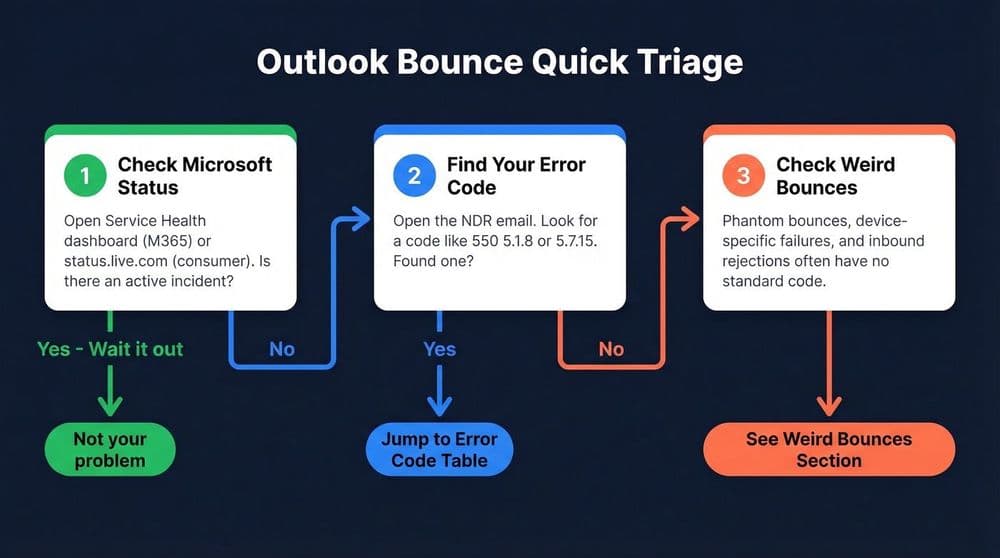
A 550 5.4.300 "Message expired" NDR does not tell you what broke. It only confirms that Exchange Online kept retrying delivery until the message's queue lifetime ran out, then gave up and returned the failure to the sender. The actual cause, and the fix, live in a second status code nested inside the same NDR, one line below the 5.4.300 summary. Until you read that inner code, you are diagnosing a timeout, not a problem.
What '550 5.4.300 Message expired' actually means
5.4.300 is Exchange Online's way of saying it tried and ran out of time, not that it identified a specific problem. Every outbound message sits in a mail queue with a lifetime, typically measured in hours, and Exchange Online retries delivery repeatedly during that window before it expires the message and generates the NDR.
Exchange Online's own NDR reference lists a related code, 4.4.7, the same way: "Message expired," meaning the message sat in the queue while the server tried to relay or deliver it, and time ran out (source: Microsoft Learn). The distinction between the two follows the general rule for enhanced status codes defined in RFC 3463: codes starting with 4 are temporary and get retried automatically, while codes starting with 5 are permanent failures that will not resolve on their own. 5.4.300 is Exchange Online's own permanent-failure spelling of that same expiration.
In one documented case, a message queued for delivery to an AOL and Yahoo mail server bounced with "550 5.4.300 Message expired -> 421 4.4.2 Connection dropped due to SocketError" after Exchange Online exhausted its retries (source: Prospeo). The 5.4.300 on the left is the wrapper. The 421 4.4.2 on the right is the reason. That second code, not the first, is the diagnosis.
How to find the nested inner status code inside the NDR
Open the full NDR text, not just the subject line summary, and look for a second enhanced status code sitting after the 550 5.4.300 line, often introduced by an arrow or by the words "Diagnostic information for administrators." That second code, formatted like 421 4.7.28 or 4.4.7, names the actual failure.
- Open the bounced message and expand the full NDR body, not the truncated preview Outlook shows by default.
- Scroll past the summary line ("Your message wasn't delivered") to the "Diagnostic information for administrators" block.
- Find the second enhanced status code in that block. It usually follows an arrow or sits on its own line below the 5.4.300 summary.
- Note the exact code, for example 421 4.7.28 or 4.4.7, and the sending or receiving server it references.
- Match that inner code, not the 5.4.300, against the cause and the fix.
This is the general method. Every Exchange Online NDR that ends in 5.4.300 carries one of these inner codes, and the inner code is what determines which of the following sections applies.
Inner cause: Gmail 421 4.7.28 rate limiting
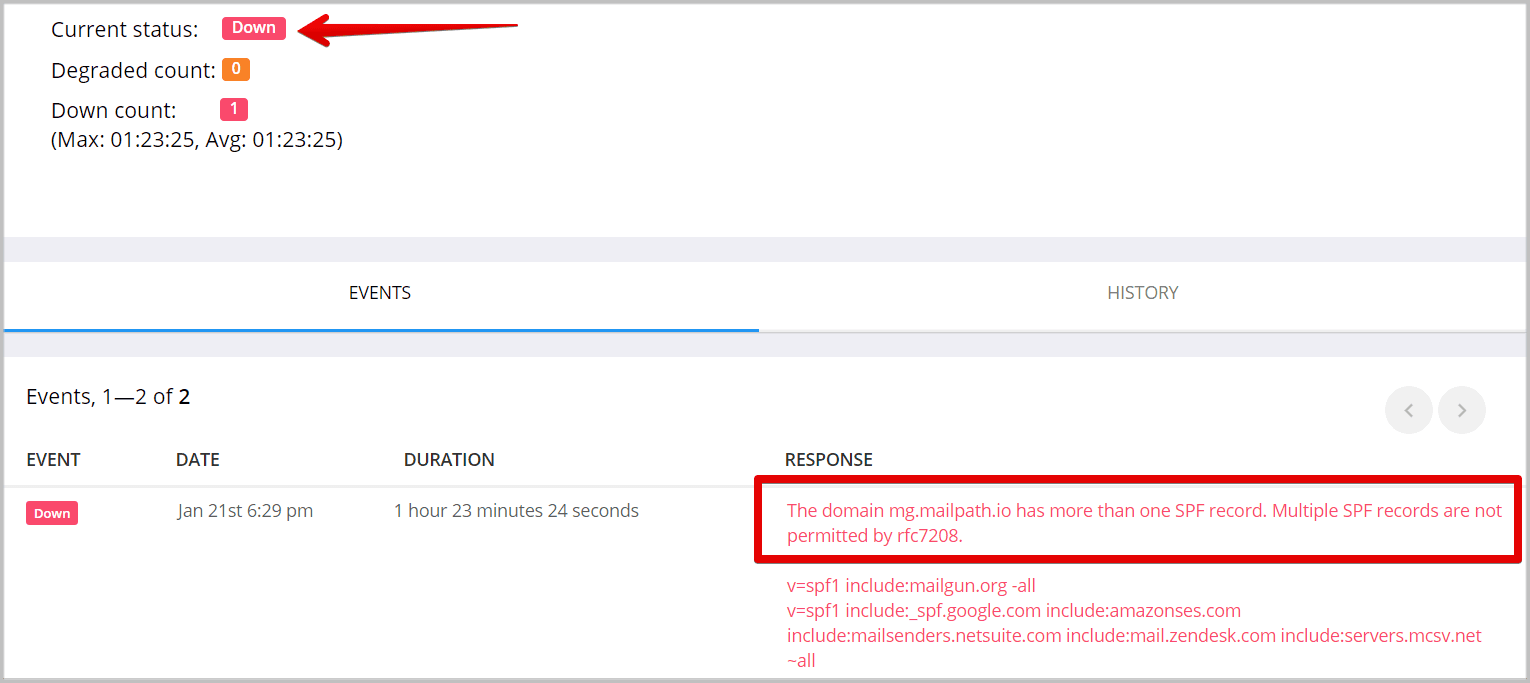
A nested 421 4.7.28 means Gmail itself throttled the connection because of sending volume or reputation, not because the recipient address is wrong. In one documented Microsoft Q&A case, Microsoft 365 retried delivery six times before Gmail's 421 4.7.28 response caused the message to expire into a final 550 5.4.300.
Google requires at least SPF or DKIM from every sender, and requires SPF, DKIM, and DMARC together from anyone it classifies as a bulk sender (source: Microsoft Q&A). If your domain is missing one of those records, or you pushed a sudden burst of volume, Gmail's rate limiter is a documented and expected response, not a bug on either side. Google enforces a specific volume threshold here, covered in our Gmail and Yahoo sender requirements guide, and missing authentication records make you more likely to hit it.
Inner cause: recipient server unreachable (4.4.2 / 4.4.7)
A nested 4.4.2 or 4.4.7 means the recipient's mail server never responded, so Exchange Online kept retrying an empty connection until the queue lifetime ran out. This is a network or availability problem on the receiving end, not an authentication or content issue on yours.
This is the scenario documented in Exchange Online's own NDR reference, which lists 4.4.7 as "Message expired": the message sat in the queue while the sending server tried to relay or deliver it, and time simply ran out (source: Microsoft Learn). A real-world example bounced with the connection dropping mid-handshake, logged as "421 4.4.2 Connection dropped due to SocketError," before the message expired (source: Prospeo). Because the failure sits on the receiving side, there is nothing to fix in your own SPF, DKIM, or DMARC configuration. The useful check is whether the recipient domain is reachable at all, and the Microsoft Remote Connectivity Analyzer's Outbound SMTP Email test can confirm that from Exchange Online's side.
Inner cause: a compromised mailbox forwarding mail to a dead or full external address
A nested 4.2.1 rate-limit code paired with an external forwarding rule usually means a mailbox was compromised. Malicious inbox rules silently forward incoming and outgoing mail to an external address, and if that address is disabled or full, every forwarded message bounces back as a 550 5.4.300.
This is exactly what one administrator found on the Microsoft Community Hub: malicious inbox rules had forwarded a user's mail to an external Gmail address that was disabled or full, and the downstream error was "450 4.2.1 The user you are trying to contact is receiving mail at a rate that prevents additional messages from being delivered" (source: Microsoft Community Hub, citing Google Support). Google's own documentation confirms that error has no sender-side fix; the guidance is to reach the recipient a different way (source: Google Support). The fix here is not on the sending side at all. Remove the unauthorized forwarding rule, reset the account password, turn on multi-factor authentication, and review the sign-in activity in the account's activity log.

The mistake to avoid: resending the same bulk batch immediately
Resending the identical batch the moment it bounces does not clear a rate limit, it deepens it. Gmail's 421 4.7.28 and similar throttles are volume-based, so an immediate retry adds to the same pattern that triggered the block in the first place.
The Microsoft Q&A case that traced a 550 5.4.300 to Gmail's rate limiter explicitly warns against this: the fix is to wait and let the throttle clear, then verify SPF, DKIM, and DMARC before sending again, not to fire the same batch a second time. Google's own guidance backs this up: the sending-mail rate limit it applies typically clears within one to 24 hours on its own (source: Google Support). Resending sooner just adds more volume against a sender reputation that is already flagged. If your bounce rate is climbing beyond this one batch, how to reduce email bounce rate covers the order to fix it in.
When to escalate to Microsoft support, and what to include
Escalate once you have read the inner code, ruled out a Microsoft-side outage, and confirmed SPF, DKIM, and DMARC are correctly configured. Opening a case without that groundwork just returns you to the same wait-and-retry advice you already have.
Before escalating, rule out a broad outage by checking the Service Health dashboard in the Microsoft 365 admin center for open incidents affecting mail flow. Then open a case with:
- The complete NDR text, including the nested inner status code
- Message trace results for the affected messages
- The sending domain and exact timestamps of the failures
- Confirmation of your current SPF, DKIM, and DMARC records
- Whether the failures hit all recipients on one domain, such as every Gmail address, or only some
FAQs
Is 550 5.4.300 message expired a permanent or temporary error?
550 5.4.300 is coded as a permanent failure, but that only describes the wrapper: Exchange Online gave up after repeated retries. The nested inner code decides whether the real problem is temporary, like Gmail's 421 4.7.28 rate limit, or points to something that needs a fix on your end, like a compromised mailbox.
What does the inner code 421 4.7.28 mean in an Exchange Online NDR?
A 421 4.7.28 is Gmail's rate-limit response, telling the sending server it is retrying too fast or sending too much volume for its current reputation. When this code sits inside a 550 5.4.300 NDR, it means Exchange Online kept hitting that throttle until the message's queue lifetime ran out.
Why does the NDR say "message expired" instead of naming the real problem?
"Message expired" describes what happened to the queue, not what caused the delay. Exchange Online reports the outcome of exhausting its retry window; the specific reason for those failed retries, whether a rate limit, an unreachable server, or a bad forwarding rule, is recorded separately as the nested inner status code.
Should I resend the same batch right after a 550 5.4.300 bounce?
No. If the nested inner code points to a rate limit like Gmail's 421 4.7.28, resending immediately adds more volume to the same pattern that triggered the throttle. Wait for the limit to clear, typically one to 24 hours per Google's own guidance, before sending again.
How do I check if Microsoft 365 itself is having an outage?
Check the Service Health dashboard in the Microsoft 365 admin center for open incidents affecting Exchange Online mail flow before you troubleshoot further. If there is no active incident listed, the cause is specific to your message, not a platform-wide problem.

BounceCheck Team
The team behind BounceCheck - helping businesses verify emails and improve deliverability.