Is This Email Legit? How to Tell a Real Email From a Scam
 BounceCheck Team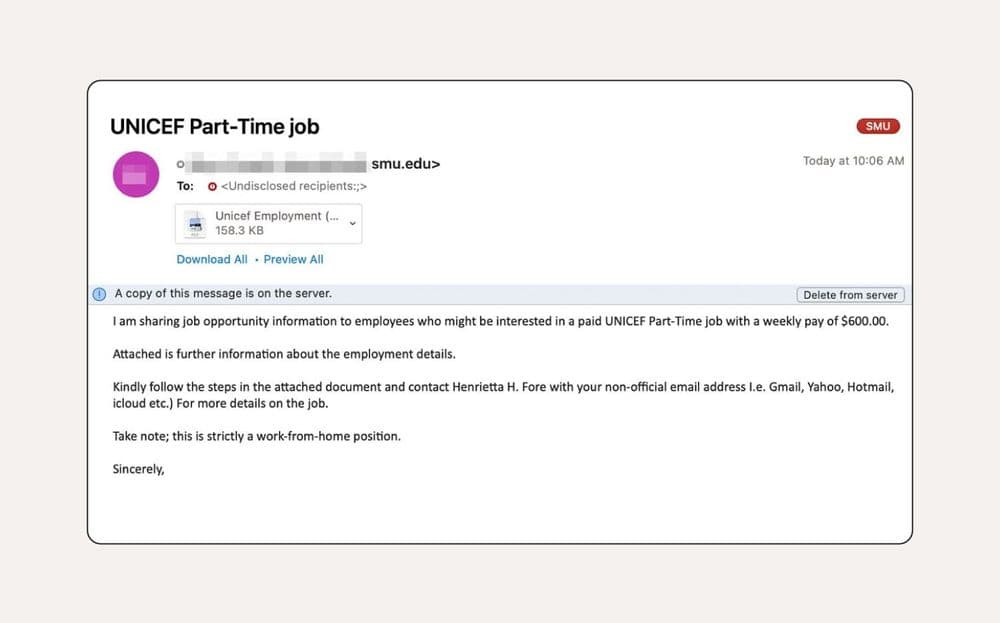
To tell if an email is legit, check three things: the sender's real address (hover over the display name to reveal it), the message itself (watch for urgency, odd timing, and links that do not match their text), and the reputation of the sending domain. If any of the three looks wrong, treat the email as a likely scam and confirm the sender through a channel you find yourself. None of these checks need special software, and together they take about two minutes.
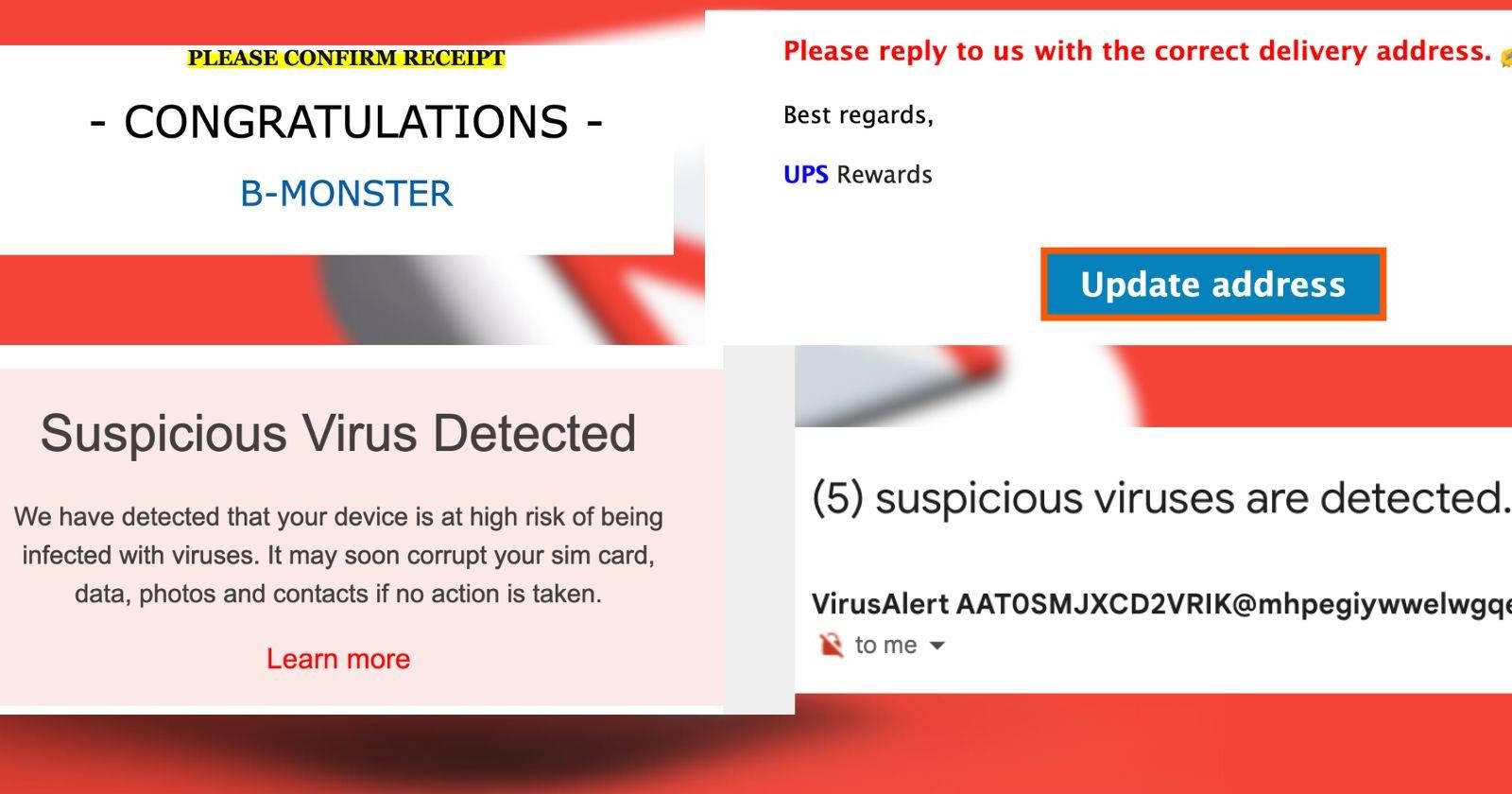
That matters because phishing emails are built to look ordinary, whether they arrive as a delivery notice, an invoice, or a warning about your account. The detail that gives a scam away is usually small, so the goal is to inspect it rather than trust it at face value.
How to tell if an email is legit
There are a few reliable ways to judge whether a message is real. Start with who actually sent it, then read the message for the patterns scammers reuse, and confirm anything you are unsure about through a separate channel. Phishing emails are designed to look ordinary, so the goal is to catch the small details that give them away rather than trust the message at face value.
Check the sender's real email address
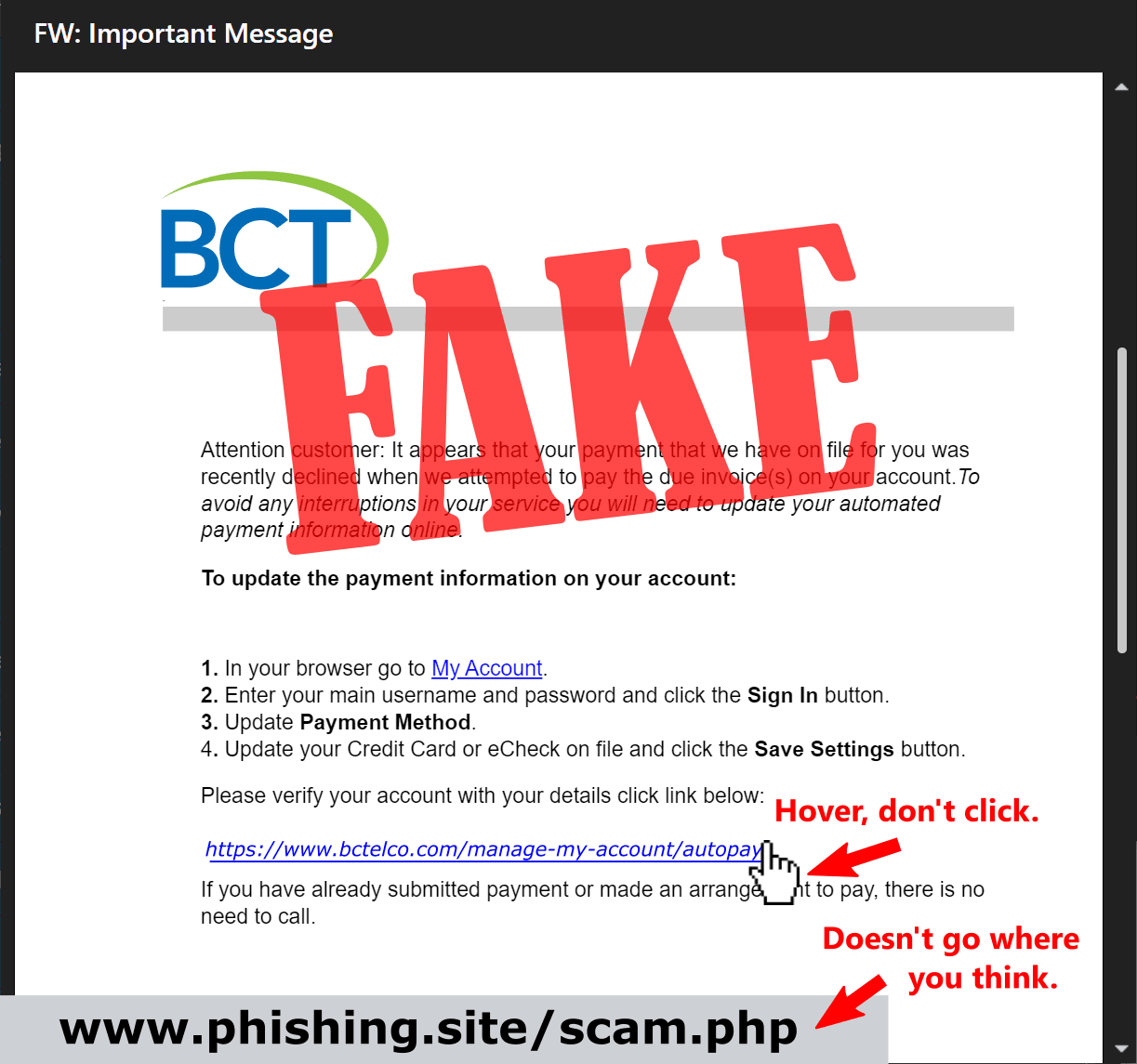
The display name on an email is easy to fake, so the first move is to see the address behind it. Hover your pointer over the "From" name and check the email address that appears. Attackers commonly spoof a display name to look like someone you trust, while the message is actually coming from a completely different address.
Look closely at the domain, because attackers rely on near-misses you read past. They swap an "m" for an "rn", a lowercase "L" for the number "1", or show a .co address where you expect .com. Even one changed character sends mail somewhere else. If the email claims to come from a contact you know, compare it against an older message from them: does the display name match, and is the signature the same? When the address is one you have never dealt with, it helps to check if the address is valid before trusting anything it says.
Red flags inside the message
Beyond the sender, the body of the email usually carries its own warning signs. Watch for these:
- Unusual grammar or phrasing: a message that reads oddly, or too formally, for the person it claims to be from.
- Odd timing: an invoice that arrives mid-month when it always comes on the first, or a contact messaging you in the middle of the night.
- A sense of urgency: pushy wording demanding immediate action, often paired with a threat if you do not respond. This is the hallmark of a spear phishing attempt.
- Links that do not match: hover over any link and confirm the destination URL matches the text. If the visible text says one site and the address bar would take you to another, do not click.
If the message asks you to log in, pay, or share personal details, treat the request itself as a red flag until you have verified the sender.
Verify the sender when you are unsure
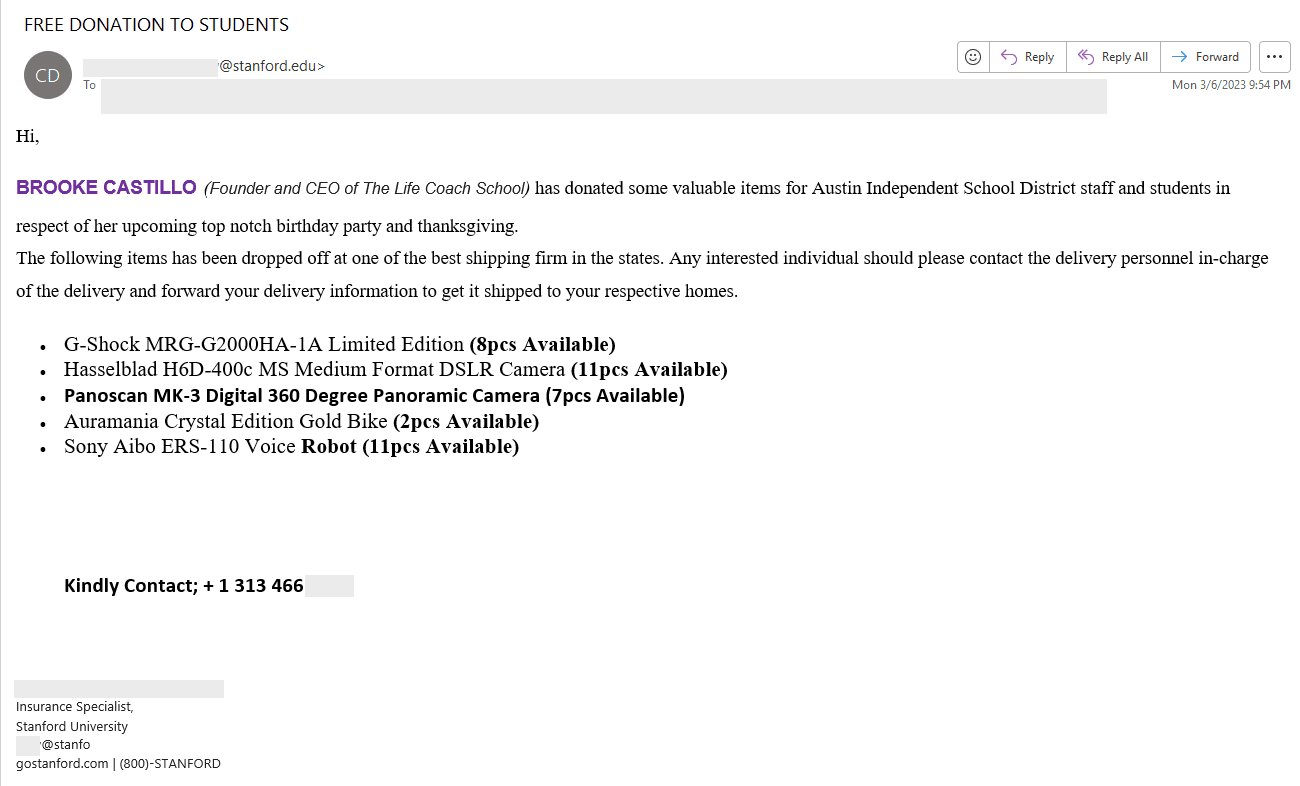
When the email still looks plausible but you cannot be sure, verify it through a separate route. The simplest check is to call the person using a number from your own address book, never a number printed in the suspicious email, and ask whether they sent it. For a new vendor or sender, look up the domain on a WHOIS lookup to see when it was registered. A domain created in the last 90 days that claims decades in business is a strong warning sign.
You can also run a quick internet search on the sender or the exact wording of the message, since reported scams often surface near the top of the results. If you are comfortable digging deeper, the email's internet headers (the Return Path and Reply To fields, found under File then Properties in Outlook) show where the message actually originated.
Spam, scam, or phishing: what is the difference
These words get used interchangeably, but they describe different things, and knowing which one you are dealing with helps you respond:
| Term | What it is | Goal |
|---|---|---|
| Spam | Unwanted bulk messages, not always malicious | Advertise or promote at scale |
| Scam | A deliberate attempt to deceive you | Steal money, data, or account access |
| Phishing | A scam that impersonates a trusted brand or person | Trick you into entering passwords or payment details |
| Fraud | The broad category phishing belongs to | Steal via fake invoices, payment redirection, impersonation |
Scams are often delivered through spam, but not all spam is a scam, and phishing is the specific type of fraud that imitates a brand you recognize to harvest your credentials.
Does the sender's address even exist?
A fake-looking address is not always a non-existent one, and the reverse is true too. Scammers frequently send from throwaway or disposable email addresses, and CleanTalk reports that about 30% of the addresses used to spam websites are fake. An email checker connects to the mail server behind a domain and confirms whether a mailbox actually exists, checking the format, the domain's records, the MX records, and the SMTP response along the way. With BounceCheck you can check whether the address exists in a few seconds, without contacting the sender.
Confirming the address exists is useful, but it is only one signal. A real, working address can still belong to a scammer, and a spoofed display name can sit in front of a legitimate-looking domain. The mailbox check tells you the address is reachable, not that the person behind it is who they claim to be, which is why you can verify an address without sending anything as part of the wider picture.
What to do if an email looks fake
If the checks point to a scam, do not engage. Do not click links, open attachments, or reply, since even a reply confirms your address is active. Delete the message, or report it to your IT team or email provider so the sender can be blocked. For financial scams and business email compromise, you can report the incident to the FBI. When an email pressures you to act, slow down and verify through an official channel you find yourself, not one the email hands you. If something seems off, it usually is.
Quick answers
How do I check if an email is legit?
Hover over the sender's name to reveal the real address, look for look-alike domains and spelling tricks, and read the message for urgency, odd timing, and mismatched links. When in doubt, contact the sender through a number or website you find independently.
How do I check if an email is spam or not?
Check the sender's reputation and history. Spam usually comes in bulk from addresses linked to past abuse, carries pushy promotional or alarming wording, and often lands from a domain or address you do not recognize. Reputation lookups and your provider's spam filter both help flag it.
Is there a totally free email lookup?
Yes. Free email checkers let you confirm whether an address is correctly formatted and whether its mailbox exists, and free WHOIS lookups show when a domain was registered. Neither costs anything, though free tools cannot guarantee the sender's intent.
How do I verify the legitimacy of an email sender?
Verify the address behind the display name, compare the message to past emails from that contact, look up the domain's age, and confirm directly with the person or company through a channel you trust. Treat any single check as one signal, not proof on its own.

BounceCheck Team
The team behind BounceCheck - helping businesses verify emails and improve deliverability.