How to Find Emails from LinkedIn Profiles: 6 Proven Methods
 BounceCheck Team
LinkedIn is where most professionals keep their work identity up to date, which makes it the obvious place to start when you need to reach someone by email. The catch is that LinkedIn rarely hands you the address directly. Some people list it, most do not, and the platform keeps connection data behind a few menus on purpose. This guide walks through six reliable ways to find emails from LinkedIn profiles, from a free thirty-second profile check to finder tools that work at scale, and explains how to confirm an address is real before you build a whole outreach sequence around it.
Start with the profile's contact info
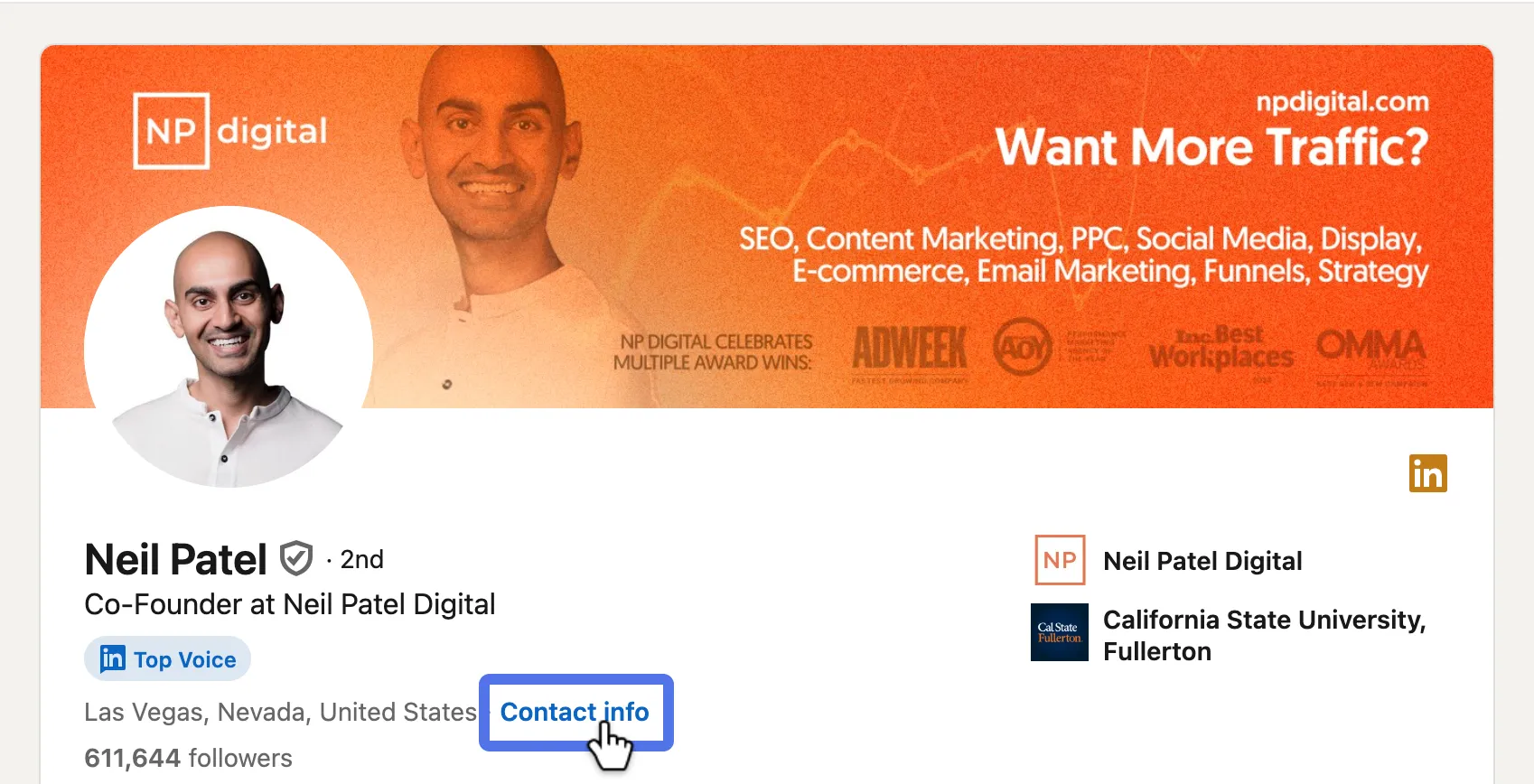
The fastest method costs nothing and works more often than people expect. Open the person's profile and look for the Contact info link, which sits just below their headline and to the right of their location. Click it, and any details they chose to share appear, sometimes including an email address.
If the Contact info panel is empty, do not give up yet. A lot of people tuck their address into the About summary or paste it onto their banner image instead of the formal field. Scroll through the About section and scan their recent posts and comments too, since founders and freelancers often share a contact email when they are actively looking for work or leads. Whatever you find here still needs checking later, because an address someone typed two years ago may no longer be active.
Search smarter with Sales Navigator
If you are working through a long list rather than one contact, LinkedIn's Sales Navigator is built for the job. It does not reveal hidden emails by itself, but it lets you filter LinkedIn's user base down to exactly the people you want, which makes every later step faster. With the platform reporting more than 922 million members worldwide, good filtering is the difference between a focused list and noise.
A practical search looks like this:
- Narrow by job title using specific terms like "Chief Technology Officer" rather than broad ones like "manager."
- Layer in keywords such as "Growth" or "Sales" to match how people describe their actual role.
- Add a location filter like "Texas" or "San Francisco" to keep the list relevant to your region.
Sales Navigator then returns a clean set of matching profiles with an expanded view of each person. It is a paid product, so it helps to know what it costs before you commit, but for steady prospecting the targeting usually pays for itself.
Export your first-degree connections
People you are already connected to are the easiest emails to collect, because LinkedIn will hand the data to you in a single file. Here is the path on desktop:
- Click your profile icon at the top of the home page and choose Settings.
- Open the Data Privacy tab.
- Under "How LinkedIn uses your data," click Get a copy of your data.
- Choose "Want something in particular?" and tick Connections.
- Click Request archive and enter your password to start it.
- Wait for the email with your download link, then open the file.
The archive lists your first-degree connections and often includes their email addresses. Expect some blanks, since members can hide their address from exports, but for a network you have built over years this is a quick way to recover dozens of contacts at once and load them into your CRM.
Run an email finder extension
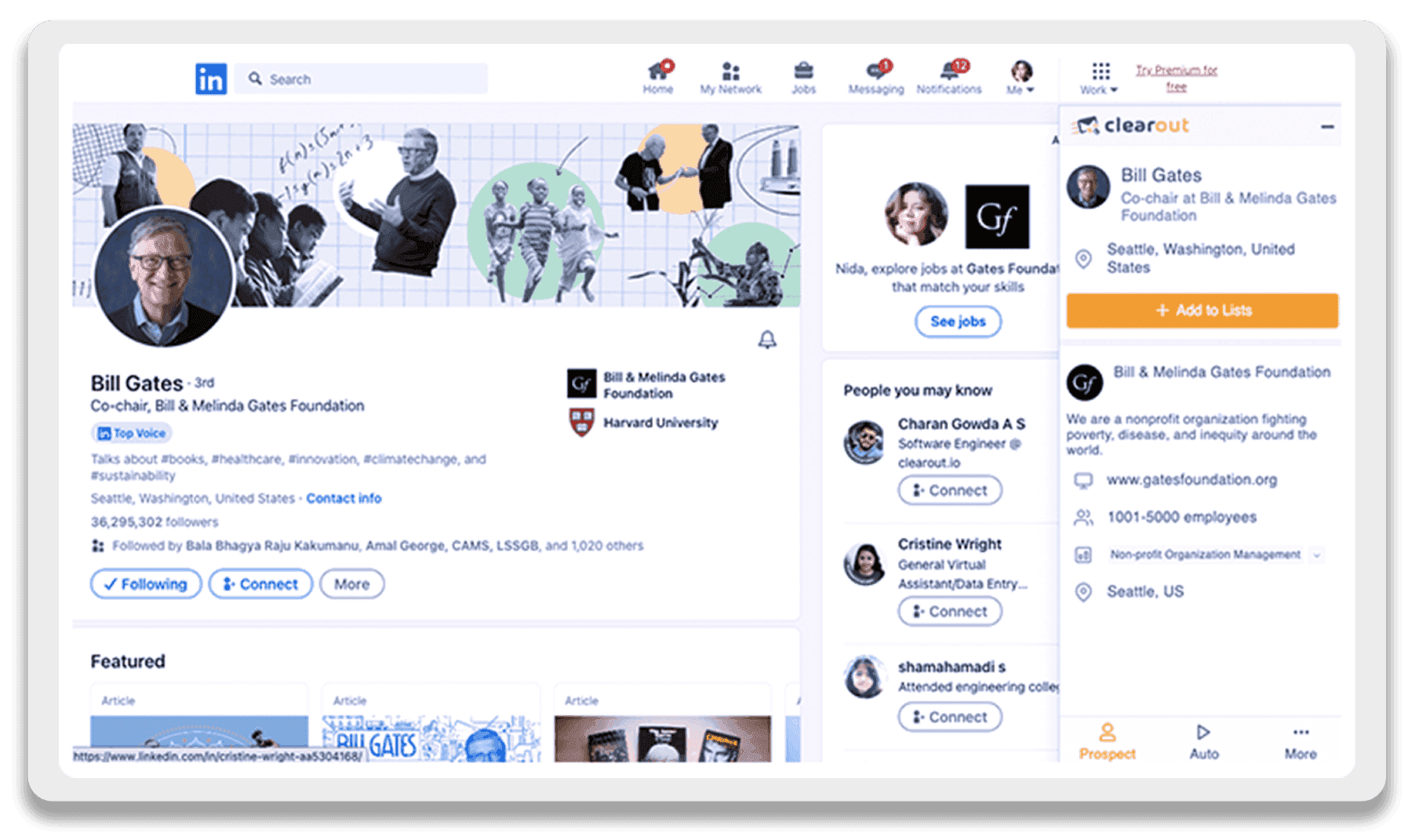
Doing all of this by hand gets slow once you are past a handful of contacts. Email finder tools, usually Chrome extensions, add a button to the LinkedIn interface that pulls a verified business email from the profile in seconds. Most of them scan the profile for the company domain, match it against known email patterns, and run a deliverability check before they show you the result. The better ones also export straight to your CRM so nothing gets retyped.
There are dozens of these tools and they cluster around a few price and accuracy points. A quick comparison of popular options:
| Tool | Starting price | Reported accuracy | Best for |
|---|---|---|---|
| Apollo | $49 per user per month | ~85% | High-volume prospecting with unlimited credits |
| Voila Norbert | $39 per month | up to 98% | Teams that need the highest accuracy |
| Wiza | Pay as you go | ~95% | Working inside Sales Navigator |
| Getprospect | Free, then $49 | ~78% | Testing on a free monthly allowance |
| Hunter.io | $49 per month | ~80% | Avoiding LinkedIn account risk |
Pick based on three things: how many emails you need each month, how low your bounce rate has to be, and how much LinkedIn account risk you can tolerate. If accuracy matters more than volume, Voila Norbert has been rated the most accurate finder in independent testing, though precision tools cost more per email than the high-volume options. If you would rather assemble a full toolkit than rely on one extension, our roundup of the best cold email tools covers the platforms that pair well with a finder.
Guess the pattern, then verify it
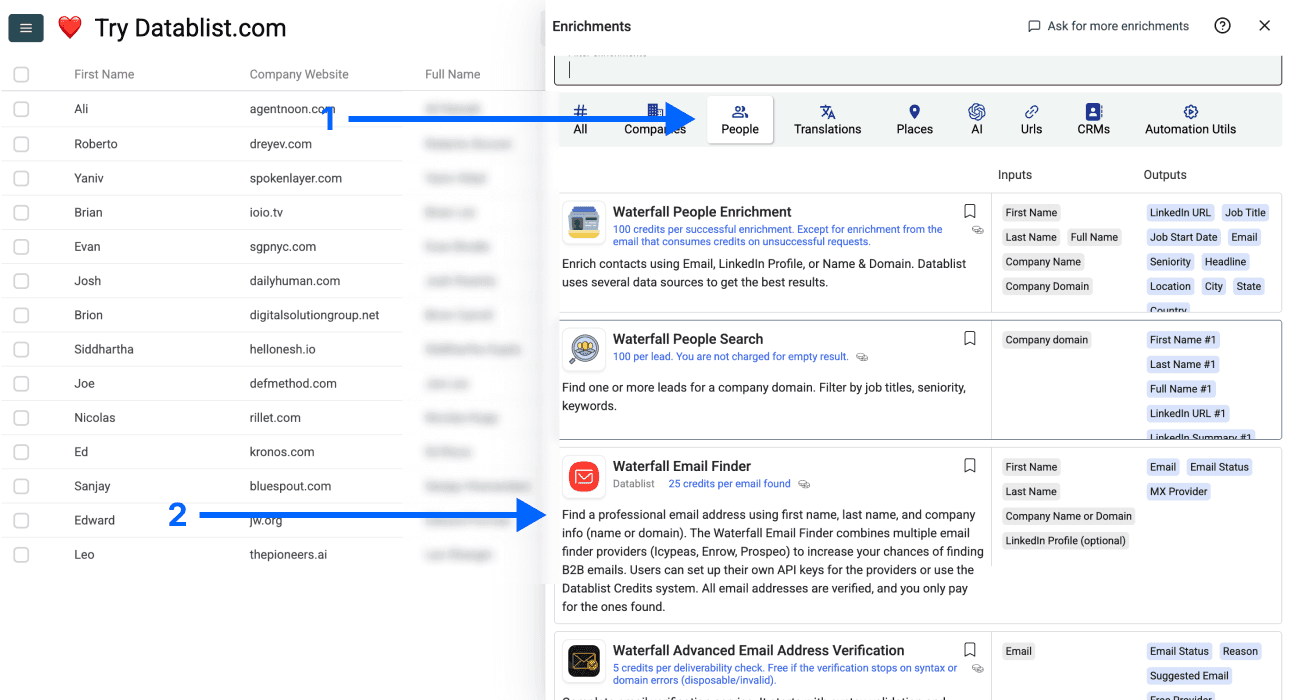
When a profile gives you a name and a company but no address, you can often work the email out yourself. Most companies use one of a few predictable formats, such as [email protected] or [email protected]. Once you know the domain from the person's current employer, generating the likely candidates takes a minute, and the same logic that powers paid finders is something you can turn names into addresses with on your own.
A guess is only useful if it lands, so never send to an address you assembled this way without confirming it first. Run each candidate through a verification check that tests the mailbox at the server level, and keep only the ones that come back as deliverable. This is the step that separates a clean list from a wave of bounces.
Connect first, then ask for the email
The most direct method is also the most overlooked: ask. Building genuine relationships is the whole point of LinkedIn, and a warm contact who hands you their address is worth more than a dozen guessed ones. The approach matters, though, so do not open with a blunt request.
- Make sure your own profile is complete and looks professional before you reach out.
- Engage with the person's content for a while so your name is already familiar.
- Personalize the message and mention the specific reason you want to take the conversation to email.
If you are not sure how to phrase that first message, a few proven opening lines will get a reply rate far higher than a generic pitch.
Is it legal to find emails on LinkedIn?
Finding professional email addresses from public profiles is generally legal, and reputable tools state that they only access publicly available information and comply with privacy rules like GDPR and CAN-SPAM. The grey area is how the address gets collected. Automated scraping of LinkedIn profile data breaks LinkedIn's Terms of Service, and heavy use can get an account restricted or banned. A few tools, such as Hunter.io, sidestep this by finding emails from public web data and company records instead of scraping LinkedIn directly, which is the safer route if account suspension would hurt. Wherever the address comes from, use it for legitimate business contact, not bulk spam.
Verify every address before you hit send
Every method above ends at the same place. An address you found in a Contact info panel, exported from your connections, pulled with an extension, or guessed from a pattern is only a lead until you confirm it actually receives mail. Job changes, typos, and abandoned inboxes mean even a real-looking address can bounce, and a batch of bounces is what damages your sender reputation and lands future messages in spam. Running your finds through an email verifier like BounceCheck before the first send keeps your list clean and your deliverability intact, so the time you spent finding the address is not wasted on a message no one reads.
Questions people ask about LinkedIn emails
Can you find anyone's email on LinkedIn for free?
Sometimes. If the person listed their address in the Contact info, About section, or banner, you can read it for free in seconds. When it is hidden, free methods like exporting your own connections or guessing the pattern still work, but the most reliable free option is asking after you have built a connection.
How accurate are LinkedIn email finder tools?
Most finders land between 70 and 85 percent accuracy on business emails, with a few specialist tools claiming up to 98 percent. Accuracy is highest for people at established companies with current job details on their profile, and lowest for private or out-of-date profiles.
Can email finders pull addresses from private profiles?
No. Finders can only read what is visible on a public profile. Private profiles block extraction, although some tools work around this by searching external databases and company records rather than the LinkedIn page itself.
Why can't I find someone's email at all?
Usually it means the person has strict privacy settings, works somewhere with a locked-down email policy, or only uses a personal address they have kept off LinkedIn. In those cases, connecting and asking directly is your best remaining option.

BounceCheck Team
The team behind BounceCheck - helping businesses verify emails and improve deliverability.