Apple iCloud and Mac Mail Spam Filtering: How It Works for Senders
 BounceCheck Team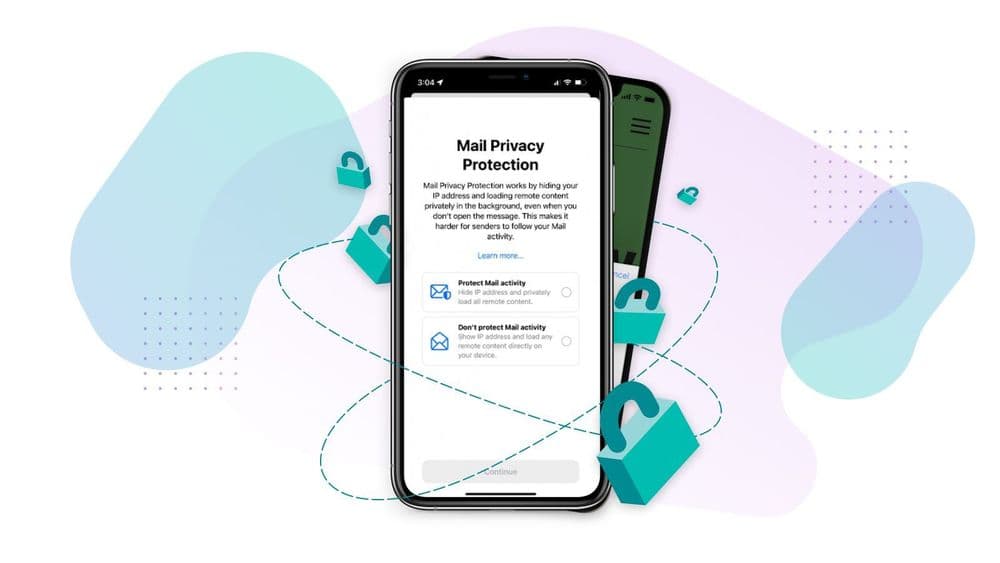
Before your next send Find the addresses that will bounce.
Verify an email freeFor email senders, no inbox provider is harder to read than Apple's. iCloud Mail runs a server-side spam filter, Mac Mail and the iOS Mail app each run their own local filters on top, and Apple's Mail Privacy Protection has been quietly masking open data since 2021. The combined effect: a message can be silently filtered, marked invisible to your tracking pixel, or rerouted through a Hide My Email proxy without you knowing.
Here is how Apple's spam filtering actually works across iCloud, Mac Mail, and iOS Mail, and what each layer means if you send marketing or transactional email to @icloud.com, @me.com, or @mac.com addresses.
How iCloud and Mac Mail filter spam
Apple operates two filtering layers that act in series:
- Server-side iCloud filter: every message addressed to an @icloud.com, @me.com, or @mac.com address is scanned at the iCloud server before it reaches any device. Apple's documentation states that most junk mail sent to an @icloud.com address or its aliases is automatically identified and moved to the Junk folder. Recipients never see those messages in the inbox view across Apple Mail, iCloud.com, or iOS Mail.
- Local Mac Mail Bayesian filter: the desktop Mail app on macOS runs its own learning filter on top of whatever survives the iCloud layer. It is on by default and trains every time the user clicks the Junk or Not Junk button.
Two whitelist behaviors are worth knowing as a sender:
- Messages from a sender in the recipient's iCloud Contacts skip the Junk folder.
- Messages from a sender the recipient has recently corresponded with also bypass filtering. This is why warmup activity from real conversation partners matters more in the Apple ecosystem than it does at Gmail.
Junk-folder messages auto-delete after 30 days. If a campaign hits Junk and the recipient never opens the folder, your message is gone before they could rescue it.
Train the filter: marking junk and not junk
The iCloud filter is a per-recipient learning model. Every Junk or Not Junk action a user takes on any Apple Mail surface, iOS swipe-left to Move to Junk, the Mac Mail Junk toolbar button, or the Not Junk button in iCloud.com webmail, feeds back into Apple's filter and changes the per-sender rule for that account.
The mechanics work like this:
- Move to Junk at the device level. Future messages from the same sender are automatically classified as junk for that recipient.
- Move to Inbox / Not Junk restores the message and whitelists the sender so subsequent messages bypass filtering.
- The same training happens on iCloud.com via the Move to Junk and Move to Inbox buttons in the Junk folder view.
The practical implication for senders: one Junk-button click from a single recipient permanently demotes you in that recipient's inbox. Apple does not publish an aggregate spam complaint rate the way Gmail Postmaster Tools does, so you cannot watch the trend, you can only see it as a creeping decline in opens from your Apple-side audience. For the wider picture of how complaint signals affect sender reputation, the same fundamentals carry over.
Mac Mail's local junk filter settings
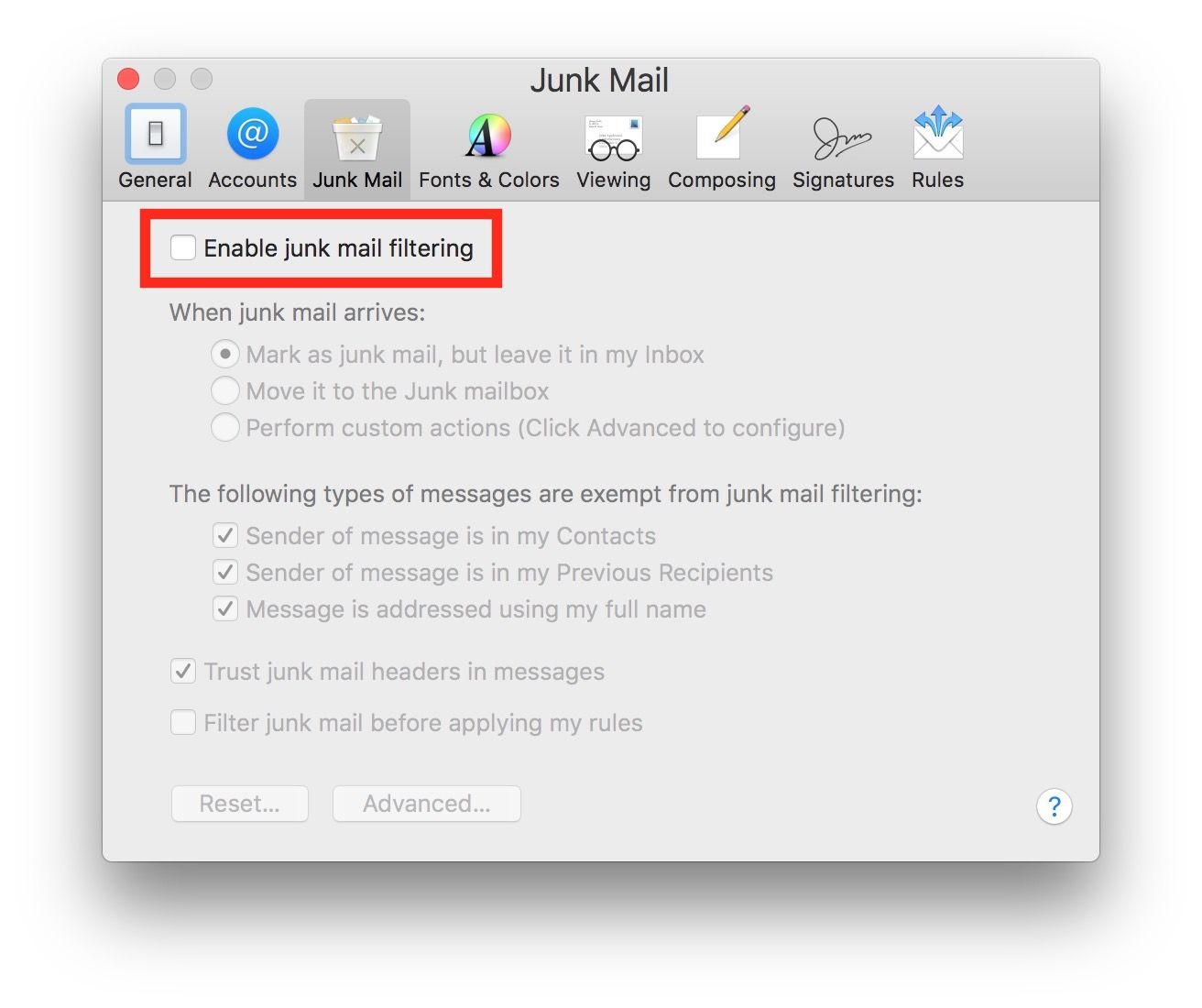
The Mac Mail desktop client adds a second layer that recipients control independently. In Mail > Settings > Junk Mail, the user can:
- Pick one of three filter behaviors: flag junk while leaving it in the inbox, move it straight to the Junk mailbox, or run custom Mail rules under Perform Custom Actions.
- Exempt messages from senders that include the recipient's full name, the assumption being that legitimate senders address them by name.
- Enable Trust Junk Mail Headers in Messages, which uses sender-supplied spam-status headers from upstream filters in the local decision.
- Block specific senders via Block Sender, which adds the sender to a blocklist managed in Settings > Privacy & Security > Blocked Contacts.
The default settings catch what Apple calls most junk, and Apple instructs users not to alter the base condition Message is Junk Mail. For senders, this means the typical iCloud user has both server-side filtering and a local Bayesian filter actively training against weak engagement. A message that survives the iCloud server but lands repeatedly under a spam trap signal in the local filter still ends up in Junk.
Mail Privacy Protection and Hide My Email: the sender angle
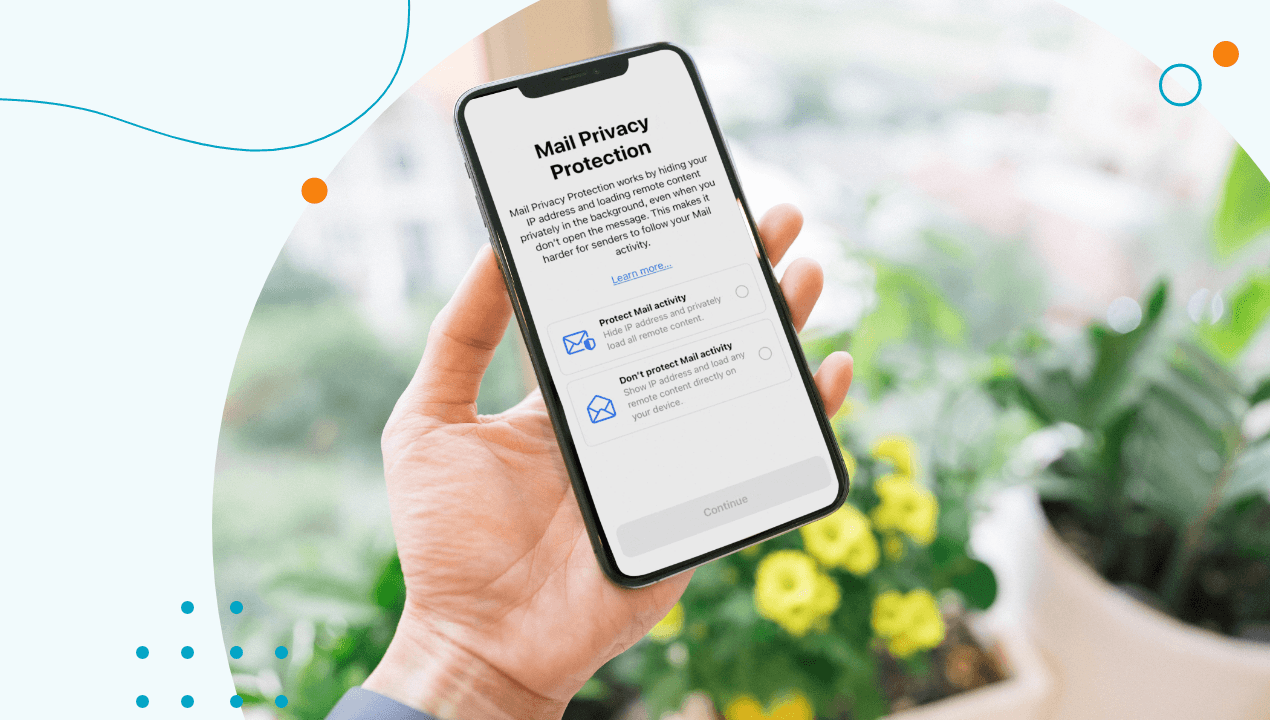
Two features changed deliverability data more than the spam filter itself.
- Mail Privacy Protection (MPP): routes all remote image loads through Apple proxies as soon as a message arrives. The proxy fetches every tracking pixel automatically, then caches and forwards the message to the recipient. Result: every open you record for an Apple-side recipient looks identical, with the same User-Agent, the same fired-immediately timestamp, and an IP that geolocates near the recipient but is not theirs. Apple recommends users enable MPP at Settings > Apps > Mail > Privacy Protection on iOS, Mail Settings > Privacy on Mac, or iCloud.com/mail Settings > Privacy & Security. The downstream effect is that open rate becomes an unreliable deliverability signal for the Apple slice of your list, which is why benchmark guides like our cold email open rate benchmark increasingly carve out an Apple-recipient adjustment.
- Hide My Email: an iCloud+ subscription feature that generates a unique random @icloud.com alias for each site or app. Email sent to the alias forwards to the recipient's real iCloud address, with Apple able to revoke the alias at any time. For senders this introduces two failure modes: a Hide My Email alias that the recipient revokes mid-campaign turns into a hard bounce, and verification services that probe
RCPT TOcan see alias addresses as deliverable when the underlying account is actively rejecting your content. See Apple's Hide My Email guide for the full alias workflow, and our breakdown of Hide My Email and Private Relay for how it differs from iCloud Private Relay.
Combine the two and Apple has effectively neutralized open-tracking, address verification by content, and direct visibility into the recipient identity in a single ecosystem move.
What senders should do to land in the iCloud inbox
Without a Postmaster-Tools equivalent for Apple, sender hygiene is the only lever you have. The fundamentals that get you into the inbox at Gmail and Yahoo carry over, with a few Apple-specific additions. If you have not already, work through our Gmail and Yahoo bulk sender compliance guide, because the authentication requirements there are also what Apple respects under the hood.
Specifically:
- Authenticate everything: SPF, DKIM, and DMARC with the From-domain aligned. Apple does not publish enforcement specifics but penalizes unauthenticated mail with silent Junk-folder routing.
- Honor List-Unsubscribe: Mac Mail surfaces the one-click Unsubscribe banner from any message that ships a
List-Unsubscribeheader, and iCloud Mail Cleanup bulk-unsubscribes for users who run it. A clean unsubscribe path keeps you out of the Block Sender list. - Watch bounce signals, not open signals: with MPP making opens unreliable, the truth metrics for Apple recipients become hard bounces, soft bounces, and click-throughs. Our guide on improving email deliverability covers the bounce-rate thresholds that matter.
- Verify before each send: clean the list before sending so Hide My Email aliases that have been revoked do not turn into hard bounces. Repeated bounces on the same domain are how reputation degrades fastest.
- Cultivate two-way conversations: a one-time reply from a recipient permanently whitelists you in their iCloud filter, regardless of what your domain reputation looks like elsewhere.
The brittle truth of sending into the Apple ecosystem in 2026 is that you have less visibility than you do anywhere else. Email a real person, get a real reply, and the filter relaxes. Email a list at scale without engagement and you disappear into Junk with no diagnostic feedback.
Quick reference for the next iCloud campaign
Before your next send to a list with a meaningful Apple share, work through this short list:
- SPF, DKIM, and DMARC all aligned on the sending domain.
- From: name includes your brand exactly as recipients are likely to have saved it in Contacts.
List-UnsubscribeandList-Unsubscribe-Postheaders shipping on every marketing message.- List scrubbed for hard bounces, dead aliases, and inactive 12+ month subscribers.
- Plain-text alternative in every multipart email so MPP rendering does not strip your content.
- Reply-to set to a monitored address so a single recipient reply trains the filter in your favor.
Apple's filter rewards real, engaged conversation and penalizes anonymous bulk. Build for the first and you survive the second.
§ Before your next send
Find the addresses that will bounce
Verify a single address free, or upload a CSV — the free plan includes 50 checks a month, no card needed.

BounceCheck Team
The team behind BounceCheck - helping businesses verify emails and improve deliverability.