Apple Private Relay Email: What Senders Need to Know
 BounceCheck Team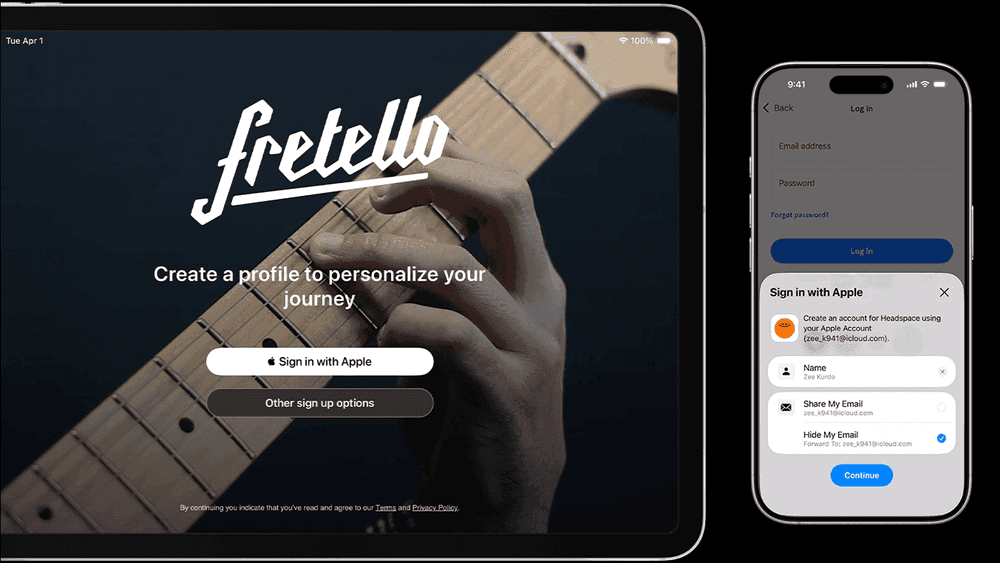
Before your next send Find the addresses that will bounce.
Verify an email freeApple Private Relay email reaches senders through two separate features that change measurement, not deliverability. iCloud Private Relay hides a user's IP address and location while they browse, and Hide My Email hands out a random @privaterelay.appleid.com alias that forwards to their real iCloud inbox. Neither one blocks your campaigns. A third setting, Apple Mail Privacy Protection, preloads your tracking pixel and inflates open rates, so an "open" no longer proves a human read the message.
If your list includes Apple users, some subscribers are already reaching you through this privacy layer, and it quietly changes both how your mail arrives and what your reports tell you. It is the same instinct that pushes privacy-conscious subscribers toward the best private email service providers for their primary inbox, not just a forwarding alias. This guide looks at Private Relay, Hide My Email, and Mail Privacy Protection from the sender's chair, not the subscriber's: how relayed addresses behave on your list, why open rates become untrustworthy, and what to do so your metrics and list hygiene stay honest.
What iCloud Private Relay and Hide My Email actually are
iCloud Private Relay and Hide My Email are two distinct iCloud+ privacy features. Private Relay protects web browsing by masking the user's IP address and location, while Hide My Email protects a mailbox by generating a random forwarding alias. They reach your program through different doors, and only Hide My Email ever appears on your email list.
How iCloud Private Relay masks IP addresses and web traffic
iCloud Private Relay is an iCloud+ feature that routes a user's Safari traffic and some app requests through two separate relays so that no single party, including Apple, can tie the person's identity to the sites they visit. According to Apple, the design sends the request through an Apple-run relay that sees the IP address but not the destination, then a second, third-party relay that sees the destination but not the IP. The practical result for you is that a Private Relay user's real IP address and precise location are hidden.
Private Relay is aimed at browsing, so it does not sit in the middle of your emails the way a mail forwarder does. Where it bites senders is analytics: any measurement that leans on the recipient's IP, such as approximate geolocation, device fingerprinting, or region-based reporting, degrades because the IP you record belongs to a relay egress node rather than the subscriber.
How Hide My Email generates @privaterelay.appleid.com addresses
Hide My Email is the one that lands directly on your list. When a user signs up for your newsletter, checks out, or uses Sign in with Apple, they can generate a unique, random address that ends in @privaterelay.appleid.com. Apple then forwards every message sent to that alias to the person's real iCloud inbox. You never see the real address. You see, and store, the relay alias.
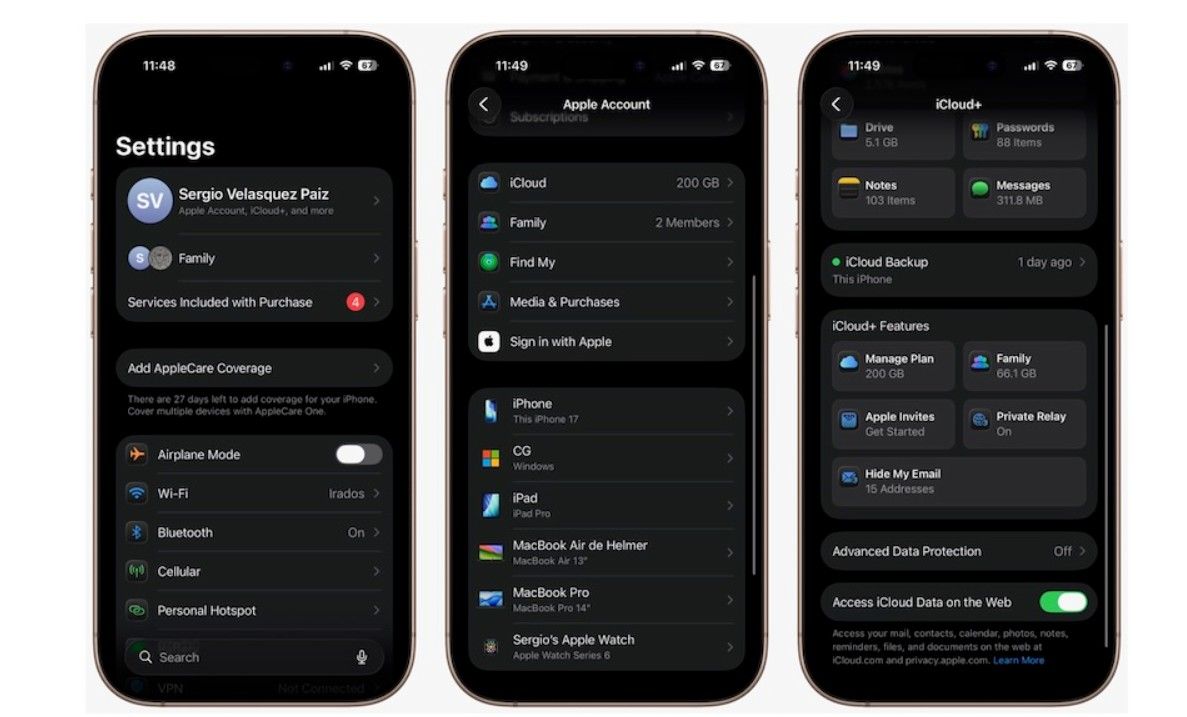
The address is real and deliverable, but it belongs to the subscriber, not to you. They created it, they can rename it, and they can switch off forwarding for that single alias whenever they want, which is the property that matters most for how you treat these addresses over time.
How Private Relay and Hide My Email affect your list
You can email Hide My Email subscribers, and your messages reach their real inbox as long as your authentication and reputation are sound. Apple runs the alias as a normal forwarding mailbox. The two real complications are that forwarding depends on your SPF, DKIM, and DMARC, and that a subscriber can revoke any alias at any time.
Forwarding depends on your authentication and reputation. Apple forwards mail to the hidden inbox, and mail that fails authentication or arrives from a poor-reputation source is the most likely to be filtered on the way through or dropped into spam once it lands. Getting SPF, DKIM, and DMARC aligned is the baseline for any bulk program, and Apple checks those records before it hands your message to a hidden inbox, so confirm them before you write off relay recipients as a delivery problem.
Relay aliases are revocable, and that is the real risk. A subscriber can disable forwarding on a specific Hide My Email address at any time from their Apple account. When they do, mail to that alias stops reaching them. Depending on the configuration, your sends may start soft bouncing or simply go nowhere. This is not a hard bounce you caused; it is the subscriber quietly opting out at the address layer, and your only visible signal is falling engagement or rising soft bounces on those specific addresses.
Soft bounces and daily limits are normal, not alarming. Because relay traffic passes through Apple's forwarding infrastructure, you may see occasional soft bounces or rate-related deferrals on relay addresses that clear on retry. Treat these the way you treat any transient failure. A single soft bounce is not a reason to remove an address; a sustained run of them is.
Why Apple Mail Privacy Protection breaks open tracking
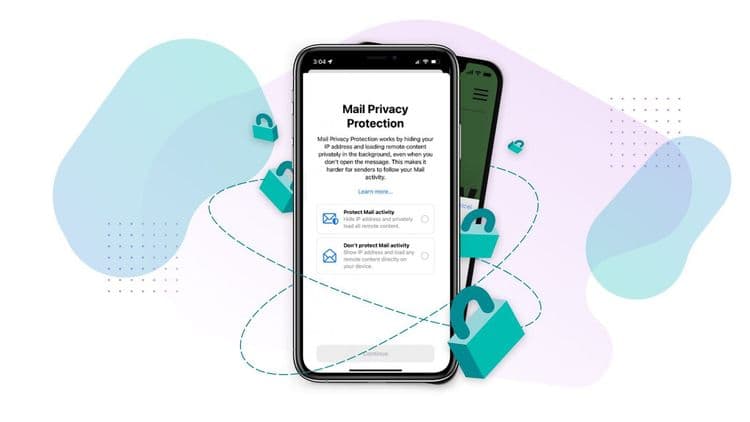
Apple Mail Privacy Protection breaks open tracking because it preloads a message's remote content, including the tracking pixel, at delivery time. The pixel fires whether or not a person opens the email, so Apple Mail recipients register as opens automatically. Reported open rates inflate, and the open timestamps and geolocation baked into that data become unreliable.
Mail Privacy Protection is a separate setting inside the Apple Mail app that most Apple users have turned on. It routes the message's remote content through Apple's proxies and, critically, preloads that content in the background whether or not the person ever opens the email.
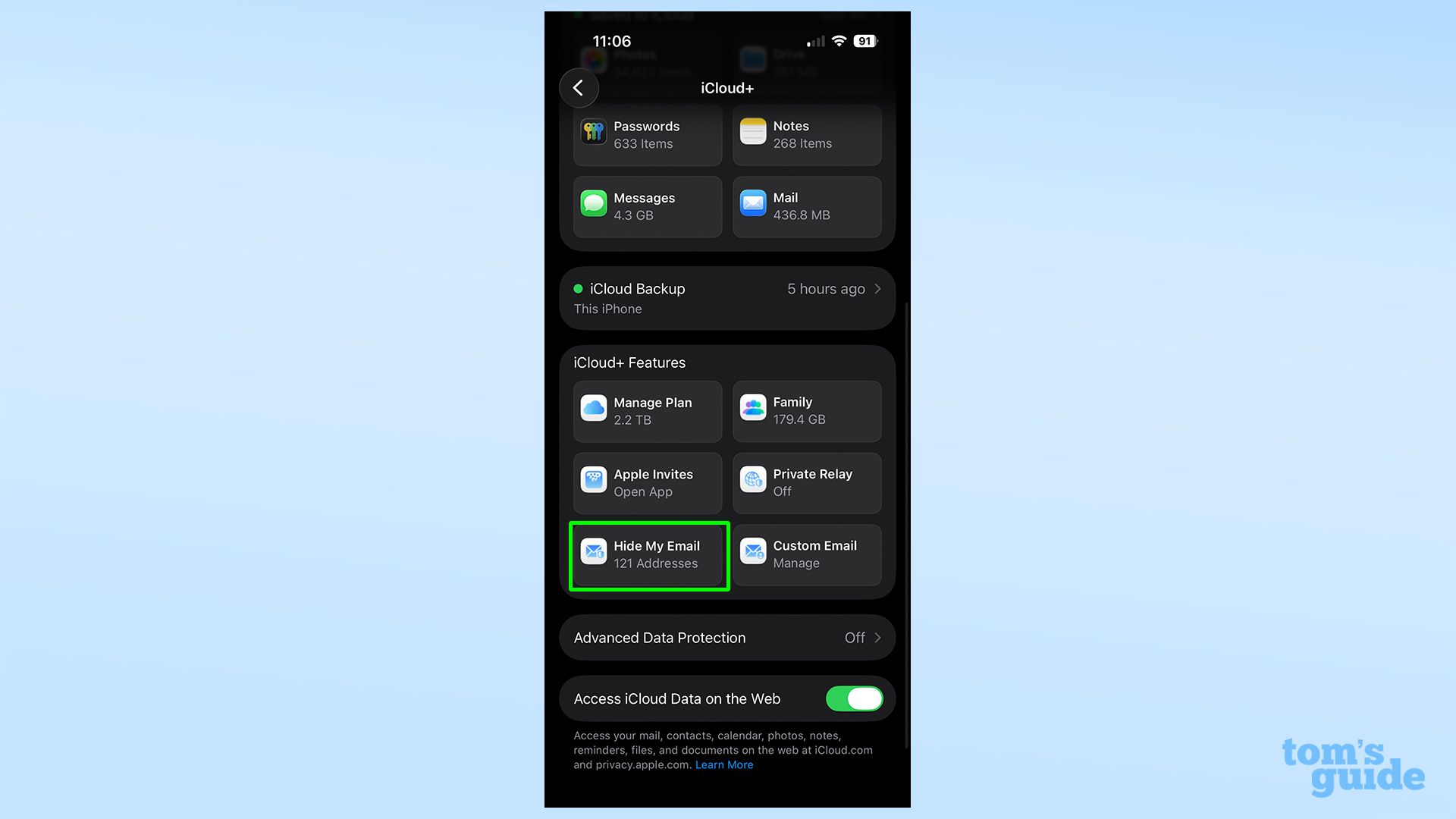
Open tracking works by embedding a tiny invisible image, a tracking pixel, and counting a load as an open. Apple's Mail Privacy Protection loads that pixel automatically at delivery time, so the pixel fires for Apple Mail recipients regardless of whether a human read anything. Two things follow directly.
First, your open rate inflates. Apple Mail users register as opens almost on arrival, which pushes the top-line number up and flattens the difference between engaged and indifferent readers. Second, the timing and geolocation baked into open data become fiction: the "open" timestamp reflects Apple's preload, and the IP recorded is a relay proxy, so the location you infer is wrong. Any automation triggered by an open, resend-to-non-openers, geo-segmentation, send-time optimization keyed to open behavior, is now firing on noise for a large slice of your audience.
None of this means Apple is filtering you or that these subscribers dislike your mail. It means the open event stopped being evidence that a person saw your message.
What senders should do about relay and Mail Privacy Protection
Senders should stop treating opens as the primary metric, avoid bulk-suppressing relay domains, keep cleaning the list on clicks and conversions, and verify addresses at collection. These are measurement and hygiene changes, not deliverability firefighting, because Apple's features changed your signals rather than your delivery. Work through them in order.
Stop treating opens as your primary metric. With a meaningful share of your list on Apple Mail, the open rate is now a soft, inflated indicator rather than a reliable engagement signal. Shift your reporting and your automations to clicks, replies, and downstream conversions, which still require a real human action. If you benchmark yourself against an email open rate benchmark, expect Apple's preloading to sit on top of your numbers and read them accordingly.
Do not blanket-block or bulk-suppress relay domains. Suppressing every @privaterelay.appleid.com address throws away real, reachable subscribers who chose a privacy tool, and it will not improve your reputation. These are engaged people using a legitimate Apple feature. Manage them with the same rules you apply to any address, and reserve suppression for addresses that actually stop delivering. A well-maintained email suppression list should catch subscribers who revoked forwarding or went cold, not everyone who happens to use Hide My Email.
Keep cleaning the list on real signals. Because you cannot see the underlying inbox and cannot trust opens, click and conversion behavior become your best read on whether a relay subscriber is still there. Segment by real engagement, sunset addresses that stop clicking and converting over a defined window, and remove ones that soft bounce persistently. This is ordinary list hygiene applied to a population where opens no longer help, and it is the same discipline that underpins broader email deliverability work.
Verify addresses at collection, not just at send. A relay alias is still a valid mailbox, so verification confirms it is deliverable at signup, before a fake or mistyped address ever enters your list. Catching invalid addresses up front protects your bounce rate and your sender reputation, which is exactly the leverage Mail Privacy Protection took away from your open data.
iCloud Private Relay vs Hide My Email at a glance
iCloud Private Relay masks IP address and browsing location and never appears on your list, Hide My Email adds a deliverable but revocable alias, and Mail Privacy Protection inflates opens without touching delivery. The two features are easy to conflate because they ship together under Apple's privacy umbrella, but only Hide My Email ever appears on your list. The table below summarizes what each one masks and how it affects senders.
| Feature | What it masks | Appears on your list? | Main sender impact |
|---|---|---|---|
| iCloud Private Relay | IP address and browsing location | No | Breaks IP-based geolocation and location reporting |
| Hide My Email | The real email address | Yes, as a relay alias | Deliverable but revocable forwarding address |
| Mail Privacy Protection | Open activity and IP in Apple Mail | No | Inflates opens, corrupts open timing and geo |
FAQs
Can I email users who have Apple private relay email addresses?
Yes. A Hide My Email alias forwards to the user's real iCloud inbox, so your campaigns reach them as long as your authentication and sender reputation are in good standing. The address is fully deliverable; it just belongs to the subscriber, who can turn off forwarding later.
What is the difference between Hide My Email and iCloud Private Relay?
Hide My Email creates a random forwarding address so the person can share an inbox without revealing their real one. iCloud Private Relay hides the user's IP address and location while browsing. Hide My Email shows up on your list as an alias; Private Relay only affects IP-based measurement.
How does Mail Privacy Protection inflate open rates?
Mail Privacy Protection preloads a message's remote content, including the tracking pixel, in the background at delivery time. The pixel fires whether or not the recipient opens the email, so Apple Mail recipients count as opens automatically and your reported open rate rises above real human readership.
Should I suppress Apple private relay addresses from my list?
No, not as a group. Relay addresses are real, engaged subscribers using a legitimate Apple feature. Suppress only the specific addresses that stop delivering or go cold on click and conversion signals, exactly as you would for any address.
Why do some emails to private relay addresses go to spam?
Apple forwards mail through its infrastructure and filters what fails authentication or comes from a poor-reputation source. Spam placement on relay recipients almost always points to an SPF, DKIM, DMARC, or reputation gap on your side rather than to the relay itself.
Measure and clean your list on signals you can trust
Apple's privacy features did not break email; they retired the open rate as a proxy for attention and added a revocable forwarding layer to your list. Lean on clicks and conversions, keep authentication tight, and verify addresses at the point of collection so the subscribers behind those relay aliases stay reachable. Run your list through BounceCheck before your next send to catch the invalid addresses that open tracking can no longer flag for you.
§ Before your next send
Find the addresses that will bounce
Verify a single address free, or upload a CSV — the free plan includes 50 checks a month, no card needed.

BounceCheck Team
The team behind BounceCheck - helping businesses verify emails and improve deliverability.