554 5.7.1 Relay Access Denied: What It Means and How to Fix It
 BounceCheck Team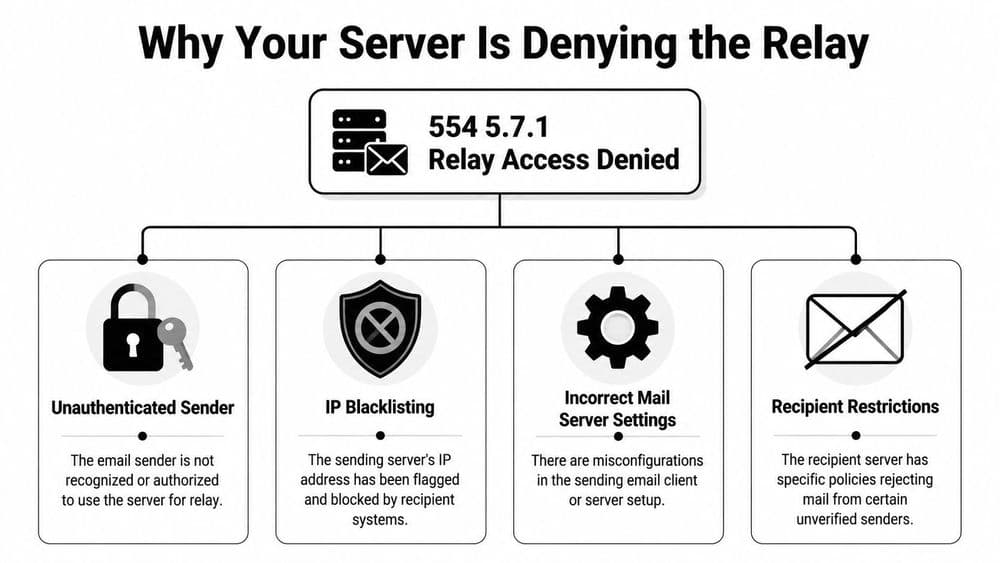
Before your next send Find the addresses that will bounce.
Verify an email freeThe error "554 5.7.1 relay access denied" is a permanent SMTP rejection: a mail server refused to pass your message along because it does not treat you, or the destination domain, as something it is allowed to relay for. Because it is a 5xx error, the message will not retry on its own. In most cases the fix is to send through the right outgoing server, on the right port, with SMTP authentication turned on. When the error comes back from the recipient's side instead, the fix is on their server, not yours.
In this guide: what the error means · outbound vs inbound · causes · how to fix it · fixes by email client · fixes for server admins · Microsoft 365 and Exchange · 554 vs 454 vs 550 · FAQs
What does "relay access denied" mean?
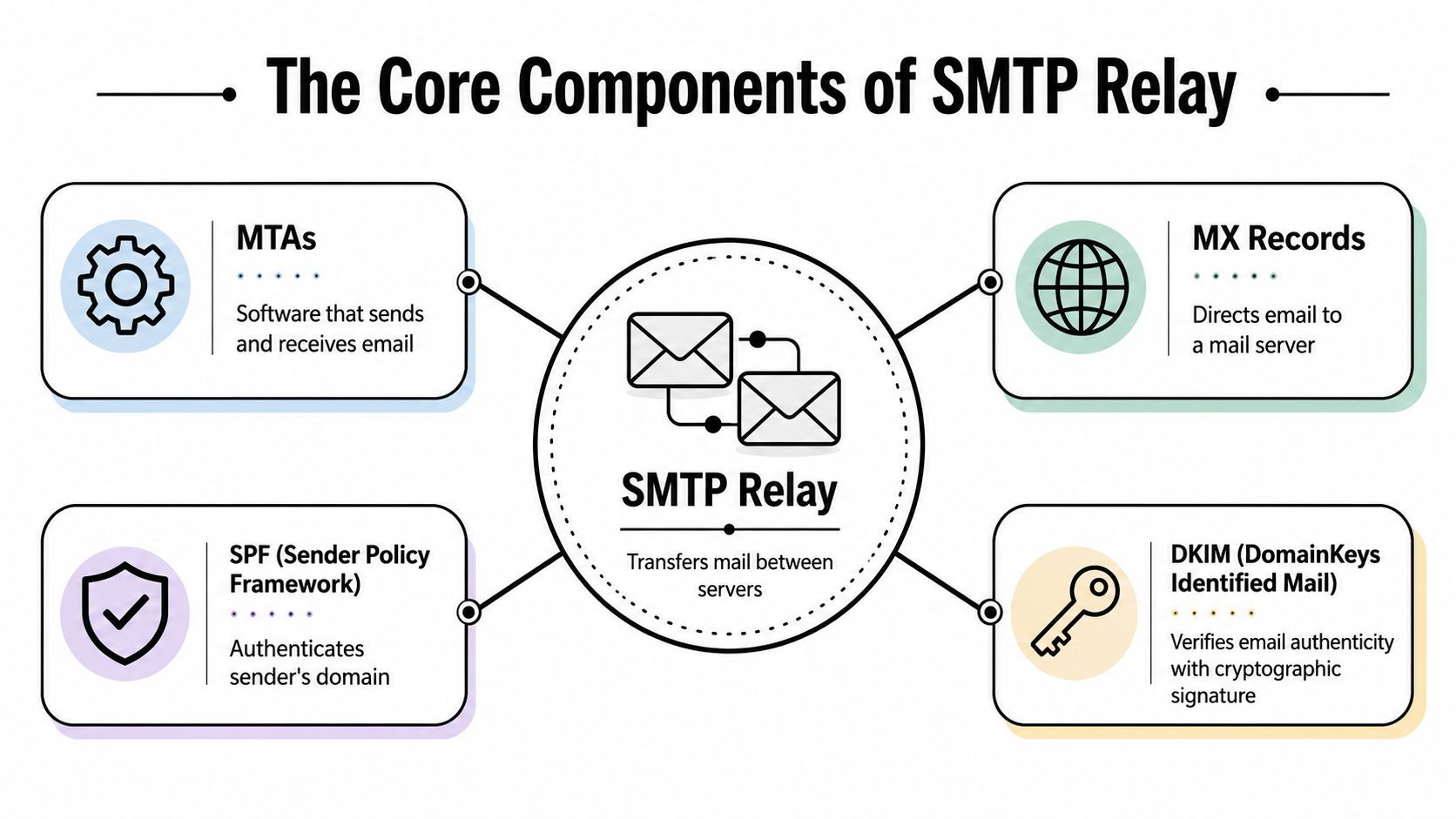
"Relay" means passing a message through an intermediate mail server toward its destination. "Access denied" means that server refused the request. Every email crosses at least two servers: your outgoing (SMTP) server and the recipient's incoming (MX) server. Either one can refuse to relay, and both refusals produce the same words, so the first job is to work out which server said no.
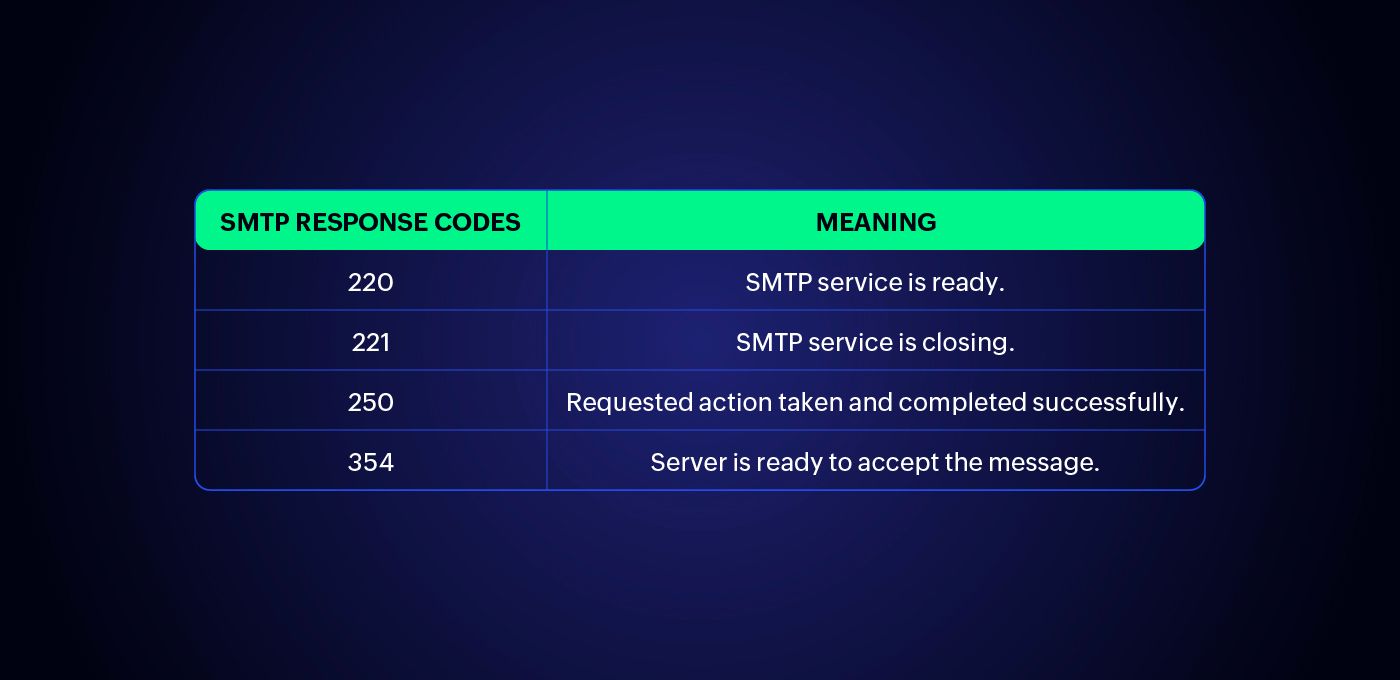
The leading digit matters most. A 554 is a 5xx code, which the SMTP standard (RFC 5321) defines as a permanent failure: the sending server gives up instead of queuing the message. The enhanced code 5.7.1 means "delivery not authorized", a security or policy refusal. Its temporary twin, 454 4.7.1, uses a 4xx code, so the server retries on its own. If you see 554, nothing resolves until something changes.
You may also see the same problem written as 550 5.7.1 relay access denied, 5.7.1 relaying denied, 554 5.7.1 access denied, or 550 relay access denied, please authenticate. Different mail servers word it differently; the meaning is the same.
Outbound or inbound: which server denied the relay?
Read the full bounce text before changing any settings. Where the rejection happened tells you who has to fix it.
| What the bounce or log says | Where it failed | Who fixes it |
|---|---|---|
| Error appears the moment you click Send, in your mail app | Your outgoing server | You: SMTP auth, server, port |
| 554 5.7.1 user@domain: Relay access denied (in reply to RCPT TO command) | The server that received the RCPT TO; often the recipient's MX | Admin of that server: domain not configured as local |
| Recipient address rejected: Relay access denied | Receiving server does not host that domain | Recipient's admin, or check the address's domain |
| Client host rejected: Access denied | Your IP or hostname failed a check | You: blacklist, PTR, allowlist |
| Sender address rejected: Relay access denied | Server does not accept that From address | You: send from an authorized address |
| 550 5.7.64 TenantAttribution; Relay Access Denied | Microsoft 365 inbound connector | Your Microsoft 365 admin |
A quick test settles most cases: send the same message to a different domain (for example, a Gmail address). If every destination fails, the problem is your sending setup. If only one company rejects you, the block is on their side.
What causes relay access denied?
The error is about authorization. A handful of causes account for nearly all cases:
- SMTP authentication is off or misconfigured in your email client or app, so the server treats you as an anonymous sender.
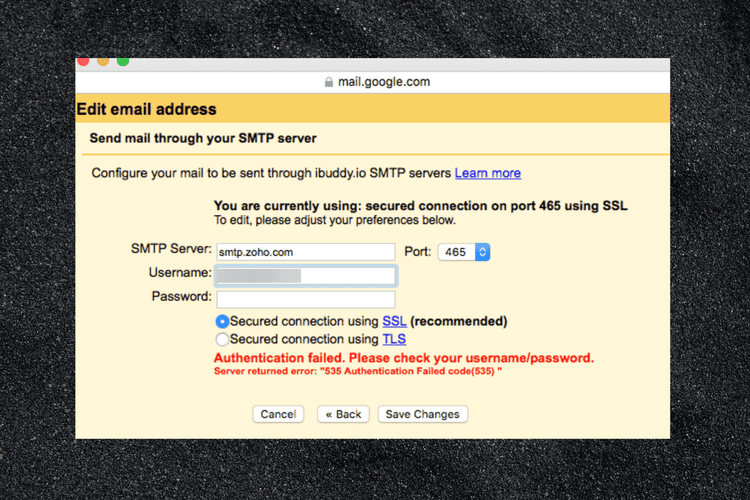
- The outgoing server, port, or encryption is wrong, which makes authentication fail silently and looks identical to a relay block.
- Your password changed, an app password expired, or two-factor authentication made the old password stop working in third-party apps.
- You are using POP before SMTP, a legacy method that ties authorization to your IP; when your IP changes (new WiFi, mobile data, VPN), the relay breaks.
- You are sending through a server's MX (incoming) host or port 25 instead of its submission port.
- The recipient's domain is not configured on the receiving server: the MX record points to a server that does not treat that domain as local.
- The recipient's security gateway (Proofpoint, Mimecast, Barracuda, FortiMail) enforces a closed relay or fails your server on a sender check.
- Your sending IP is on a blacklist or has no reverse DNS record.
How to fix 554 5.7.1 relay access denied
To fix relay access denied, turn on SMTP authentication and confirm you are using the correct outgoing server, port, and encryption. Work through these steps in order.
- Turn on SMTP authentication. In your outgoing server (SMTP) settings, enable "My outgoing server requires authentication" and use the same username and password as for incoming mail, unless your provider says otherwise.
- Check the server, port, and encryption. Use port 587 with STARTTLS or 465 with SSL/TLS. Port 25 is for server-to-server traffic; many providers refuse logins on it and many ISPs block it. Compare your settings with the table below, or see our guide to IMAP, POP3, and SMTP ports.
- Use an app password if you have two-factor authentication. Gmail, Yahoo, and iCloud block your normal password in third-party clients. Generate an app password and paste it in instead.
- Make sure the From address matches the account you log in with. Many servers refuse to relay mail "from" an address the logged-in account does not own.
- Confirm your MX and authentication records. Your MX record should point to your real provider, and your SPF, DKIM, and DMARC records should resolve, since enterprise gateways check them before accepting mail.
- Rule out a blacklist. Run an email blacklist check on your sending domain or IP, and fix the cause before requesting delisting.
| Provider | SMTP server | Port | Encryption | Notes |
|---|---|---|---|---|
| Gmail | smtp.gmail.com | 587 (or 465) | STARTTLS (or SSL) | App password if 2-Step Verification is on |
| Outlook.com / Hotmail | smtp-mail.outlook.com | 587 | STARTTLS | Personal Microsoft accounts |
| Microsoft 365 | smtp.office365.com | 587 | STARTTLS | SMTP AUTH must be enabled for the mailbox |
| Yahoo | smtp.mail.yahoo.com | 465 (or 587) | SSL (or STARTTLS) | App password required for third-party apps |
| iCloud | smtp.mail.me.com | 587 | STARTTLS | App-specific password required |
Fix relay access denied by email client
Outlook (desktop). Go to File › Account Settings › Account Settings, double-click the account, then More Settings. On the Outgoing Server tab, tick "My outgoing server (SMTP) requires authentication" and choose "Use same settings as my incoming mail server". On the Advanced tab, set the outgoing port to 587 with STARTTLS (or 465 with SSL/TLS).
Apple Mail. Open Mail › Settings › Accounts › Server Settings. Under Outgoing Mail Server, untick "Automatically manage connection settings" if your provider needs custom values, then enter the host, port 587, TLS, and password authentication.
Thunderbird. Go to Account Settings › Outgoing Server (SMTP), edit the server, set port 587, Connection security STARTTLS, and Authentication method "Normal password" (or OAuth2 for Gmail and Microsoft).
Websites, WordPress, and apps. Contact forms and scripts that use PHP mail() or a plain SMTP connection often send without logging in. Use an SMTP plugin or your library's auth options (PHPMailer, Nodemailer, Python smtplib, JavaMail) with your provider's host, port 587, and credentials. In Java this error usually surfaces as com.sun.mail.smtp.SMTPAddressFailedException: 554 5.7.1 Relay access denied.
If you run your own mail server
When every user suddenly hits this error, the cause is usually server-side.
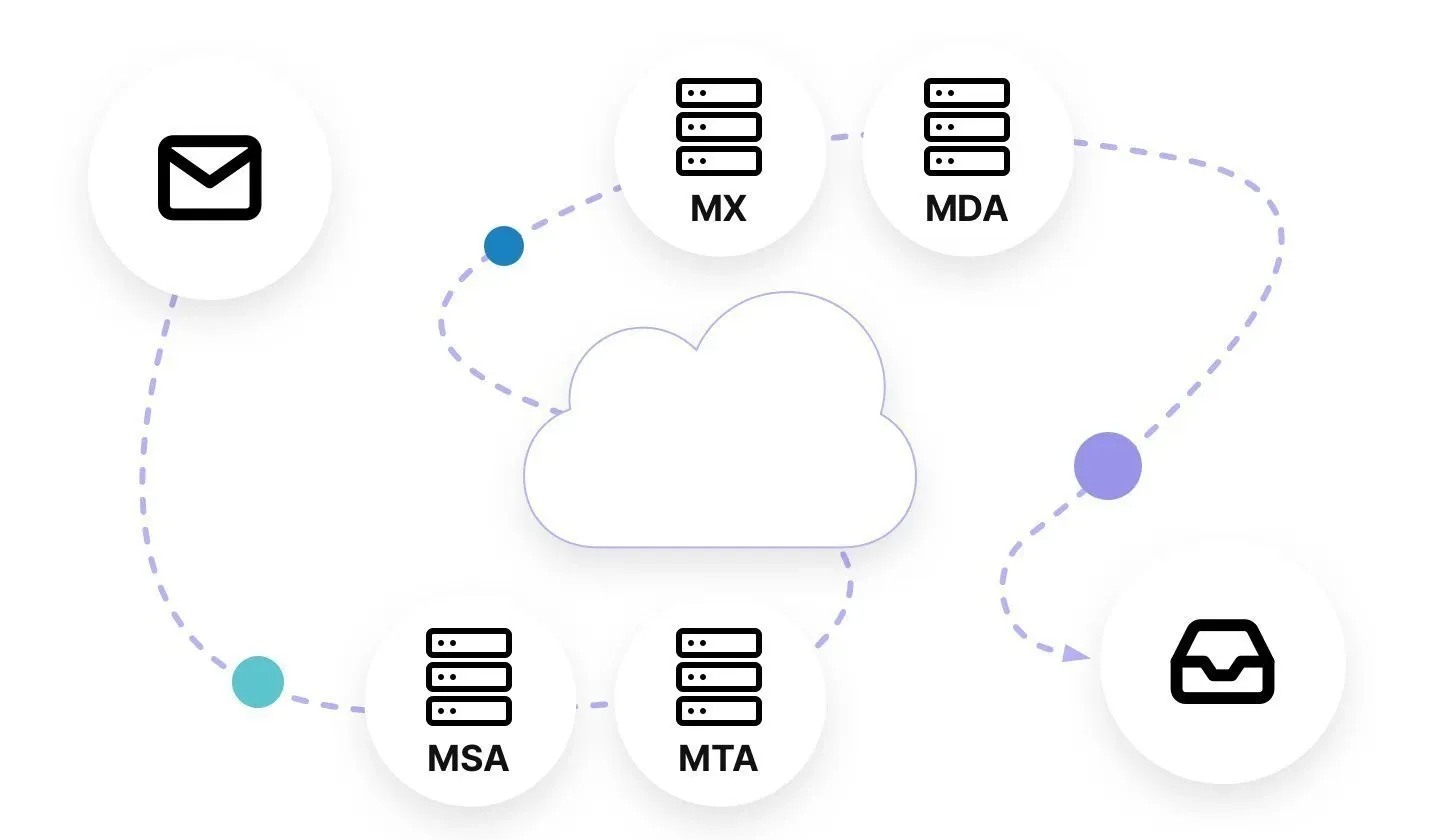
Postfix. For outbound mail, confirm smtpd_relay_restrictions includes permit_sasl_authenticated (typically permit_mynetworks, permit_sasl_authenticated, defer_unauth_destination) and that SASL is working on the submission port. For inbound mail that bounces with "in reply to RCPT TO command", check that the domain is listed in mydestination, virtual_mailbox_domains, or relay_domains. Reload Postfix after changes and watch /var/log/mail.log (or maillog) for the rejection line.
cPanel / Exim. If mail to your own domain bounces, open Email Routing and set it to Local Mail Exchanger when your MX points to this server. Set Remote Mail Exchanger only when mail is hosted elsewhere, such as Google Workspace or Microsoft 365.
Docker mail servers and Proxmox Mail Gateway. Check that the domain is added as a relay or local domain and that the sending network is in the trusted networks list.
Test authentication directly. Before blaming the app, prove the credentials work:
openssl s_client -starttls smtp -connect smtp.example.com:587
swaks --to [email protected] --server smtp.example.com:587 --tls --auth LOGIN --auth-user [email protected]
If the manual test fails, fix the account or password. If it passes but the app fails, the app's settings are wrong.
Also check these:
- A software or control-panel update may have reset your mail configuration; sudden failures after a quiet stretch often trace back to an overnight update.
- Trusted IPs that relay without authentication must be allowlisted deliberately. Never allowlist dynamic or shared IPs, or your server becomes an open relay.
- If you send through a gateway such as Proofpoint, Mimecast, or Barracuda, the sending address must exist there as a user, alias, or functional account. Policy changes can take 30 to 60 minutes to apply.
- Your server's IP should have a matching reverse DNS (PTR) record, because receiving servers that verify senders may refuse mail from an IP without one.
Microsoft 365 and Exchange relay errors
Microsoft environments use their own codes for the same problem:
- 550 5.7.54 Unable to relay recipient in non-accepted domain. Exchange only relays for domains in Accepted Domains, or for senders allowed by a receive connector. Add the domain or fix the connector.
- 550 5.7.64 TenantAttribution; Relay Access Denied. An on-premises server or device is relaying through Exchange Online, but its connector is not matched by certificate or IP. Check the inbound connector's certificate (name and full chain) or the sending IP.
- Basic authentication for SMTP AUTH. Microsoft plans to disable Basic Auth for SMTP AUTH by default for existing tenants at the end of December 2026, with a final removal date due in 2027. Printers, scanners, and scripts that log in with a plain password to smtp.office365.com should move to OAuth or a relay connector before then.
554 5.7.1 vs 454 4.7.1 vs 550
These codes look similar but point to different problems, so read the exact string before troubleshooting.
| Code | Type | What it means | Retries? |
|---|---|---|---|
| 554 5.7.1 relay access denied | Permanent (5xx) | Relay refused; sender or domain not authorized | No |
| 550 5.7.1 relaying denied | Permanent (5xx) | Same relay refusal, different server wording | No |
| 454 4.7.1 relay access denied | Temporary (4xx) | Relay refused for now | Yes, automatically |
| 550 5.1.1 user unknown | Permanent (5xx) | Recipient mailbox does not exist | No |
A mistyped username on a valid domain usually returns 550 5.1.1, which our guide to email bounce code 550 covers in detail. A wrong domain can trigger relay access denied, though, because the receiving server does not host it.
FAQs
How do I fix 554 5.7.1 relay access denied?
Enable SMTP authentication in your mail client, then confirm the outgoing server, port (587 or 465), and encryption match your provider. If you use two-factor authentication, switch to an app password. On your own server, make sure authentication is enabled server-side and the domain is configured.
What does relay access denied mean in email?
It means a mail server refused to forward your message because it does not consider you an authorized sender, or does not handle the destination domain. Relaying is passing mail through a server to another destination, and servers block it unless you authenticate.
How do I fix relay access denied in Outlook?
Open the account's More Settings, tick "My outgoing server (SMTP) requires authentication", and set the outgoing port to 587 with STARTTLS. Then resend.
Why do I get relay access denied in Gmail?
If you send through smtp.gmail.com from another app, you are likely using your regular password with 2-Step Verification on. Create an app password. If the bounce comes back after sending from Gmail itself, the recipient's server rejected it.
What does "in reply to RCPT TO command" mean?
The server rejected the message when it learned the recipient's address. That usually means the receiving server does not treat the recipient's domain as local, so its admin needs to add the domain or fix the MX record.
What is the difference between 554 5.7.1 and 454 4.7.1?
Both signal a relay refusal. 554 is permanent and will not retry; 454 is temporary and the sending server retries automatically. A 554 needs you to fix something; a 454 often clears on its own.
Can a wrong recipient address cause 554 5.7.1?
A wrong mailbox name usually gives 550 5.1.1, not 554 5.7.1. A wrong or misconfigured domain can cause relay access denied, because the receiving server is being asked to deliver mail for a domain it does not host.
Why did this error start suddenly when nothing changed?
Something usually did change: your IP shifted on a home or mobile network, your provider tightened security, two-factor authentication invalidated an old password, or a server update reset your SMTP settings.
Fixing relay access denied gets your mail sending again, but reaching the inbox is a separate job that starts with a clean list. Run your contacts through BounceCheck before your next send so invalid addresses are not quietly costing you deliverability.
§ Before your next send
Find the addresses that will bounce
Verify a single address free, or upload a CSV — the free plan includes 50 checks a month, no card needed.

BounceCheck Team
The team behind BounceCheck - helping businesses verify emails and improve deliverability.