SMTP Authentication Error: Causes and How to Fix It
 BounceCheck Team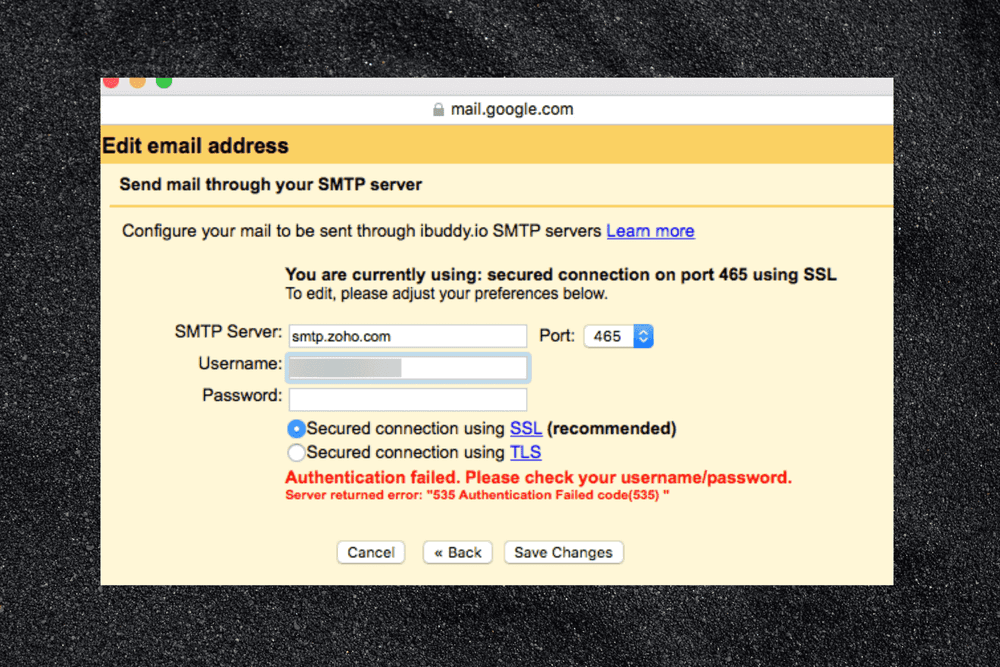
Before your next send Find the addresses that will bounce.
Verify an email freeAn SMTP authentication error means the outgoing mail server rejected your login: it does not accept the username and password (or token) your client presented, so it refuses to send the message. The codes you see most often are 535 5.7.8 (username and password not accepted), 530 5.7.0 (authentication required), 534 5.7.9 (app password required) and 503 5.5.1 (authentication not enabled). Almost every case comes down to one of five things: a wrong username or password, an account password used where an app password or OAuth is required, SMTP authentication switched off on the account, the wrong port and encryption, or a provider that no longer allows basic authentication. The fix is to connect with credentials the server accepts, on a port that supports authentication.
What an SMTP authentication error means
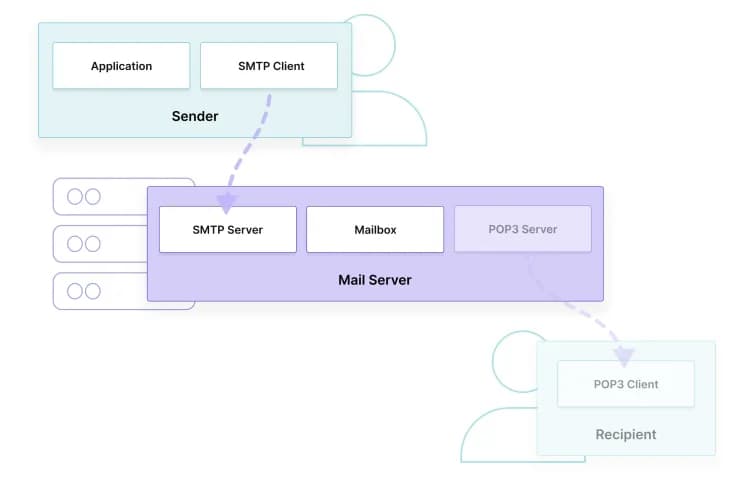
An SMTP authentication error is the outgoing mail server refusing your login: it received a username and password through the AUTH command, did not accept them, and dropped the message instead of relaying it. It is a failure of identity, not of permission to reach a recipient.
Before a server relays your mail, it wants to know who you are. When your client opens an SMTP session, it issues an AUTH command and hands over a username and password. If the server accepts them, sending proceeds. If it does not, it returns an authentication error and drops the message rather than forwarding it. This is a question of identity: you are proving who you are, not whether you are allowed to relay to a particular destination.
That distinction matters because a different failure, 554 5.7.1 relay access denied, happens for authorization reasons after identity is settled: the server knows who you are but will not pass your message to that recipient. An authentication error stops you at the door; a relay error stops you at the destination. Reading the exact code tells you which problem you have.
Common causes of SMTP authentication errors
SMTP authentication errors almost always trace to a credential or transport problem, not to anything about the recipient. The message is about your credentials and how they are sent. This short list accounts for nearly all failures:
- The username or password is wrong, or the username is not the full email address the provider expects.
- You are using your normal account password where the provider requires a dedicated app password because two-factor authentication is on.
- SMTP AUTH is disabled on the account or tenant, which is the default for new Microsoft 365 tenants.
- The port or encryption setting is wrong, so authentication never gets a chance to succeed.
- The provider expects OAuth 2.0 and rejects basic username-and-password sign-in.
- A sign-in from an unfamiliar IP address or region is blocked by the provider as a security precaution.
- Too many failed attempts triggered a temporary lockout or rate limit.
- Your client sends AUTH to a server that does not offer it (a typical misconfiguration with scripts, printers and relay servers).
SMTP authentication error codes at a glance
The three-digit code and the enhanced status code (such as 5.7.8) point to the cause faster than the error text does. Use this table to jump to the right fix; the most common codes are explained in detail below.
| Code | Typical message | Most likely cause | Fix |
|---|---|---|---|
| 535 5.7.8 | Username and password not accepted | Wrong credentials, or an app password is needed | Retype the password, use the full email address, generate an app password |
| 535 5.7.3 | Authentication unsuccessful | Microsoft 365: SMTP AUTH disabled or bad credentials | Enable SMTP AUTH for the mailbox, or move to OAuth 2.0 |
| 534 5.7.9 | Application-specific password required | Google account with 2-Step Verification | Create and use a Google app password |
| 530 5.7.0 | Authentication required / Must issue a STARTTLS command first | Client not authenticating, or connection not encrypted | Turn on authentication and use STARTTLS on port 587 |
| 503 5.5.1 | Error: authentication not enabled | Server does not offer AUTH on that port or session | Switch to the submission port (587 or 465), check the hostname |
| 550 5.7.30 | Basic authentication is not supported for Client Submission | Exchange Online has retired basic auth for that connection | Switch the client or app to OAuth 2.0 |
| 454 4.7.0 | Too many login attempts | Temporary lockout after repeated failures | Wait, fix the saved credentials, then retry |
SMTP error 535 5.7.8: username and password not accepted
A 535 5.7.8 error means the server received your credentials and rejected them, so the connection is working but the username or password is not accepted. The most common cause is an account with two-factor authentication that needs an app password instead of the account password; on Microsoft 365 it can also mean SMTP AUTH is turned off for the mailbox.
Because the credentials reached the server, the connection itself is fine and the problem is what you sent. Start by retyping the password rather than trusting a saved one, and confirm the username is the complete email address, not just the part before the @ sign.
If the password is definitely correct and 535 persists, the usual reason is that the account has two-factor authentication enabled and the provider will not accept a plain account password from an outside client. In that case you need an app password instead, which the next sections cover. On Microsoft 365, a 535 can also mean SMTP AUTH is turned off for the mailbox even though the credentials are valid.
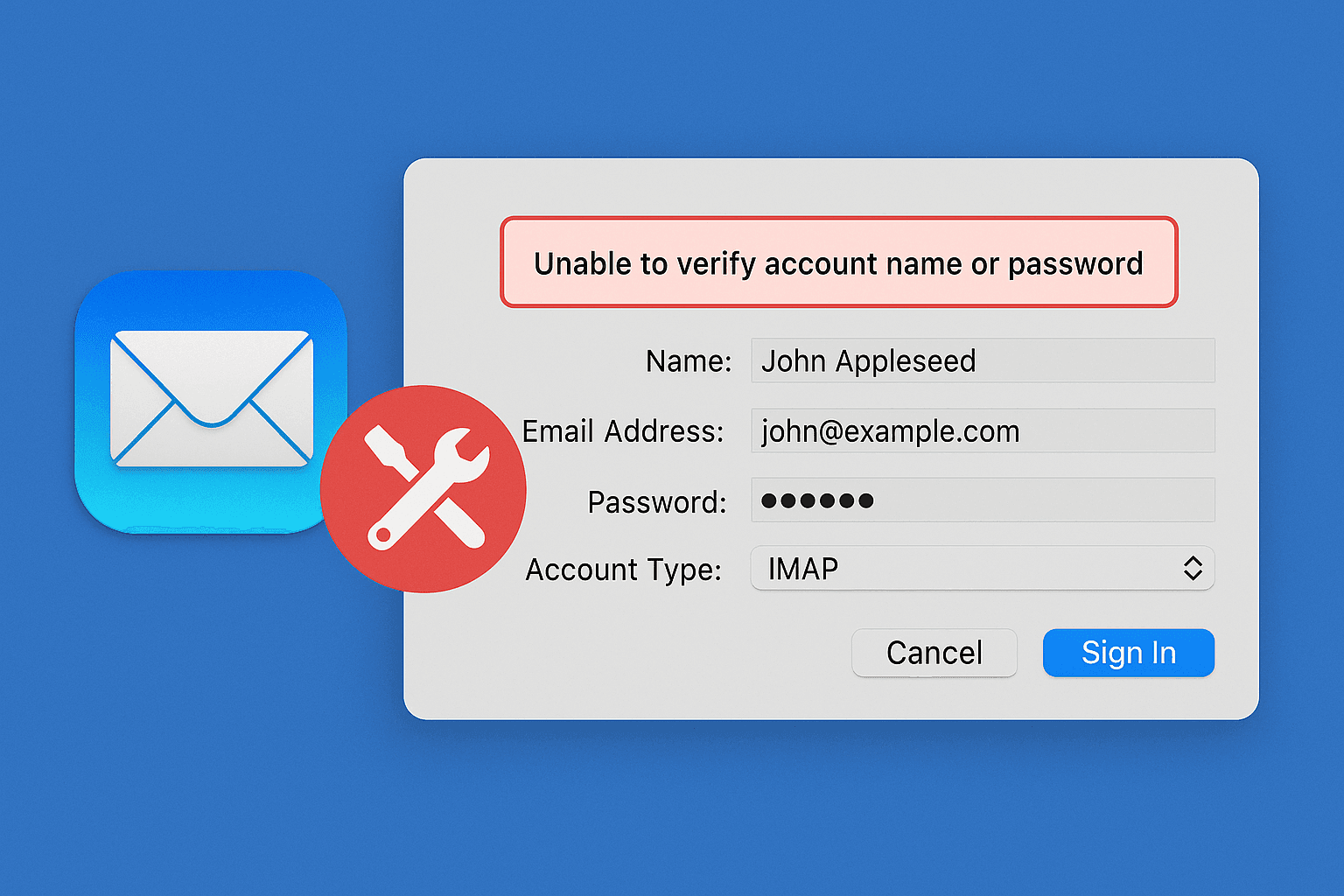
Variants of the same error include "535 authentication failed", "535 incorrect authentication data" and "535 authentication credentials invalid". They all mean the server saw your login and said no, so the same checks apply: credentials first, then authentication method, then port and encryption.
SMTP error 530 5.7.0: authentication required
A 530 5.7.0 error means the server needs you to authenticate and you have not yet done so, often because the connection is not encrypted. It may read "authentication required" or "must issue a STARTTLS command first," both pointing to the same fix: enable authentication in your client and secure the session with STARTTLS before sending a username and password.
Two fixes cover most 530 errors. First, make sure authentication is actually enabled in your client, since a client set to connect anonymously produces this code. Second, confirm you are using a port and encryption pairing that the server accepts, because a 530 that mentions STARTTLS is telling you the connection was not secured before the AUTH attempt.
SMTP error 503 5.5.1: authentication not enabled
A 503 5.5.1 "authentication not enabled" error means your client sent an AUTH command to a server or port that does not offer authentication. The server never advertised AUTH in its response to EHLO, so it has nothing to check your login against.
The usual causes are connecting to port 25 (server-to-server relay) instead of a submission port, pointing at the wrong hostname such as an MX server instead of your provider's outgoing server, or running a self-hosted server where authentication was never configured. Switch to port 587 with STARTTLS (or 465 with SSL/TLS), confirm the hostname from your provider's documentation, and on your own server enable AUTH on the submission service. A related message, "server does not support authentication", has the same meaning and is common in PHP and other scripts.
App passwords versus account passwords
An app password is a dedicated, provider-generated credential you use in place of your account password when two-factor authentication is on. The account password is your normal interactive sign-in password, which providers such as Google and Microsoft reject over SMTP once 2FA is enabled. This is why authentication can fail even when your password is correct.
Providers issue the app password as a single-use credential you generate once and paste into the mail client. Google documents this for Gmail accounts with 2-Step Verification, where a 16-character app password is required for any client that does not support OAuth. Microsoft 365 behaves the same way for accounts with multi-factor authentication. When Gmail rejects a plain password it often returns 534 5.7.9 "application-specific password required", which tells you exactly what to do.
The modern alternative is OAuth 2.0, where the client obtains a token instead of holding a password at all. If your provider and client both support OAuth, it avoids app passwords entirely, but many devices and scripts still rely on an app password for basic authentication.
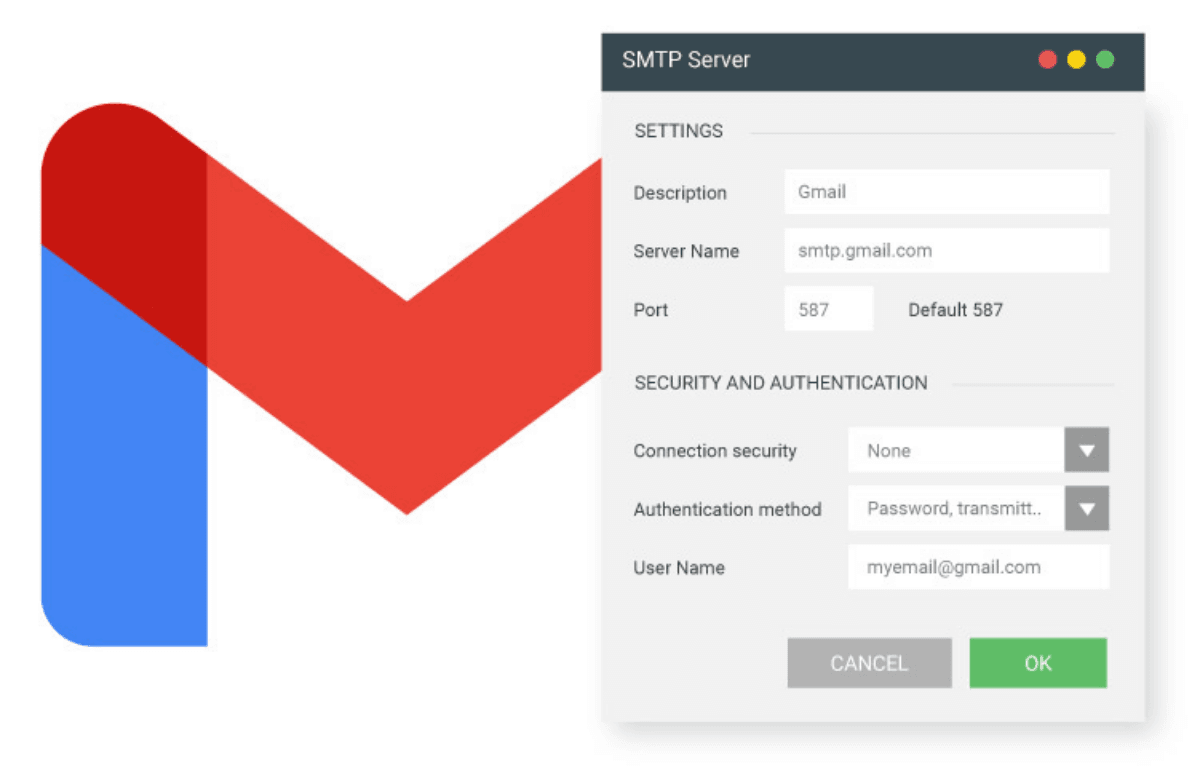
Basic authentication is being retired: OAuth 2.0 is the long-term fix
Providers are phasing out username-and-password SMTP login, so an authentication error that appears suddenly on a setup that used to work is often a policy change, not a typo. Google no longer allows "less secure apps" to sign in with just an account password, which is why app passwords or OAuth are now the norm for Gmail and Google Workspace.
Microsoft is retiring Basic authentication for SMTP AUTH client submission in Exchange Online. Under Microsoft's updated timeline, behavior stays unchanged until the end of December 2026, when Basic authentication is disabled by default for existing tenants (admins can still re-enable it), new tenants created after that date will not have it available by default, and a final removal date is expected to be announced in the second half of 2027. Once Basic auth is blocked for a connection, you may see 550 5.7.30 "Basic authentication is not supported for Client Submission". Check Microsoft's authenticated client SMTP submission guide for the current dates, because they have changed before.
Practical steps: find every app, script and device that sends through Microsoft 365 or Google, check which ones still use basic authentication, and move those that support it to OAuth 2.0. For devices that cannot use OAuth, such as older printers and scanners, use a supported alternative such as an SMTP relay or connector, or a dedicated transactional email service, instead of leaving basic authentication on.
SMTP port 587 vs 465 and STARTTLS vs SSL
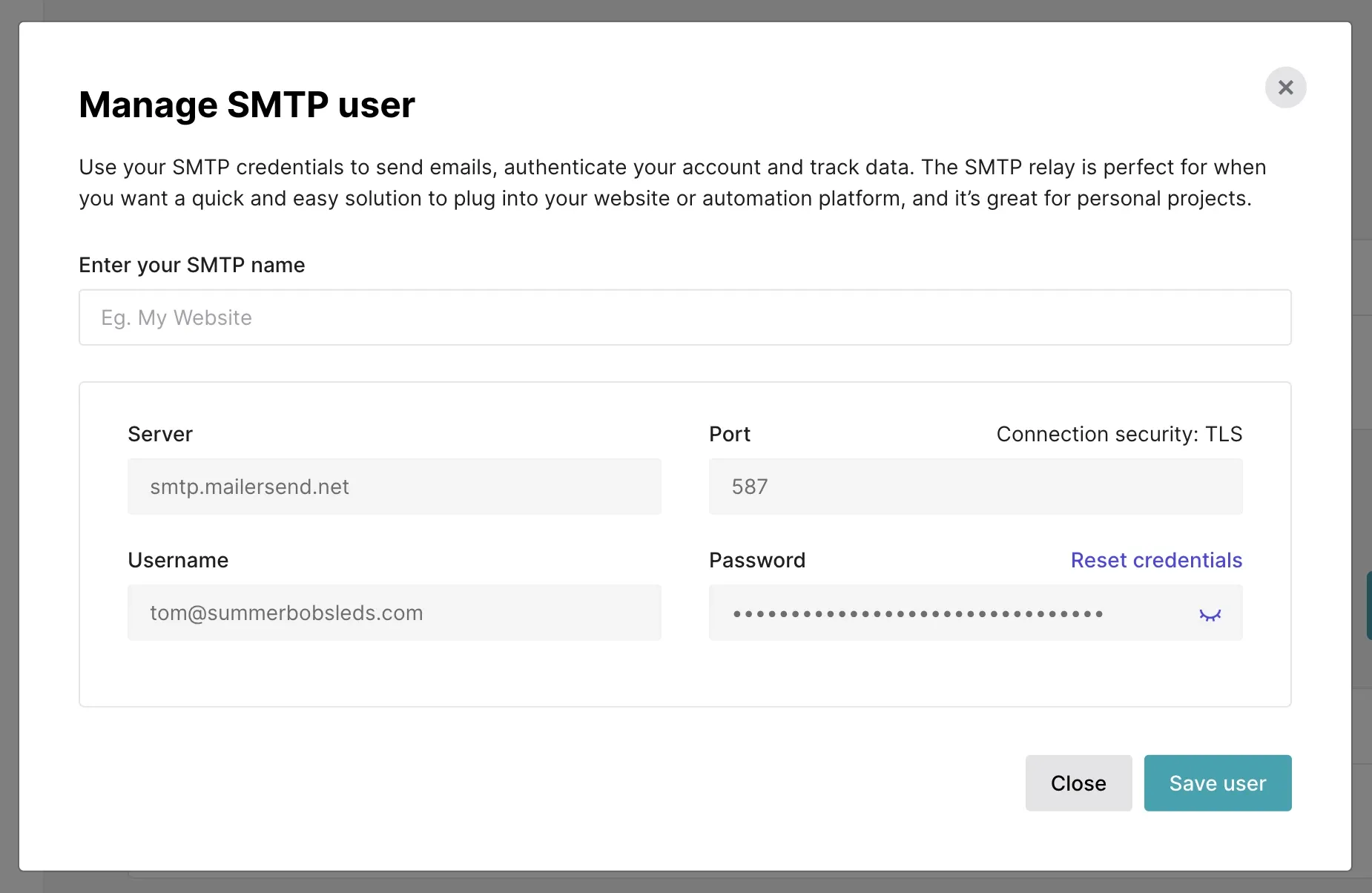
Port 587 with STARTTLS is the standard, recommended pairing for authenticated SMTP submission; port 465 uses implicit SSL/TLS and is encrypted from the first byte. Both are secure, and the common hidden cause of authentication failures is pairing a port with the wrong encryption mode, which makes the server reject the login before credentials are accepted.
The difference is when encryption starts. Port 587 opens a plain connection and then upgrades it to an encrypted one with STARTTLS before credentials are sent, while port 465 encrypts the connection from the first byte. Which port and encryption pairing you choose has to match what the provider expects.
| Port | Encryption | How it works |
|---|---|---|
| 587 | STARTTLS | Starts plain, upgrades to TLS before login (standard submission port) |
| 465 | Implicit SSL/TLS | Encrypted from the first byte of the connection |
| 25 | None or STARTTLS | Server-to-server relay; usually blocked for client submission |
If you are unsure, start with port 587 and STARTTLS, which almost every provider supports for authenticated submission. Reserve port 465 for providers that specifically ask for it, such as Yahoo. A "STARTTLS failed" message usually means you selected STARTTLS on port 465 or SSL/TLS on port 587.
Provider fix checklists
To fix an SMTP authentication error, work in one order regardless of provider: correct the credentials first, then the authentication method (app password or OAuth), then the port and encryption. The provider-specific steps below follow that sequence.
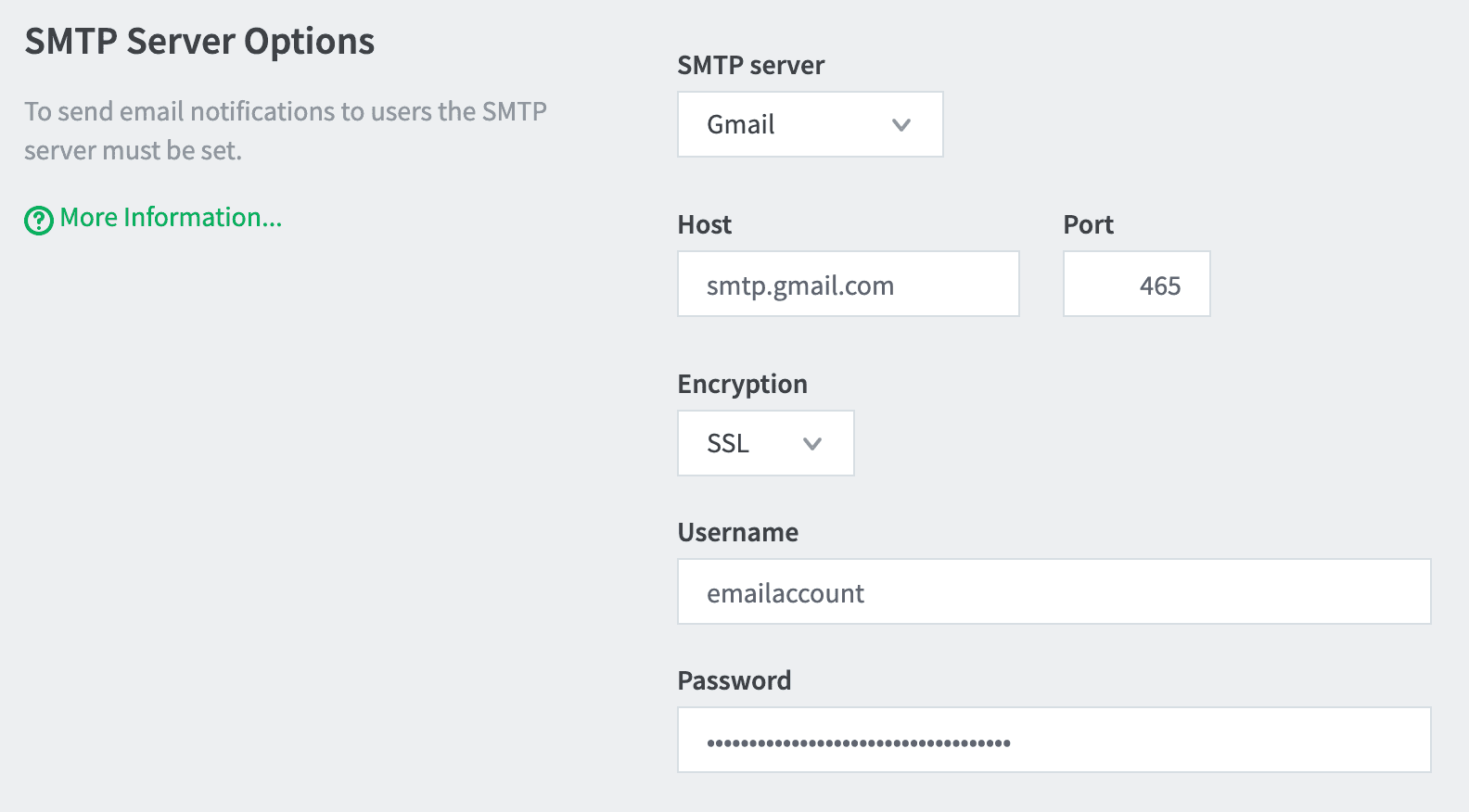
Gmail and Google Workspace
- Use smtp.gmail.com on port 587 with STARTTLS, and your full Gmail address as the username.
- If 2-Step Verification is on, generate an app password and use it instead of your account password.
- For Google Workspace, an administrator may need to allow the app or configure SMTP relay before third-party clients can authenticate.
- If you see 454 4.7.0 (too many login attempts), stop retrying, update the saved password everywhere it is stored, and wait before trying again.
Microsoft 365 and Office 365
- SMTP AUTH is disabled by default on new tenants, so enable it per mailbox or organization-wide before a client can authenticate. Microsoft explains this in its guide to authenticated client SMTP submission.
- Use smtp.office365.com on port 587 with STARTTLS, and check the current Microsoft 365 SMTP settings for the sending option that fits your case.
- If multi-factor authentication is on, use an app password or move the client to OAuth 2.0.
- Check whether Security Defaults or a Conditional Access policy is blocking legacy sign-in, which also produces 535 5.7.3 even with correct credentials.
Outlook, Thunderbird and other desktop clients
- Open the outgoing server (SMTP) settings and confirm "authentication required" is on and the username is the full email address.
- Delete the saved password from the client or operating system credential store and enter it again, because an old saved password is a frequent cause of repeated 535 errors.
- Match the port to the encryption: 587 with STARTTLS, or 465 with SSL/TLS.
- Where the provider supports it, choose OAuth2 as the authentication method instead of "normal password".
Generic provider or your own server
- Confirm the outgoing server requires authentication and that the username and password match the provider's requirements exactly.
- Verify the server hostname, port, and encryption against the provider's documentation rather than guessing.
- If sign-ins from a new location are blocked, complete any security verification the provider sends before retrying.
- On a self-hosted server (Postfix, Exim, hMailServer, Roundcube/webmail setups), make sure authentication is enabled on the submission service and that the user exists with that exact login format.
SMTP authentication errors on printers and scanners
Canon, HP and Epson printers and scan-to-email devices are among the most common places this error appears, because they use basic authentication and have limited encryption support. The error message is usually the generic "SMTP authentication error" or "SMTP server authentication error" with no code.
- Enter the full email address as the SMTP username, and an app password if the account has 2FA.
- Match the device's port and security setting to the provider (587 with STARTTLS is the safest first try; some older devices only support 465 or a legacy mode).
- Set the authentication type to the one the server expects (normally LOGIN or PLAIN) and turn on "SMTP authentication".
- Update the printer firmware: many authentication failures come from outdated TLS support.
- If the device cannot use app passwords or OAuth, send through an SMTP relay or connector that allows your network, rather than keeping a mailbox on basic authentication.
SMTP authentication errors in PHP, Python and other scripts
In code, the same errors appear as exceptions: PHPMailer reports "SMTP Error: Could not authenticate", and Python's smtplib raises SMTPAuthenticationError with the 535 or 534 code and message. The cause is almost always one of the checks above, applied to the script's configuration.
- Use the full email address as the username and an app password (or an OAuth 2.0 token) as the password, never the interactive account password when 2FA is on.
- Set host, port and encryption together: port 587 with STARTTLS or port 465 with SSL/TLS. In PHPMailer this means
SMTPSecureandPortmust agree. - Keep credentials in environment variables or a secrets manager, and make sure the deployed value is the current one, since a rotated password is a common reason for a script to break overnight.
- Turn on the library's debug output to see the server's reply to EHLO and AUTH, which shows whether the server offers authentication at all.
How to test your SMTP login and read the server response
If the cause is not obvious, test the connection outside your mail client so you can see the server's actual reply. A command-line session shows whether the server offers AUTH, which methods it accepts, and the exact error it returns.
openssl s_client -starttls smtp -connect smtp.example.com:587 -crlf
EHLO test.example.com
AUTH LOGIN
After EHLO, look for an AUTH line in the response (for example AUTH LOGIN PLAIN XOAUTH2). If it is missing, you are on the wrong port or the server does not offer authentication, which explains a 503. If AUTH is listed but your login returns 535, the credentials or account policy are the problem. For port 465, use openssl s_client -connect smtp.example.com:465 -crlf instead. Do not paste real passwords into shared logs or tickets.
Quick troubleshooting order
- Read the exact code and message, and match it to the table above.
- Retype the username (full email address) and password, and clear any saved credentials.
- If 2FA or MFA is on, switch to an app password, or to OAuth 2.0 if supported.
- Confirm SMTP AUTH is enabled for the account or tenant.
- Check the port and encryption pairing: 587 with STARTTLS or 465 with SSL/TLS.
- Look for a security block, a lockout, or a basic-authentication retirement on the provider's side.
- Test with a command-line session to see what the server actually offers.
FAQs
How do I fix an SMTP authentication error?
Retype the username and password, using the full email address as the username. If two-factor authentication is on, switch to an app password. Then confirm the server, port, and encryption are correct for your provider, starting with port 587 and STARTTLS.
What is an SMTP authentication error?
It is the outgoing mail server refusing your login. The server received a username and password through the AUTH command, did not accept them, and refused to send the message. It is a failure of identity, not of permission to reach a recipient.
Do I need an app password for SMTP authentication?
You need one if the account has two-factor or multi-factor authentication enabled and the client uses basic authentication. Providers like Google and Microsoft reject the normal account password over SMTP in that case and require an app password or OAuth instead.
Why does SMTP authentication fail even with the correct password?
The most common reasons are that the account requires an app password rather than the account password, that SMTP AUTH is disabled on the mailbox (the default on new Microsoft 365 tenants), that the provider has retired basic authentication, or that the port and encryption settings do not match what the server expects.
What does SMTP error 535 authentication failed mean?
It means the server received your credentials and rejected them. Check the username and password, use an app password if 2FA is on, and make sure SMTP AUTH is enabled for the account. The same fixes apply to variants such as "535 incorrect authentication data".
What does "SMTP authentication not enabled" mean?
It is the 503 5.5.1 error, and it means the server did not offer authentication on the port or session you used. Switch to a submission port (587 or 465), check the hostname, and on a self-hosted server enable AUTH on the submission service.
Does SMTP require authentication?
For sending from a mail client or application through a provider's server, yes: submission on ports 587 and 465 requires authentication. Server-to-server delivery on port 25 normally does not, which is why port 25 is usually blocked for client submission.
Is SMTP authentication secure?
It is secure when the connection is encrypted with STARTTLS or SSL/TLS before credentials are sent. Basic authentication still carries risk because passwords can be stolen or guessed, so providers are moving to OAuth 2.0 and app passwords.
What is the difference between SMTP port 587 and 465?
Port 587 uses STARTTLS, which begins as a plain connection and upgrades to encryption before login. Port 465 uses implicit SSL/TLS and is encrypted from the start. Both are secure, and 587 is the standard submission port most providers recommend.
What is STARTTLS in SMTP?
STARTTLS is a command that upgrades a plain SMTP connection to an encrypted one before any credentials are sent. A 530 error that says "must issue a STARTTLS command first" means the server will not accept your login until the connection is secured this way.
Why did my SMTP login stop working on Microsoft 365?
Common causes are SMTP AUTH being disabled for the mailbox or tenant, multi-factor authentication requiring an app password or OAuth, a Conditional Access policy, or Microsoft retiring basic authentication for SMTP client submission. Check the exact error code and Microsoft's current timeline.
Fixing the authentication error gets your mail sending again, but landing in the inbox depends on sending to real, valid addresses. Run your list through BounceCheck before your next send so invalid contacts are not quietly dragging down your deliverability.
§ Before your next send
Find the addresses that will bounce
Verify a single address free, or upload a CSV — the free plan includes 50 checks a month, no card needed.

BounceCheck Team
The team behind BounceCheck - helping businesses verify emails and improve deliverability.