Email Bounce Code 550: What It Means and How to Fix It
 BounceCheck Team
Email bounce code 550 is an SMTP permanent-rejection response: the recipient's mail server received your message and refused it for good, so resending it unchanged only produces another 550. 550 is not a single error but a family of related ones (5.1.0, 5.1.1, 5.1.8, 5.2.1, 5.4.1, 5.7.1, 5.7.26, and more), and the enhanced status code plus the free-text line in the bounce name the exact cause: an invalid address, a relay or authentication problem, or a reputation or policy block. Read that line before you do anything else.
This guide unpacks what the 550 code means, the common variants you will see (5.1.0, 5.1.1, 5.1.8, 5.2.1, 5.4.1, 5.7.1, 5.7.26), what causes each one, the step-by-step fix path, and how to keep them from coming back.
What email bounce code 550 means
A 550 is an SMTP response code. SMTP servers reply to every step of a mail conversation with a three-digit code: 2xx for success, 4xx for a temporary problem, and 5xx for a permanent one. Code 550 sits in the 5xx family, which means the recipient server received your message, looked at it, and rejected it permanently. The sender should not retry as-is. It is a hard bounce by definition.
The contrast with the 4xx family matters. A 4xx response, like the ones described in our guide to the transient email error, is a "come back later" reply where automated retry usually solves the problem. A 550 says: this attempt will never succeed under the current conditions. Resending without changing anything just guarantees a second 550.
Most 550 responses are extended with an enhanced status code (5.1.1, 5.4.1, 5.7.1, etc.). The first digit still indicates permanent vs temporary, the rest narrows down the category (address problem, relay problem, policy problem, authentication problem).
How to read a 550 bounce message
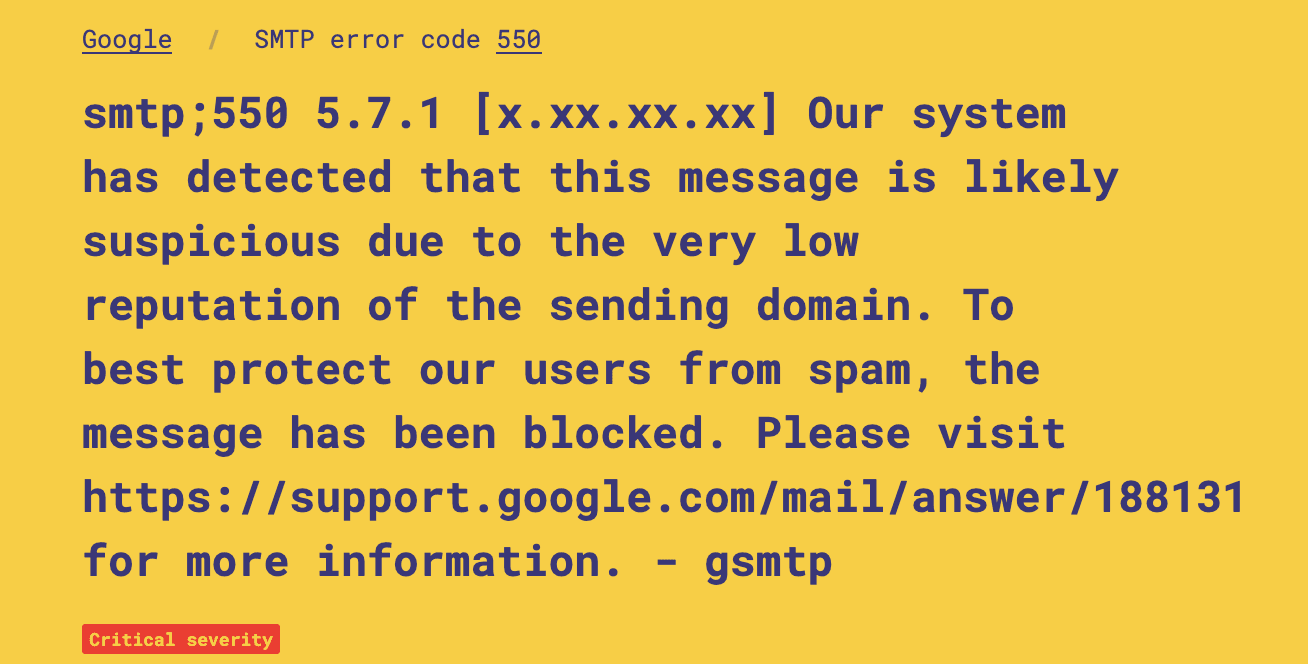
A bounce message arrives as a Delivery Status Notification (DSN) in your inbox, usually with a subject like "Mail delivery failed" or "Undelivered Mail Returned to Sender". It contains three useful elements: the numeric SMTP code, the enhanced status code, and a free-text explanation written by the receiving server.
A typical fragment looks like:
Remote host said:
    550 5.1.1 <[email protected]>: Recipient address rejected: User unknown
Reporting-MTA: dns; mail.yourdomain.com
Action: failed
Status: 5.1.1
The three pieces to look at:
- The three-digit code (550 here) tells you the failure family.
- The enhanced status (5.1.1) refines the reason. The first digit is the class (5 = permanent), the second is the subject (1 = address), the third is the detail.
- The text after the code, written by the remote system, names the exact problem: "User unknown", "Mailbox full", "Relay access denied", "Policy violation", "SPF check failed", and so on.
Copy that line verbatim into your notes before you do anything else. If you contact a recipient's admin or your ISP's support, that line is what they will ask for.
550 enhanced status codes at a glance
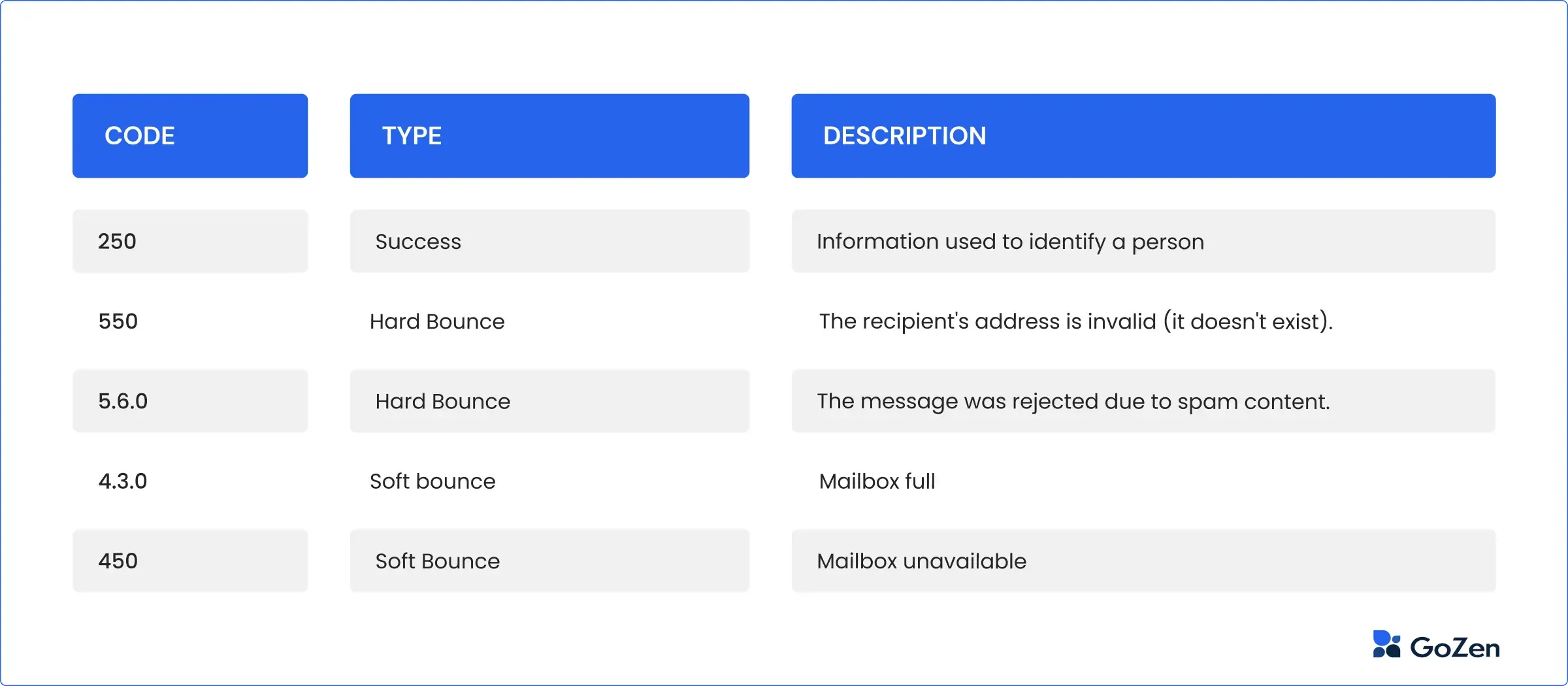
Use this table to match the enhanced status code in your bounce to its cause and the place you fix it, then read the detail for your code below.
| Enhanced code | What the server is telling you | Category | Where the fix lives |
|---|---|---|---|
| 550 5.1.0 | Address rejected (sender or recipient not accepted) | Address | Recipient or sender address |
| 550 5.1.1 | Recipient address rejected, user unknown | Address | List hygiene |
| 550 5.1.8 | Sender address rejected (bad or blocked from-address) | Address / Auth | Sending domain + SPF |
| 550 5.2.1 | Mailbox full or disabled | Address | Recipient side |
| 550 5.4.1 | Relay access denied | Relay / client | SMTP auth + outgoing server |
| 550 5.7.1 | Message rejected: spam, policy, or reputation | Policy | Sender reputation |
| 550 5.7.26 | Authentication failure (SPF, DKIM, DMARC) | Authentication | SPF / DKIM / DMARC |
550 5.1.0 Address rejected
The bounce text usually reads 550 #5.1.0 Address rejected or 550 5.1.0 sender rejected. It is a catch-all "this address was not accepted" response, sometimes for the recipient mailbox and sometimes for your own from-address when the receiving server distrusts it. Confirm the recipient spelling first. If the address is valid and the rejection names the sender, treat it like a 5.1.8 authentication problem and check your SPF record and domain reputation.
550 5.1.1 Recipient address rejected (user unknown)
The most common 550. The mailbox does not exist on that domain, usually because of a typo, an outdated address, or a deleted account. Correct the address or remove it from your list. Resending to the same address just bounces again.
550 5.1.8 Sender address rejected
Here the receiving server refused your from-address, not the recipient. It generally means the sending domain looks invalid, unauthenticated, or blocked. Verify the from-address is a real, authenticated mailbox on a domain with valid SPF and DKIM before you resend.
550 5.2.1 Mailbox full or disabled
The recipient exists but cannot receive mail right now: the storage quota is exceeded or the account is suspended. There is no sender-side fix. Reach the person another way and ask them to free space, then retry later.
550 5.4.1 Relay access denied
The outgoing server does not recognise you as authorised to send through it. This is typical when you send via your home ISP's server while connected to a different network. Enable SMTP authentication in your client and point it at the SMTP server that matches your current network.
550 5.7.1 Message rejected (spam, policy, or reputation)
The receiving filter blocked the message. Common wordings include "high probability of spam", "rejecting spoofed message", and "mail content denied". The fix is reputation and authentication, not resending the same message.
550 5.7.26 Authentication failure (SPF, DKIM, DMARC)
The message failed sender authentication at the recipient end. Audit your SPF, DKIM, and DMARC: make sure every sending source is in SPF and within the 10-lookup limit, confirm DKIM signs every source, and align the domain with your DMARC policy.
What causes a 550 error
Recipient-address problems
The simplest causes: a typo, an outdated address, a deleted account, or a mailbox over its storage quota. These produce 5.1.1, 5.1.0, or 5.2.1 codes. The fix is on the recipient side (clean up the quota) or on the sender side (confirm and correct the address before resending).
Relay and authentication problems
When the error mentions "relay denied" or "authentication failure", the SMTP server you are trying to send through is saying it does not trust you to send this message. Most common scenarios: you have your email client configured to send via your home ISP's outgoing server but you are connected to a different network (hotel wifi, the office, an airport), or SMTP authentication is disabled in the client and the server does not let unauthenticated clients relay mail.
The fix in this category is operational rather than reputational: switch the outgoing SMTP server to one matching your current network, or enable SMTP authentication in the client so the server can verify you are an authorized user.
SPF, DKIM, and DMARC failures
A growing share of 550 5.7.x errors come from sender-authentication mismatches. The receiving server checks the sending IP against the domain's SPF record, verifies the DKIM signature, and applies the DMARC policy. If SPF lookup fails, if the DKIM signature does not match, or if DMARC is set to reject and the message is not aligned, the server replies with a 550. This is more common right after a domain change, an ESP migration, or when a third-party tool (CRM, helpdesk, transactional sender) starts sending on your behalf without being authorized in SPF.
Spam and policy rejections
A 550 5.7.1 from a major mailbox provider usually means your message tripped the spam filter or your sending IP and domain reputation are poor. Triggers include a blocklisted sending IP, a brand-new domain ramping volume too fast, spam-pattern content, or a clean sender behaving badly on a shared IP because another tenant abused it. Improving your sender reputation is the only durable fix. Resending the same message does nothing.
Volume and rate triggers (especially Gmail)
Major providers enforce rate limits even when content is fine. Gmail's hard ceiling is 500 sends per day from a free account and 2,000 per day on a Workspace account. Exceeding either can produce a "550 Message Rejected" notice, and Gmail has thrown 550s for cold-outreach patterns around 100 sends per day from new domains. Cold outreach in 2026 typically needs a warmed-up sender, not a fresh domain blasting volume.
How to fix an email bounce code 550
Work through these steps in order. Skip ahead only when the previous step is already confirmed.
- Classify the variant: Pull the full bounce text. Identify the enhanced status (5.1.1, 5.4.1, 5.7.1, 5.7.26, and so on) and the human-readable reason. The variant decides which of the next steps applies.
- For address errors (5.1.x): Confirm the recipient address spelling. If a customer's CRM record was updated recently, check the new value. If the recipient's mailbox is full (5.2.1), reach them another way and ask them to free space.
- For relay errors (5.4.1): Enable SMTP authentication in your email client, and verify it is using the SMTP server matching your current network. If you are away from your home network, switch the outgoing server to the one provided by your current ISP or use webmail.
- For authentication errors (5.7.26 and many 5.7.x): Audit your SPF record. Make sure every sending source (ESP, CRM, helpdesk, internal mail server) is included and the record stays within the 10-DNS-lookup limit. Confirm DKIM is enabled and signing on every sending source. If DMARC is set to reject, confirm your authenticated domain aligns with the visible from-domain.
- For spam and policy rejections (5.7.1): Check whether your sending IP or domain is on a public blocklist. If it is, follow the specific delisting procedure. Fix the reason you ended up there before re-applying. If your IP is shared, consider moving critical mail to a dedicated IP and warming it up.
- For Gmail rate-limit 550s: Throttle sends to stay below the 500-per-day (free) or 2,000-per-day (Workspace) ceiling. For cold outreach, warm up the sender and add volume gradually rather than scaling instantly.
- Verify before retrying: Send a test message to a mailbox you control on the same provider. Confirm it arrives and that no 550 returns. Only then resume normal sending to the original recipient.
How to prevent 550 errors going forward

Keep authentication aligned
Publish SPF, DKIM, and DMARC for every domain you send from, and audit them whenever you add a sending source. A clean authentication setup eliminates the largest single bucket of 550 5.7.x errors before they happen.
Maintain list hygiene
Verify recipient addresses before sending, especially for newsletters and cold outreach. Hard bounces from invalid addresses inflate your bounce rate, and ESPs that watch bounce rate will lower your sender score even when individual sends look fine. Aggressively remove repeat hard-bouncers from your list.
Watch your sending volume
Sudden volume spikes look spammy. Warm up new domains and IPs gradually, add only as much daily volume as engagement metrics support, and isolate one-off campaign sends from the steady transactional traffic so a bad campaign cannot drag everything else down. The full playbook lives in our guide on how to improve email deliverability.
Separate transactional from marketing
If you run both kinds of mail from the same domain, a poorly-targeted marketing campaign can drop your sender reputation and start producing 550s on transactional emails (order confirmations, password resets). Many senders solve this by putting marketing on a dedicated subdomain so reputation hits do not bleed into transactional traffic.
Monitor and respond to bounces continuously
550 codes are not a one-off cleanup. Set up an alert when your hard bounce rate jumps, and investigate the specific 5.x.x variant within hours rather than days. Catching a 5.7.1 spike on a new sending IP within the same day usually means a one-day reputation dip. Catching it a week later usually means weeks of recovery work.
Common 550 error questions
Is 550 an HTTP status code?
No. 550 is an SMTP reply code used by mail servers, not an HTTP status code. HTTP server errors are 5xx codes like 500 and 503, and there is no standard HTTP 550. If you searched for "http 550", you are almost certainly looking at an email bounce rather than a web error.
What does error 550 mean in plain terms?
It means the recipient's mail server permanently refused your email. The message will not be delivered if you resend it unchanged, so you have to fix the specific cause named in the bounce text first.
Can I resend an email after a 550 bounce?
Only after you change what caused it. A 550 is permanent, so an identical retry returns another 550. Correct the address, fix authentication, or repair reputation depending on the enhanced code, then send a test message before retrying.
What is the difference between 550 5.1.1 and 550 5.7.1?
5.1.1 is an address problem: the mailbox does not exist, so it is a list-hygiene fix. 5.7.1 is a policy or reputation problem: your message or sending IP was blocked, so it is a deliverability fix. The two are never solved the same way.
The bottom line on 550 errors
Every 550 is permanent, but it is never vague once you read the enhanced status code. Identify the 5.x.x variant, fix that specific category (address, relay, authentication, or reputation), and send a test before you retry. That single habit closes the loop on almost every 550 bounce a sender will ever see.

BounceCheck Team
The team behind BounceCheck - helping businesses verify emails and improve deliverability.