Best Private Email Service: 10 Secure Providers Compared
 BounceCheck Team
Run a signup form? Keep throwaway addresses out of your list.
Check an addressThe best private email service for most people is Proton Mail, which combines zero-access encryption, Swiss jurisdiction, and a free tier that does not read your mail to sell ads. A private email service is a mail host that stores your mailbox encrypted with keys it cannot use and does not monetise the contents. The right pick changes once your requirements get specific: Tuta Mail for encrypted subject lines and calendars, Mailfence for self-managed OpenPGP keys, StartMail for unlimited aliases, Posteo for anonymous signup, and Zoho Mail for an ordinary business mailbox with less tracking than Gmail.
Below are ten providers compared on encryption model, jurisdiction, aliases, and custom domain support, plus the parts of "private email" that no provider can fix for you.
What a private email service actually protects
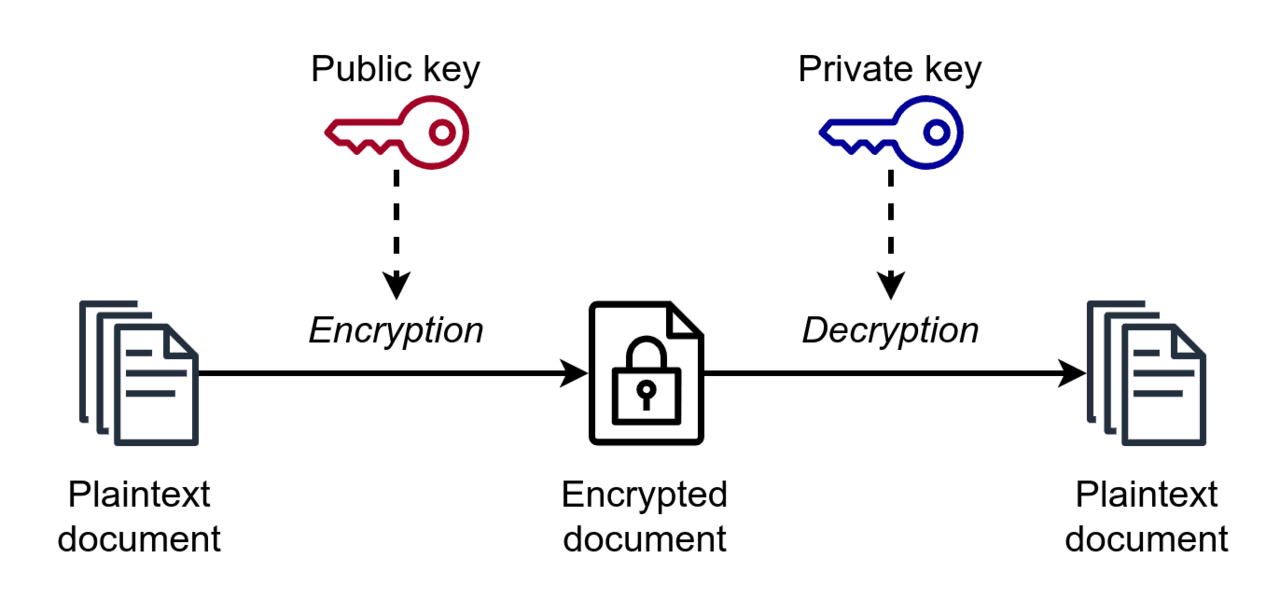
A private email service protects the contents of your mailbox, not the fact that you sent mail. Two mechanisms do the work: zero-access encryption at rest, which leaves the provider holding ciphertext instead of readable mail, and end-to-end encryption, which keeps the message body readable only on the two devices at either end of the conversation.
Zero-access encryption at rest means the provider stores your mail encrypted with a key derived from your password, so a subpoena or a breach of their storage yields ciphertext rather than your inbox. End-to-end encryption means the message body is encrypted on your device and decrypted on the recipient's, so nothing readable exists in transit or on either server.
What none of it covers is the envelope. Sender, recipient, timestamp, and usually the subject line travel as metadata, and metadata is often more revealing than the message. Tuta Mail is the exception in the table below in that it encrypts subject lines as well. Treat any provider's privacy claim as a claim about content, not about who you talked to and when.
Is Gmail private?
Gmail is secure but it is not private in the sense this article uses. Google stopped scanning consumer Gmail content for ad targeting in 2017, and mail is encrypted in transit and at rest. Google holds the keys, though, so Google can read your mailbox, can be compelled to hand it over, and stores it inside a United States legal jurisdiction.
Google also uses account-level signals across its products. For a lot of people that trade is acceptable. If your threat model includes the provider itself, or a legal request you would never hear about, then no amount of Gmail hardening closes the gap. That is the specific problem the providers below are designed to solve.
How to judge a private email service
Judge a private email service on eight things: the encryption model, whether subject lines and metadata are covered rather than just message bodies, legal jurisdiction, whether the code is open source and independently auditable, alias support, custom domain support, anonymous signup and payment, and whether standard IMAP and SMTP work or a proprietary bridge is required.
The criteria in full:
- Whether encryption is zero-access at rest, end-to-end, or only TLS in transit
- Whether subject lines and metadata are encrypted, not just message bodies
- The legal jurisdiction the company and its servers sit in
- Whether the clients and crypto are open source and independently auditable
- Alias and disposable-address support, since aliases limit cross-service tracking
- Custom domain support, which is what makes an address portable between providers
- Whether signup and payment can be anonymous
- Standard mail protocol access (IMAP, SMTP) versus a proprietary bridge
Rank these against your own situation before reading any "best overall" verdict. A journalist protecting sources and a founder who wants their own domain off Gmail are shopping for different products.
The 10 best private email services compared
Ten providers cover the practical range of private email. Proton Mail, Tuta Mail, Mailfence, and Zoho Mail all offer a free entry plan with storage or feature limits; the other six, Mailbox.org, StartMail, Posteo, Hushmail, Runbox, and Kolab Now, are paid only (Posteo is inexpensive rather than free). Tuta Mail encrypts subject lines as well as message bodies. Posteo is the one provider in the table below without custom domain support, and it accepts anonymous signup and payment. Zoho Mail supports optional S/MIME for users who configure certificates, but neither it nor Kolab Now is end-to-end encrypted by default.
| Provider | Jurisdiction | Encryption approach | Custom domain | Best for |
|---|---|---|---|---|
| Proton Mail | Switzerland | Zero-access, OpenPGP end-to-end | Yes (paid) | Best all-around |
| Tuta Mail | Germany | Own hybrid scheme, encrypts subjects | Yes (paid) | Encrypted subjects and calendars |
| Mailfence | Belgium | User-managed OpenPGP keys | Yes (paid) | OpenPGP power users |
| Mailbox.org | Germany | Encrypted mailbox plus PGP | Yes | German data protection |
| StartMail | Netherlands | Encrypted vault plus PGP | Yes | Unlimited aliases |
| Posteo | Germany | Inbox encryption plus PGP | No | Budget and anonymous signup |
| Hushmail | Canada | OpenPGP, secure web forms | Yes | Healthcare and legal practices |
| Runbox | Norway | TLS plus optional PGP | Yes | Longevity and green hosting |
| Zoho Mail | Region chosen at signup (US, EU, India, and others) | TLS plus at-rest; optional S/MIME | Yes | Business mailboxes |
| Kolab Now | Switzerland | TLS plus at-rest, open source stack | Yes | Open-source groupware |
Private email providers in detail
Each provider below is strongest at one thing: Proton Mail for all-around zero-access encryption, Tuta Mail for mailbox coverage, Mailfence for key ownership, Mailbox.org for German data protection with ordinary office features, StartMail for aliases, Posteo for anonymity, Hushmail for regulated professions, Runbox for longevity, Zoho Mail for business mail, and Kolab Now for open-source groupware.
Proton Mail
Proton Mail is the default recommendation for most people. It is Swiss, the apps and crypto libraries are open source, the free tier is genuinely usable, and mail is stored with zero-access encryption so Proton cannot read it. Messages between Proton Mail users are end-to-end encrypted automatically, and OpenPGP handles external contacts. The trade is that IMAP and SMTP require the Proton Bridge on a paid plan, so it does not drop cleanly into every existing mail client or script.
Tuta Mail
Tuta Mail covers more of the mailbox than a conventional host does, encrypting subject lines, contacts, and calendars rather than message bodies alone. The cost of that coverage is compatibility, because Tuta Mail uses its own encryption scheme instead of OpenPGP, so there is no interoperable PGP exchange with outsiders and no IMAP access. You live in Tuta Mail's apps.
Mailfence
Mailfence is the choice when you want to own your keys rather than trust a provider's implementation. It gives you real OpenPGP key management, generation, import, and revocation, alongside calendar, contacts, and document storage. Mailfence is Belgian, so the mailbox sits under GDPR and Belgian data protection law. Mailfence is aimed at people comfortable with keyservers and fingerprints, and it reads that way.
Mailbox.org
Mailbox.org is a German provider built for people who want strong statutory data protection with ordinary office features. Mail can be stored in an encrypted mailbox, PGP is handled server-side through a guard feature, and there is full IMAP and SMTP access plus calendars and cloud storage. It behaves like a normal mail host that happens to take privacy seriously, which suits small teams.
StartMail
StartMail is organised around aliases. You can generate throwaway addresses freely and burn them when a service starts leaking your address, which is the single most effective habit for reducing spam and cross-site correlation. Mail sits in an encrypted vault, PGP is supported, and StartMail is a Dutch operation. There is no free tier.
Posteo
Posteo is the minimalist option. It is inexpensive, German, powered by renewable energy, and unusual in allowing anonymous signup and anonymous payment, so no name or payment trail is tied to the account. It encrypts the inbox and supports PGP. The catch is a hard one for some readers, because Posteo deliberately does not support custom domains.
Hushmail
Hushmail has been running OpenPGP webmail since the late 1990s and has since specialised in regulated professions, with secure web forms and e-signature workflows aimed at healthcare, legal, and therapy practices. Hushmail is Canadian, which puts it inside the Five Eyes arrangement, so it is a compliance-driven pick rather than a jurisdictional one.
Runbox
Runbox is a small Norwegian provider with a long operating history and hydropower-run servers. Encryption is TLS in transit plus optional PGP rather than zero-access storage, so Runbox is less hardened than Proton Mail or Tuta Mail, but it offers generous storage, plenty of aliases, and standard IMAP and SMTP. It appeals to people who value a stable independent host over maximal cryptography.
Zoho Mail
Zoho Mail is the business answer. It gives you custom-domain mailboxes, admin controls, optional S/MIME for users who configure their own certificates, and a full productivity suite. Out of the box it is not end-to-end encrypted and Zoho holds the keys, so it belongs on this list as meaningfully less surveillance than the incumbents rather than as a privacy tool by default.
Kolab Now
Kolab Now runs an entirely open-source groupware stack from Switzerland, with mail, calendars, files, and shared folders. There is no end-to-end encryption by default. What you get instead is auditability and a Swiss host with no advertising business model, which is a reasonable definition of private for a team that needs shared calendars more than it needs PGP.
Email encryption standards, and where they fall short
Two standards do most of the work in private email. OpenPGP is spoken by Proton Mail, Mailfence, Mailbox.org, StartMail, Posteo, Hushmail, and optionally Runbox, and S/MIME appears in business suites such as Zoho Mail. Both protect stored content and mail to correspondents who also use them. Neither encrypts metadata, and PGP offers no forward secrecy.
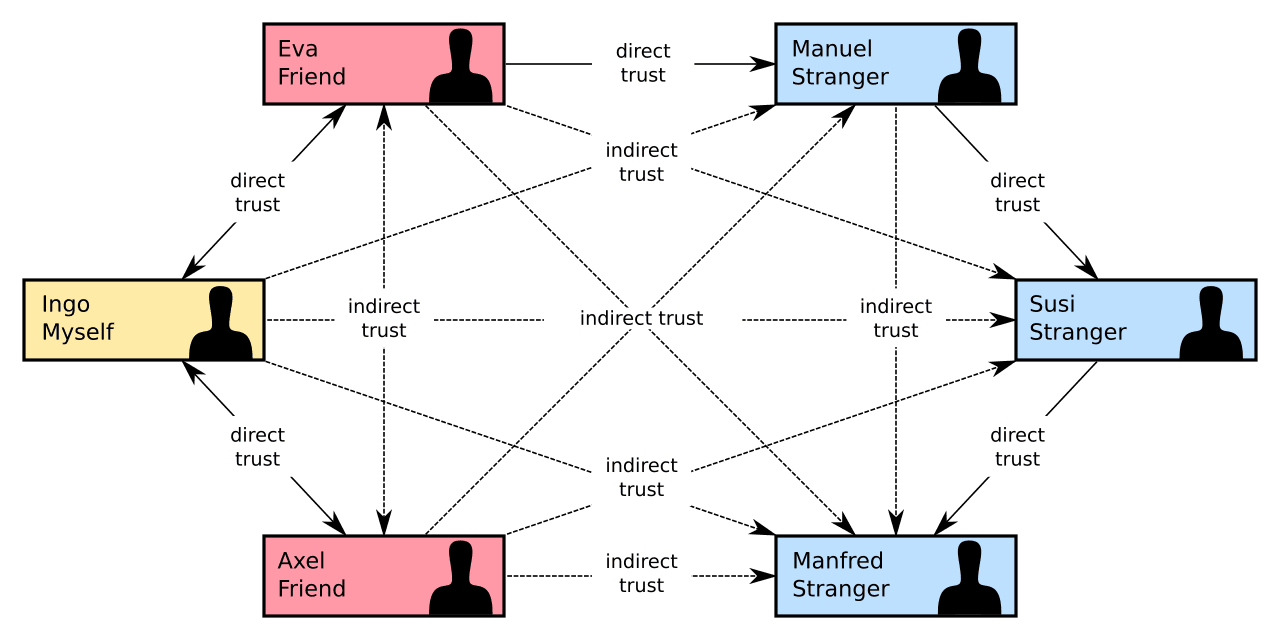
OpenPGP is specified in RFC 9580, the 2024 revision that obsoleted the older RFC 4880, and that shared specification is why a Mailfence user can exchange encrypted mail with a Proton Mail user. S/MIME, specified in RFC 8551, uses certificates issued by an authority instead of a web of trust.
Neither is pleasant in practice. The recurring failure modes:
- PGP has no forward secrecy, so a compromised private key exposes every message ever encrypted to it
- Key management is the part users abandon, and a mistyped or unverified fingerprint quietly defeats the whole exercise
- Encrypted mail only works when both ends cooperate: send to a Gmail address without PGP and your provider falls back to a password-protected link or plain TLS
- Attacks against how mail clients render encrypted content have repeatedly broken PGP and S/MIME implementations rather than the mathematics
The practical conclusion is unglamorous. Encrypted email protects stored content and the handful of correspondents who also use it. For genuinely sensitive real-time conversation a modern messaging app with forward secrecy is the better tool, and the private mailbox is for everything else.
Jurisdiction and data sovereignty
Jurisdiction decides who can compel a provider to disclose your mailbox. Switzerland sits outside both the European Union and the Five, Nine, and Fourteen Eyes intelligence-sharing groupings. Germany, Belgium, and the Netherlands fall under GDPR, and Norway applies equivalent rules through the European Economic Area, but a European address is not the same as being outside intelligence sharing: Norway and the Netherlands are named as Nine Eyes participants, and Germany and Belgium as participants in the wider Fourteen Eyes grouping. Canada, where Hushmail operates, is a Five Eyes member. Zoho Mail lets customers choose a regional data centre at signup, including the United States, the EU, Canada, Australia, and India; a US, Canadian, or Australian choice sits inside the Eyes-sharing arrangements, so Zoho's jurisdiction depends on which region you pick rather than defaulting to a non-Eyes location.

Where a provider incorporates and where it stores data is what makes this concrete. Proton Mail and Kolab Now lean on their Swiss base for exactly that reason, and GDPR gives European customers enforceable rights over their data in return for sitting inside the European system.
Jurisdiction only matters up to a point. A provider that cannot read your mail has little to disclose regardless of which court asks, which is why zero-access encryption and jurisdiction are worth evaluating together rather than separately. A Swiss host holding your plaintext is weaker than a German host holding ciphertext.
Private email service vs email alias service
A private email service hosts your mailbox, so it stores, encrypts, sends, and receives your mail. An alias or forwarding service gives you disposable addresses that relay into a mailbox you already have, so the recipient never learns your real address. They solve different problems, and they get conflated constantly.
Apple's Private Relay addresses work the alias way, as do dedicated forwarders. An alias service layered over Gmail improves your privacy against the companies you sign up with and does nothing about Google reading the mailbox. A private mailbox fixes the host and leaves you handing your real address to every retailer. Most people who care about this end up using both, with the alias layer either built into the provider, as with StartMail, or bolted on separately.
Running a private mailbox on your own domain
A custom domain is the feature worth paying for, because a domain you control is the only address that survives a provider you no longer trust. Switching hosts becomes a DNS change rather than an apology email to everyone you know. Every provider in the table above except Posteo supports custom domains, and at Proton Mail, Tuta Mail, and Mailfence the table marks the feature as paid only.
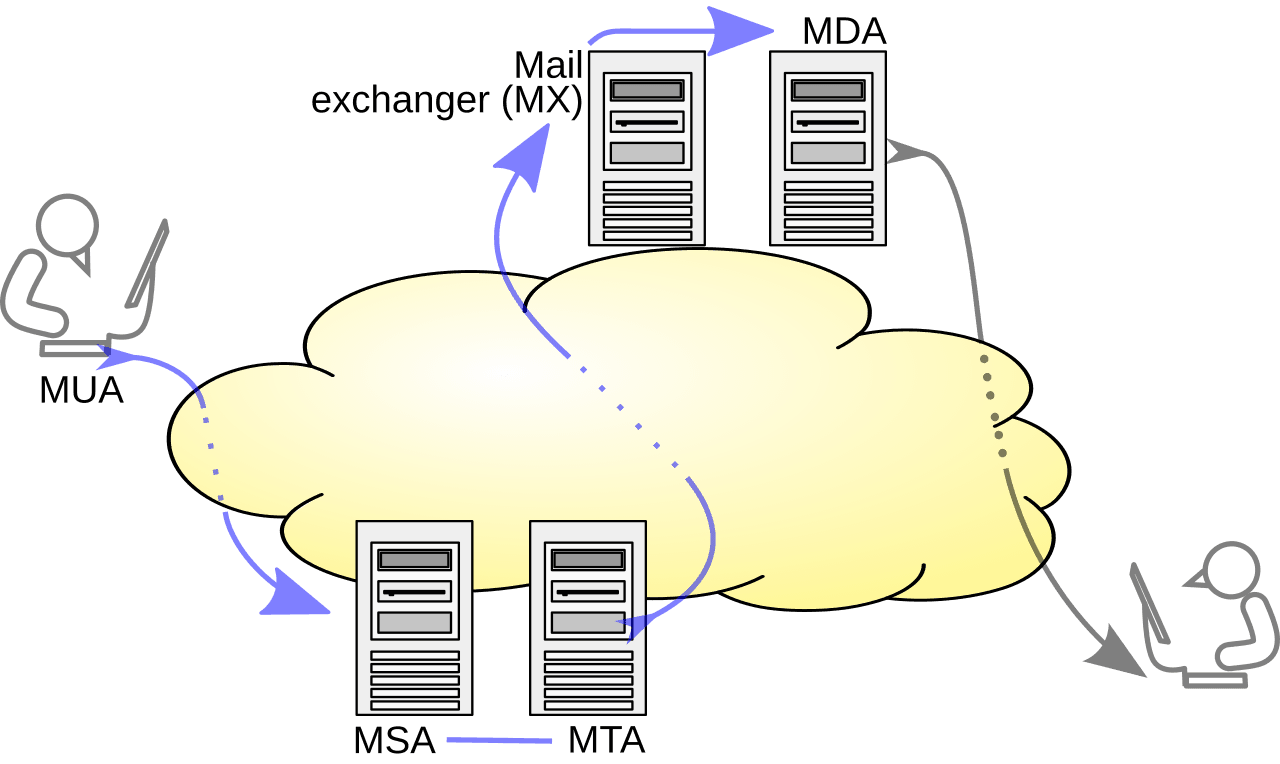
Once you host mail on your own domain, though, you inherit the sender's side of the job. Publishing SPF, DKIM, and DMARC records correctly becomes your responsibility, and a fresh domain with no sending history starts with no reputation at mailbox providers. Getting authentication wrong is one of the more common reasons legitimate mail lands in spam, and privacy features in your mailbox do nothing to help. If the domain will also send anything at volume, invalid recipient addresses become your problem too, because hard bounces damage the reputation of your domain rather than the provider's.
How to migrate without losing mail
Migrate in this order: open and test the new mailbox, import old mail by IMAP or the provider's import tool, move contacts and calendars as CSV and ICS files, set forwarding on the old account, update financial and account-recovery services first, then leave the old mailbox forwarding for six to twelve months before closing it.
Step by step:
- Open the new account and confirm it sends and receives before touching anything else
- Import old mail using the provider's import tool, or IMAP to IMAP if both ends allow it
- Export contacts and calendars as CSV and ICS files and import them separately
- Set forwarding on the old account so nothing sent to it is lost
- Update the address on financial, government, and account-recovery services first, since those are the ones that lock you out
- Leave the old account open and forwarding for six to twelve months before closing it
Do not delete the old mailbox once forwarding is live. Account-recovery flows and annual renewals surface addresses you forgot about, and an abandoned mailbox that still exists is recoverable while a deleted one is not.
How to choose a private email service
Pick on your actual constraint. Zero-access encryption plus a usable free tier points to Proton Mail. Maximum mailbox coverage including subject lines points to Tuta Mail. Key ownership points to Mailfence, alias volume to StartMail, anonymous signup to Posteo, and ordinary business mail on your own domain to Zoho Mail or Mailbox.org. Buy the custom domain whichever one you choose, because it is what makes the next decision reversible.
FAQs
What is the best private email service?
Proton Mail is the best private email service for most people, because it pairs zero-access encrypted storage with Swiss jurisdiction, open-source apps, and a usable free tier. Tuta Mail is better if you want subject lines, contacts, and calendars encrypted as well, Mailfence if you manage your own OpenPGP keys, StartMail if you need unlimited aliases, Posteo if you want anonymous signup, and Zoho Mail for business mail on your own domain.
Is a private email service GDPR-compliant?
Providers based in Germany, Belgium, and the Netherlands operate under GDPR directly, and Swiss and Norwegian providers generally align with it to serve European customers. Compliance is not automatic for you, though. If you process other people's personal data through the mailbox you carry your own obligations, including lawful basis, retention limits, and accurate records of the email data you hold.
Does a private email service stop spam?
Not on its own. Most of these providers include spam filtering comparable to mainstream hosts, and the real reduction comes from aliases, because a burnable address per service means you can cut off a leaked one instead of filtering it forever. Encryption itself has no effect on how much unwanted mail arrives.
How much does a private email service cost?
Four providers on this list have a free entry plan: Proton Mail, Tuta Mail, Mailfence, and Zoho Mail, each with limits on storage or features. The other six, including StartMail and Posteo, are paid only, though Posteo is inexpensive rather than premium-priced. Pricing varies by provider and by whether you buy a personal plan or a business plan billed per mailbox, and custom domains are usually gated behind a paid tier. Check the provider's own pricing page before committing, because these change.
Is end-to-end encrypted email actually encrypted?
Between two users of the same encrypted provider, or two people with exchanged PGP keys, yes. Send to anyone else and the message falls back to TLS in transit with plaintext storage on their server, or to a password-protected web link. Subject lines and metadata usually stay unencrypted either way, Tuta Mail being the exception.
If the domain behind your new mailbox is going to send to anyone besides your own contacts, the deliverability side deserves the same attention as the privacy side. BounceCheck is an email verification tool that flags invalid and risky addresses before a send. Run your list through BounceCheck before the first real send, so invalid addresses are not the thing that damages a domain you just paid to control.
§ Run a signup form?
Keep throwaway addresses out of your list
Check any address or domain against our nightly-updated list of disposable providers — free, no account needed.

BounceCheck Team
The team behind BounceCheck - helping businesses verify emails and improve deliverability.