Best Email Marketing Software in 2026: 7 Tools Compared
 BounceCheck Team
Before your next send Find the addresses that will bounce.
Verify an email freeThere is no single best email marketing software. The right pick depends on your business model, how many contacts you have, and what you want the tool to do. A solo creator selling a course needs something very different from a Shopify store running abandoned-cart flows or a B2B team that wants email bolted onto a CRM. The good news is that getting started is cheap, and most of the platforms below offer a free tier or a low-cost starter plan you can test before you commit.
One thing worth saying up front, on a deliverability blog: the platform you choose only controls half the outcome. The other half is the list you feed it. Even the best tool cannot rescue a campaign sent to a list full of dead addresses, so treat list hygiene as part of the buying decision, not an afterthought.
How we picked these tools
We leaned on a decade of hands-on testing from the reference roundups, plus the criteria that actually separate a great platform from an average one. Here is what matters when you compare options:
- Free and starter pricing: Some free plans are genuinely generous (thousands of sends a month), while others cap you so low that "free" lasts a week. Check both the free tier and what the first paid step costs.
- Templates and the editor: You should not build from scratch. Look for a drag-and-drop editor and a library of professional templates, or at least dynamic content blocks that make building quick.
- Segmentation and automation: Sending the right email to the right people at the right time depends on these two features. Most strong tools give you at least one of them for free.
- Scalability: The tool should grow with you, adding features and higher limits without forcing a painful migration later.
- Integrations: CRM, e-commerce platforms, and the rest of your stack should connect cleanly, ideally through native integrations or a tool like Zapier.
Email marketing software at a glance
| Platform | Best for | Free plan | Starting paid price |
|---|---|---|---|
| MailerLite | Beginners and value | 500 subscribers, 12,000 emails/mo | Low entry tiers |
| Brevo | All-in-one marketing and sales | 300 emails/day, 100,000 contacts | About $17/mo |
| Mailchimp | Marketing with e-commerce | 250 subscribers, 500 emails/mo | Scales up quickly |
| Klaviyo | Reporting and e-commerce data | 250 subscribers, 500 emails/mo | Usage-based |
| Omnisend | Small e-commerce shops | 250 subscribers, 500 emails/mo | About $16/mo |
| HubSpot | B2B and full CRM | Limited free tools | Professional from about $800/mo |
| ActiveCampaign | Advanced automation | Free trial only | Mid-range tiers |
The top platforms, reviewed
MailerLite, best for beginners and value
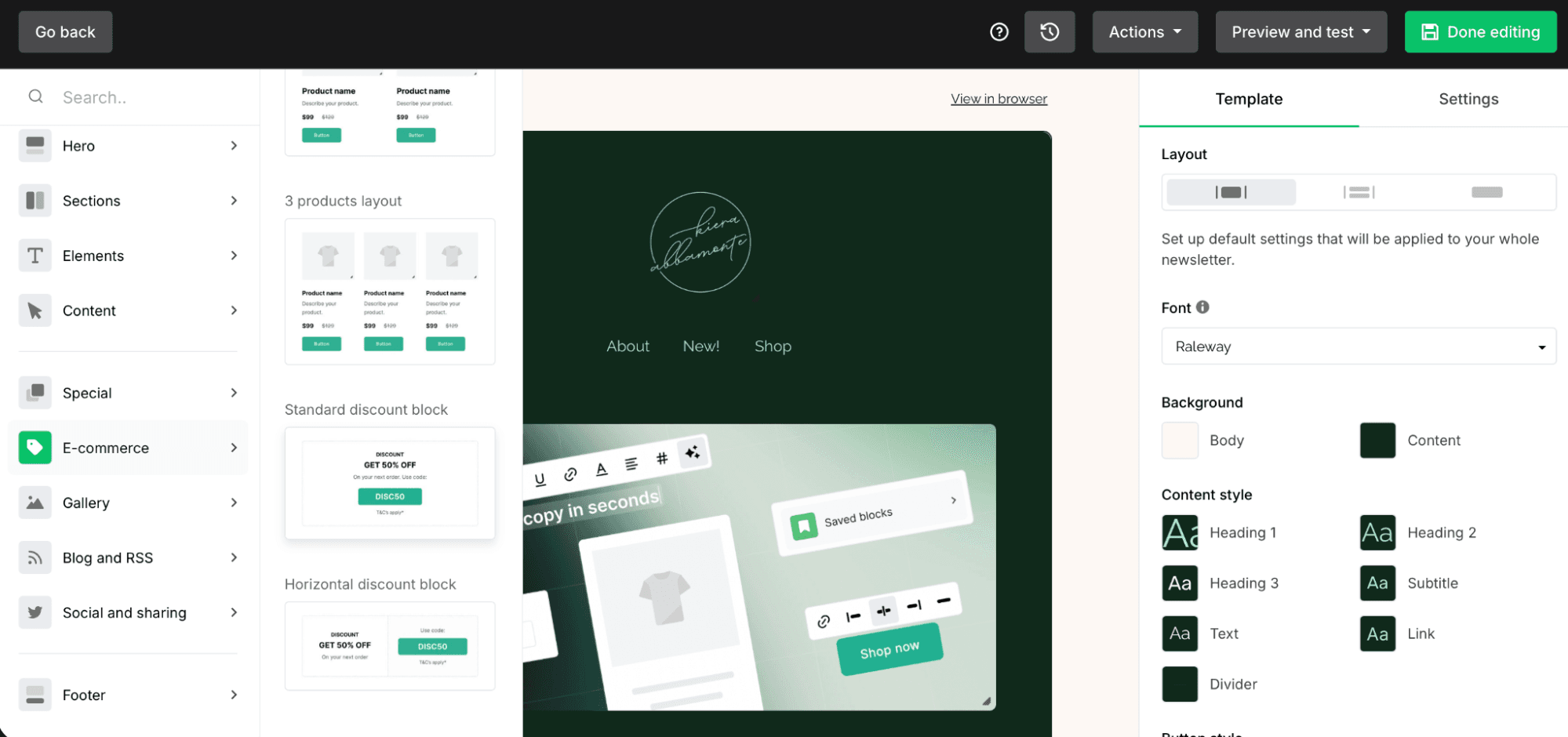
MailerLite offers an intuitive drag-and-drop editor and a strong free tier (up to 500 subscribers and 12,000 emails a month), which is why it lands on so many "best for beginners" lists. There are no pre-made templates on the free plan, but the dynamic content blocks (countdown timers, RSS feeds, product blocks) more than make up for it, and segmentation plus automation are included for free. It is a good fit for marketers who want room to get advanced without a steep bill.
Brevo, best for all-in-one marketing and sales
Since rebranding from Sendinblue, Brevo has grown into a full marketing hub with a built-in CRM and multichannel campaigns across email, SMS, WhatsApp, web push, and Facebook ads. The free plan sends 300 emails a day and stores up to 100,000 contacts, and paid plans start around $17 a month for 5,000 monthly sends. Its send-based pricing suits teams that manage large contact lists but send in focused bursts.
Mailchimp, best for marketing with e-commerce
A longtime name in the space, Mailchimp is extremely easy to use and integrates with BigCommerce, Magento, Shopify, and WooCommerce, so you can track e-commerce links and sales alongside opens and clicks. The free tier is now modest (250 subscribers, 500 sends a month), and plans get relatively expensive as you scale, but the polished interface and reporting keep it popular with small businesses. Because Mailchimp bills by the contacts you store, clearing dead addresses before you import can directly lower what you pay.
Klaviyo, best for reporting and e-commerce data
Klaviyo is built for marketers who want to drive sales with data. It offers e-commerce-specific automations, dynamic product feeds, predictive insights, and some of the best reporting of any tool tested. It integrates with Shopify, BigCommerce, Magento, and WooCommerce. The trade-off is that you need some email marketing proficiency to get the most from it, so it rewards experienced teams more than first-timers.
Omnisend, best for small e-commerce shops
Omnisend packs a lot into a free plan that is small on volume (250 subscribers, 500 sends a month) but generous on features, with 27 or more pre-built e-commerce flows, segmentation, A/B testing, and hundreds of templates. SMS adds a multichannel layer for stores that want it. If you run a small shop and want e-commerce automations without paying day one, it is the strongest free starting point.
HubSpot, best for B2B and full CRM
HubSpot Marketing Hub is less an email tool and more a complete martech platform with CRM, automation, and social management built in. That makes it a strong choice for B2B teams that want one connected system, but the Professional tier starts around $800 a month billed annually, and there is a real learning curve. Pick it when email is one piece of a larger customer-journey strategy, not the whole thing.
ActiveCampaign, best for advanced automation
ActiveCampaign is the go-to for complex, behavior-triggered sequences and AI-driven features like predictive sending. If your campaigns hinge on sophisticated automation logic rather than one-off newsletters, it is purpose-built for that work. It is overkill for a simple monthly update, so match it to genuinely automation-heavy use cases.
What to look for when choosing
Once you have a shortlist, a few practical checks separate the right tool from the merely popular one:
- Support model: Some vendors offer 24/7 phone, chat, and email help, while others leave you with documentation and limited hours. If you lack an in-house expert, weight support heavily.
- Compliance: If you market into the EU, confirm GDPR support. In the US, certain campaigns touch HIPAA or rules on marketing to minors. Ask the vendor before you sign.
- Mobile rendering: Most opens happen on phones now, so the editor should preview responsive layouts and resize images correctly.
- AI features: Many tools now use AI for subject-line generation, A/B testing, and content personalization. Useful, but check what is real versus marketing gloss.
- Deliverability tooling: Features like spam checks and authentication support directly affect whether your campaigns reach the inbox at all.
Why your list matters more than the tool
Here is the part most roundups skip. You can pick the most powerful platform on this page and still land in spam if your list is full of invalid, mistyped, or abandoned addresses. High bounce rates tell mailbox providers you are not maintaining your audience, and that quietly drags down your sender reputation for every send that follows.
Email volume is enormous (roughly 376 billion messages move daily, and that figure keeps climbing), so inboxes filter aggressively. The platforms above give you spam checks and authentication, but none of them clean your list for you. That is why the most reliable senders verify their list in bulk before importing it into any tool, then keep segmenting and removing inactive contacts over time. Doing that work first means the platform you paid for can actually do its job.
Where to start
If you are new and budget-conscious, start with MailerLite or Brevo and grow into paid tiers as your list earns its keep. If you run an online store, Omnisend or Klaviyo will pay off faster thanks to e-commerce flows. B2B teams that want CRM and email under one roof should look at HubSpot, and automation-heavy operations belong on ActiveCampaign. Whichever you choose, clean and verify your contacts first so your sender reputation starts strong instead of recovering from an avoidable mess.
Common questions about email marketing software
What is the best email marketing software?
There is no universal winner. MailerLite is the easiest start for beginners, Klaviyo and Omnisend suit e-commerce, Brevo and HubSpot work as all-in-one hubs, and ActiveCampaign leads on advanced automation. Match the tool to your contact volume and goals rather than chasing a single label.
Is there free email marketing software?
Yes. MailerLite, Brevo, Sender, and Kit all offer free plans, though the limits vary widely. MailerLite gives 12,000 emails a month to 500 subscribers, while Brevo allows 300 emails a day across up to 100,000 contacts. Read the free-plan caps closely, because the most generous-sounding tier is not always the best fit.
How much does email marketing software cost?
Plenty of tools are free to start, and paid plans often begin around $15 to $17 a month for small lists. Costs scale with subscribers and sends, so a large or feature-heavy plan can run into the hundreds (HubSpot's Professional tier starts near $800 a month). Pay-as-you-go and volume-based options exist if your sending is uneven.
Does the email tool affect deliverability?
It helps, but it is not the whole story. Independent testing shows the gap is real: in EmailToolTester's 2026 deliverability tests, scores ranged from roughly 83% to 94%, with ActiveCampaign at 94.2% and Mailchimp at 89.5%. A good platform offers authentication and spam checks, yet inbox placement still depends on the quality of your list and your sending habits. Verify addresses before you import them and keep your bounce rate low, and the tool's deliverability features will work far better.
§ Before your next send
Find the addresses that will bounce
Verify a single address free, or upload a CSV — the free plan includes 50 checks a month, no card needed.

BounceCheck Team
The team behind BounceCheck - helping businesses verify emails and improve deliverability.