Email Preheader Text: What It Is and Best Practices
 BounceCheck Team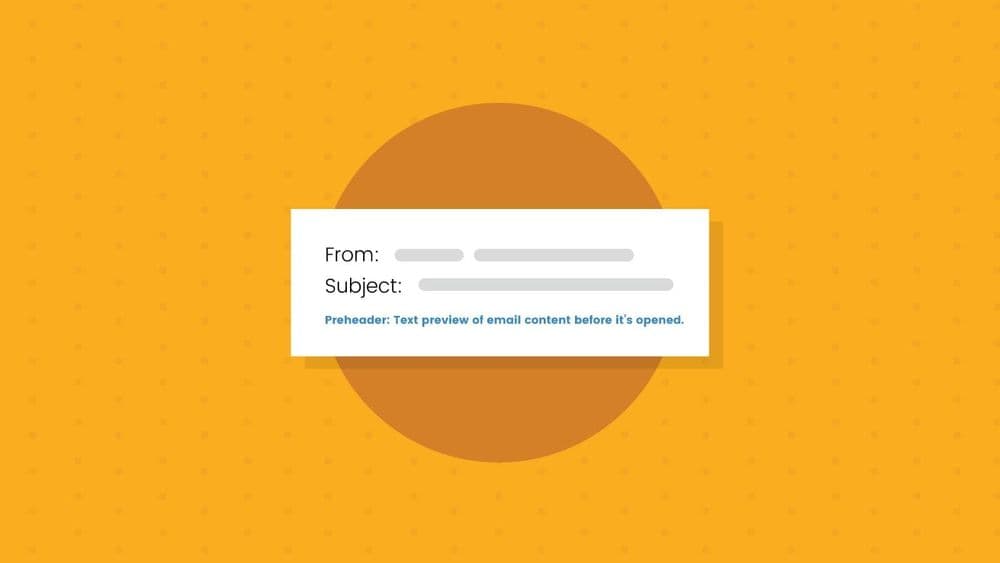
Before your next send Find the addresses that will bounce.
Verify an email freeEmail preheader text is the short line of text that appears next to or below the subject line in the inbox, previewing what the email is about. It acts as a second subject line: a few extra characters to add context, build curiosity, or make an offer before someone decides to open. If you leave it blank, the email client fills the space with whatever text comes first in your email, which is often a "view in browser" link or an unsubscribe line.
This guide covers what preheader text is, how it differs from preview text, how long it should be, how to add it, and the best practices that turn it into more opens.
What is email preheader text?
Email preheader text is a brief summary that follows the subject line in the inbox, giving the reader a preview of the message. Alongside the sender name and subject line, it is one of only three things every recipient sees before deciding whether to open, so it does real work for your open rate.
The idea is not new. The preheader is the email version of the "Johnson Box," a summary box that direct-mail copywriter Frank Johnson placed at the top of sales letters to pull readers in. The goal is the same: preview the value inside so more people keep going.
When you do not set a preheader, most email clients pull the first available text from your email instead. That default is rarely useful, and MailerLite reports that over 90 percent of the campaigns sent from its platform do not use a custom preheader, so writing one is an easy way to stand out.
Preheader text vs preview text
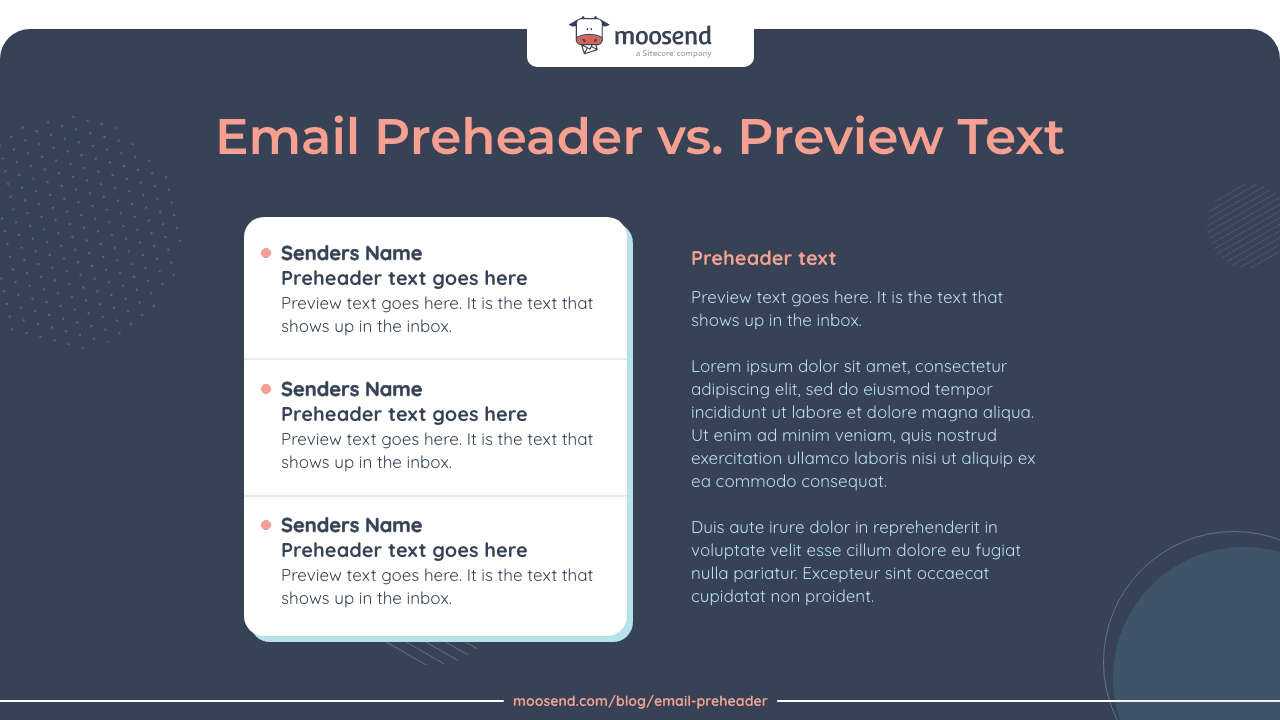
Preview text and preheader text are usually treated as the same thing: the short line shown in the inbox after the subject line. Strictly, preview text is what appears in the inbox, while preheader text is the line at the very top of the email body when the email is open. They can use the same copy or two separate strings.
The two terms are often used interchangeably, but Litmus draws a useful distinction:
- Preview text is what shows up in the inbox, right after the subject line.
- Preheader text is the text at the very top of the email body, above the header, when the email is open.
They can be the same string or two different ones. A common setup is a hidden preview text written just for the inbox, plus a separate visible line inside the email. Different clients also label the inbox preview differently: Gmail calls it a snippet, Apple Mail calls it a preview, and Outlook calls it a message preview. In everyday use, "preheader" usually means the inbox preview, and that is how this guide uses it.
How long should email preheader text be?
There is no single ideal length, because each email client and device shows a different amount. The safe approach is to front-load the important words and write enough to avoid the client pulling in stray text.
| Context | Typical visible length |
|---|---|
| Desktop webmail (Gmail, Outlook) | Depends on subject line length; often 40 to 100+ characters |
| Mobile clients | Shorter, usually 30 to 55 characters |
| General safe range | 40 to 130 characters |
Two rules hold across clients. First, put the most compelling part at the start, since the end is what gets cut off. Second, do not go too short: if the preheader is only a few words, the client backfills the gap with text from the body, which is how a stray "view in browser" ends up in your inbox preview.
How to add preheader text
There are two ways to set it:
- No code. Most email platforms, including Mailchimp, ActiveCampaign, and MailerLite, have a preheader or preview text field next to the subject line. Type your text, save, and the platform inserts the code for you. This is the easiest and least error-prone route.
- With code. If your tool has no field, add the text as the first element inside the body tag and hide it with an inline style so it shows in the inbox but not in the open email:
<div style="display:none; max-height:0; overflow:hidden;">Your preheader text goes here</div>
Hiding preheader text used to be frowned upon, but as Litmus notes, hidden preview text is now standard and does not hurt deliverability the way it once did. Always send a test to yourself and check it on both desktop and mobile before the real send.
Email preheader best practices
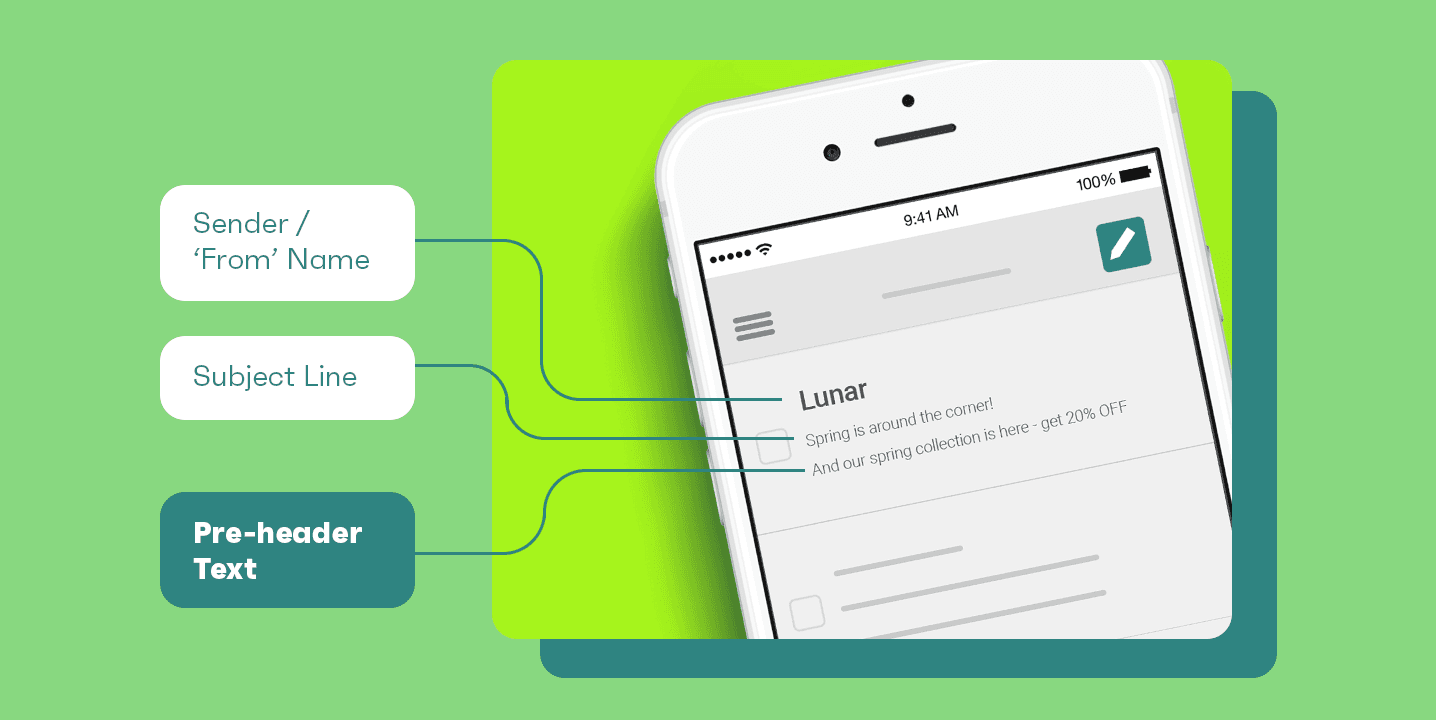
A few habits separate a preheader that earns opens from one that wastes the space:
- Do not repeat the subject line. Saying the same thing twice wastes a second chance to persuade. Use the preheader to add detail the subject line left out.
- Make them work together. Treat the subject line and preheader as one message: ask a question in the subject and answer it in the preheader, or start a sentence and finish it.
- Build curiosity or state the value. Tease what is inside, name the benefit, or open a curiosity gap, without tipping into clickbait the email cannot deliver on.
- Add a call to action. A short "Shop the sale" or "Open for your code" gives a clear reason to click.
- Personalize where it fits. A name or a relevant detail (a city, a recent action) lifts engagement, the same way it does in a subject line.
- Use emojis sparingly. One well-placed emoji helps the line stand out; a row of them reads as spam.
Preheaders are also a natural thing to A/B test: send two versions to a sample and let the higher open rate win.
Preheader examples that pair with the subject line
The strongest preheaders read as one thought with the subject line. Below are a few real pairings, and for more subject line examples to build on, see our full guide:
| Subject line | Preheader |
|---|---|
| Time is running out, friend! | Grab these deals now before they are gone |
| Your big chance to be heard | And believe me, I listen |
| Start your 1-month trial today | Unlimited articles plus the daily digital edition |
| My biggest deal ever... | and it is one day only |
In each case the preheader completes or extends the subject line rather than echoing it, which is what makes the pair compelling.
Preheaders and AI-generated inbox summaries
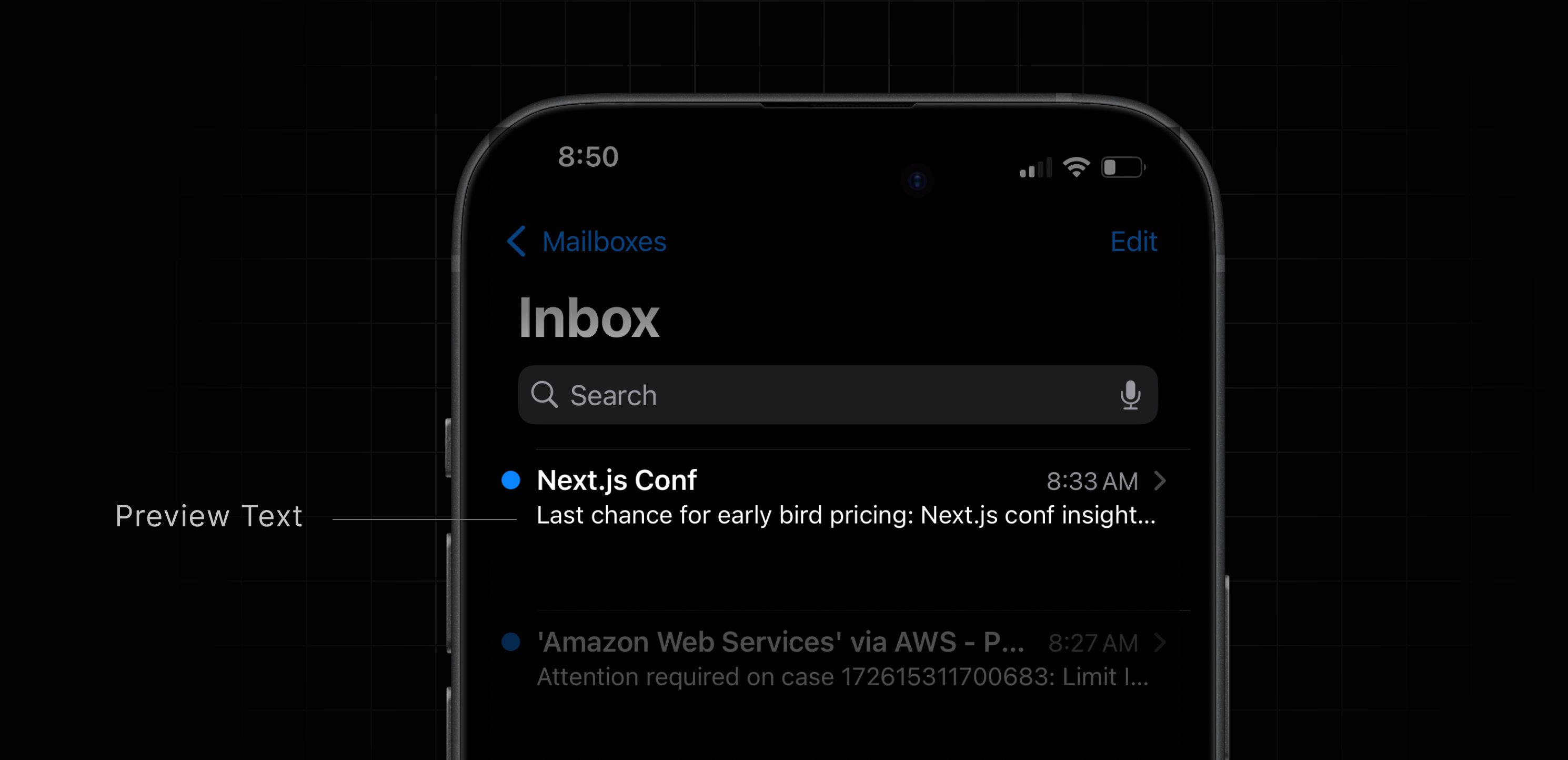
Since 2024, Apple, Gmail, and Yahoo have each rolled out AI-generated summaries that can replace the traditional preview line for users who enable them. Instead of showing your preheader, the client generates its own one-line summary of the email.
This does not make preheaders obsolete, but it changes the priorities. Because a summary can override your preview text, put your most important hook in the subject line, which the client does not rewrite. Use live text rather than image-only emails, since AI cannot reliably read text inside an image, and keep the sender name clear so the message is not mistaken for spam. For the many inboxes that still show classic preview text, a well-written preheader remains one of the cheapest ways to lift opens.
Common questions about email preheaders
What is preheader text in an email?
Preheader text is the short line that appears after the subject line in the inbox, previewing the email's content. It works as a second subject line, giving you extra characters to add context or an offer. If you do not set one, the email client pulls the first text from your email instead.
How long should email preheader text be?
Aim for roughly 40 to 130 characters, and put the most important words first. Mobile clients often show only 30 to 55 characters, and desktop length depends on your subject line, so the opening of the preheader should carry the message even if the rest is cut off.
How do I set preheader text in an email?
Most email platforms have a preheader or preview text field next to the subject line, so you type it in with no code. If your tool lacks that field, add the text as the first element in the email body inside a hidden div style so it appears in the inbox but not in the open email.
Is preheader text the same as preview text?
They are usually treated as the same thing, the inbox preview after the subject line. Strictly, preview text is what shows in the inbox, while preheader text is the line at the top of the open email. They can share the same copy or be set separately.
§ Before your next send
Find the addresses that will bounce
Verify a single address free, or upload a CSV — the free plan includes 50 checks a month, no card needed.

BounceCheck Team
The team behind BounceCheck - helping businesses verify emails and improve deliverability.