Outlook High-Volume Sender Requirements: The 5,000/Day Rule
Outlook enforces its high-volume sender requirement with an outright rejection, not a folder change. If your domain sends more than 5,000 emails a day to Outlook.com, Hotmail.com, or Live.com addresses and your SPF, DKIM, and DMARC records don't pass, Microsoft's servers return "550 5.7.515 Access denied, sending domain does not meet the required authentication level," and the message never reaches an inbox or a junk folder. That's the operative difference from Gmail and Yahoo's parallel 5,000/day rule, which mostly routes non-compliant mail to spam instead of blocking it outright. This covers who the rule applies to, what the rejection error means, and the checklist to clear before you hit the threshold.
What Outlook's high-volume sender requirement is
Microsoft requires any domain sending more than 5,000 emails per day to Outlook.com, Hotmail.com, or Live.com mailboxes to authenticate that mail with SPF, DKIM, and DMARC, or have it rejected outright.
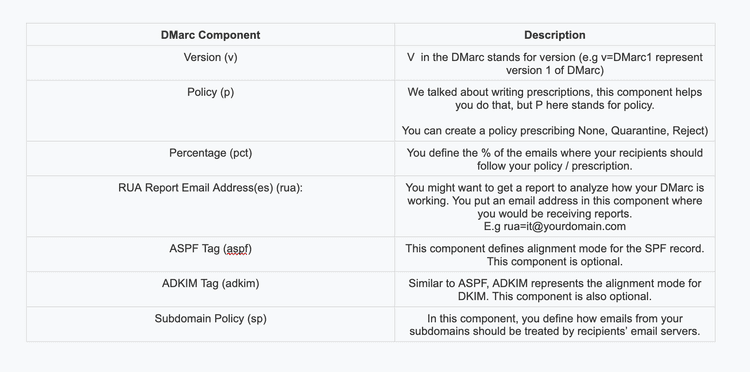
Microsoft published the requirement in an April 2, 2025 tech community post and moved it from guidance to active enforcement five weeks later. The DMARC policy has to sit at a minimum of p=none and align with either SPF or DKIM, though Microsoft recommends aligning both. A separate detail trips up a lot of senders: SPF records that exceed 10 DNS lookups fail the check even when the syntax is correct. Mailgun's guide to SPF records attributes that ceiling to the SPF specification itself, not to any Microsoft-specific rule. Microsoft has also stated directly that adding a sending address to a recipient's Safe Senders list will not bypass this authentication check. The requirement exists at the domain level, so it applies no matter which ESP or SMTP relay you send through.
Who it applies to (the 5,000/day threshold and consumer mailboxes only)
The 5,000-message threshold is counted per sending domain, per day, against Outlook.com, Hotmail.com, and Live.com recipients combined. Cross that number on any given day and the authentication requirement applies to your whole domain's traffic to those mailboxes, not just the messages over the limit.
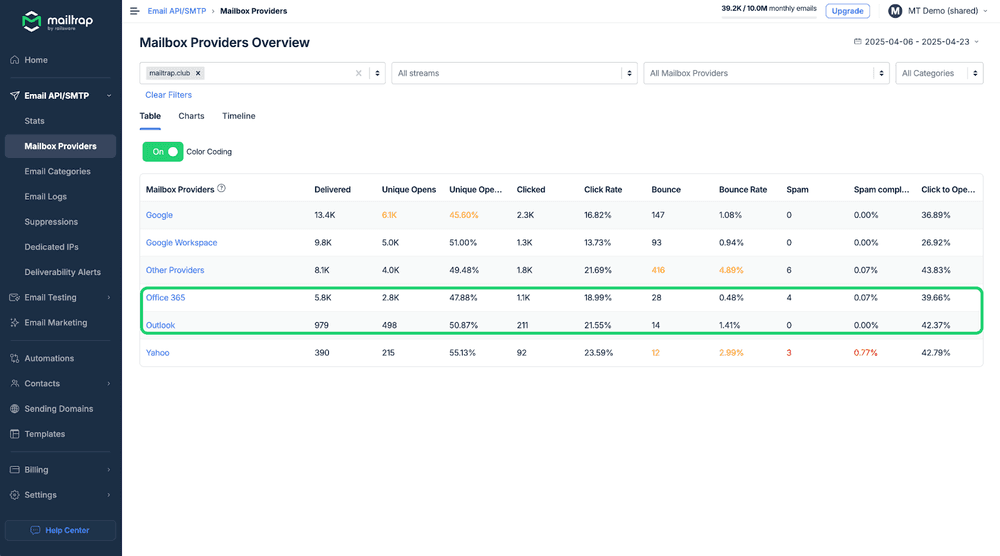
The scope stops at consumer mailboxes for now. Mailtrap's breakdown of the update notes that the requirement currently covers only outlook.com, live.com, and hotmail.com addresses, and does not extend to corporate Microsoft 365 tenant domains. If your list is mostly business addresses on a company's own domain, this specific rule doesn't apply to that traffic yet, though the underlying SPF, DKIM, and DMARC hygiene is worth having regardless of recipient type. If any meaningful share of your list uses free consumer domains, you're in scope the moment your daily volume to those three domains crosses 5,000.
How this differs from Gmail and Yahoo's 5,000/day rule
Microsoft, Gmail, and Yahoo all draw the line at the same number, 5,000 messages a day, but they don't punish a failure the same way. Gmail and Yahoo's version of the rule, covered in our breakdown of Gmail and Yahoo sender requirements, leans on spam-folder placement and throttling for non-compliant senders. Microsoft's version leans on rejection at the SMTP level, which means the message bounces instead of landing anywhere a recipient could find it.
| Requirement | Gmail | Yahoo | Microsoft (Outlook.com, Hotmail.com, Live.com) |
|---|---|---|---|
| Volume threshold | 5,000 messages/day | 5,000 messages/day | 5,000 messages/day |
| Non-compliance consequence | Spam-folder placement or throttling | Spam-folder placement or throttling | Outright rejection (550 5.7.515) |
| Enforcement start | February 2024 | 2024 (exact date not specified in available sources) | May 5, 2025 |
| Spam complaint rate cap | Below 0.3% | Not specified in available sources | Not explicitly defined |
| One-click unsubscribe (RFC 8058) | Required | Required | Not explicitly required |
Mailgun's comparison of the two regimes points out that Gmail's full bulk-sender enforcement began in February 2024, more than a year before Microsoft's May 2025 start date, and that Gmail also holds senders to an explicit spam complaint rate under 0.3 percent that Microsoft has not published an equivalent for. The practical read: passing Gmail and Yahoo's checks doesn't guarantee you pass Microsoft's, because the failure mode and some of the underlying thresholds aren't identical even though the headline number matches.
The 550 5.7.515 rejection error explained
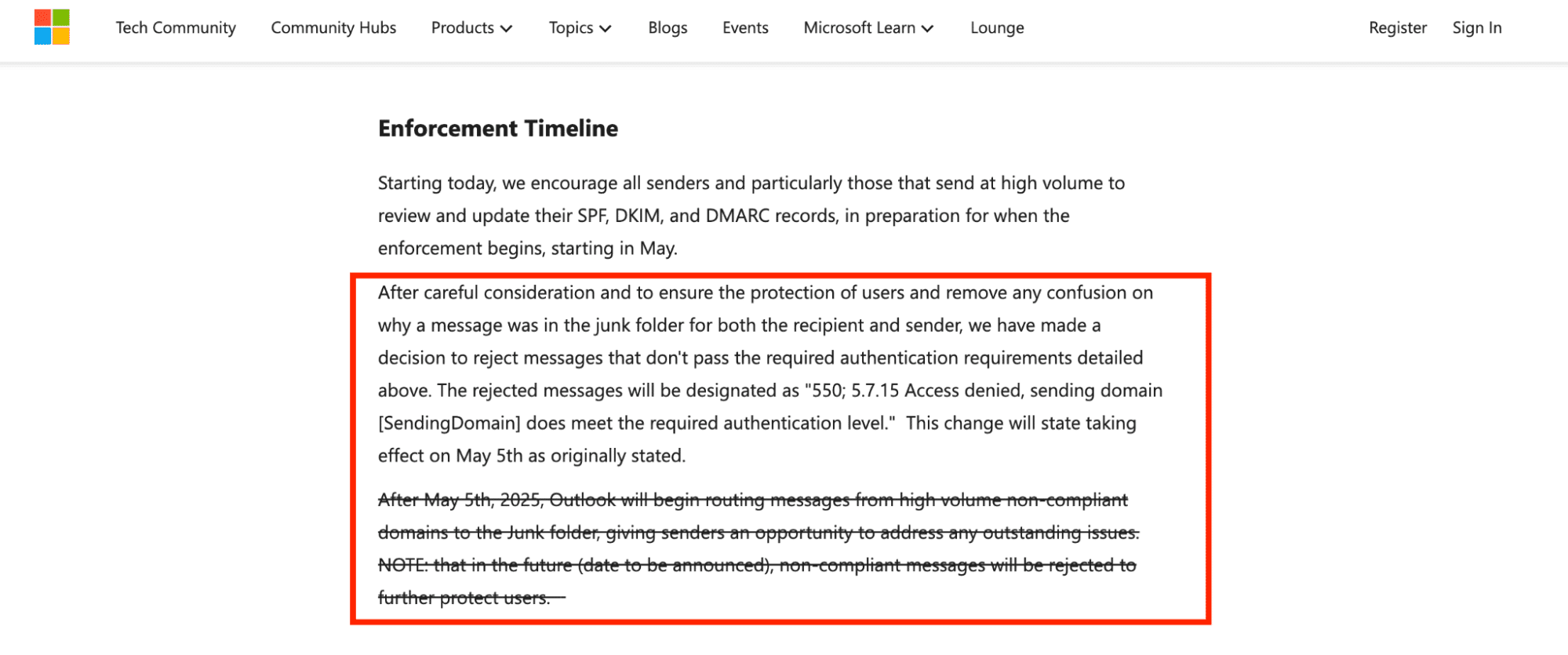
When a message from a non-compliant high-volume domain reaches Outlook, the receiving server returns this exact string: "550 5.7.515 Access denied, sending domain [SendingDomain] does not meet the required authentication level." The bracketed portion is populated with your actual sending domain, so the bounce you receive names the specific domain that failed.
This is a hard SMTP rejection, not a soft bounce or a delayed retry. The receiving server refuses the message at the point of delivery, which means it never sits in a queue and never lands in a spam folder for a recipient to rescue. Because the code sits in the 5.7.x range, it's classified as a policy and authentication failure rather than a mailbox or syntax problem, which is also why retrying the same send without fixing SPF, DKIM, or DMARC produces the identical rejection every time. If you're seeing this error outside the high-volume context too, our full breakdown of the 550 5.7.515 access denied error covers header-level diagnosis for the code in general.

Pre-flight readiness checklist: SPF, DKIM, DMARC alignment
Run your domain against these three checks before your volume to Outlook.com, Hotmail.com, and Live.com crosses 5,000 a day. Each one is pass or fail, not a matter of degree.
- SPF passes: exactly one record starting with v=spf1 resolves for the sending domain, and the record's DNS lookups total 10 or fewer. A second v=spf1 record, or a chain past the lookup ceiling, fails the check even if every line is written correctly. Mailgun's guide to SPF records walks through how that lookup count is actually tallied.
- DKIM signs: your ESP's public key is published under the correct selector, and the signature's d= domain matches or aligns with the domain shown in the visible From header. An unsigned message, or a signature pointing at the wrong domain, fails alignment even when the SPF record is clean.
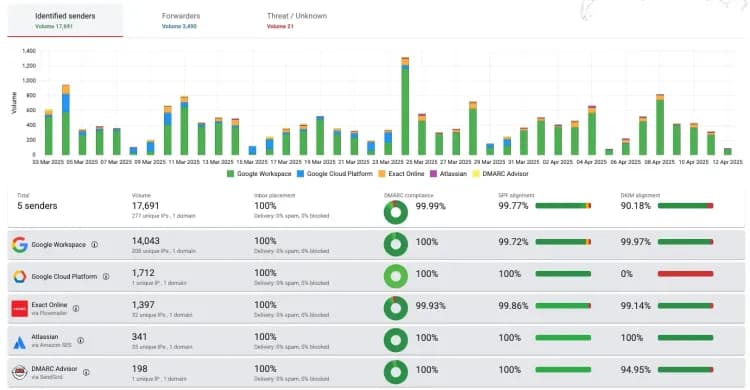
- DMARC aligns: a DMARC record exists at the domain's root, sets a policy of at least p=none, and achieves alignment on SPF or DKIM, ideally both. Mailgun's guide to implementing DMARC covers the staged rollout from p=none through enforcement in more detail.
Microsoft's own guidance recommends moving the DMARC policy up gradually, from p=none to p=quarantine and only then to p=reject, rather than jumping straight to full enforcement. Mailtrap's teardown of the requirement adds one more alignment detail worth checking directly: the Return-Path, the visible From domain, and the DKIM d= domain all need to point at the same authenticated domain, or the alignment check fails even when SPF and DKIM pass individually.

Enforcement timeline: 2025 to 2026
Microsoft announced the requirement on April 2, 2025, giving senders roughly five weeks of notice. Enforcement began on May 5, 2025, and from that date, mail from non-compliant high-volume domains to Outlook.com, Hotmail.com, and Live.com addresses has been rejected with the 550 5.7.515 error rather than filtered or throttled.
As of 2026, the requirement remains active and unchanged in scope: consumer mailboxes only, the same 5,000/day threshold, and the same rejection behavior for domains that fail SPF, DKIM, or DMARC. Microsoft has stated it does not currently send DMARC forensic (RUF) reports to domain owners, only aggregate (RUA) reports, so senders diagnosing a rejection are working from aggregate data rather than message-level forensic detail. Nothing in Microsoft's guidance points to an announced expansion into corporate Microsoft 365 domains yet, but the consumer-mailbox rule has been enforced without a rollback since May 2025.
FAQs
What is Outlook's high-volume sender requirement?
It's Microsoft's rule that any domain sending more than 5,000 emails a day to Outlook.com, Hotmail.com, or Live.com addresses must pass SPF, DKIM, and DMARC authentication. Microsoft announced it on April 2, 2025, and began rejecting non-compliant mail with the 550 5.7.515 error on May 5, 2025.
Does the 5,000/day rule apply to Microsoft 365 business domains?
No. The requirement currently covers only consumer mailboxes: outlook.com, hotmail.com, and live.com. Corporate Microsoft 365 tenant domains are not included in this specific rule, though the same SPF, DKIM, and DMARC setup is still good practice for any domain sending mail.
What does the 550 5.7.515 error mean?
It's an SMTP rejection Outlook returns to domains that exceed the 5,000/day threshold without passing authentication. The full string is "550 5.7.515 Access denied, sending domain does not meet the required authentication level," and it means the message was refused outright, not delayed or filtered to spam.
Will adding my domain to Outlook's Safe Senders list bypass the requirement?
No. Microsoft has stated directly that placement on a recipient's Safe Senders list does not exempt a domain from the authentication requirement. SPF, DKIM, and DMARC still need to pass independently of any allowlisting a recipient sets up.
What DMARC policy does Outlook require?
A policy of at least p=none, aligned with SPF or DKIM (preferably both). Microsoft recommends moving the policy up gradually, from p=none to p=quarantine and then to p=reject, rather than enforcing rejection immediately.
How is Microsoft's rule different from Gmail and Yahoo's 5,000/day rule?
All three set the same 5,000/day threshold, but the consequence for failing it differs. Gmail and Yahoo mostly route non-compliant high-volume mail to spam or throttle it, while Microsoft rejects it outright at the SMTP level with the 550 5.7.515 error.