What Is BIMI? How Email Brand Logos Work (2026)
 BounceCheck Team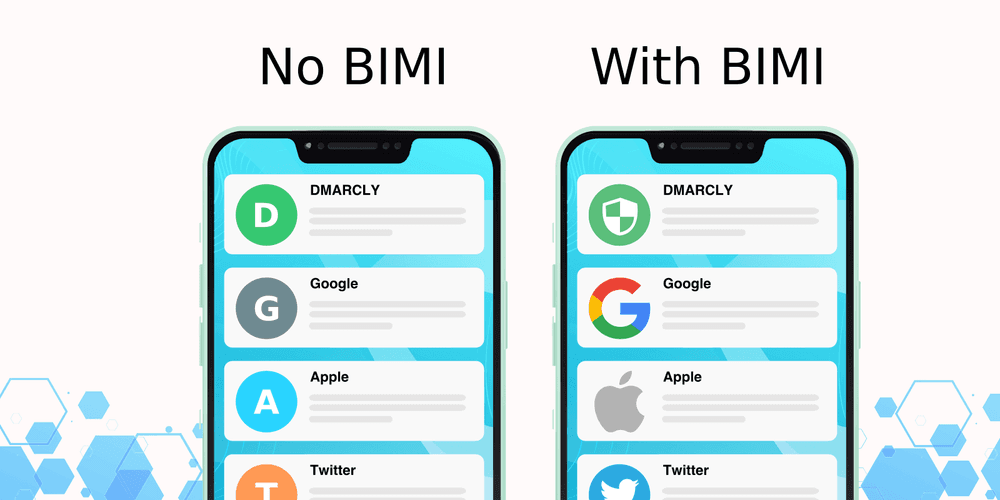
BIMI (Brand Indicators for Message Identification, pronounced "bih-mee") is an email standard that displays your verified brand logo next to your authenticated messages in supporting inboxes like Gmail and Yahoo. It only takes effect after your domain passes DMARC at enforcement, so the logo doubles as a visual sign that the message genuinely came from you and not from a spoofer. This guide covers what BIMI is, how it works, what you need to turn it on, where it shows up, and how to check any domain's status.
How does BIMI work?
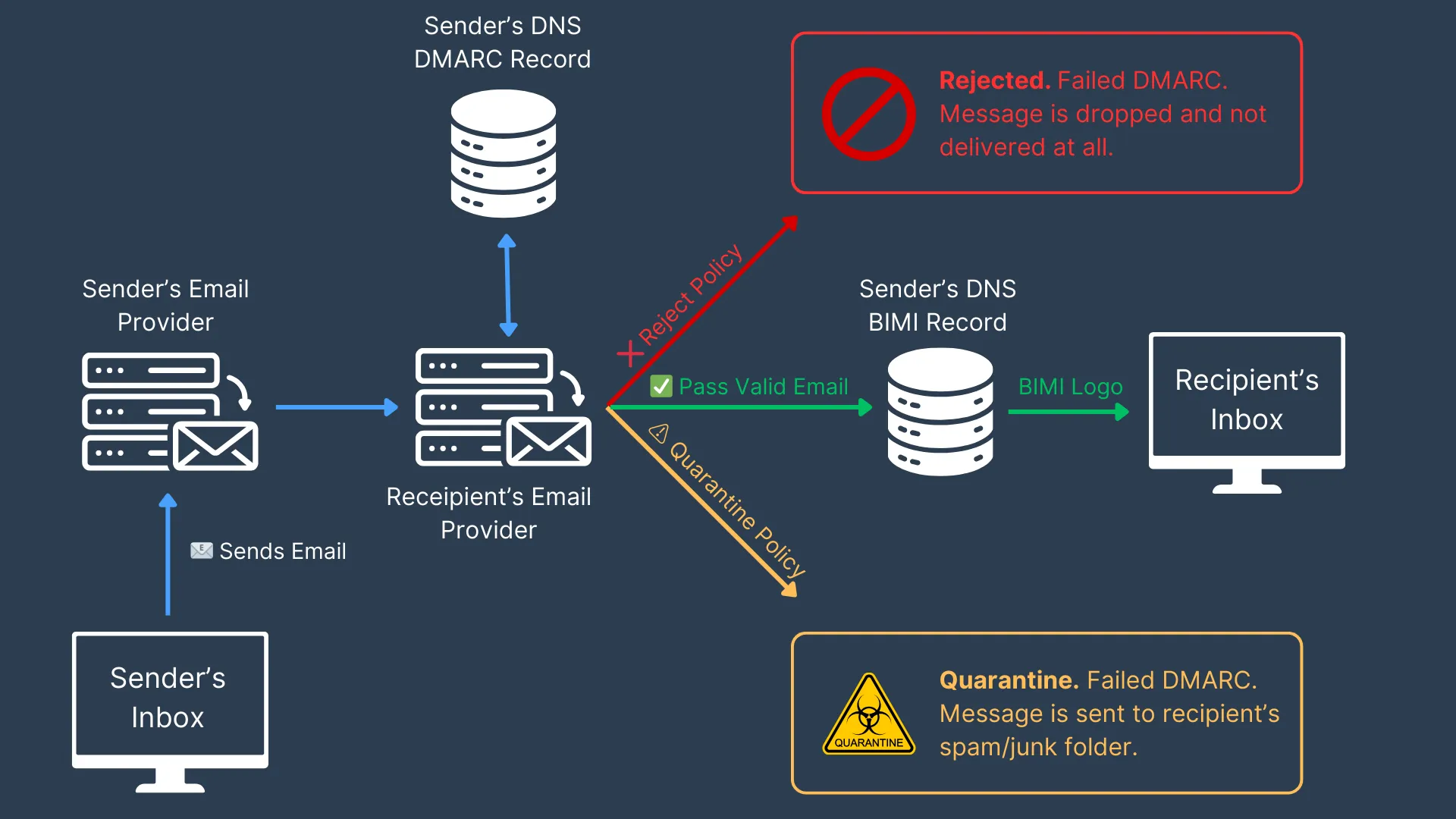
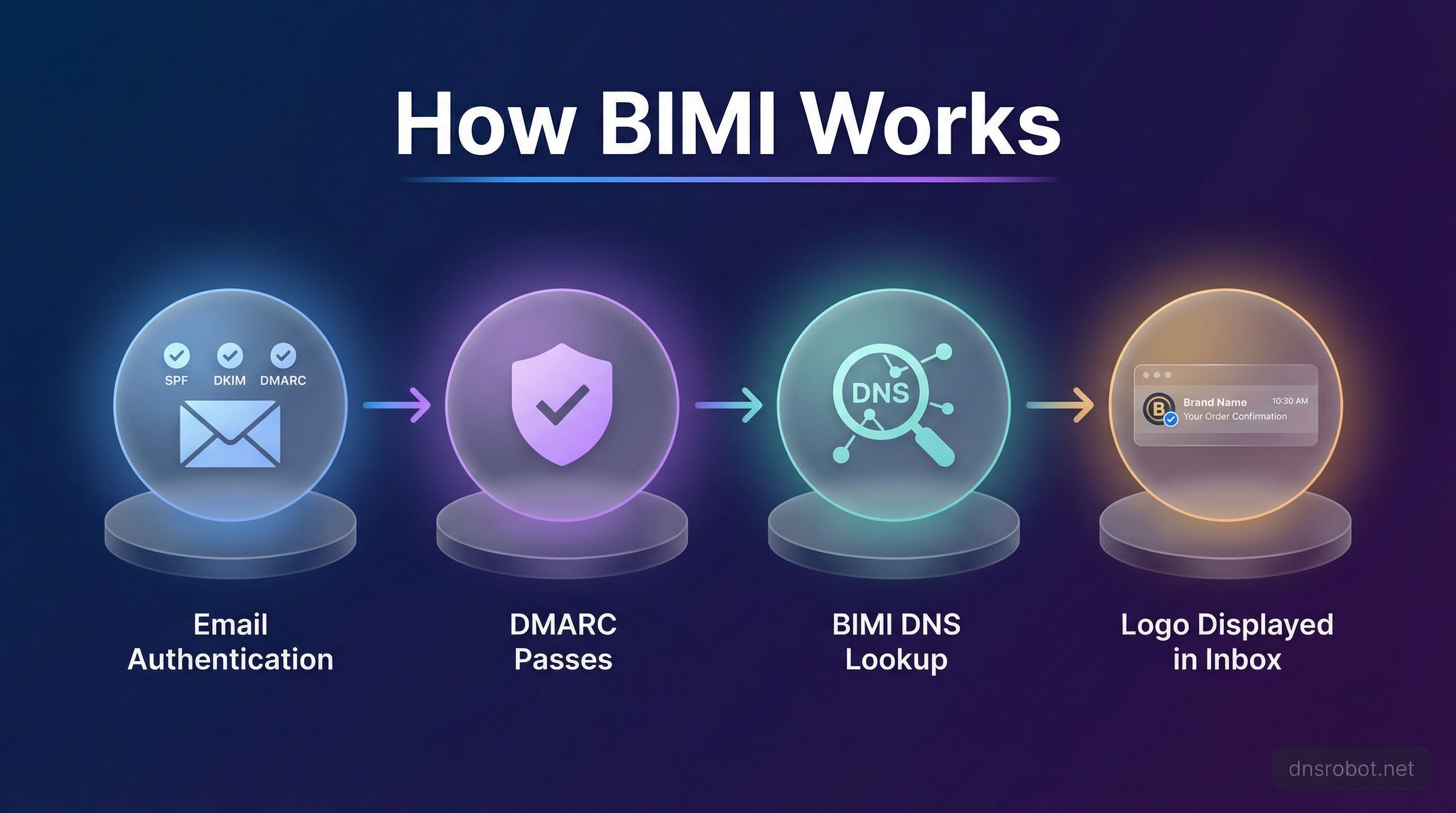
BIMI sits on top of email authentication. When you send a message, the receiving mailbox provider first checks that it passes DMARC, which itself relies on SPF and/or DKIM aligned to your From domain. If the message authenticates and your domain publishes a BIMI record, the provider reads that record, fetches the logo it points to, and shows the logo beside your email.
The BIMI record is a short line of text in your DNS, published at default._bimi.yourdomain. It holds the URL of your logo and, optionally, the location of a Verified Mark Certificate. A minimal record looks like this:
default._bimi.yourdomain.com TXT "v=BIMI1; l=https://example.com/logo.svg; a=https://example.com/vmc.pem"
Because the logo appears only after DMARC passes, someone spoofing your domain cannot ride along with your logo. That is the whole point: BIMI turns the logo into a trust signal rather than decoration.
What do you need to set up BIMI?
BIMI has three requirements, handled in order: enforced DMARC, a compliant SVG logo file, and a published BIMI DNS record. Each one depends on the last.
- Enforced DMARC: authenticate all mail with SPF and/or DKIM aligned to the From domain, then set your DMARC policy to
p=quarantineorp=reject(neverp=none), with the percentage at 100. - A compliant logo file: your logo must be a square SVG in the SVG Tiny Portable/Secure (SVG Tiny PS) profile, hosted over HTTPS, with no taglines or extra text because it renders very small.
- A published BIMI DNS record: add the
v=BIMI1TXT record pointing to your logo, and to a certificate if you have one.
For the exact DNS steps, the AuthIndicators Working Group keeps an official BIMI implementation guide.
Do you need a VMC?
A Verified Mark Certificate (VMC) attests that you own the trademark for your logo. VMCs are not universally required, but Gmail requires one. They are issued by a Mark Verifying Authority such as DigiCert or Entrust, and only after your logo is trademarked. CNN was the first company to earn a VMC, back in 2019.
What does a BIMI email look like, and which inboxes support it?
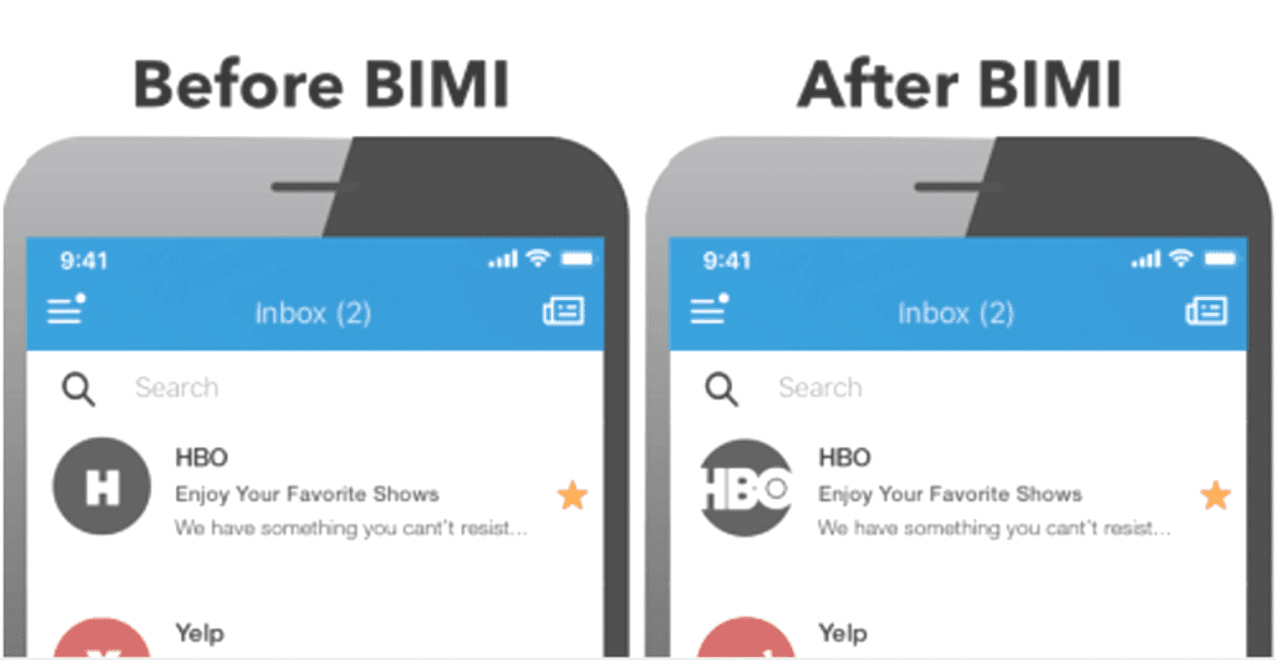
When BIMI works, your logo appears in the avatar slot next to the sender name, on both desktop and mobile and in light and dark mode. Support is still uneven across providers as of 2026:
| Inbox provider | BIMI support | VMC required? |
|---|---|---|
| Gmail | Yes (pilot) | Yes |
| Yahoo | Yes | No |
| AOL | Yes | No |
| Apple Mail | Yes (iOS 16, iPadOS 16, macOS Ventura and later) | Varies |
| Fastmail, La Poste | Piloting | No |
| Microsoft (Outlook.com) | No support | n/a |
A logo in the inbox does not always mean BIMI is behind it. Gmail also lets senders show an image through a Google account profile picture or Google Annotations. Those workarounds display a logo but carry none of BIMI's security benefits, because they are not tied to authentication.
Why BIMI matters (and what it will not do)
BIMI is valuable for two reasons that usually pull in opposite directions but line up here: security and marketing. On the security side, it makes domain spoofing harder and trains recipients to recognize your genuine mail, which is why it matters most for banks, retailers, and other frequently impersonated brands. On the marketing side, a logo in the inbox helps your messages stand out and can lift opens.
What BIMI will not do is rescue a weak sender. Mailbox providers do not display a logo for a domain they do not trust, so BIMI rewards senders who already keep a clean list, low bounce rates, and few spam complaints. It is the top of the stack, not a shortcut: you need authentication and a healthy sending reputation underneath it first. Enforced DMARC in particular is non-negotiable, so if you have not worked through SPF, DKIM, and DMARC yet, start there. And because providers weigh bounces and complaints, keeping your bounce rate low by verifying addresses before you send protects the reputation BIMI depends on.
How to check a domain's BIMI status
You can see whether any domain publishes a valid BIMI record with a free lookup tool. Enter the domain and the checker reports whether DMARC is enforced, whether a BIMI record exists, whether the logo carries a VMC, and how the logo renders on desktop and mobile. The BIMI Group generator and MxToolbox are common choices. Running your own domain through one is the fastest way to confirm your setup before you rely on it.
FAQs
What does BIMI stand for?
BIMI stands for Brand Indicators for Message Identification. It is an open email specification that lets a brand display its logo next to authenticated messages in supporting inboxes.
What does a BIMI email look like?
A BIMI email shows the sender's verified logo in the small avatar space beside the sender name, on desktop and mobile. If a domain is not BIMI compliant, that space shows a generic placeholder or the recipient's default avatar instead.
Is BIMI the same as email authentication?
No. BIMI is not an authentication method itself. It sits on top of SPF, DKIM, and DMARC: those protocols verify the sender, and BIMI uses the result to decide whether to show your logo. You cannot use BIMI without enforced DMARC.
Does Outlook support BIMI?
Microsoft's Outlook.com does not currently support BIMI. Gmail, Yahoo, AOL, and recent versions of Apple Mail do, though Gmail requires a Verified Mark Certificate.
BIMI only pays off once your authentication and list hygiene are solid. Run your list through BounceCheck before your next send to keep bounces low and protect the sender reputation that mailbox providers check before they ever show your logo.

BounceCheck Team
The team behind BounceCheck - helping businesses verify emails and improve deliverability.