CRM Data Cleaning: How to Clean Up Your Contact List
 BounceCheck Team
Before your next send Find the addresses that will bounce.
Verify an email freeCRM data cleaning is the process of finding and fixing the broken contact records in your customer database: invalid and undeliverable email addresses, duplicate entries, role-based inboxes, and details that have gone stale since someone typed them in. To clean a CRM, audit what you have, standardize the fields, deduplicate with merge and purge, validate every email address, then document the results and repeat on a recurring cadence. If you send email from your CRM, this is not housekeeping you can skip: dirty contact data is one of the fastest ways to raise your bounce rate, trip spam filters, and quietly lose sender reputation with Gmail, Yahoo, and Microsoft.
A quick note on scope: cleaning the data you already have is a different job from moving it to a new platform. If you are changing systems, follow a CRM migration process instead. This article is about hygiene on a live database.
What CRM data cleaning actually means
CRM data cleaning (also called CRM data hygiene or data cleansing) is the ongoing work of keeping the records in your CRM valid, accurate, consistent, and complete. Those four qualities are the standard tenets of data quality: validity means a field holds a real value in the right format, accuracy means it reflects the real world, consistency means the same fact is recorded the same way everywhere, and completeness means the fields you rely on are actually filled in.
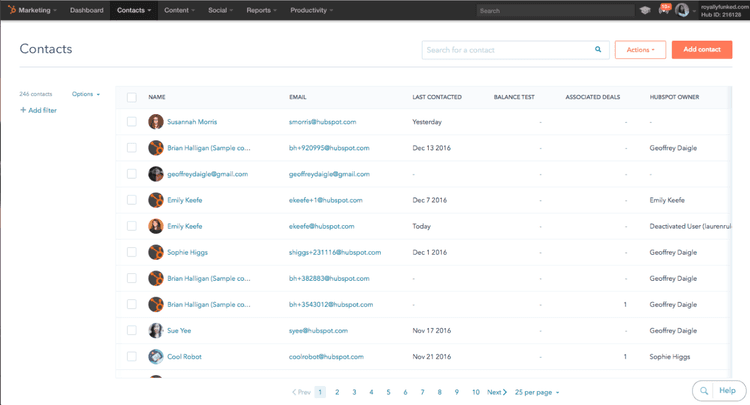
For an email-sending team, the contact record is the unit that matters most. A record can look complete on screen and still be worthless if the email field points at a mailbox that no longer exists. Cleaning is how you separate the contacts you can actually reach from the ones that only inflate your list size.
Why dirty CRM data hurts email deliverability
Dirty CRM data hurts deliverability because every send to a dead address produces a hard bounce, and mailbox providers read a rising bounce rate as a signal that you do not maintain your list. Role-based inboxes and spam traps compound the damage by drawing complaints, so an untended database steadily erodes the sender reputation your inbox placement depends on.

Contact data does not stay accurate. People change jobs, companies fold, addresses get abandoned, and typos slip in at the point of entry. That decay is continuous rather than a one-time event, so a meaningful share of any list goes bad over the course of a year if nothing is done. Left alone, a database of contacts you trusted last quarter is measurably worse this quarter.
That decay carries a direct deliverability cost. Google's email sender guidelines ask bulk senders to keep invalid recipients and spam complaints low, and a neglected database works against both. Role-based inboxes and spam traps compound the problem, because they attract complaints or flag you as a sender who buys or neglects data. Verification is one lever here, not a cure: it removes the addresses that will fail, but it will not repair a reputation already damaged by months of bouncing, and it does not replace the authentication and engagement work that improving email deliverability also depends on.
The contact-data problems worth cleaning
The contact-data problems worth cleaning, in order of deliverability impact, are invalid or undeliverable emails, role-based and generic addresses, duplicate records, inconsistent or non-standardized fields, decayed or stale contacts, and disposable domains. The first three do the most direct damage to your bounce rate and sender reputation.

Not every field needs the same attention. For deliverability, these are the record problems that do the most damage:
- Invalid and undeliverable emails, meaning addresses with syntax errors, dead domains, or mailboxes that no longer accept mail. These are the direct source of hard bounces.
- Role-based and generic addresses like info@, sales@, and admin@, which are shared inboxes rather than a person and tend to draw spam complaints and low engagement.
- Duplicate contact records, where the same person exists two or three times, so you email them repeatedly and split their history across records.
- Inconsistent or non-standardized data, such as mixed name casing, country names entered five different ways, and phone formats that no field validation ever enforced.
- Decayed or stale contacts who have not opened, clicked, or replied in a long time, or whose company details no longer match reality.
- Disposable and throwaway domains collected through sign-up forms, which almost never turn into real engagement.
How to clean your CRM contact data
To clean CRM contact data, work through five steps in order: audit and profile the database, standardize the fields, deduplicate with merge and purge, validate the email addresses, then document and report. The order matters, because standardizing before you deduplicate and validating before you report keeps you from merging records incorrectly or measuring against a moving target.
Step 1: Audit and profile what you have
Start by measuring the current state instead of guessing. Profile the database to count how many records are missing an email, how many share a domain, how many carry role-based addresses, and how many have not engaged in months. This audit gives you a baseline and tells you which problem is largest, so you fix the expensive ones first.
Step 2: Standardize the fields
Bring fields into a single format before anything else: consistent name casing, one spelling per country and state, trimmed whitespace, and normalized phone and job-title fields. Standardization matters here because deduplication depends on it. Two records for the same person will only match if their fields are written the same way.
Step 3: Deduplicate with merge and purge
Find records that represent the same contact and consolidate them. The safe pattern is merge and purge: merge the useful history from duplicates into one surviving record so you keep the engagement and activity data, then purge the leftovers. Deduplication stops you from emailing one person multiple times and gives each contact a single, consolidated view.
Step 4: Validate the email addresses
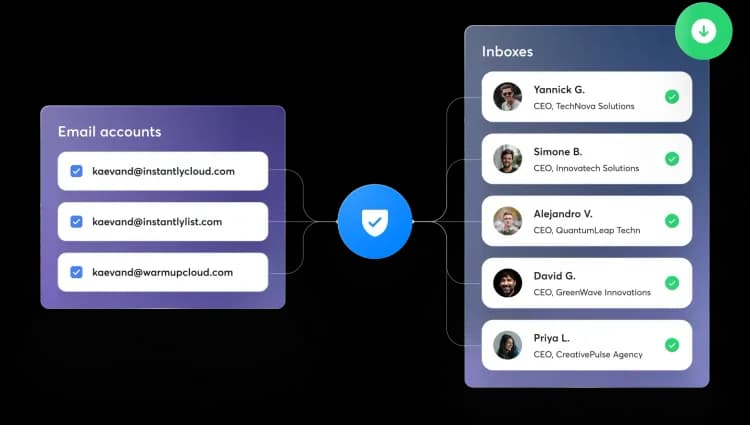
This is the step that protects deliverability directly. Export the surviving records and bulk verify the exported contacts: validation checks each address for correct syntax, a real domain with valid DNS and MX records, and a mailbox that accepts mail, and flags role-based addresses, disposable domains, and known spam traps. Remove or suppress the addresses that fail before your next send. For a one-off check on a single address you can verify an email is valid manually, but a full CRM needs bulk validation.
Step 5: Document and report
Record what you removed, what you merged, and how many addresses failed validation. A short report turns a one-time cleanup into a repeatable process, shows the impact on list health, and gives you the numbers to justify doing it again on schedule.
How often to clean your CRM
Clean your CRM on a recurring cadence rather than once a year: validate new contacts daily at the point of entry, merge obvious duplicates weekly, standardize fields and review risky sign-ups monthly, and run a full audit with bulk email validation quarterly. Because data decays continuously, a schedule keeps the list healthier than an occasional deep clean.

Because data decays continuously, hygiene works best as a recurring cadence rather than an annual purge. A workable schedule splits the tasks by how fast each problem accumulates:
| Cadence | Task |
|---|---|
| Daily | Validate new contacts at the point of entry (forms, imports, integrations) |
| Weekly | Catch and merge obvious duplicates from recent activity |
| Monthly | Standardize fields and review role-based or disposable sign-ups |
| Quarterly | Run a full audit, bulk-validate the list, and suppress decayed contacts |
Validating at the point of entry is the highest-leverage habit on this list. Stopping a bad address before it enters the CRM is cheaper than finding it three months later after it has already bounced a few campaigns.
FAQs
What is CRM data hygiene?
CRM data hygiene is the ongoing practice of keeping contact records valid, accurate, consistent, and complete. It covers removing invalid emails, merging duplicates, standardizing fields, and suppressing contacts that have gone stale, so the data you send to and report on stays trustworthy.
How often should you clean your CRM data?
Treat it as a cadence, not a one-time event. Validate new contacts as they enter daily, merge duplicates weekly, standardize fields monthly, and run a full audit and bulk email validation quarterly. Because records decay continuously, a recurring schedule keeps the list healthier than an occasional deep clean.
What makes CRM data go stale?
People change jobs and email addresses, companies close or rebrand, sign-up typos never get corrected, and mailboxes get abandoned. These changes happen continuously, so a database degrades on its own even when no one touches it.
Is CRM data cleaning the same as data enrichment?
No. Cleaning removes and fixes bad data you already have, such as invalid emails and duplicates. Enrichment adds new information to existing records, like a missing job title or company size. Clean first: enriching records that are duplicated or invalid just multiplies the mess.
Do duplicate records really hurt email deliverability?
Yes. Duplicates mean you email the same person more than once per campaign, which raises complaint and unsubscribe rates and can look like careless list management to mailbox providers. Merging duplicates into a single record protects both engagement metrics and sender reputation.
Clean data is the foundation your deliverability sits on, and email validation is the part of the cleanup that keeps hard bounces off your reputation. Run your CRM list through BounceCheck before your next send to catch the invalid, role-based, and risky addresses that dirty contact data leaves behind.
§ Before your next send
Find the addresses that will bounce
Verify a single address free, or upload a CSV — the free plan includes 50 checks a month, no card needed.

BounceCheck Team
The team behind BounceCheck - helping businesses verify emails and improve deliverability.