What Is a Seed List in Email Deliverability?
 BounceCheck Team
Before your next send Find the addresses that will bounce.
Verify an email freeA seed list is a monitored set of test email addresses, spread across the major mailbox providers, that you send a campaign to in order to see where it lands. When you send to the seed list, a deliverability tool reports how many copies reached the inbox, how many went to spam, and how many went missing at each provider, so you learn your inbox placement before the campaign goes to real subscribers.
This guide explains what a seed list is, how a seed test works, how to read the results, how to build one, and where seed testing fits alongside list hygiene.
What is a seed list?
A seed list is a set of real email addresses, provided by a deliverability platform or owned by your team, used only to monitor your email campaigns. The addresses sit across providers like Gmail, Yahoo, Outlook, and Apple, so a single test reflects how different mailbox providers treat your mail.
Nobody reads or engages with these inboxes; they exist purely to observe placement. That is why seed addresses are kept separate from your real audience and, as covered below, left out of your open and click metrics.
What is a seed test and inbox placement?
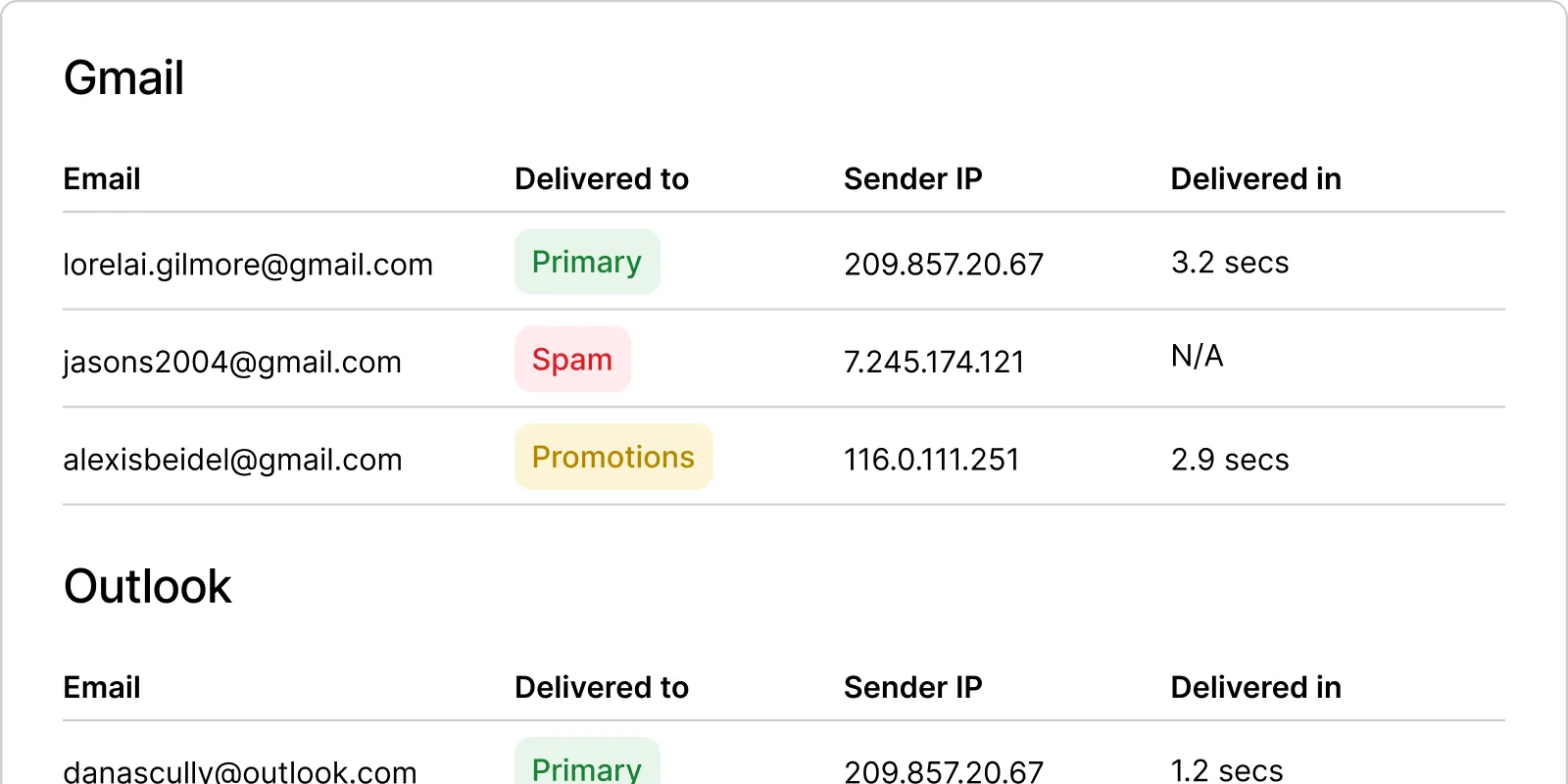
A seed test is the act of sending your campaign to the seed list, then reading the placement data it returns. Its main value is showing your inbox placement rate: whether a message reaches the inbox, the spam folder, or goes missing at each provider.
A seed test also helps diagnose why mail is being filtered. Alongside placement, most tools check header data, authentication (SPF, DKIM, and DMARC), link validity, and how the design renders, so you can see what to fix before the campaign reaches subscribers.
How to read seed test results
Seed test results are usually split into three categories, reported per mailbox provider:
| Category | What it measures | What it signals |
|---|---|---|
| Inbox | Share of seed addresses that received the message in the inbox | Placement of 80 percent or higher is generally strong and suggests those providers are not deliberately filtering you |
| Spam | Share filed as junk or spam | High spam placement at a provider points to a reputation or content problem with that provider specifically |
| Missing | Share that never arrived, usually from a bounce, block, or blocklisting | Often signals spammy content or an active block |
Because the seed addresses stand in for your subscribers, spam or missing results are a warning that real recipients on those providers are seeing the same thing.
How to build a seed list

There are two ways to get a seed list:
- Use a deliverability provider. Tools such as Validity Everest, Emailable, and GlockApps supply a ready-made seed list and place the results in a dashboard. This is the fastest route and gives broad provider coverage.
- Build your own. Add a handful of addresses you control across different providers (Gmail, Outlook, Yahoo, a custom domain), tag them, and create a segment you can send to before your main audience. A do-it-yourself list is free but covers fewer providers and needs manual checking.
A useful refinement is to match your seed list to your audience: if 45 percent of your subscribers use Gmail, weighting the seed list the same way gives a more accurate picture of overall placement.
Seed testing best practices
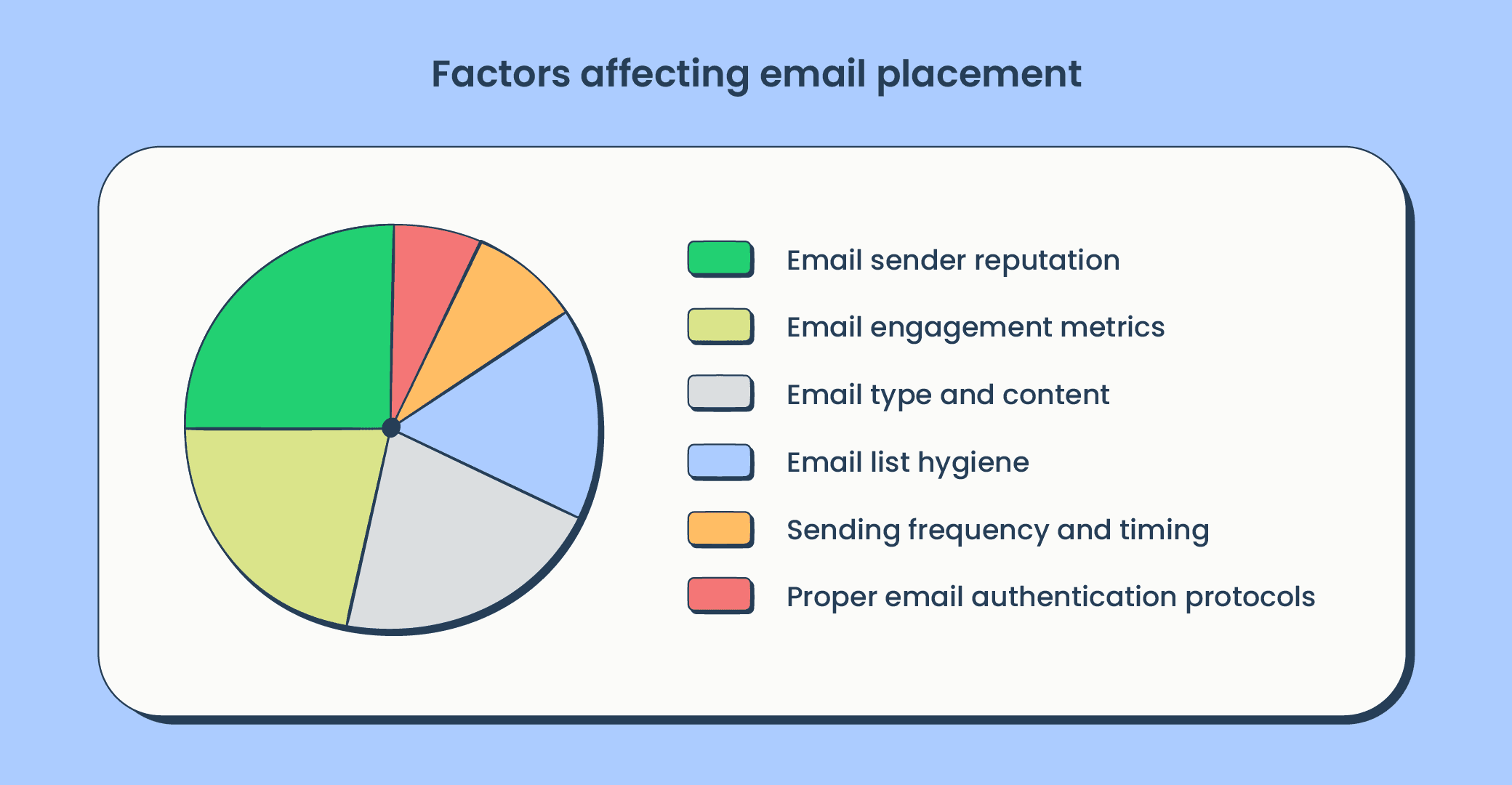
A few habits make seed testing more reliable:
- Test on a regular cadence. Placement shifts over time, so weekly tests, plus one before and after any major campaign, build the trend data that makes a sudden spam spike easy to spot.
- Keep seed addresses out of your performance metrics. No one opens these inboxes, so counting them drags down your open and click rates.
- Do not set and forget the list. Seed addresses can be suppressed for inactivity or added over time, so keep the list current or tests will report false missing results.
- Act on the results. A rise in spam placement is an early signal; fixing it quickly stops it from becoming a hard block at a mailbox provider.
Seed lists and list hygiene
A seed test tells you where your mail lands, but it does not clean your list. A campaign can inbox perfectly on the seed test and still hit hard bounces and spam traps when it reaches thousands of real addresses, because the seed list only contains a handful of monitored inboxes.
That is why seed testing and list verification do different jobs. Seed testing measures placement; verifying your list removes the invalid and risky addresses that cause the bounces and complaints that hurt placement in the first place. Run the full list through a email verification to keep it clean, then use seed tests to confirm the clean campaign is actually reaching the inbox.
Common questions about seed lists cover what they are in email marketing, how often to run a seed test, whether a seed list replaces email verification, and what counts as a good inbox placement rate. Short answers to each follow.
What is a seed list in email marketing?
A seed list is a set of monitored test email addresses across major mailbox providers that you send a campaign to before your real audience. It reports how much of your mail reaches the inbox, spam, or goes missing at each provider, so you can measure inbox placement and catch problems early.
How often should you run a seed test?
If you send bulk email regularly, test at least weekly, and also before and after any significant campaign. Regular testing builds trend data, so a sudden drop in inbox placement is easy to spot and trace back to whatever changed in your sending.
Does a seed list replace email verification?
No. A seed list measures where your mail lands; it does not check whether the addresses on your real list are valid. You still need to verify your list to remove invalid and risky addresses that cause bounces. Seed testing and verification are complementary steps, not substitutes.
What is a good inbox placement rate on a seed test?
Inbox placement of 80 percent or higher is generally considered strong, and suggests the tested providers are not deliberately filtering your mail. Lower placement, or high spam and missing percentages, points to a reputation, authentication, or content issue to fix.
§ Before your next send
Find the addresses that will bounce
Verify a single address free, or upload a CSV — the free plan includes 50 checks a month, no card needed.

BounceCheck Team
The team behind BounceCheck - helping businesses verify emails and improve deliverability.

