GoDaddy SPF Record: How to Add and Verify It
 BounceCheck Team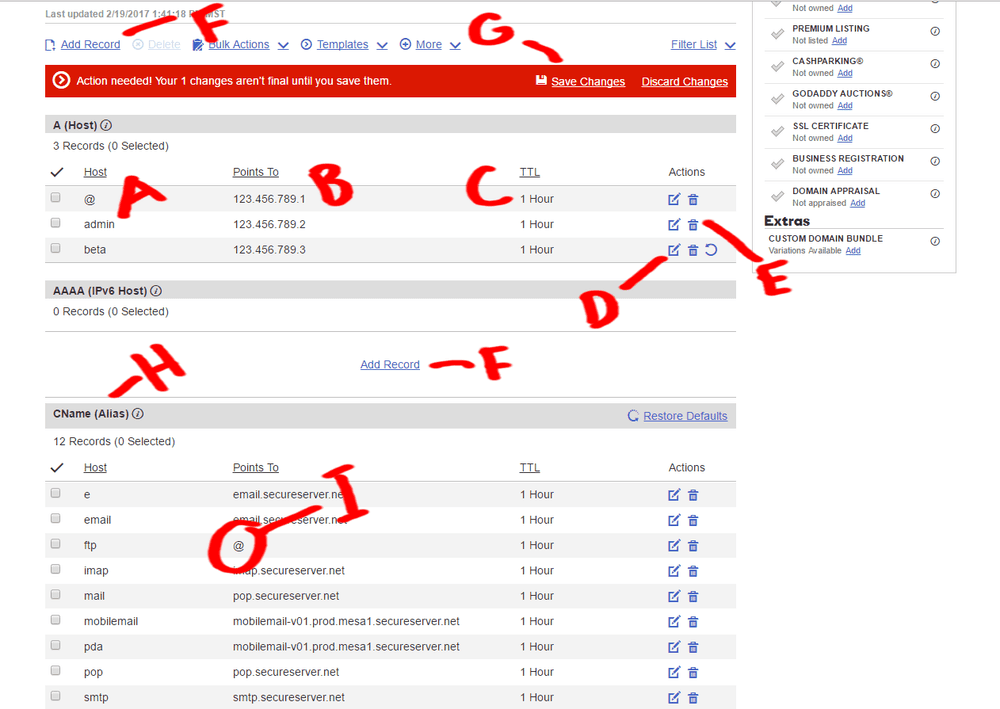
Before your next send Find the addresses that will bounce.
Verify an email freeA GoDaddy SPF record is a DNS TXT record that tells receiving mail servers which servers are allowed to send email for a domain you host at GoDaddy. You add it in the GoDaddy Domain Portfolio under DNS, as a TXT record with the host set to @ and a value that starts with v=spf1. This guide covers the exact steps to add the record, how to find an existing one, why a domain can have only a single SPF record, and how to verify it with a lookup.
What is a GoDaddy SPF record?
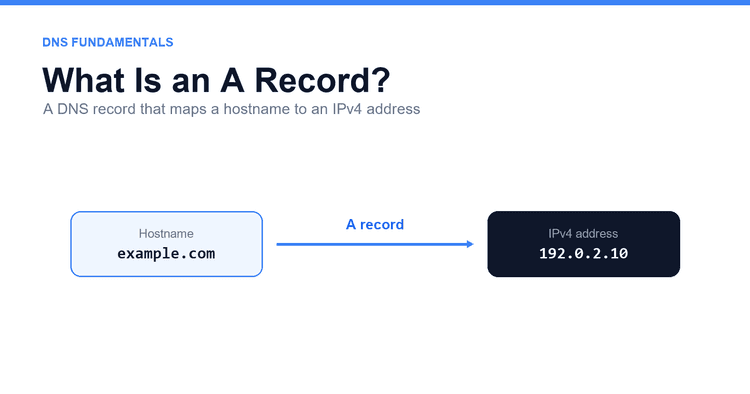
A GoDaddy SPF record is a TXT record, published in your domain's DNS zone at GoDaddy, that lists the mail servers authorized to send on your behalf. SPF (Sender Policy Framework, defined in RFC 7208) lets a domain declare that list in DNS. Every SPF record starts with v=spf1 and ends with a terminating mechanism that decides how strictly to treat unlisted servers, the choice between softfail and hardfail. When a mailbox provider receives your message, it looks up the record and checks whether the sending server appears in it. A match helps the message reach the inbox; a mismatch is handled according to your DMARC policy.
The value depends on how you send. If you use GoDaddy's own Microsoft 365 or Professional Email, the record is v=spf1 include:secureserver.net -all. If you send through a different provider, you use that provider's include instead, and the include mechanism does the work of authorizing their servers.
How to add an SPF record in GoDaddy
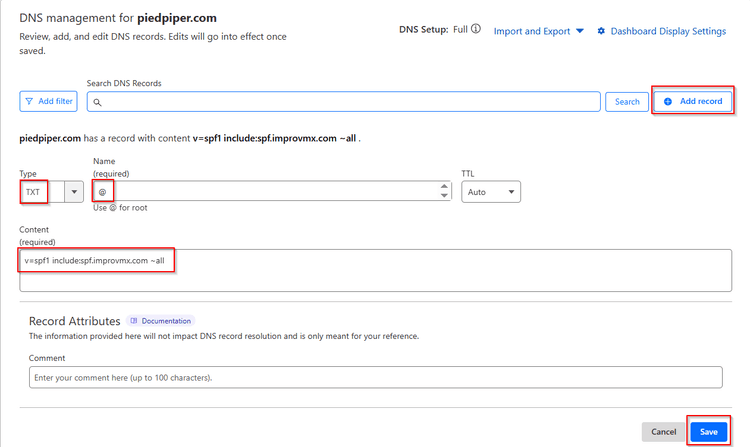
To add an SPF record in GoDaddy, open your domain's DNS settings in the Domain Portfolio, select Add New Record, choose the TXT type, set the host to @, paste a value that starts with v=spf1, and save. The steps are the same whether you host email at GoDaddy or somewhere else.
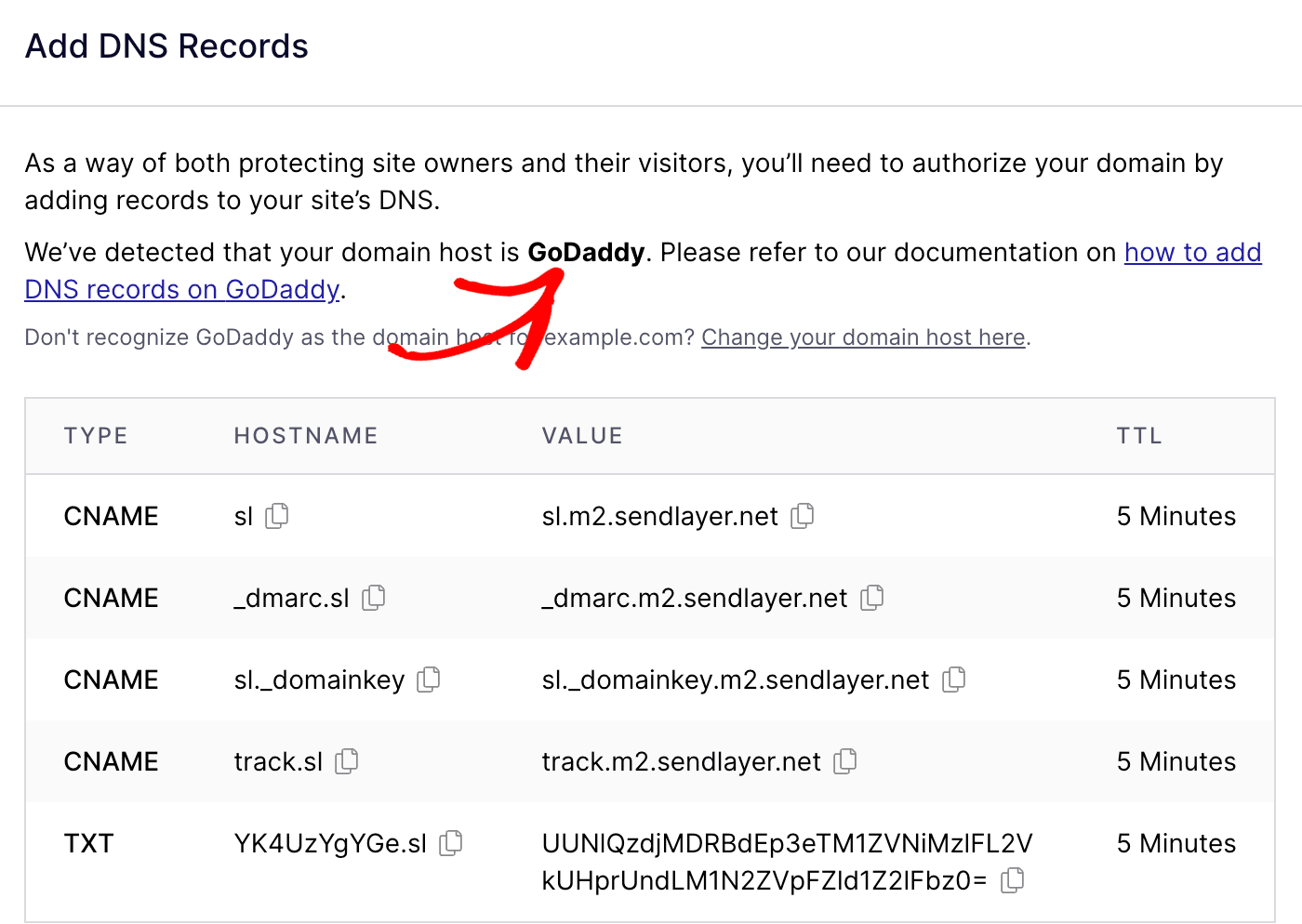
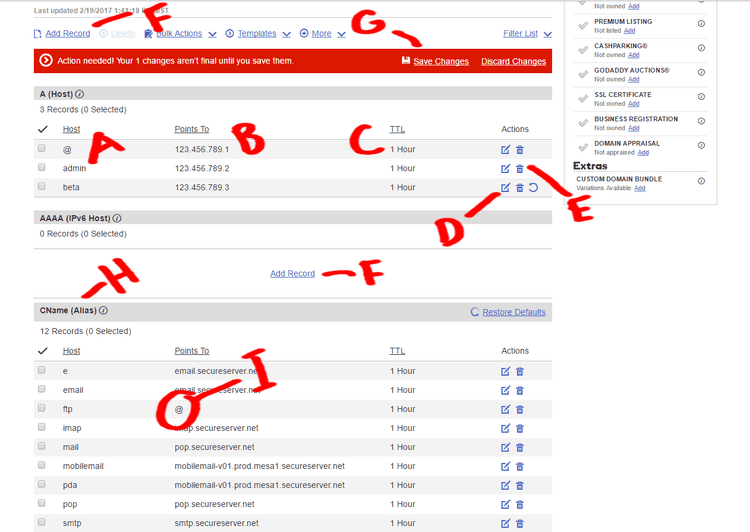
- Sign in to GoDaddy and open your Domain Portfolio, then select the domain and open its DNS settings (Domain Settings, then DNS, or Manage DNS).
- In the DNS Records section, select Add New Record.
- Set Type to
TXT. - In the Name (Host) field, enter
@to apply the record to the root domain. For a subdomain such asmail.yourdomain.com, enter onlymail. - In the Value field, paste your SPF record, for example
v=spf1 include:secureserver.net -allfor GoDaddy email, or the value your provider gives you. If you send from more than one service, generate the SPF value first so every sender ends up in a single record. - Leave TTL at the default of one hour unless you have a reason to change it.
- Select Save. The change usually appears in your account right away, though full DNS propagation can take up to 48 hours.
The value you paste follows a simple pattern based on how many services send for the domain:
| Sending setup | Example SPF value |
|---|---|
| GoDaddy email (Microsoft 365 or Professional Email) | v=spf1 include:secureserver.net -all |
| A single third-party sender | v=spf1 include:provider.example -all |
| GoDaddy email plus one other sender | v=spf1 include:secureserver.net include:provider.example -all |
How to find your existing SPF record in GoDaddy
To find your existing SPF record in GoDaddy, open the DNS Records screen in your Domain Portfolio and scan the TXT entries for a value that starts with v=spf1. You can also check from outside GoDaddy with a public SPF lookup, or by running dig txt yourdomain.com on macOS or Linux. Always check before you add anything, because a domain can have only one SPF record and a second one breaks authentication. If a v=spf1 record already exists, edit that record instead of creating a new one.
Keep only one SPF record per domain
A domain must have exactly one SPF record. Publishing a second v=spf1 TXT record does not combine the two: it produces a PermError, and receiving servers can fail SPF for all of your mail. If you send through more than one service, merge their include statements into the single record rather than creating another.
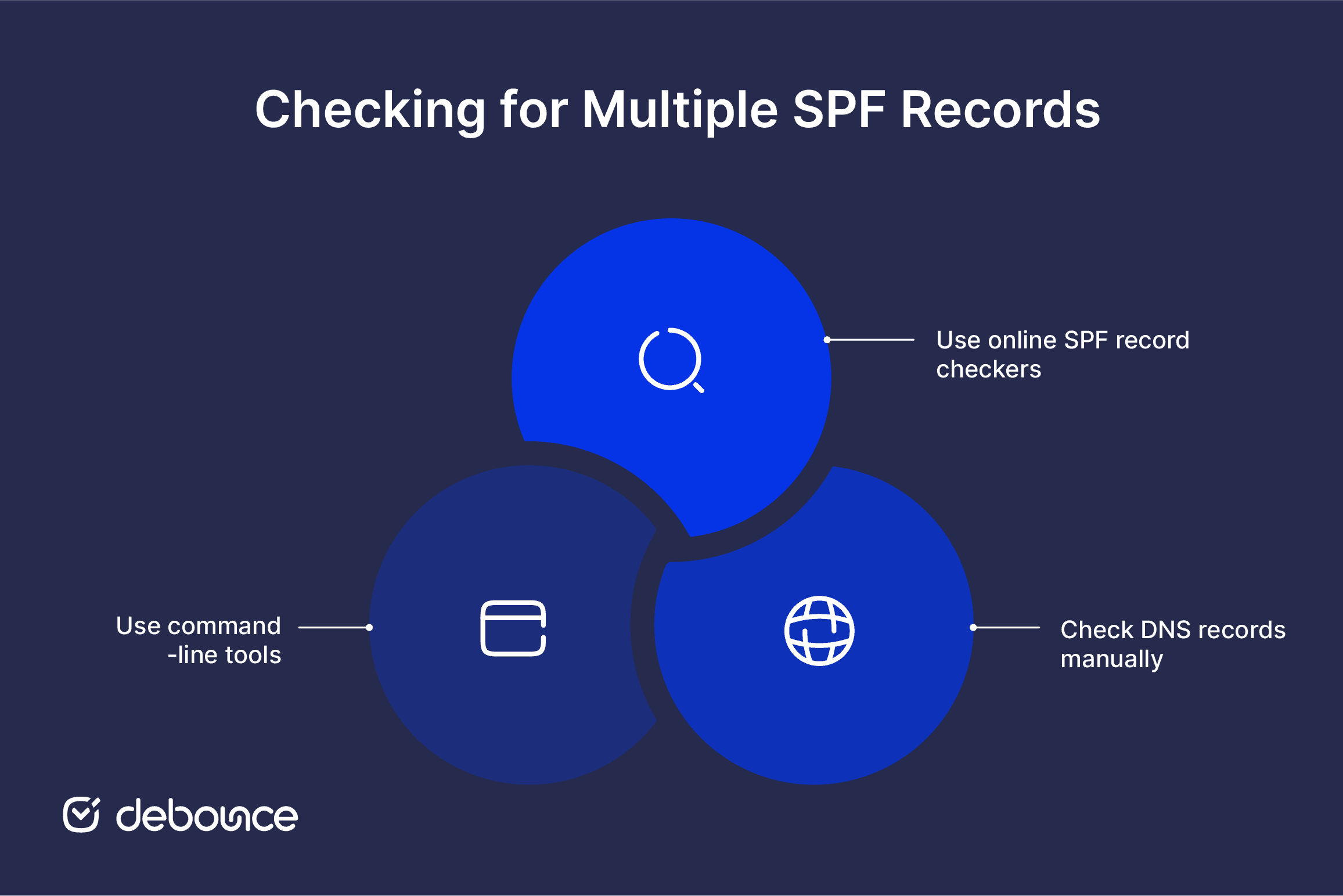
A domain that uses GoDaddy email and one other provider keeps everything on one line, for example v=spf1 include:secureserver.net include:provider.example -all. Add each new include before the terminating ~all or -all mechanism, because anything after it is ignored. This one-record rule is the most common reason GoDaddy SPF setups fail, so it is worth understanding why multiple SPF records break email before you edit a live domain.
Common GoDaddy SPF record mistakes
Most GoDaddy SPF failures trace back to a few repeatable errors: publishing a second SPF record, placing an include after the terminating mechanism, exceeding the DNS lookup limit, or entering the wrong host value. The five below account for the majority of broken setups.
- Creating a second SPF record instead of editing the existing one. Only one
v=spf1record is allowed per domain, so merge every include into it. - Placing an include after the terminating
~allor-allmechanism, where it is ignored. Add new includes before it. - Exceeding the SPF lookup limit. RFC 7208 caps SPF evaluation at 10 DNS lookups, and stacking many include statements can trigger a PermError that breaks the whole record.
- Entering the full domain in the Host field. Use
@for the root domain, or only the subdomain label such asmail. - Editing the record and testing immediately. GoDaddy shows the change in your account at once, but global propagation can take up to 48 hours.
How to verify your GoDaddy SPF record
To verify your GoDaddy SPF record, run dig txt yourdomain.com on macOS or Linux, or paste your domain into an online SPF checker. Confirm two things: only one v=spf1 record comes back, and it contains the includes for every service you send through. If the record has not appeared yet, wait an hour and check again, since DNS changes at GoDaddy usually propagate within that window.
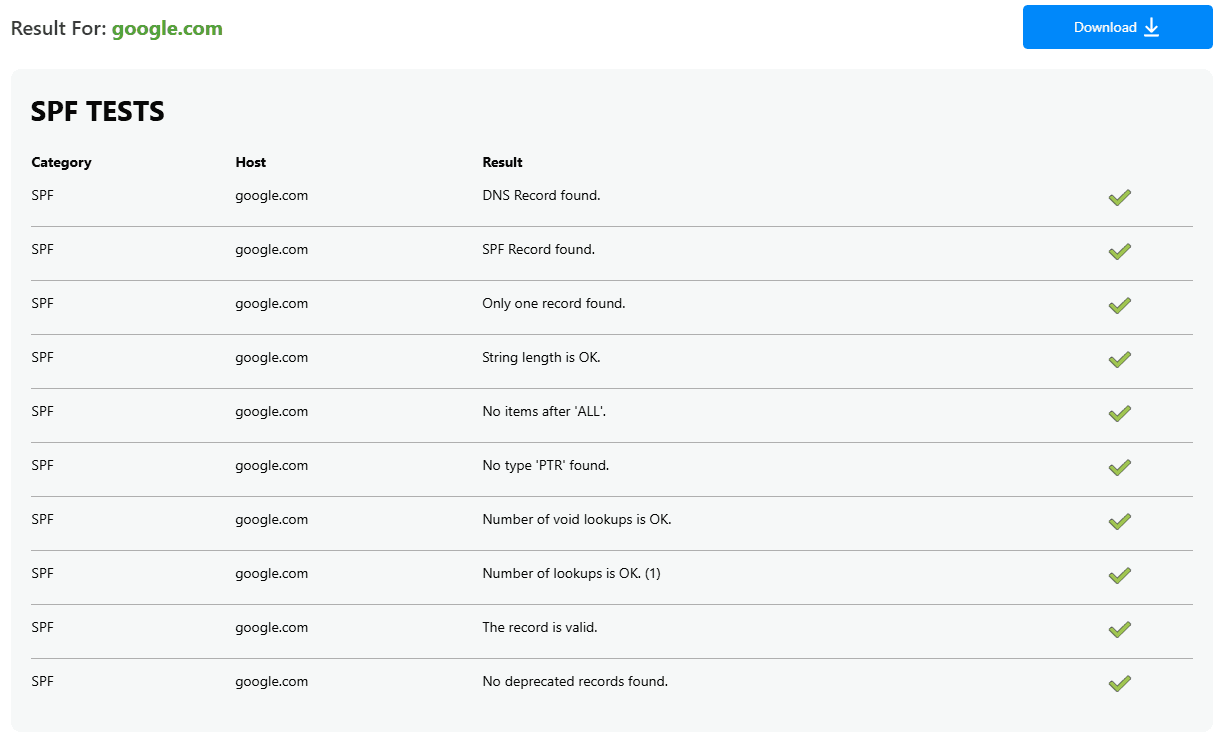
Authentication is one layer of deliverability, not the whole picture. Pairing SPF with DKIM and DMARC, and keeping your lists clean, is what actually protects inbox placement.
FAQs
What is the SPF value for GoDaddy email?
If you send through GoDaddy's Microsoft 365 or Professional Email, the SPF value is v=spf1 include:secureserver.net -all. If you also send through another service, add its include to the same record rather than creating a second one.
How do I find my SPF record in GoDaddy?
Open your domain's DNS Records screen in the GoDaddy Domain Portfolio and look for a TXT record whose value starts with v=spf1. You can also run dig txt yourdomain.com or use an online SPF lookup to see the published record.
Can you have multiple SPF records on one domain?
No. A domain must have exactly one v=spf1 record. A second one causes a PermError that can fail SPF for all your mail, so combine multiple senders' includes into a single record.
How long does SPF propagation take in GoDaddy?
The change usually appears in your account right away, but full DNS propagation can take up to 48 hours. If a lookup does not show the new record, wait and check again before troubleshooting.
How do I verify my GoDaddy SPF record?
Run dig txt yourdomain.com on macOS or Linux, or enter your domain into an online SPF checker. Confirm that only one v=spf1 record is returned and that it lists every sending service you use.
Authentication gets your mail authorized, but invalid addresses still hard-bounce and drag down the reputation you just set up. Run your list through BounceCheck before your next send to remove the addresses that would bounce.
§ Before your next send
Find the addresses that will bounce
Verify a single address free, or upload a CSV — the free plan includes 50 checks a month, no card needed.

BounceCheck Team
The team behind BounceCheck - helping businesses verify emails and improve deliverability.