What Is an A Record?
 BounceCheck Team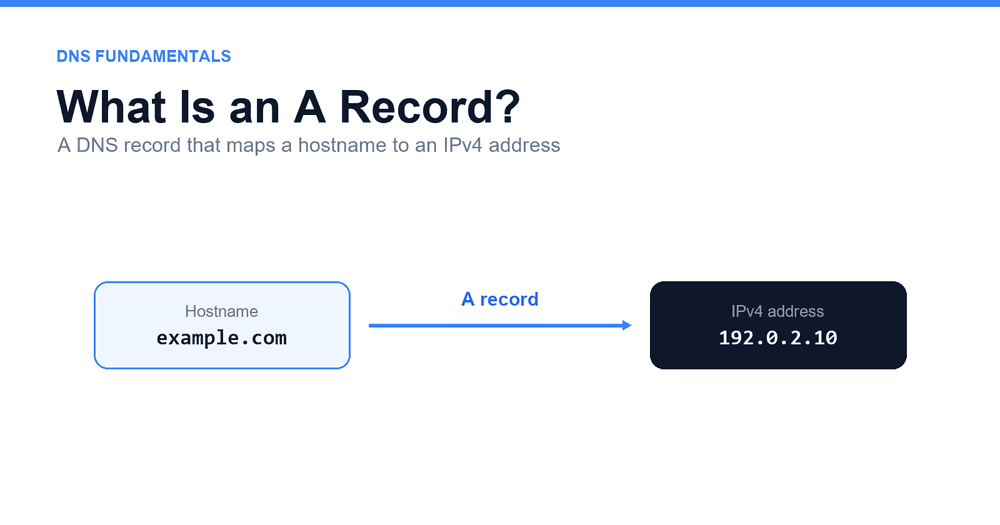
Before your next send Find the addresses that will bounce.
Verify an email freeAn A record is a Domain Name System (DNS) record that maps a hostname to an IPv4 address. It is the entry that lets a resolver turn a name like example.com into the numeric address, such as 192.0.2.10, that computers use to actually reach a server. The AAAA record does the same job for IPv6 addresses, so the two are often published side by side for the same name.
The "A" stands for Address, and it is the most fundamental record type in DNS. It was defined in the original DNS specification, RFC 1035, as resource record type 1. Almost everything you reach by name, a website, an API host, a tracking subdomain, or the server behind a mail exchanger, ultimately depends on an A or AAAA record resolving somewhere in DNS.
How an A record works
An A record does one job: it answers the question "which IPv4 address is behind this name?" That answer is what makes the rest of a connection possible, because software can open a TCP session to an IP address but not to a bare hostname.
When you enter a domain in a browser, your device does not query the authoritative server directly. It hands the name to a recursive resolver, usually run by your ISP or a public provider. That resolver walks the DNS hierarchy on your behalf:
- It asks a root nameserver, which points it to the servers for the top-level domain (
.com,.org, and so on). - The TLD servers point it to the authoritative nameserver for the specific domain.
- The authoritative server returns the A record, handing back the IPv4 address for that host.
- The resolver passes the address to your device, which opens a connection to it.
- The resolver caches the answer for the length of the record's TTL, so repeat lookups skip most of these steps.
The whole exchange usually finishes in a few milliseconds. From the reader's point of view nothing visible happens, but no page loads until the DNS A record resolves to an address first.
The structure of an A record
An A record has four fields: Host (the name it applies to), Type (A for IPv4), Value (a single IPv4 address), and TTL (how long resolvers may cache it). Every DNS provider exposes these same values even when the labels differ, so learning them once makes any dashboard readable.
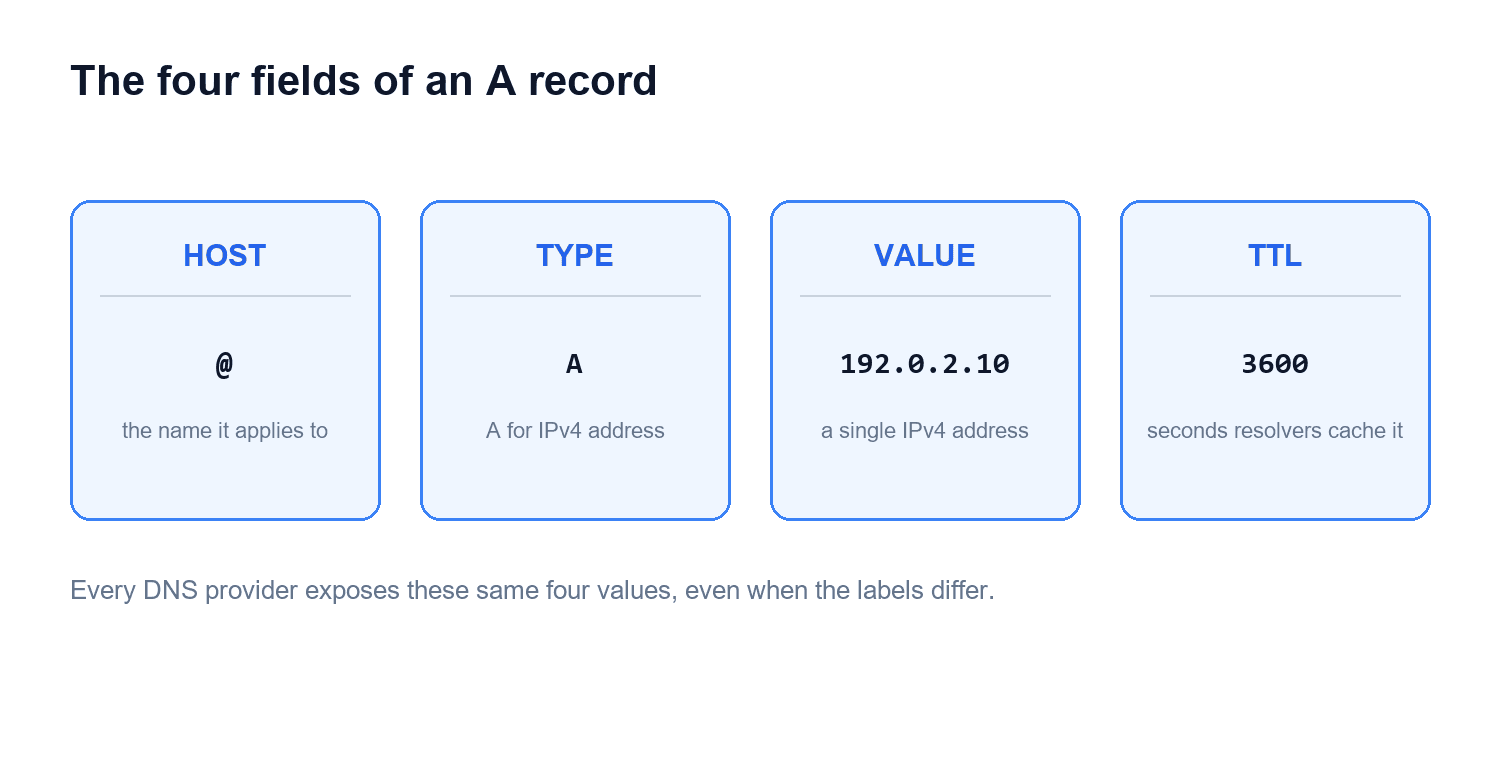
- Host is the name the record applies to, either the root of the domain (often shown as
@) or a subdomain such aswwworblog. - Type is the record type, which is
Afor IPv4 andAAAAfor IPv6. - Value is the destination, a single IPv4 address in dotted-quad form like
192.0.2.10. - TTL (time to live) is how many seconds resolvers may cache the record before checking DNS again for a fresh value.
Put together, a pair of records for a domain and its www host reads like this:
| Host | Type | Value | TTL |
|---|---|---|---|
@ | A | 192.0.2.10 | 3600 |
www | A | 192.0.2.10 | 3600 |
Both entries point the same IPv4 address, so example.com and www.example.com land on the same server. The addresses above come from a documentation range reserved for examples, not a live host.
A record vs CNAME record
An A record points a name straight to an IPv4 address, while a CNAME (canonical name) record points a name to another hostname that the resolver then has to look up in turn. That single difference, an IP address versus an alias to another name, decides which one you use and where you can use it.
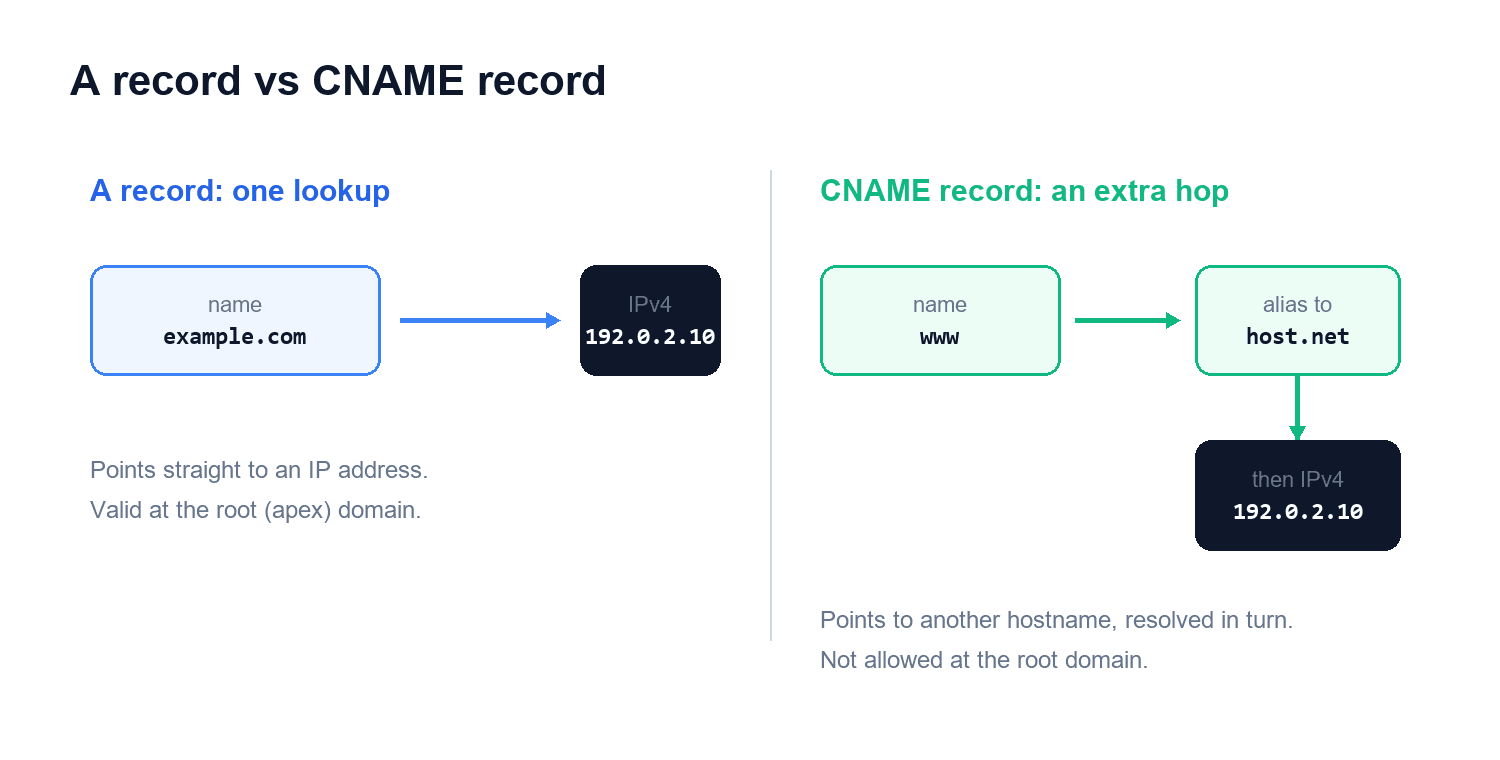
| A record | CNAME record | |
|---|---|---|
| What it points to | An IPv4 address | Another hostname (an alias) |
| Typical use | Root domain, direct IP mapping | Subdomain aliased to another name |
| Allowed at the root domain | Yes | No, the apex needs an A or ALIAS |
| Lookups to resolve | One | An extra hop to chase the target |
This answers a common question: can an A record point to another domain? No. An A record can only hold an IP address, so pointing one name at another name is exactly the job a CNAME exists for. A CNAME also cannot sit on the root (apex) of a domain, which is why the root almost always uses an A record.
A record vs AAAA record
An A record and an AAAA record do the identical job for two different address families. The A record carries a 32-bit IPv4 address like 192.0.2.10. The AAAA record carries a 128-bit IPv6 address like 2001:db8::10. The four A's in AAAA are a reminder that an IPv6 address is four times the size of an IPv4 one.
A single host can, and increasingly does, publish both. When it does, the resolver hands your device whichever family it prefers, and modern clients try IPv6 first and fall back to IPv4. Publishing both is why a name can stay reachable as networks move to IPv6 without breaking older clients. Other record types, such as the TXT records that hold verification strings, live in the same zone but answer entirely different questions.
Common uses for A records
The most common uses of A records are website hosting, subdomains that run separate services, and round-robin load balancing across several IP addresses. Because the A record is the link between a name and a server, it turns up anywhere a hostname needs to resolve:
- Website hosting, where the root domain and
wwwboth point to the web server's IP address. - Subdomains like
blog,app, orshop, each with its own A record aimed at whichever server runs that service. - Redundancy and load balancing through round robin, where one host publishes several A records with different IP addresses and resolvers rotate through them to spread traffic.
The root of a domain (its apex) is the case that forces an A record specifically, since a CNAME is not valid there. Subdomains are more flexible: they can use an A record for a direct IP mapping or a CNAME when they should follow another host.
How to add an A record and how TTL works
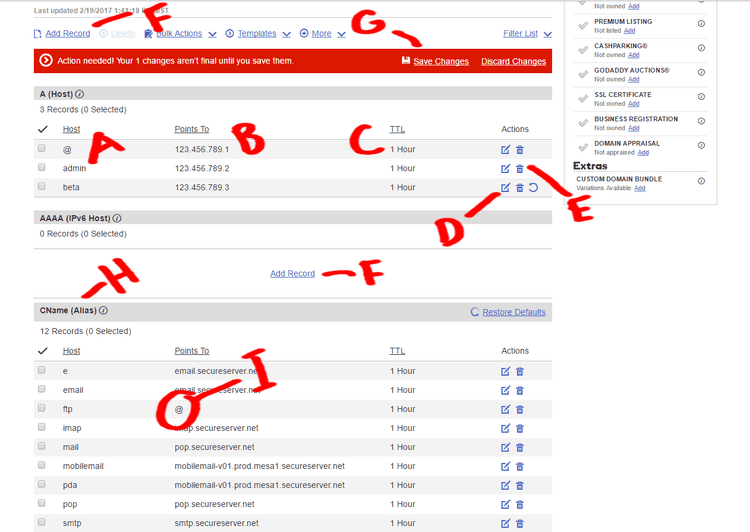
To add an A record, open the DNS or zone editor wherever your domain is hosted (usually the registrar or a dedicated DNS provider), create a record of type A, enter the host and the IPv4 address, set a TTL, and save. The fields are the same across every provider, so the steps below apply almost anywhere. Microsoft documents them for server environments in its guide to adding a DNS resource record.
- Open the DNS or zone editor at your registrar or dedicated DNS provider.
- Create a new record and set the type to
A. - Enter the host:
@for the root domain, or a label such aswwworblogfor a subdomain. - Enter the destination IPv4 address in dotted-quad form, such as
192.0.2.10. - Set a TTL (for example
3600seconds), then save the record.
TTL controls how fast a change takes effect. A resolver that cached the old address keeps serving it until the TTL expires, so a long TTL like 86400 (one day) means slow updates, while a short one like 300 (five minutes) lets changes roll out quickly. A common tactic before a planned migration is to lower the TTL a day ahead, make the switch, then raise it again. Even so, a fresh or changed A record can take time to appear everywhere. Propagation is often complete within a few hours but can run up to 24 to 48 hours depending on the TTL of the previous record.
How A records underpin email authentication
A records underpin email because every mail-related hostname ultimately resolves through one. The boundary between the record types is simple: an A record points a name to an IP address, while a mail exchanger (MX) record tells other servers which host accepts mail for the domain. Even then the two are linked, because the hostname inside an MX record is not an address on its own; senders resolve that target through its A or AAAA record before they can open a connection to it.
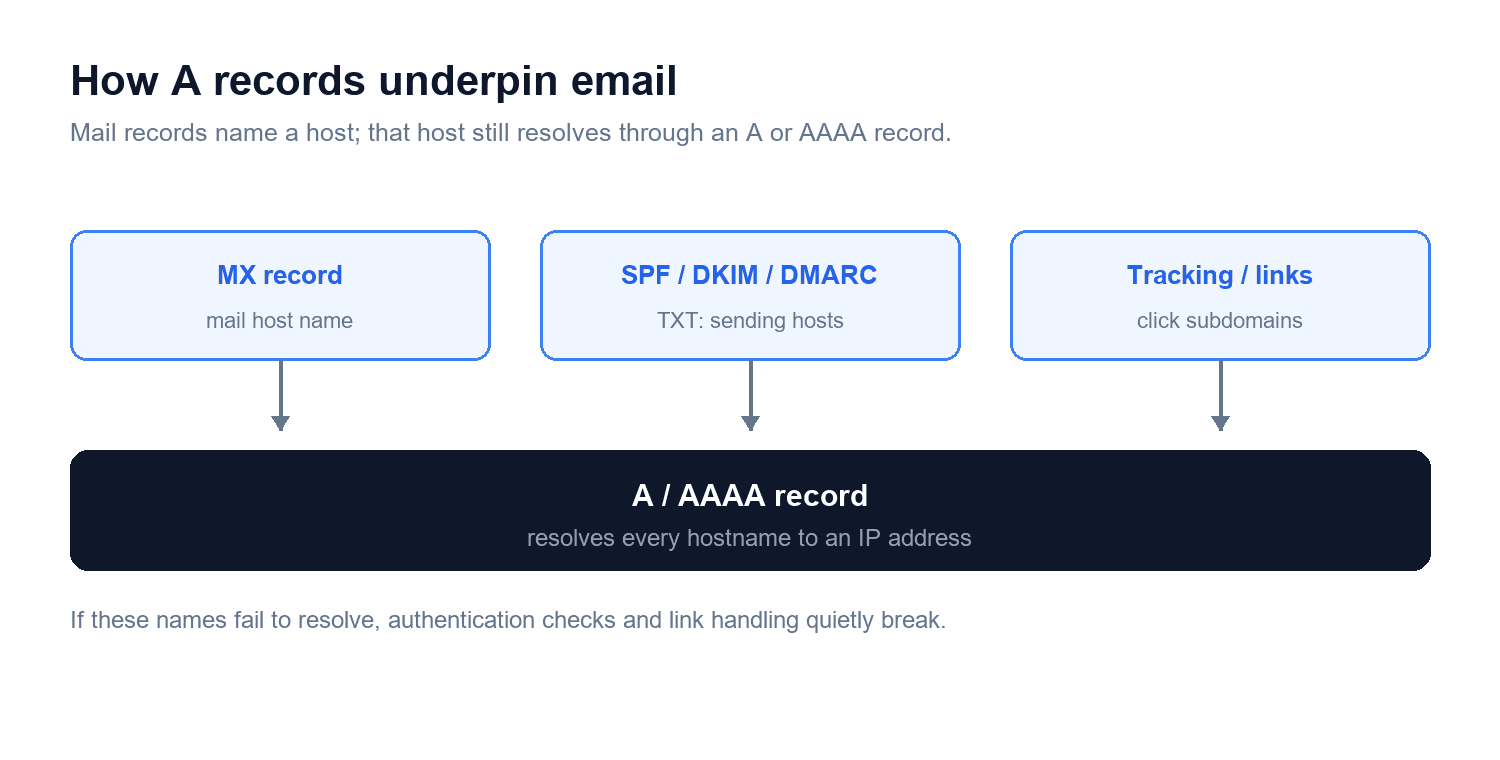
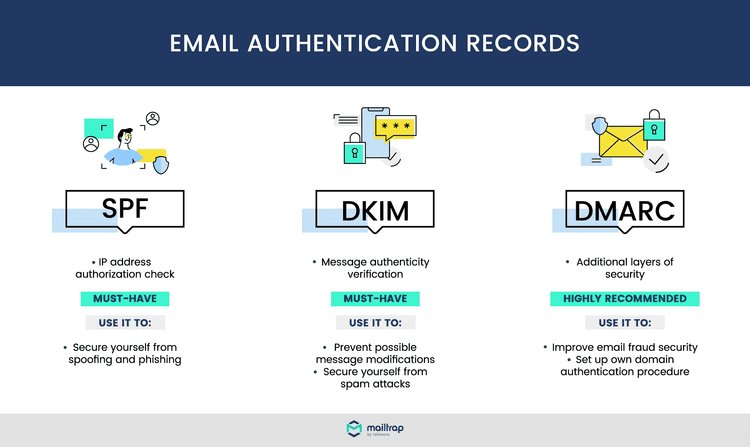
The same dependency runs through authentication. The mechanisms that vouch for your mail, SPF, DKIM, and DMARC, are published as TXT records, but the sending hosts, key servers, and report addresses they reference all resolve through A or AAAA records. An MTA-STS policy host and any tracking or click subdomains on your blog or campaign links depend on the same lookups. When those names fail to resolve, authentication checks and link handling break in ways that quietly hurt delivery, which is one reason getting the underlying records right sits near the base of any effort to verify that an address can receive mail.
FAQs
Can an A record point to another domain?
No. An A record can only hold an IPv4 address, so it cannot point one name at another name. To alias a hostname to another hostname, use a CNAME record instead.
What is the TTL on an A record?
TTL (time to live) is the number of seconds a resolver is allowed to cache the record before querying DNS again. Common values run from 300 (five minutes) to 86400 (one day); lower it before a planned change so updates take effect faster.
What is the difference between an A record and an AAAA record?
An A record maps a hostname to a 32-bit IPv4 address, and an AAAA record maps the same hostname to a 128-bit IPv6 address. Many hosts publish both so they stay reachable over either protocol.
How do you add an A record?
Open the DNS or zone editor at your registrar or DNS provider, create a record with type A, set the host (@ for the root or a subdomain label), enter the IPv4 address, choose a TTL, and save.
How long does a new A record take to work?
Changes often appear within a few hours but can take up to 24 to 48 hours to propagate everywhere, depending on the TTL of the record being replaced.
Getting the record right
An A record is a small line in a zone file, but it is the one that decides whether a name resolves to a working server at all. Once you can read the host, type, value, and TTL fields and tell an A record apart from a CNAME, AAAA, or MX record, most DNS troubleshooting stops feeling like guesswork. Because your sending hosts and authentication records lean on the same lookups, it is worth confirming they resolve cleanly before your next campaign; run your list through BounceCheck to catch the invalid addresses that surface once mail actually reaches those servers.
§ Before your next send
Find the addresses that will bounce
Verify a single address free, or upload a CSV — the free plan includes 50 checks a month, no card needed.

BounceCheck Team
The team behind BounceCheck - helping businesses verify emails and improve deliverability.